
Tính năng an toàn phần mềm: 300% giảm rủi ro với giấy phép chính hãng
Phần mềm Windows lậu khiến các doanh nghiệp nhỏ phải đối mặt với tăng nguy cơ lây nhiễm lên đến 300% so với các giấy phép Microsoft chính hãng. Đối với các chủ doanh nghiệp nhỏ và nhà phân phối CNTT tại Litva, điều này dẫn đến những gián đoạn hoạt động nghiêm trọng, vi phạm các quy định tuân thủ và các lỗ hổng bảo mật gây tốn kém. Các giấy phép Microsoft chính hãng kích hoạt các tính năng bảo mật thiết yếu như Windows Defender, SmartScreen và các bản cập nhật bảo mật tự động, giúp bảo vệ cơ sở hạ tầng doanh nghiệp của bạn. Hướng dẫn này giải thích cách thức hoạt động của các tính năng bảo mật Microsoft, so sánh khả năng bảo mật giữa Windows 10 và 11, đồng thời hướng dẫn bạn cách sở hữu các giấy phép hợp pháp để bảo vệ doanh nghiệp của mình.
Mục lục
- Các tính năng bảo mật của Microsoft bảo vệ doanh nghiệp nhỏ như thế nào
- Những quan niệm sai lầm phổ biến về các tính năng an toàn phần mềm
- Những rủi ro khi sử dụng phần mềm không có giấy phép hoặc phần mềm lậu
- So sánh các tính năng bảo mật của Windows 10 và Windows 11
- Cách Operacinesistema.lt đảm bảo giấy phép chính hãng và an toàn
- Những khuyến nghị thiết thực dành cho chủ doanh nghiệp nhỏ và các nhà phân phối CNTT
- Bảo vệ giấy phép Microsoft của bạn một cách an toàn với Operacinesistema.lt
- Các câu hỏi thường gặp về các tính năng bảo mật phần mềm và cấp phép
Điểm chính
| Điểm | Chi tiết |
|---|---|
| Giấy phép chính hãng kích hoạt các tính năng bảo vệ quan trọng | Microsoft Windows Defender, SmartScreen và các bản cập nhật tự động yêu cầu giấy phép hợp lệ để hoạt động đầy đủ. |
| Các rủi ro về an ninh gia tăng do phần mềm lậu | Hệ điều hành Windows không có giấy phép có nguy cơ bị nhiễm phần mềm độc hại cao gấp 3 lần và không thể cập nhật các bản vá bảo mật. |
| Windows 11 bổ sung tính năng bảo mật dựa trên phần cứng | TPM 2.0 và bảo mật dựa trên ảo hóa mang lại khả năng bảo vệ nâng cao, vượt trội so với các biện pháp bảo vệ phần mềm của Windows 10. |
| Việc tuân thủ phụ thuộc vào việc cấp phép hợp pháp | Quy định GDPR và các quy định về bảo vệ dữ liệu yêu cầu các môi trường vận hành được hỗ trợ và cập nhật thường xuyên. |
| hệ thống điều hành.lt đảm bảo mua hàng an toàn | Chính sách xác minh giấy phép an toàn, hỗ trợ kích hoạt và chính sách hoàn tiền giúp bảo vệ khoản đầu tư của bạn vào phần mềm Microsoft chính hãng. |
Giới thiệu về các tính năng bảo mật phần mềm trong các sản phẩm của Microsoft
Các tính năng bảo mật phần mềm là các biện pháp bảo vệ tích hợp sẵn trong hệ điều hành Microsoft Windows, được thiết kế để chống lại phần mềm độc hại, các cuộc tấn công lừa đảo và các lỗ hổng hệ thống. Đối với các doanh nghiệp nhỏ và các nhà phân phối CNTT tại Litva, những tính năng này là tuyến phòng thủ đầu tiên chống lại các mối đe dọa mạng có thể làm tê liệt hoạt động kinh doanh và khiến dữ liệu nhạy cảm của khách hàng bị lộ. Việc hiểu rõ các biện pháp bảo vệ này là gì và cách thức hoạt động của chúng là điều cần thiết để đưa ra các quyết định cấp phép sáng suốt.
Các giấy phép Microsoft chính hãng kích hoạt ba thành phần bảo mật chính, phối hợp với nhau để bảo vệ hệ thống doanh nghiệp của bạn:
- Windows Defender Antivirus cung cấp tính năng phát hiện và loại bỏ phần mềm độc hại theo thời gian thực
- Bộ lọc SmartScreen chặn các trang web và tệp tải xuống độc hại trước khi chúng xâm nhập vào hệ thống của bạn
- Các bản cập nhật bảo mật tự động sẽ vá các lỗ hổng mới được phát hiện chỉ vài giờ sau khi chúng được xác định
Các bản sao Windows giả mạo hoặc lậu thường không thể truy cập các tính năng bảo mật quan trọng của Microsoft, bao gồm Windows Update và Defender, dẫn đến nguy cơ nhiễm virus và gián đoạn hoạt động cao gấp 3 lần. Đây không chỉ là một bất tiện về mặt kỹ thuật. Khi hệ điều hành Windows của bạn không thể nhận được các bản vá bảo mật, mọi lỗ hổng bảo mật mới được phát hiện sẽ trở thành điểm yếu cố hữu trong cơ sở hạ tầng doanh nghiệp của bạn.
Các doanh nghiệp nhỏ phải đối mặt với những rủi ro đặc biệt vì họ thường thiếu nhân viên chuyên trách về an ninh mạng. Các tính năng bảo mật của Microsoft hoạt động như một đội ngũ nhân viên an ninh tự động, liên tục theo dõi các mối đe dọa và triển khai các bản vá lỗi mà không cần kiến thức chuyên môn. Bạn có thể xác minh tính xác thực của giấy phép Windows để đảm bảo các hệ thống của bạn có thể tận dụng đầy đủ các biện pháp bảo vệ này.
Mẹo chuyên nghiệp: Hãy kiểm tra trạng thái kích hoạt Windows ngay sau khi cài đặt bằng cách mở Cài đặt > Cập nhật & Bảo mật > Kích hoạt để đảm bảo tất cả các tính năng bảo mật đã được bật.
Các tính năng bảo mật của Microsoft bảo vệ doanh nghiệp nhỏ như thế nào
Các tính năng bảo mật của Microsoft tạo ra nhiều lớp bảo vệ nhằm ngăn chặn các mối đe dọa mạng làm ảnh hưởng đến hoạt động kinh doanh của bạn. Windows Defender Antivirus quét các tệp và ứng dụng theo thời gian thực, chặn mã độc trước khi chúng được thực thi. Bộ lọc SmartScreen đánh giá các trang web và tệp tải xuống dựa trên cơ sở dữ liệu mối đe dọa được Microsoft cập nhật liên tục, đồng thời cảnh báo bạn trước khi truy cập vào nội dung nguy hiểm.
Các bản cập nhật bảo mật tự động là nền tảng của sự bảo vệ lâu dài. Microsoft thường xuyên phát hành các bản vá cho các lỗ hổng bảo mật mới được phát hiện, đồng thời triển khai ngay lập tức các bản cập nhật khẩn cấp đối với các mối đe dọa nghiêm trọng. Giấy phép Windows chính hãng của bạn đảm bảo bạn sẽ nhận được các bản cập nhật này một cách tự động, giúp bịt kín các lỗ hổng bảo mật trước khi kẻ tấn công có thể lợi dụng chúng.
Windows 11 giới thiệu các biện pháp bảo vệ dựa trên phần cứng, vượt xa các biện pháp bảo vệ phần mềm:
- TPM 2.0 (Trusted Platform Module) mã hóa dữ liệu nhạy cảm ở cấp độ phần cứng
- Bảo mật dựa trên ảo hóa (VBS) cách ly các quy trình hệ thống quan trọng khỏi phần mềm độc hại
- Chức năng Secure Boot ngăn chặn các hệ điều hành không được phép khởi động trong quá trình khởi động
Những biện pháp bảo vệ này mang lại những lợi ích kinh doanh rõ rệt. Việc chỉ sử dụng phần mềm Microsoft có giấy phép giúp các doanh nghiệp nhỏ tuân thủ GDPR và các quy định bảo vệ dữ liệu khác ở khu vực bằng cách đảm bảo môi trường hoạt động được hỗ trợ và cập nhật. Tuân thủ quy định không phải là điều tùy chọn đối với các doanh nghiệp xử lý dữ liệu khách hàng. Các cuộc kiểm toán theo quy định nhằm xác minh rằng hệ thống của bạn luôn được cập nhật các bản vá bảo mật mới nhất và sử dụng các cấu hình phần mềm đã được phê duyệt.
Việc giảm thiểu gián đoạn hoạt động là một lợi thế quan trọng khác. Các cuộc tấn công bằng phần mềm độc hại khiến doanh nghiệp phải ngừng hoạt động trung bình từ 3 đến 5 ngày trong khi đội ngũ CNTT khôi phục lại các hệ thống bị xâm nhập. Các tính năng bảo mật của Microsoft ngăn chặn hầu hết các cuộc tấn công trước khi chúng xảy ra, giúp doanh nghiệp của bạn vận hành trơn tru. Bạn có thể xem xét Hướng dẫn tuân thủ giấy phép của Microsoft để biết các yêu cầu chi tiết dành riêng cho môi trường kinh doanh.
Mẹo chuyên nghiệp: Hãy bật tính năng bảo vệ dựa trên đám mây của Windows Defender trong phần Cài đặt để tận dụng mạng lưới thông tin tình báo về mối đe dọa toàn cầu của Microsoft, giúp phát hiện phần mềm độc hại nhanh hơn.
Những quan niệm sai lầm phổ biến về các tính năng bảo mật phần mềm
Nhiều chủ doanh nghiệp nhỏ cho rằng phần mềm diệt virus của bên thứ ba có thể thay thế các tính năng bảo vệ tích hợp sẵn trong Windows. Sự hiểu lầm này tạo ra những lỗ hổng bảo mật nguy hiểm. Windows Defender tích hợp trực tiếp với hệ điều hành ở mức độ mà phần mềm của bên thứ ba không thể sánh kịp, giúp phát hiện các mối đe dọa mà các chương trình diệt virus thông thường không thể phát hiện được. Cả hai hoạt động hiệu quả nhất khi được sử dụng như các lớp bảo vệ bổ sung cho nhau, chứ không phải để thay thế lẫn nhau.
Dưới đây là những quan niệm sai lầm phổ biến nhất dẫn đến các lỗ hổng bảo mật:
Cài đặt phần mềm diệt virus trên Windows lậu sẽ mang lại sự bảo vệ đầy đủ. Các bản cài đặt Windows giả mạo không có quyền truy cập vào hệ thống cập nhật bảo mật của Microsoft. Phần mềm diệt virus của bạn có thể phát hiện các phần mềm độc hại đã biết, nhưng các lỗ hổng hệ thống chưa được vá vẫn dễ bị tấn công bởi các lỗ hổng zero-day.
Các tính năng bảo mật của Windows 11 đòi hỏi phải nâng cấp phần cứng với chi phí cao. Hầu hết các máy tính được sản xuất sau năm 2018 đều đã được trang bị chip TPM 2.0 và phần mềm cơ sở UEFI. Phần cứng này đã có sẵn nhưng có thể cần kích hoạt qua BIOS. Chỉ có những hệ thống rất cũ là thiếu các thành phần tương thích.
Phần mềm lậu trở nên an toàn sau khi cài đặt các bản cập nhật giả mạo. Các công cụ cập nhật giả mạo thường chứa chính phần mềm độc hại. Các bản cập nhật Windows giả mạo không thể vá lỗi cho mã nguồn chính hãng của Microsoft vì chúng thiếu khóa ký số.
Các doanh nghiệp nhỏ quá nhỏ để trở thành mục tiêu của các cuộc tấn công mạng. Những kẻ tấn công đặc biệt nhắm vào các doanh nghiệp nhỏ vì những doanh nghiệp này thường có hệ thống bảo mật yếu hơn so với các tập đoàn lớn, nhưng vẫn xử lý dữ liệu thanh toán quý giá của khách hàng.
Cài đặt bảo mật một lần mang lại sự bảo vệ lâu dài. Các mối đe dọa mạng ngày càng phát triển. Nếu không có các bản cập nhật liên tục thông qua giấy phép chính hãng, hệ thống bảo mật của bạn sẽ trở nên lỗi thời chỉ trong vài tuần.
The Tác động của phần mềm chính thức so với phần mềm không chính thức vượt ra ngoài những lo ngại về an ninh trước mắt để hướng tới khả năng tồn tại lâu dài của doanh nghiệp. Mỗi quan niệm sai lầm đều là một điểm quyết định, nơi các doanh nghiệp nhỏ vô tình chấp nhận những rủi ro lớn chỉ để tiết kiệm một khoản chi phí nhỏ.
Rủi ro khi sử dụng phần mềm không có giấy phép hoặc phần mềm lậu
Phần mềm Windows không có giấy phép gây ra hàng loạt vấn đề về an ninh và pháp lý, đe dọa sự tồn tại của các doanh nghiệp nhỏ. Các số liệu thống kê đã cho thấy rõ mức độ nguy hiểm này.
Các bản sao Windows giả mạo hoặc lậu thường không thể truy cập các tính năng bảo mật quan trọng của Microsoft, bao gồm Windows Update và Defender, dẫn đến nguy cơ nhiễm virus và gián đoạn hoạt động cao gấp 3 lần.
Mức tăng 300% về nguy cơ nhiễm virus này không chỉ là lý thuyết. Các doanh nghiệp nhỏ sử dụng Windows lậu thường xuyên phải đối mặt với các sự cố phần mềm độc hại mà giấy phép chính hãng có thể ngăn chặn. Mỗi lần nhiễm virus gây ra chi phí trung bình từ 8.000 đến 15.000 euro cho việc khắc phục hậu quả, mất năng suất và tổn hại niềm tin của khách hàng.
Các rủi ro cụ thể của phần mềm không có giấy phép bao gồm:
- Hoàn toàn không thể truy cập các bản cập nhật bảo mật và bản vá lỗi của Windows
- Không thể sử dụng Windows Defender hoặc nhận các bản cập nhật định nghĩa virus
- Phần mềm độc hại và lỗ hổng bảo mật được cài đặt sẵn trong các bản Windows lậu
- Sự không ổn định của hệ thống do các tệp lõi bị thiếu hoặc bị hỏng trong các bản sao giả mạo
- Trách nhiệm pháp lý đối với hành vi vi phạm bản quyền phần mềm trong các cuộc kiểm toán doanh nghiệp
- Việc vi phạm các quy định của GDPR có thể khiến bạn phải đối mặt với mức phạt hành chính lên tới 20 triệu euro hoặc 41% doanh thu hàng năm
Số lần không đạt yêu cầu trong kiểm toán liên quan đến tuân thủ giảm tới 35% khi các doanh nghiệp sử dụng phần mềm chính hãng được cập nhật thường xuyên. Sự giảm thiểu này xảy ra do việc cấp phép hợp pháp tạo ra các tài liệu có thể kiểm chứng mà các kiểm toán viên yêu cầu. Phần mềm lậu không để lại dấu vết kiểm toán, dẫn đến vi phạm tuân thủ một cách tự động.
Các doanh nghiệp Litva phải đối mặt với những rủi ro bổ sung theo quy định bảo vệ dữ liệu của EU. Nếu xảy ra vi phạm an ninh do sử dụng phần mềm không có giấy phép, quý vị sẽ không thể viện dẫn các biện pháp an ninh hợp lý để bào chữa cho mình. Các hợp đồng bảo hiểm thường loại trừ việc bồi thường cho những tổn thất phát sinh từ việc vi phạm bản quyền phần mềm. Hãy xem xét các rủi ro pháp lý và an ninh liên quan đến phần mềm không chính thức và tham khảo ý kiến của Danh sách kiểm tra bảo mật hệ điều hành Microsoft để đánh giá mức độ rủi ro hiện tại của bạn.
So sánh các tính năng bảo mật của Windows 10 và Windows 11
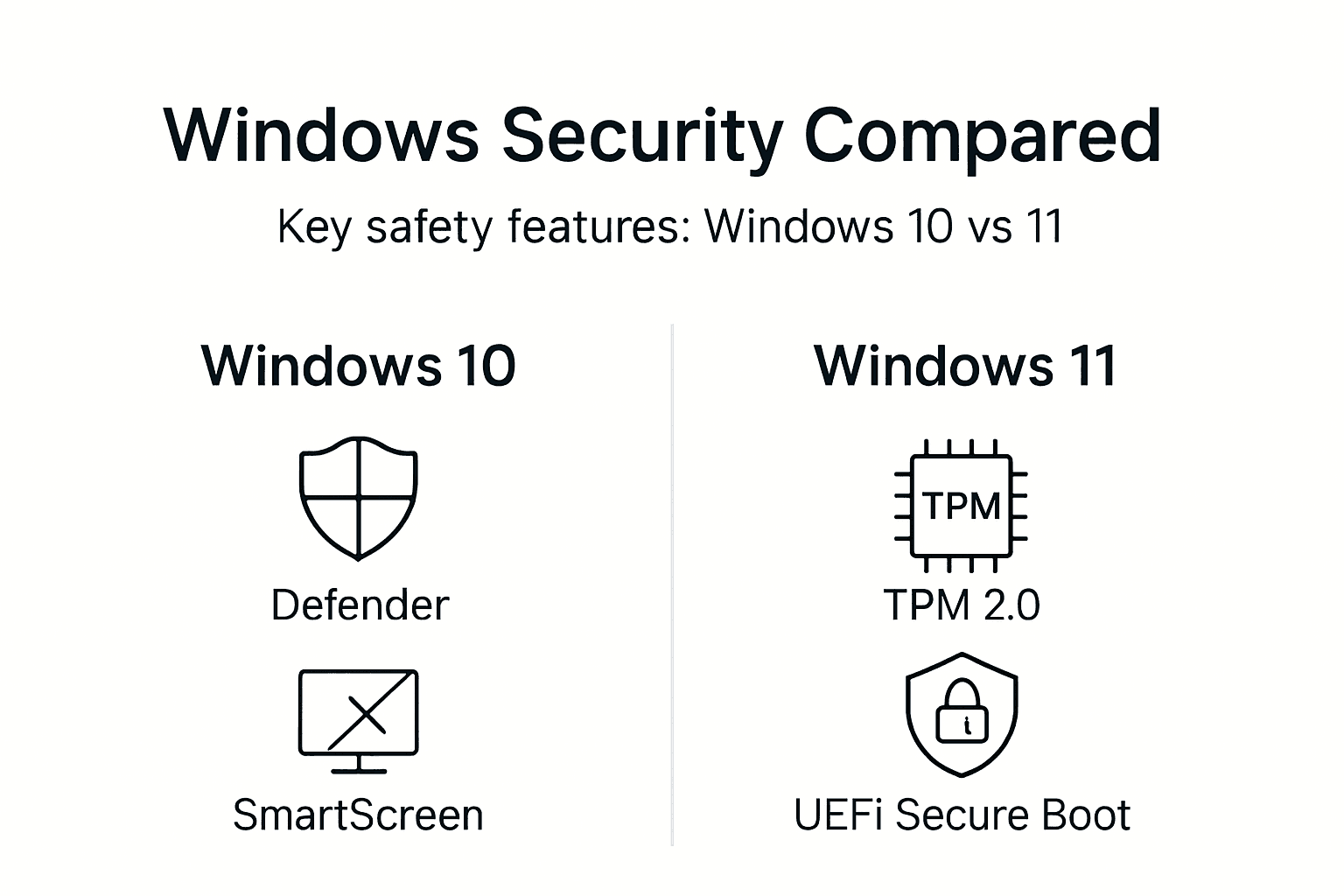
Cả Windows 10 và Windows 11 đều cung cấp các biện pháp bảo mật cơ bản, nhưng Windows 11 bổ sung thêm các tính năng bảo vệ dựa trên phần cứng, giúp tăng cường đáng kể khả năng chống lại các mối đe dọa. Việc hiểu rõ những điểm khác biệt này sẽ giúp các doanh nghiệp nhỏ đưa ra quyết định nâng cấp sáng suốt dựa trên nhu cầu bảo mật và khả năng phần cứng hiện có của họ.
| Tính năng | Windows 10 | Windows 11 |
|---|---|---|
| Phần mềm diệt virus Windows Defender | Bảo vệ chống phần mềm độc hại theo thời gian thực | Được cải tiến với tính năng phát hiện mây được nâng cấp |
| Bộ lọc SmartScreen | Chặn các trang web lừa đảo và chứa phần mềm độc hại | Cùng một chức năng cốt lõi nhưng cập nhật nhanh hơn |
| Cập nhật bảo mật tự động | Cập nhật bản vá định kỳ | Lịch cập nhật tương tự với quy trình cài đặt được tối ưu hóa |
| Yêu cầu TPM | Tùy chọn (TPM 1.2) | Bắt buộc (TPM 2.0) đối với mã hóa phần cứng |
| Bảo mật dựa trên ảo hóa | Có sẵn nhưng không phải là mặc định | Được bật theo mặc định trên phần cứng tương thích |
| Khởi động an toàn | Được hỗ trợ | Yêu cầu để cài đặt |
| Cách ly phần cứng | Hạn chế | Tính toàn vẹn bộ nhớ hoàn toàn và cách ly lõi |
Windows 10 chủ yếu dựa vào các biện pháp bảo vệ dựa trên phần mềm. Windows Defender và SmartScreen hoạt động hiệu quả, nhưng các cuộc tấn công tinh vi có thể vượt qua các biện pháp phòng thủ chỉ dựa trên phần mềm. Hệ điều hành này hỗ trợ các tính năng bảo mật phần cứng, nhưng chúng vẫn là tùy chọn và nhiều người dùng không bao giờ kích hoạt chúng.
Windows 11 yêu cầu bắt buộc phải có bảo mật phần cứng. Các chip TPM 2.0 mã hóa dữ liệu nhạy cảm như mật khẩu và khóa mã hóa ở cấp độ phần cứng, nơi phần mềm độc hại không thể truy cập được. Bảo mật dựa trên ảo hóa chạy các quy trình hệ thống quan trọng trong các vùng chứa được cách ly, ngăn chặn phần mềm độc hại can thiệp vào các chức năng bảo mật của Windows ngay cả khi nó xâm nhập được vào hệ thống.
Các yếu tố cần xem xét khi triển khai cho doanh nghiệp nhỏ bao gồm:
- Hầu hết các máy tính sản xuất từ năm 2018 trở đi đều đáp ứng các yêu cầu về phần cứng của Windows 11
- Các hệ thống cũ hơn có thể cần cập nhật BIOS để kích hoạt TPM 2.0 và Secure Boot
- Chi phí di chuyển bao gồm các chi phí nâng cấp phần cứng tiềm năng cho các máy tính sản xuất trước năm 2018
- Những lợi ích về an ninh xứng đáng với chi phí nâng cấp đối với các doanh nghiệp xử lý dữ liệu nhạy cảm của khách hàng
Bạn có thể Nâng cấp từ Windows 7 lên Windows 11 một cách an toàn đồng thời đảm bảo tất cả các tính năng bảo mật hoạt động bình thường. Windows 7 đã hết thời hạn hỗ trợ vào năm 2020, khiến các hệ thống này hoàn toàn không được bảo vệ, bất kể có cài đặt phần mềm diệt virus hay không.
Làm thế nào hệ thống điều hành.lt đảm bảo giấy phép hợp pháp và an toàn
Để mua các giấy phép Microsoft chính hãng, bạn cần tìm đến một nhà phân phối đáng tin cậy, có thể xác minh tính xác thực và cung cấp dịch vụ hỗ trợ liên tục. hệ thống điều hành.lt chuyên cung cấp các giấy phép Windows 10 và Windows 11 Pro chính hãng cho các doanh nghiệp nhỏ và các nhà phân phối CNTT tại Litva, đảm bảo quý khách có quyền truy cập đầy đủ vào các tính năng bảo mật của Microsoft ngay từ ngày đầu tiên.
Quy trình mua hàng an toàn bao gồm:
- Mã bản quyền kỹ thuật số sẽ được gửi ngay lập tức qua email sau khi xác nhận thanh toán
- Phương tiện cài đặt USB vật lý kèm theo bao bì bán lẻ chính hãng dành cho các doanh nghiệp ưa chuộng sản phẩm vật lý
- Các công cụ xác minh giấy phép giúp xác nhận tính xác thực trực tiếp với máy chủ của Microsoft
- Hỗ trợ kích hoạt từ bộ phận chăm sóc khách hàng nếu bạn gặp sự cố kỹ thuật
- Chính sách hoàn tiền đối với các sản phẩm vật lý chưa mở nếu quý khách thay đổi yêu cầu
hệ thống điều hành.lt chúng tôi mua giấy phép trực tiếp từ các kênh phân phối chính thức của Microsoft. Mỗi khóa giấy phép sẽ kích hoạt các bản cài đặt Windows chính hãng, giúp người dùng nhận được đầy đủ các bản cập nhật bảo mật, tính năng bảo vệ của Windows Defender và bộ lọc SmartScreen. Quý khách không mua các khóa giấy phép từ thị trường xám hay các khóa giấy phép số lượng lớn được chuyển đổi sang bán lẻ.
Đội ngũ hỗ trợ khách hàng của nền tảng này sẽ giải đáp các thắc mắc về kích hoạt liên quan đến môi trường doanh nghiệp. Nhiều doanh nghiệp nhỏ cần kích hoạt nhiều máy tính hoặc chuyển giấy phép giữa các thiết bị phần cứng. hệ thống điều hành.lt cung cấp hướng dẫn giúp đảm bảo tuân thủ các điều khoản cấp phép của Microsoft đồng thời tối ưu hóa hiệu quả đầu tư của bạn.
Tác động đến an ninh và tuân thủ không chỉ dừng lại ở giai đoạn mua ban đầu. Các giấy phép chính hãng tạo ra hồ sơ tài liệu mà các kiểm toán viên yêu cầu để đảm bảo tuân thủ GDPR. Bạn có thể xác thực khóa giấy phép Windows của mình bất cứ lúc nào để xác nhận tính hợp pháp và tình trạng hỗ trợ vẫn còn hiệu lực.
Mẹo chuyên nghiệp: Hãy lưu giữ xác nhận mua khóa cấp phép và các hồ sơ kích hoạt tại một nơi an toàn, tách biệt với chính máy tính, để phục vụ cho việc lập hồ sơ kiểm toán và khôi phục dữ liệu sau sự cố.
Các khuyến nghị thực tiễn dành cho chủ doanh nghiệp nhỏ và các nhà phân phối CNTT
Để triển khai bảo mật phần mềm toàn diện, cần thực hiện các bước có hệ thống nhằm đảm bảo mọi thành phần đều hoạt động chính xác. Hãy tuân theo trình tự sau để tối đa hóa mức độ bảo vệ cho các hệ thống kinh doanh của bạn:
Hãy mua giấy phép Microsoft chính hãng từ các đại lý được xác minh. Hãy chọn Windows 10 hoặc 11 tùy theo khả năng phần cứng và yêu cầu bảo mật của bạn. hệ thống điều hành.lt cung cấp giấy phép chính thức kèm theo các tài liệu cần thiết.
Hãy xác minh việc kích hoạt giấy phép ngay sau khi cài đặt. Open Settings > Update & Security > Activation to confirm Windows recognizes your license as genuine. Unactivated installations lack access to security updates.
Bật tất cả các thành phần của Windows Defender. Vui lòng truy cập cài đặt Bảo mật Windows và kích hoạt tính năng bảo vệ thời gian thực, bảo vệ dựa trên đám mây và tính năng gửi mẫu tự động để phát hiện mối đe dọa một cách tối ưu.
Cấu hình bộ lọc SmartScreen cho tất cả người dùng. Cài đặt SmartScreen để hiển thị cảnh báo trước khi chạy các ứng dụng không được nhận diện và chặn các trang web độc hại trong Microsoft Edge cũng như các trình duyệt khác.
Thiết lập lịch cập nhật tự động. Cài đặt Windows Update để tự động cài đặt các bản vá bảo mật vào ngoài giờ làm việc nhằm tránh làm gián đoạn hoạt động kinh doanh.
Hãy lưu giữ các tài liệu về giấy phép để phục vụ cho các cuộc kiểm toán tuân thủ. Lưu trữ hồ sơ mua hàng, xác nhận kích hoạt và khóa cấp phép tại các vị trí sao lưu an toàn, tách biệt với chính các máy tính.
Đánh giá mức độ sẵn sàng của phần cứng đối với các tính năng bảo mật của Windows 11. Hãy kiểm tra cài đặt BIOS để kích hoạt TPM 2.0 và Secure Boot trên các máy tính tương thích nhằm tăng cường bảo mật.
Đào tạo nhân viên về các biện pháp bảo mật tốt nhất. Ngay cả những biện pháp bảo vệ kỹ thuật tốt nhất cũng sẽ thất bại nếu người dùng tắt các cảnh báo bảo mật hoặc bỏ qua các cảnh báo SmartScreen.
Các doanh nghiệp nhỏ tại Litva nên tham khảo hướng dẫn tuân thủ cấp phép của Microsoft để nắm rõ các yêu cầu cụ thể theo khu vực. Các kiểm toán viên GDPR ngày càng chú trọng việc kiểm tra giấy phép phần mềm trong quá trình đánh giá bảo vệ dữ liệu.
Mẹo chuyên nghiệp: Lên lịch kiểm tra giấy phép hàng quý bằng cách sử dụng các công cụ xác minh tại hệ thống điều hành.lt để phát hiện sớm các vấn đề liên quan đến giấy phép trước khi chúng trở thành vấn đề tuân thủ trong các cuộc kiểm toán chính thức.
Việc bảo trì định kỳ đảm bảo sự bảo vệ liên tục. Các bản cập nhật bảo mật được phát hành hàng tháng, trong đó các bản vá lỗi quan trọng sẽ được triển khai ngay lập tức để khắc phục các lỗ hổng nghiêm trọng. Các bản quyền chính hãng sẽ tự động nhận được các bản cập nhật này, trong khi các bản cài đặt lậu sẽ luôn ở trong tình trạng dễ bị tấn công. lợi ích của phần mềm có giấy phép vượt ra ngoài vấn đề an ninh trước mắt để hướng tới sự liên tục hoạt động kinh doanh trong dài hạn.
Bảo vệ giấy phép Microsoft của bạn một cách an toàn với hệ thống điều hành.lt
Để bảo vệ doanh nghiệp nhỏ của bạn khỏi nguy cơ lây nhiễm cao hơn do phần mềm lậu gây ra, điều đầu tiên bạn cần làm là mua giấy phép Microsoft chính hãng từ một nhà cung cấp đáng tin cậy. hệ thống điều hành.lt là nguồn cung cấp đáng tin cậy tại Litva cho các giấy phép Windows 10 và Windows 11 Pro chính hãng, mang lại sự đảm bảo về an ninh và tuân thủ mà các doanh nghiệp nhỏ và các nhà phân phối CNTT cần.

Mọi giấy phép được mua qua hệ thống điều hành.lt đi kèm với dịch vụ hỗ trợ toàn diện, đảm bảo quá trình kích hoạt thành công và quyền truy cập liên tục vào các tính năng bảo mật của Microsoft. Các dịch vụ của nền tảng này bao gồm hỗ trợ xác thực giấy phép, hỗ trợ kỹ thuật cho các vấn đề liên quan đến kích hoạt, cùng chính sách hoàn tiền rõ ràng nhằm bảo vệ khoản đầu tư của bạn.
Giấy phép chính hãng mang lại sự an tâm rằng các hệ thống kinh doanh của bạn luôn duy trì các biện pháp bảo mật và tài liệu tuân thủ cần thiết để đáp ứng các yêu cầu của GDPR và phòng chống các mối đe dọa mạng.
Các dịch vụ chính giúp bảo vệ khoản đầu tư vào giấy phép của bạn:
- Gửi ngay lập tức các khóa cấp phép chính hãng qua email bảo mật
- Phương tiện cài đặt USB vật lý kèm bao bì bán lẻ để xác minh thực tế
- Truy cập vào công cụ xác thực khóa cấp phép để xác minh tính xác thực liên tục
- Hướng dẫn chi tiết qua Hướng dẫn về khóa kích hoạt Windows 11 để thiết lập đúng cách
- Tài liệu toàn diện về các lợi ích của phần mềm có giấy phép để hỗ trợ việc ra quyết định sáng suốt
Mẹo chuyên nghiệp: Hãy sử dụng công cụ xác thực giấy phép ngay sau khi nhận được khóa để kiểm tra tính xác thực trước khi cài đặt Windows, nhằm đảm bảo bạn có thể giải quyết mọi sự cố trong khi dịch vụ hỗ trợ vẫn còn sẵn sàng.
Các câu hỏi thường gặp về các tính năng bảo mật phần mềm và cấp phép
Những tính năng bảo mật quan trọng nào của Microsoft mà tôi sẽ có được khi sử dụng bản quyền chính hãng?
Các giấy phép Microsoft chính hãng sẽ kích hoạt Windows Defender Antivirus để bảo vệ chống phần mềm độc hại theo thời gian thực, SmartScreen Filter để chặn các trang web và tệp tải xuống độc hại, cũng như các bản cập nhật bảo mật tự động nhằm vá các lỗ hổng ngay khi Microsoft phát hiện ra chúng. Ba thành phần này phối hợp với nhau để tạo nên hệ thống phòng thủ nhiều lớp chống lại các mối đe dọa mạng.
Tôi có thể kích hoạt các tính năng bảo mật của Windows 11 trên các máy tính cũ không?
Hầu hết các máy tính được sản xuất sau năm 2018 đều đáp ứng các yêu cầu bảo mật của Windows 11, bao gồm TPM 2.0 và UEFI Secure Boot. Bạn có thể cần kích hoạt các tính năng này trong cài đặt BIOS nếu chúng bị tắt theo mặc định. Các máy tính sản xuất trước năm 2016 thường không có phần cứng tương thích và không thể chạy Windows 11.
Việc sử dụng phần mềm Windows chính hãng giúp tuân thủ GDPR như thế nào?
GDPR yêu cầu các doanh nghiệp phải áp dụng các biện pháp kỹ thuật phù hợp để bảo vệ dữ liệu cá nhân. Các giấy phép Windows chính hãng đảm bảo bạn nhận được các bản cập nhật bảo mật nhằm khắc phục các lỗ hổng đã biết, từ đó tạo ra một cơ chế bảo mật được ghi chép đầy đủ mà các kiểm toán viên sẽ xác minh trong quá trình đánh giá tuân thủ. Phần mềm lậu không thể chứng minh được các biện pháp bảo mật hợp lý.
Tôi sẽ phải đối mặt với những rủi ro nào nếu sử dụng phần mềm Microsoft lậu hoặc giả mạo?
Sử dụng Windows lậu khiến bạn phải đối mặt với nguy cơ nhiễm phần mềm độc hại cao hơn gấp 3001 lần, mất hoàn toàn các bản cập nhật bảo mật, khả năng có phần mềm độc hại được cài đặt sẵn ngay trong bản cài đặt giả mạo, và phải chịu trách nhiệm pháp lý trong các cuộc kiểm tra phần mềm. Các vi phạm GDPR do bảo mật không đầy đủ có thể dẫn đến mức phạt lên đến 20 triệu euro hoặc 41% doanh thu hàng năm.
Làm thế nào để hệ thống điều hành.lt Làm thế nào để tôi có thể đảm bảo rằng các giấy phép của mình là hợp lệ và được hỗ trợ đầy đủ?
hệ thống điều hành.lt cung cấp các giấy phép Microsoft chính hãng được lấy từ các kênh phân phối được ủy quyền, cung cấp các công cụ xác minh giấy phép để xác nhận tính xác thực với máy chủ của Microsoft, đồng thời hỗ trợ khách hàng giải quyết các vấn đề liên quan đến kích hoạt. Nền tảng này lưu trữ tài liệu ghi lại quá trình kiểm tra cần thiết để xác minh việc tuân thủ.





