Check Windows licence key validity

Windows licence key verification
Check if your Windows key is valid/authentic
Checks against the Microsoft database...
Windows licence key verification
What is a Windows licence key?
Windows licence key - is a unique 25-character code, also known as Windows product code, used to activate your operating system. Whether you have Windows 10 activation key, with Windows 11 activation key, this code confirms that your copy of Windows is legal and has not been installed on more computers than the terms of the Microsoft licence allowminitool.com. After a legitimate purchase of Windows, you will usually find the product code in your email confirmation, on the licence sticker (COA) attached to your computer, or in the system information itself.
Windows without a valid licence key remains deactivated - it may work, but it doesn't get all updates, shows a watermark in the corner of the screen, and doesn't allow you to personalise certain settings. To avoid this, it is essential to use the correct product code. However, sometimes users do not know whether the key they have is valid or has been used on a previous device. In this case, special verification tools are useful, such as the one integrated on our website „Windows Licence Key Verification“.
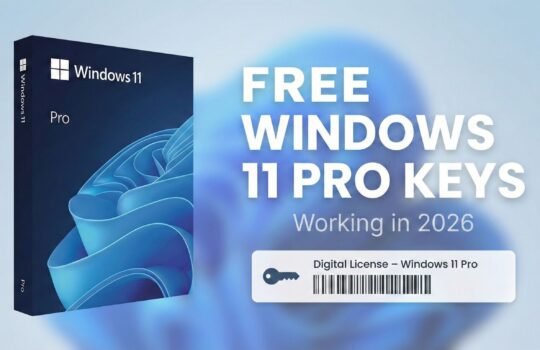
Windows 11 Pro
Purpose and benefits of the tool
This tool is designed to allow users to check your Windows key remotely, without the need for complex commands or additional applications. It comes in handy in many situations:
- For owners of new or used computers: If you bought a second-hand computer or purchased a Windows licence separately, you can easily check whether the Windows licence key you received is valid.
- For IT professionals and enthusiasts: The tool helps you quickly check the status of the various keys you have without having to install each copy of Windows individually.
- For all users: Even if you're just curious whether your Verifying Windows activation passes successfully, this tool will give you a clear answer.
With this checker, you'll know in just a few seconds whether the code you entered is correct and whether Windows is activated. It's a handy way to find out the validity of your key in advance of a system installation or upgrade.
How does the Windows Key Verification Tool work?
Windows License Key Verification Tool The operation is simple: you enter your existing key (a 25-character code) in a dedicated field and initiate the check. The system checks the format and validity of the key and provides the results:
- Validity of the key: The tool indicates whether the key is valid (active), has been used too many times, or has already been blocked.
- Windows version and edition: Often, the key can be used to identify which version of Windows (e.g. Windows 10 Pro, Windows 11 Home) it belongs to.
- Licence type: In some cases, the checker may indicate whether it is OEM, Retail version via Volume key type.
Our solution performs a function known in English as „Windows key checker“ - which means it automatically checks the Windows product code and authenticates it. Unlike manual verification via Windows' own settings or the command line, this online tool does not require any additional steps. You don't need to install any applications - just type the code into your browser and get the answer. (Note: The tool does not collect and store the licence keys you enter - they are only used for real-time verification.)
Alternative ways to check activation
Of course, Windows activation can also be checked within the operating system itself. For example, Windows 10 via Windows 11 In the Settings window, under Update & Security → Activation, you will see a message about the activation status. If it shows that „Windows is activated“, then your installed key is valid and the system is activatedminitool.com. There is also a command line method - by running the Command Prompt with administrator privileges and by entering the command slmgr /dli, the information related to the licence will appear. This will show, among other things, the activation status; if the status is Licensed, your product has been successfully activatedminitool.com.
However, these methods only indicate whether the system is currently active on a particular computer. In contrast, our online tool allows you to check any Windows product code, regardless of whether that copy of Windows is already installed on your system. This is particularly useful when you want to know the validity of a key in advance, before you try to use it during installation.
Types of Windows licence keys
Not all Windows keys are the same - there are different types of licences. Understanding which key you have will give you a better idea of its uses and limitations. Key Windows licence key Types:
- OEM licence (Original Equipment Manufacturer): This is the key you get with your new computer. Windows OEM key is usually pre-written on the UEFI/BIOS chips of the computer, or on the licence sticker. This key is only valid for that particular device and is not transferable to another computer.
- Retail key: This is an individually purchased Windows product code, which you can buy from official resellers or the Microsoft online store. It is not tied to a specific device - you can transfer this licence to another computer if needed (for example, if your old device breaks down and you buy a new one)
- Volume licence key: This type of key is designed for large organisations and businesses that install and activate Windows on many computers at once. Volume licensing simplifies software installation and management and reduces costs by allowing a single key to be used on multiple devices within the same organisation. Such keys are not intended for individual home users.
In addition to these main categories, it is worth mentioning the digital licence (Digital licence). This is when Windows is activated without a traditional key - for example, when upgrading from Windows 10 to Windows 11 Pro for free or by linking the licence to your Microsoft account. In these cases, you don't need to enter a product code as the licence is automatically assigned to your device online. However, a digital licence is only valid for that particular computer and cannot be transferred directly.
There are also so-called generic (default) keys that Microsoft provides to install Windows or to change an existing version. For example, a temporary generic key is used to switch from Windows 10 Home to Windows 10 Pro. It's important to note that generic keys are only a temporary solution - they deactivates Windows ultimately and finally still requires you to enter a real licence key.
Windows 11 Pro
Legal vs illegal Windows keys
It is very important to distinguish between a legal Windows licence and an illegal one. Seemingly any 25-character code can activate the system, but legal and illegal Windows activation keys differs in several respects:
- Origin and distribution: The legal key is obtained directly from Microsoft or its authorised partners (either through the purchase of an operating system, a Windows PC or an official website). Illegal keys are often distributed through online forums, file-sharing sites or unofficial e-shops that offer suspiciously cheap Windows licences.
- Validity of the licence: A genuine, legally purchased key is valid indefinitely (as long as the rules of use are respected), whereas an illegal key may only work temporarily. For example, if you have unofficially obtained a volume licence code for enterprise use, such a key violates Microsoft's rules and may be remotely blocked sooner or later.
- Activation method: While a legal key is usually activated through Microsoft systems, an illegal one often requires bypassing security by using modified („cracked“) versions of Windows or unofficial activation tools that mimic Microsoft licensing servers. As a result, cracked copies of Windows may contain unauthorised software modifications.
- Safety and reliability: Using illegal activators risks infecting your system with malware. „Experts in the Microsoft community warn that pirated copies of Windows or unofficial activation tools are often infected with viruses or spyware. Legitimate Windows, on the other hand, ensures that you receive official security updates and that the system remains stable because it has not been modified in unauthorised ways.
In short, the difference between legal and illegal Windows is usually not technical - the two systems may initially work similarly. But from a legal and practical point of view, the difference is huge. With a legal Windows key, you have access to the operating system, all updates and official technical support. By contrast, an illegal key offers no guarantee - Microsoft can deactivate such a system at any time and the user will be left without a licence and support.
Why check your Windows licence?
If you have a Windows key (especially one not obtained from an official source), it is always a good idea to check it. Here are some of the main reasons why Verifying Windows activation is useful:
- Verify the authenticity of the copy: Checking the key will tell you if your copy of Windows is genuine (authentic). This is important because the original system has all the security patches, full functionality and no unwanted changes.
- Anti-lockout protection: As mentioned above, unauthorised distribution of keys can be blocked by Microsoft itself. It's better to find out in advance - our tool will help you identify if a key is one of those that will stop working over timelearn.microsoft.com.
- For security reasons: Verification avoids the need to deploy activation devices of questionable origin. Instead of taking risks with potentially dangerous applications, it is better to use the official product code. As a reminder, hacked systems may contain malicious components that often go unnoticed.
- Setting the licence type: After checking the key, you can also find out the type of key (OEM, Retail, etc.). This helps you understand whether you can transfer the licence to another computer or whether it is tied to an existing device. For example, if you find out you have an OEM key, you will know in advance that the transfer is not possible; if the key is Retail, you will have flexibility when upgrading your computer hardware.
- Investment protection: If you bought your Windows key from a third party, verification helps protect your investment. It's better to find out in advance that Windows 10 activation key via Windows 11 activation key, the licence you have purchased is legal and will last for a long time, rather than having to face the unexpected loss of your licence later.
Conclusion
„Windows Licence Key Verification“ - is a useful tool for anyone who wants to be sure of the authenticity of their operating system licence. Whether you're a home user or a corporate IT professional, making sure you have a valid licence helps you avoid a lot of hassle in the future. By verifying your Windows product code, you will have peace of mind knowing that you are using legitimate and secure software. It's a small preventive measure that can prevent major problems - from unexpected system deactivation to serious security vulnerabilities.
Optimise your Windows experience - always choose legal software and, when in doubt, use our tool to check your Windows key quickly and reliably. The security and stability of your device is worth making sure your licence is valid.