What is software authenticity: verify genuine Microsoft OS
That unbelievably cheap Windows key you found online? There’s a good chance it’s counterfeit. Up to 40% of discounted keys sold online are invalid or fake, putting your security and legal standing at serious risk. Understanding software authenticity isn’t just technical jargon. It’s your protection against malware, legal penalties, and lost productivity. This guide shows you exactly how to verify genuine Microsoft operating system licenses so you can purchase with confidence.
Table of Contents
- What Is Software Authenticity?
- Mechanisms For Verifying Software Authenticity
- Understanding Types Of Microsoft Licenses And Their Authenticity Implications
- Risks And Impact Of Non-Authentic Software
- Framework For Evaluating Software Authenticity
- Practical Steps To Secure Genuine Microsoft OS Software
- Benefits Of Using Authentic Software
- Secure Your Genuine Microsoft Windows License Today
- Frequently Asked Questions
Key takeaways
| Point | Details |
|---|---|
| What authenticity means | Genuine software is unaltered, legally licensed by Microsoft, and receives official security updates and support. |
| Verification methods | Windows Activation, Microsoft Genuine Advantage, and tools like ShowKeyPlus confirm license legitimacy before purchase. |
| License types matter | OEM licenses tie to hardware and cost less; retail licenses transfer between devices with full Microsoft support. |
| Counterfeit risks | Fake software carries malware, blocks security updates, and creates legal liability for businesses and individuals. |
| Safe purchasing steps | Buy from authorized resellers, verify keys with validation tools, and confirm activation status for genuine licenses. |
What is software authenticity?
Software authenticity means your Microsoft Windows operating system is genuine, unmodified, and legally licensed directly by Microsoft. Authentic software guarantees you receive critical security patches, access to official support channels, and full compliance with Microsoft’s licensing terms. For Windows users, this authenticity ensures your system operates at peak performance with continuous feature updates.
Using genuine Microsoft OS prevents serious legal risks and blocks malware vulnerabilities that plague counterfeit versions. When software is authentic, you’re protected by Microsoft’s security infrastructure and eligible for technical assistance when problems arise. This matters especially for small businesses where licensing violations can trigger audits and substantial fines.
Key benefits of authentic Windows software include:
- Official security updates protecting against emerging cyber threats
- Access to Microsoft support teams for troubleshooting and technical help
- Legal compliance avoiding penalties and reputational damage
- Full system functionality without activation blocks or feature restrictions
- Reliable performance reducing downtime and productivity losses
Authenticity isn’t a luxury feature. It’s the foundation of secure, legal, and dependable computing for anyone running Microsoft operating systems.
Mechanisms for verifying software authenticity
Microsoft uses sophisticated cryptographic validation to confirm Windows license authenticity through its Genuine Advantage program and Windows Activation process. When you activate Windows, your product key connects to Microsoft’s servers where algorithms verify the key’s legitimacy, check for duplicate usage, and authorize your installation. This server-based validation happens transparently, providing instant confirmation your software is genuine.
Verification tools like ShowKeyPlus empower users to independently check product key legitimacy before or after purchase. ShowKeyPlus reads your Windows license information directly from your system, displaying the product key, edition details, and activation channel. You can check Windows licence key validity using these tools to catch counterfeit keys before they cause problems.
Practical verification methods include:
- Running Windows Activation from Settings to confirm genuine status with Microsoft servers
- Using the ShowKeyPlus verification tool to inspect product key details and license type
- Checking activation status via Windows license activation command line for technical validation
- Verifying the license matches your Windows edition and installation method
- Confirming the product key hasn’t been reported stolen or blacklisted
Pro Tip: Always verify product keys before finalizing a Microsoft OS purchase to avoid counterfeit software. Running ShowKeyPlus on a system or validating keys through authorized reseller tools takes minutes and prevents costly authentication failures later.
Understanding types of Microsoft licenses and their authenticity implications
Microsoft offers three primary license types, each with distinct authenticity and transferability characteristics. OEM licenses ship with new computers, bind permanently to that hardware, and typically cost significantly less than retail versions. These licenses are non-transferable, meaning if you upgrade your motherboard or buy a new PC, the license stays with the original device.

Retail licenses provide maximum flexibility, allowing transfer between devices as long as the license is active on only one machine at a time. These cost more but include comprehensive Microsoft support and greater resale value. Volume licenses serve organizations buying multiple seats, with special authentication requirements and transfer rules governed by enterprise agreements.
Choosing the right license type prevents authentication failures and ensures you’re not violating terms inadvertently. Understanding these distinctions helps you recognize genuine Windows 10 11 Pro licenses when shopping.
| License Type | Transferability | Support Level | Typical Cost | Best For |
|---|---|---|---|---|
| OEM | Non-transferable, tied to hardware | Limited manufacturer support | Lower | Single device, no planned upgrades |
| Retail | Transferable between devices | Full Microsoft support | Higher | Flexibility, multiple devices over time |
| Volume | Organization-specific transfer rules | Enterprise support channels | Negotiated | Businesses, bulk deployments |
Key license distinctions include:
- OEM licenses activate once on original hardware and cannot legally move to new devices
- Retail licenses offer installation flexibility across different computers as your needs change
- Volume licenses require management through Microsoft’s Volume Licensing Service Center
- Each type is equally authentic when purchased properly, but misuse triggers activation failures
Pro Tip: Choose retail licenses for flexibility if you plan hardware upgrades or multiple device use. The extra cost pays for itself in long-term usability and official Microsoft support access.
Risks and impact of non-authentic software
Counterfeit Microsoft Windows software frequently contains embedded malware that creates persistent security vulnerabilities. Cybercriminals modify fake installations to include keyloggers, ransomware, or botnet code that compromises sensitive business data and personal information. These hidden threats often evade detection because counterfeit software blocks security updates that would otherwise patch vulnerabilities.
Non-genuine software loses access to Microsoft’s official update channels and support services. Your system becomes frozen in time, unable to receive critical security patches as new threats emerge. When problems occur, Microsoft support won’t assist unlicensed installations, leaving you stranded without technical help.
Legal consequences hit small businesses especially hard. Software audits can uncover unlicensed installations, triggering substantial fines and legal fees that dwarf the cost of legitimate licenses. Beyond financial penalties, using counterfeit software damages your business reputation and client trust when violations become public.
Serious risks of counterfeit Windows software:
- Malware infections stealing passwords, financial data, and customer information
- Blocked security updates leaving systems vulnerable to known exploits
- Legal penalties including fines up to $150,000 per violation in copyright cases
- Operational disruptions from system failures, crashes, and compatibility issues
- Loss of Microsoft support leaving critical business systems without technical assistance
- Data breaches resulting from unpatched security vulnerabilities
Using authentic Windows OS software eliminates these threats by ensuring your system receives continuous security protection and maintains legal compliance. The software safety benefits of genuine licenses far outweigh any perceived savings from cheap counterfeit keys. Understanding risks of unofficial software and how to avoid Microsoft licensing risks protects your investment and business operations.
Framework for evaluating software authenticity
Evaluating software authenticity requires a systematic approach combining seller verification, technical validation, and license understanding. This four-step framework provides reliable protection against counterfeit Microsoft Windows licenses when making purchasing decisions.
Verify the seller’s reputation by checking for Microsoft authorization, customer reviews, and business credentials. Authorized resellers display official Microsoft partner badges and maintain transparent business information. Research the seller’s history, complaint records, and industry standing before sharing payment information.
Check the product key validity using verification tools such as ShowKeyPlus before completing your purchase. Request key validation from the seller or use preview methods to confirm the key activates genuine Windows. How to check Windows licence validity guides you through this critical verification step.
Understand the license type being offered and whether OEM, retail, or volume licensing suits your specific needs regarding transferability and support. Confirm the license type matches what you’re paying for and aligns with your hardware plans. Mismatched license types often indicate fraud or misrepresentation.
Confirm official activation status using Microsoft Genuine Advantage validation after installation. Activate Windows through official channels and verify the activation confirmation appears in your system settings. Successful activation with full feature access confirms genuine software.
Common pitfalls to avoid:
- Purchasing the cheapest keys from unverified sellers without reputation research
- Skipping product key validation before payment and installation
- Confusing license types and buying OEM when you need retail transferability
- Ignoring activation failures or error messages indicating counterfeit software
- Trusting seller claims without independent verification through Microsoft tools
Pro Tip: Always combine reputation checks with key verification tools for highest assurance. Using multiple validation methods creates layers of protection against sophisticated counterfeit operations. Follow Microsoft software buying tips for comprehensive purchasing guidance.
Practical steps to secure genuine Microsoft OS software
Securing authentic Microsoft operating system licenses starts with choosing authorized resellers and certified digital platforms. Microsoft maintains a partner directory listing verified sellers who meet strict authenticity and service standards. These authorized channels guarantee genuine product keys backed by Microsoft’s validation systems.
Digital licenses provide instant delivery through email while ensuring official Microsoft activation without physical media delays. Digital delivery reduces counterfeiting opportunities because keys come directly from distributor databases linked to Microsoft’s licensing infrastructure. This method offers superior security and immediate availability compared to physical products from unknown sources.
Reliable resellers offer customer support and clear refund policies addressing potential activation issues or key problems. Before purchasing, verify the seller provides assistance if your key fails to activate or encounters technical problems. Support availability indicates legitimate business operations committed to customer satisfaction.
Practical purchasing guidelines:
- Buy exclusively from Microsoft authorized resellers or certified digital platforms with verified credentials
- Confirm the seller offers instant digital delivery with official Microsoft activation confirmation
- Check for customer support availability and refund policies protecting against defective keys
- Avoid suspiciously cheap keys advertised on unverified marketplaces or auction sites
- For small businesses, research reputable volume licensing sources or established retail license vendors
- Verify seller contact information, physical address, and business registration details
Top places to buy Windows 11 include established platforms with proven track records and transparent operations. Understanding the benefits of secure software purchases shows how proper vendor selection dramatically reduces security risks. Learning how to spot genuine Windows licenses empowers informed purchasing decisions.
Benefits of using authentic software
Authentic Microsoft Windows software delivers comprehensive protection against evolving cyber threats through continuous security updates. Microsoft’s security team releases patches addressing newly discovered vulnerabilities, protecting your system from ransomware, malware, and hacking attempts. Genuine licenses ensure you receive these critical updates automatically without delays or blocks.
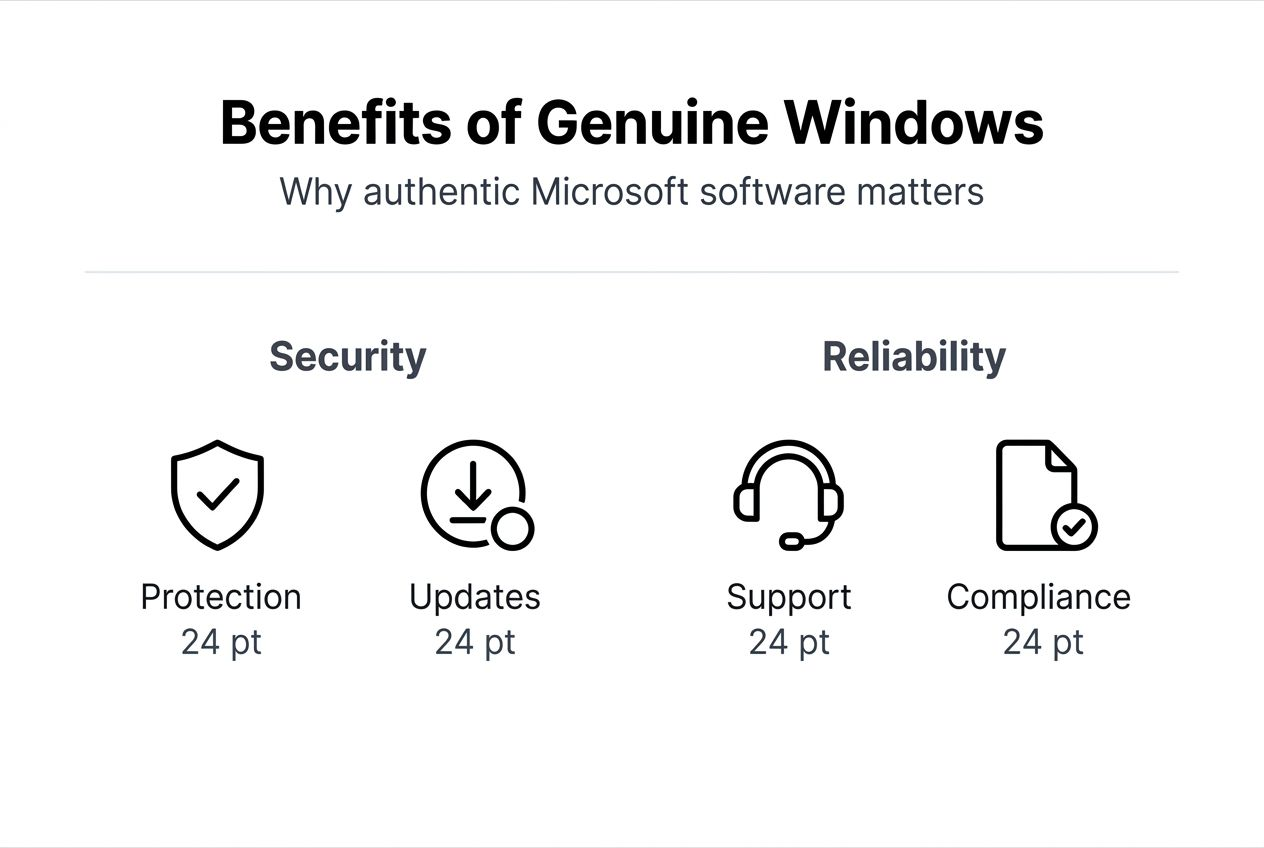
Official updates improve system stability and introduce new features enhancing productivity and user experience. Each Windows update includes performance optimizations, bug fixes, and compatibility improvements that keep your system running smoothly. Authentic software guarantees access to these enhancements as Microsoft releases them.
Legal compliance protects businesses from costly audits, fines, and reputational damage associated with software piracy. Using licensed software demonstrates professional business practices and protects against intellectual property violations. This compliance becomes especially important as your business grows and faces increased scrutiny.
Reliable performance reduces system downtime and operational disruptions that cost businesses productivity and revenue. Authentic Windows runs more stably because it’s free from malware and receives regular maintenance updates. This reliability translates directly into better business continuity and employee productivity.
Key advantages of genuine Microsoft OS:
- Superior malware protection through validated security updates and Windows Defender integration
- Continuous feature improvements adding functionality and enhancing user experience
- Legal compliance avoiding fines, penalties, and business reputation damage
- Reduced downtime from system crashes, compatibility issues, and security breaches
- Access to Microsoft technical support for troubleshooting and expert assistance
- Better system performance without malware overhead or activation interference
The benefits of licensed software extend beyond security to encompass business continuity, productivity, and long-term cost savings. Investing in authentic licenses protects your digital infrastructure and supports sustainable business operations.
Secure your genuine Microsoft Windows license today
Protecting your computing investment starts with purchasing verified Microsoft Windows licenses from trusted sources. Operacinesistema.lt specializes in genuine Windows 10 and Windows 11 Pro licenses with guaranteed activation and comprehensive security. Every license sold undergoes authenticity verification ensuring you receive legitimate product keys backed by Microsoft’s licensing infrastructure.

Use their Windows licence key validity checker to verify keys before purchase, giving you complete confidence in your software authenticity. This free validation tool checks product keys against Microsoft’s database, confirming legitimacy before you commit financially. Their authorized reseller status provides trusted Windows 11 purchase options tailored for individual users and small businesses needing reliable licensing solutions. Expert customer support assists with activation questions, technical issues, and license selection guidance. Transparent refund policies protect your purchase if unopened products don’t meet your needs. Start securing your Microsoft OS licenses today to eliminate counterfeit risks and ensure full system protection.
Frequently asked questions
How can I tell if a Windows license key is genuine?
Use Microsoft’s Genuine Advantage system by activating Windows and checking your activation status in Settings. Tools like ShowKeyPlus let you inspect product keys before or after purchase to verify authenticity. Always check Windows licence key validity through official validation methods before finalizing purchases from any seller.
What makes OEM licenses different from retail Windows licenses?
OEM licenses permanently bind to your original device hardware and cannot transfer to new computers. Retail licenses cost more but allow transfer between devices and include comprehensive Microsoft support. Understanding these distinctions helps you choose the right license type for your specific usage plans and hardware upgrade timeline.
Can I transfer my Windows license to a new computer?
Retail licenses transfer freely between devices as long as you remove the license from the original computer first. OEM licenses legally cannot transfer because they’re tied permanently to the initial hardware. Volume licenses follow organization-specific transfer rules governed by enterprise licensing agreements with Microsoft.
What risks do counterfeit Microsoft Windows licenses pose?
Counterfeit licenses often contain malware compromising your data security and system integrity. Using fake software risks legal penalties, audit fines, and complete loss of Microsoft support services. Non-genuine licenses block critical security updates, leaving your system vulnerable to cyberattacks and operational failures that disrupt business continuity.
Where should I buy genuine Windows licenses safely?
Purchase from Microsoft authorized resellers, certified digital platforms, or the official Microsoft store. Verify the seller displays proper credentials, offers customer support, and provides clear refund policies. Avoid marketplace sellers offering suspiciously cheap keys without verifiable business information or authorization documentation.
How does Windows activation verify software authenticity?
Activation connects your product key to Microsoft’s validation servers using cryptographic algorithms. The servers check if your key is genuine, unused on other devices, and matches your Windows edition. Successful activation confirms authentic software and enables full system features with ongoing update access.