
90% Microsoft Lisanslama Risklerinden Kaçının: Eksiksiz Uyumluluk Kılavuzu
Many Lithuanian small business owners believe any cheap Windows key is legitimate, but this misconception triggers audits and costly penalties. Understanding software compliance isn’t optional anymore. Microsoft’s AI-powered monitoring detects unauthorized licenses within days, and fines can reach thousands of euros. This guide shows you exactly how to purchase genuine Windows 11 licenses safely and maintain compliance.
İçindekiler
- Introduction To Software Compliance
- Legal Framework For Software Compliance In Lithuania And The EU
- Microsoft Licensing Types Explained: Oem, Retail, And Volume Licenses
- Common Compliance Mistakes And Misconceptions
- Microsoft Software Audits: What To Expect And How To Prepare
- How To Avoid License Fraud And Buy Genuine Microsoft Windows Licenses Safely
- Using Microsoft Compliance Tools To Maintain Ongoing Software Compliance
- Conclusion And Practical Next Steps For Lithuanian Small Business Owners
- Secure Your Microsoft Windows Licenses With Operacinesistema.lt
Önemli Çıkarımlar
| Nokta | Detaylar |
|---|---|
| Software compliance definition | Legally using licensed software according to Microsoft’s terms and conditions |
| License types matter | OEM, Retail, and Volume licenses differ in transferability, costs, and compliance risks |
| Audit consequences | Microsoft uses AI detection tools and imposes heavy penalties for non-compliance |
| Purchase safety | Buy only from trusted resellers to avoid counterfeit licenses and legal issues |
| Ongoing compliance | Microsoft’s tools help maintain legal license use and prevent audit triggers |
Introduction to Software Compliance
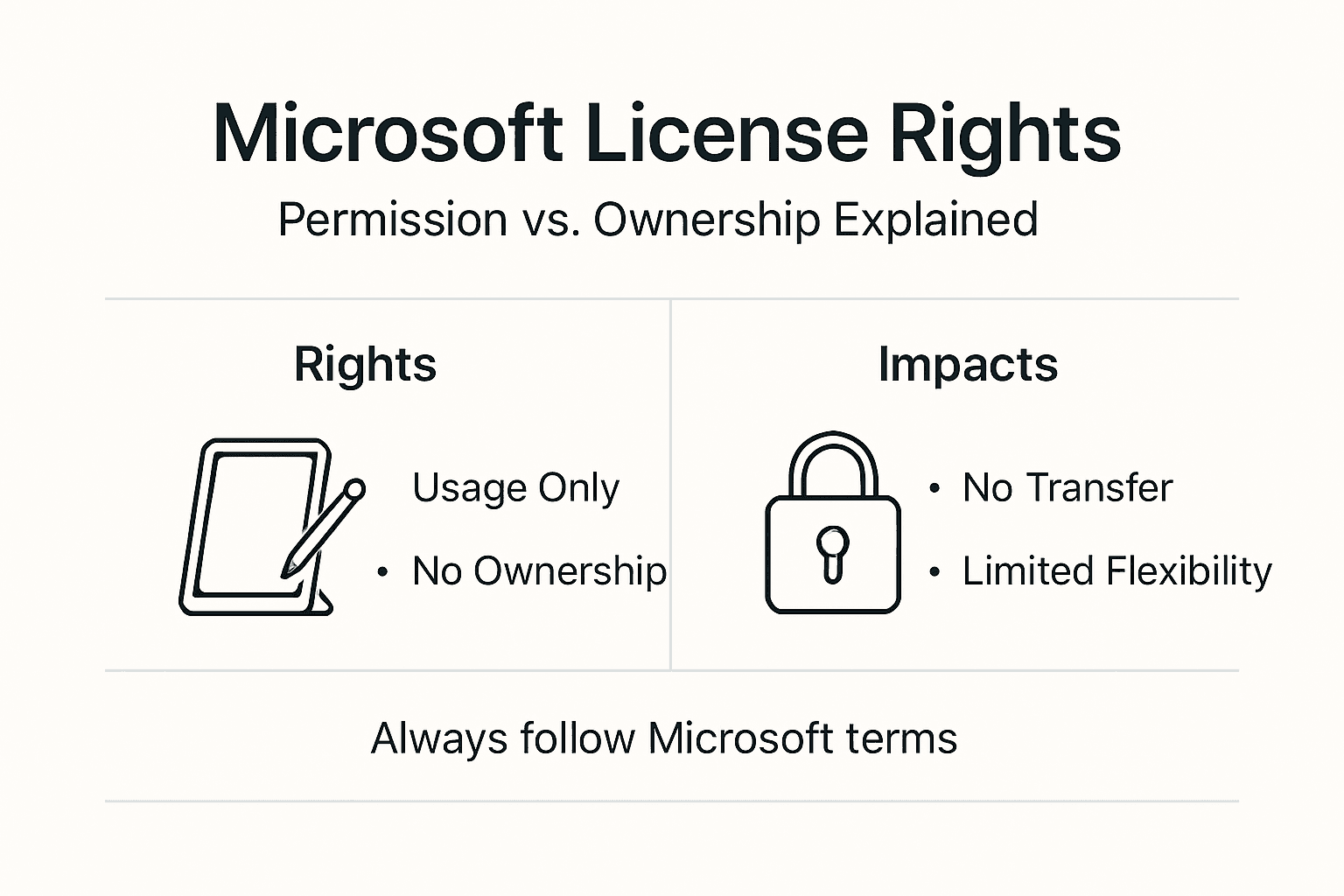
Software compliance means following license agreements for Microsoft software use. When you purchase Windows, you’re not buying the software itself. You’re acquiring permission to use it under specific terms. This distinction matters because violations trigger serious consequences.
Legal penalties include fines ranging from €5,000 to €50,000 for small businesses. Operational disruptions occur when Microsoft deactivates non-compliant licenses. Your team loses access to critical systems, files, and productivity tools. Recovery costs exceed the original license price by 10 to 20 times.
Genuine Microsoft licenses ensure lawful software use and guarantee access to security updates and technical support. Without these protections, your systems become vulnerable to cyberattacks. The li̇sansli yazilimlarin faydalari extend beyond legal safety to include performance optimization and data security.
Profesyonel ipucu: Keep digital copies of all license receipts and activation confirmations. Store them separately from your devices in case you need to prove compliance during an audit.
Microsoft’s licensing model grants usage rights rather than ownership. You receive permission to install and operate Windows on specific devices under defined conditions. Transfer restrictions, upgrade policies, and device limitations vary by license type. Understanding these terms prevents accidental violations that appear intentional during audits.
Small business owners need clear compliance practices because Microsoft doesn’t distinguish between intentional piracy and honest mistakes. Both trigger the same enforcement actions. Following a secure Windows setup process from the start eliminates most compliance risks and protects your business investment.
Legal Framework for Software Compliance in Lithuania and the EU
Lithuania follows Microsoft’s licensing terms as adapted for local jurisdiction. These terms specify usage rights, transfer restrictions, and compliance requirements. EU copyright law reinforces these agreements and establishes penalties for violations. Software piracy constitutes copyright infringement under Lithuanian law, punishable by civil and criminal sanctions.
The EU Court of Justice ruling C-128/11 fundamentally changed software resale markets. This decision affirmed the legality of reselling genuine software licenses across EU member states. The exhaustion doctrine applies once a license is sold with the copyright holder’s consent. This means legitimate resellers can offer authentic Windows licenses at competitive prices without violating Microsoft’s rights.
Key regulatory requirements prevent software piracy:
- Businesses must maintain documentation proving license acquisition
- Installation must match purchased license quantities and types
- Regular compliance audits ensure ongoing adherence to terms
- Unauthorized reproduction or distribution triggers legal action
- Import of counterfeit software violates customs and copyright laws
Legal rulings enable resale of genuine licenses, expanding compliance options for Lithuanian businesses. You can purchase from authorized resellers who acquired licenses legally and transfer them according to Microsoft’s terms. This creates a legitimate secondary market where official versus unofficial software differences become critical to understand.
EU regulations also mandate transparency in licensing terms. Sellers must clearly disclose whether licenses are OEM, retail, or volume types. Hidden restrictions or misrepresented license categories constitute consumer fraud. Lithuanian consumer protection laws provide additional safeguards when purchasing software licenses.
Microsoft Licensing Types Explained: OEM, Retail, and Volume Licenses
Understanding license types determines your compliance strategy and future flexibility. Each category serves different use cases and carries distinct transfer rights.
| Ruhsat türü | Transferability | İçin En İyisi | Key Restriction |
|---|---|---|---|
| OEM | Non-transferable | New PC purchases | Locked to original hardware |
| Perakende | Fully transferable | Individual users, SMBs | One active installation at a time |
| Cilt | Complex terms | Large enterprises | Minimum purchase quantities |
OEM lisansları come pre-installed on new computers or sold with hardware components. These licenses bind permanently to the first device. You cannot transfer an OEM license when upgrading hardware or selling the computer. This restriction makes OEM unsuitable for businesses that regularly update equipment.
Perakende ruhsatları offer maximum flexibility. You can transfer a retail Windows license to different devices as long as you deactivate the previous installation. The license links to your Microsoft account for easy management. Retail keys cost more upfront but provide long-term value through transferability. For Lithuanian SMBs, retail represents the safest compliance choice.
Hacim lisansları require minimum purchase quantities, typically 5 or more seats. These enterprise agreements include centralized management tools and deployment rights. Small businesses rarely qualify for volume licensing and shouldn’t pursue it without professional guidance. The complexity creates compliance risks that outweigh potential savings.
Profesyonel ipucu: Always choose retail licenses for business computers. The higher initial cost pays for itself when you upgrade hardware or reassign devices to different employees.
Bu best OS licensing solutions 2026 prioritize retail keys for small businesses. This approach balances cost with compliance safety. Retail licenses survive hardware changes, employee turnover, and business growth without triggering audit flags.
Transfer rights directly impact total cost of ownership. An OEM license becomes worthless when you replace the motherboard. A retail license moves to your new device, preserving your investment. Over a five-year period, retail licensing typically costs 30% less than repeatedly buying OEM versions.
Common Compliance Mistakes and Misconceptions
Many Lithuanian businesses believe OEM licenses can be resold after removing them from old computers. This misconception violates Microsoft’s terms. OEM transfer restrictions remain in effect regardless of device condition. Attempting to resell OEM licenses exposes both seller and buyer to compliance violations.
Activation alone doesn’t confirm legitimacy. Counterfeit keys often activate successfully for days or weeks before Microsoft’s systems detect them. Your Windows installation may show as “activated” while using an unauthorized license. This false security ends abruptly when Microsoft deactivates the key and demands compliance.
Ultra-cheap keys signal serious problems:
- Volume license keys resold individually without authorization
- Stolen or leaked enterprise activation codes
- Keys generated by illegal keygen software
- Already activated keys sold to multiple buyers
- Educational or non-profit licenses misrepresented as commercial
Bunlar risks from buying bulk keys include immediate deactivation and potential audit triggers. Microsoft’s monitoring systems flag unusual activation patterns. Multiple installations using the same volume key or rapid geographic spread of a single retail key both raise red flags.
Consequences of common mistakes compound quickly. Deactivation stops your work instantly. Files become inaccessible until you purchase genuine licenses. Fines add thousands of euros in unexpected costs. Your business reputation suffers when clients learn about compliance violations. Recovery requires both financial resources and significant time investment.
Audit triggers include rapid license activation across multiple devices, activation from suspicious IP addresses, and use of known counterfeit key patterns. Microsoft’s AI systems analyze billions of activation events daily. Anomalies prompt immediate investigation. Even honest mistakes using secondhand computers with pre-existing violations can pull your business into an audit.
Vigilance requires verifying license authenticity before purchase and maintaining detailed records. Use Microsoft’s official tools and trusted platforms. A güvenli̇ akti̇vasyon kilavuzu walks through proper procedures that avoid common pitfalls.
Microsoft Software Audits: What to Expect and How to Prepare
Microsoft initiates audits through formal notification letters sent to your registered business address. These letters outline the audit scope and request specific documentation. You typically receive 30 days to respond. Ignoring audit notices escalates enforcement actions and increases potential penalties.
The audit process follows five distinct phases:
- Notification: Microsoft or their authorized partner sends official audit request
- Data Collection: You provide license purchase records, activation details, and device inventories
- Review: Auditors compare your documentation against actual software installations
- Report: You receive an Effective Licensing Position report showing compliance gaps
- Closure: You either demonstrate full compliance or purchase additional licenses to resolve shortfalls
The Effective Licensing Position report details every compliance discrepancy. This document calculates exactly how many unlicensed installations exist and which products require additional purchases. The report becomes the basis for penalty negotiations or legal proceedings if you dispute findings.
Microsoft audits use AI-powered anomaly detection and third-party Big Four accounting firms to conduct reviews. The combination of automated monitoring and professional auditors makes avoiding detection nearly impossible.
Preparation steps minimize audit impact:
- Compile all license purchase receipts and activation confirmations immediately
- Create a complete inventory of devices running Windows or Office products
- Document any hardware changes or license transfers with dates and details
- Review your purchases against current installations to identify gaps
- Consult with licensing experts before responding to audit requests
Audit readiness prevents operational disruption. Businesses that maintain organized license records resolve audits quickly with minimal penalties. Those lacking documentation face prolonged investigations and maximum fines. The difference often amounts to tens of thousands of euros.
Proactive compliance eliminates most audit risks. Purchase only from verified sources. Keep detailed records. Conduct internal reviews annually. When you buy Windows 11 genuine keys from trusted resellers, you receive proper documentation that satisfies audit requirements.
How to Avoid License Fraud and Buy Genuine Microsoft Windows Licenses Safely
Red flags identify potentially fraudulent license offers. Prices significantly below market rates indicate counterfeit or unauthorized keys. Sellers who cannot provide verifiable purchase documentation lack legitimate supply chains. Anonymous marketplaces and auction sites carry high fraud risks. Offers requiring payment through cryptocurrency or untraceable methods enable scams.
Benefits of buying retail keys from trusted websites include guaranteed authenticity, proper documentation, and refund protection. Authorized resellers maintain relationships with Microsoft’s distribution channels. They provide proof of legal acquisition and support compliance verification. Established platforms like operacinesistema.lt stake their reputation on license legitimacy.
Profesyonel ipucu: Request seller documentation showing their authorized reseller status before purchasing. Legitimate vendors gladly provide this information to build trust.
Purchase options vary in convenience and security:
- Digital keys delivered via email offer instant access and lowest prices
- Physical USB packages include installation media and printed documentation
- Retail boxes provide tangible proof of purchase with holographic security features
Operacinesistema.lt ensures 100% license authenticity through verified supply chains and rigorous quality control. Every license includes purchase documentation satisfying audit requirements. Instant email delivery provides immediate access while maintaining full legal compliance. Physical USB options serve customers preferring tangible products.
Verification steps confirm license legitimacy:
- Link your product key to a Microsoft account immediately after purchase
- Check activation status through Windows Settings > Update & Security > Activation
- Verify your license appears in your Microsoft account’s devices section
- Confirm seller provides original purchase invoice with reseller information
- Test customer support responsiveness before completing large orders
Anlamak genuine vs fake Windows 10/11 keys protects your business from costly mistakes. Genuine licenses activate permanently without time limits. Fake keys fail during updates or reactivation. Authentic sellers provide detailed product information and transparent policies. Fraudulent vendors hide behind vague descriptions and no-refund terms.
Microsoft account linkage serves as the ultimate authenticity test. Retail licenses added to your account receive Microsoft’s direct recognition. This connection proves legitimate acquisition and enables easy license management. Always complete this step within 24 hours of purchase to establish clear ownership.
Exploring legitimate activation options reveals safe paths forward. Avoid activation tools, key generators, or bulk keys from unknown sources. These methods guarantee compliance violations. Invest in proper licensing from the start to prevent exponentially larger costs later.
Using Microsoft Compliance Tools to Maintain Ongoing Software Compliance
Microsoft provides robust tools helping Lithuanian SMBs manage licenses and prevent compliance drift. These systems integrate with Windows and Microsoft 365 to automate tracking and enforcement.
Microsoft Purview Compliance Manager tracks software licenses and regulatory status across your organization. The platform monitors license assignments, usage patterns, and expiration dates. It generates compliance scores indicating your current risk level. Automated alerts notify you when licenses approach renewal or show unusual activity. For businesses handling customer data, Purview also supports GDPR compliance efforts required in Lithuania.
Intune enforces policies controlling license usage and machine compliance. This mobile device management platform ensures only properly licensed devices access company resources. You can configure conditional access rules requiring valid Windows licenses for network connection. Intune blocks non-compliant devices automatically, preventing unauthorized software use.
Conditional Access controls enforce software license requirements before granting system access. Users must authenticate through properly licensed devices meeting your security standards. This zero-trust approach eliminates shadow IT and unlicensed installations. Integration with Azure Active Directory extends protection across cloud and on-premises resources.
Cloud product integration enhances compliance capabilities:
- Windows 365 and Microsoft 365 include built-in compliance certifications
- Cloud licensing automatically adjusts to usage changes
- Centralized dashboards show real-time license status
- Automated renewals prevent accidental expirations
- Multi-factor authentication adds security layers
These tools cost less than audit penalties and provide continuous protection. Small businesses benefit from enterprise-grade compliance monitoring without dedicated IT staff. The systems work automatically once configured, reducing administrative burden.
Kullanma Windows license management commands provides additional control for technical users. Command-line tools verify activation status, retrieve license information, and troubleshoot issues. These capabilities support proactive compliance monitoring and quick problem resolution.
Preventing compliance drift requires ongoing attention. Software environments change constantly through updates, hardware replacements, and employee turnover. Manual tracking fails under this complexity. Automated tools maintain accurate records regardless of change velocity. They catch discrepancies before they become audit triggers.
Investing in compliance infrastructure costs significantly less than responding to audits. The tools pay for themselves by preventing penalties and streamlining license management. For Lithuanian SMBs, this represents essential business protection rather than optional enhancement.
Conclusion and Practical Next Steps for Lithuanian Small Business Owners
Strict compliance protects your business from audits, penalties, and operational disruptions. Microsoft’s enforcement capabilities make violations nearly impossible to hide. The question isn’t whether you can avoid detection but how you’ll achieve and maintain compliance cost-effectively.
Your compliance checklist:
- Verify all existing Windows licenses through Microsoft account linkage
- Purchase only retail licenses from trusted sources for future needs
- Document every license acquisition with receipts and activation records
- Install licenses according to terms without exceeding device limits
- Enable Microsoft compliance tools for ongoing monitoring
- Conduct annual internal audits to identify gaps before Microsoft does
Trusted services like operacinesistema.lt provide secure license acquisition with proper documentation. Every purchase includes proof satisfying audit requirements. Customer support helps verify license authenticity and resolve activation issues. This professional approach eliminates guesswork from compliance management.
Microsoft compliance tools automate ongoing management and prevent drift. Small investments in proper infrastructure return significant savings through avoided penalties. The tools also improve operational efficiency by centralizing license tracking and reducing manual work.
Proactive compliance safeguards business continuity. One audit can halt operations for weeks while you resolve licensing issues. Customers lose confidence when they discover compliance problems. Preventing violations protects both operational capacity and business reputation. Check your Windows license key validity now to verify current status. Then explore the best places to buy Windows 11 safely for future needs.
Secure Your Microsoft Windows Licenses with operacinesistema.lt
Protecting your business requires trusted partners who guarantee license authenticity. Operacinesistema.lt specializes in helping Lithuanian SMBs achieve complete software compliance through verified Microsoft Windows licenses. Our license key validity check tool confirms authenticity before purchase, eliminating fraud risks.

We offer carefully curated selections of genuine Windows 10 and Windows 11 licenses meeting all compliance requirements. Every purchase includes documentation proving legal acquisition. Our team helps you identify genuine licenses and choose the best options for your specific situation. Whether you need digital keys for immediate use or physical USB packages for documentation purposes, we provide solutions protecting your business from compliance risks.
Discover where to buy genuine Windows 11 with confidence. Safeguard your operations with licenses backed by transparency and reliability.
SSS
What happens if a Lithuanian business is caught using counterfeit Microsoft software?
Using counterfeit Microsoft licenses triggers activation failures, fines from €5,000 to €50,000, and loss of technical support. Microsoft deactivates unauthorized software immediately, causing operational disruptions. Legal proceedings may follow for intentional violations, adding court costs and potential criminal penalties. Recovery requires purchasing genuine licenses and may involve forensic audits of your entire software environment.
Can OEM Microsoft licenses be transferred when upgrading hardware?
OEM licenses bind permanently to original hardware and cannot be legally transferred. When you replace the motherboard or purchase a new computer, the OEM license becomes invalid for the new device. Retail licenses offer the flexibility needed for hardware upgrades. They transfer freely between devices as long as you deactivate the previous installation, making them the recommended choice for businesses.
How can I verify that a Windows license key is genuine before purchase?
Purchase from authorized resellers who provide verifiable documentation of legal acquisition. Use the license key validity check tool to confirm authenticity. Check seller reviews and verify they maintain transparent business practices with clear refund policies. Avoid offers with prices significantly below market rates, as these typically indicate counterfeit or unauthorized keys that will fail compliance checks.
What documentation should I keep to prove software compliance during an audit?
Maintain original purchase receipts showing reseller information, date, and license type. Save email confirmations containing product keys and activation instructions. Document Microsoft account linkage showing licenses registered to your business. Keep hardware inventories matching licensed devices. Store all records digitally with backups for at least seven years. This documentation proves legal acquisition and proper license usage during Microsoft audits.
Are volume licenses a good option for small businesses with fewer than 10 employees?
Volume licensing typically requires minimum purchases of 5 or more seats and includes complex terms unsuitable for small operations. The administrative overhead outweighs potential savings for businesses under 10 employees. Retail licenses provide better value through simplicity, transferability, and lower compliance risks. Volume licensing makes sense only for larger organizations with dedicated IT staff managing centralized deployments.





