Small Business IT Security Guide for 2026
TL;DR:
- Nearly half of small businesses face cyberattacks annually, often lacking dedicated security resources.
- Using NIST CSF 2.0 helps prioritize cybersecurity efforts and build a risk-aware culture.
Nearly half of small businesses experience a cyberattack each year, and the fallout can be devastating. No dedicated IT team. No security budget. No playbook. That’s the reality for most small business owners, and attackers know it. This small business IT security guide walks you through exactly what to do about it, from building a risk-aware foundation using the NIST Cybersecurity Framework 2.0 to locking down credentials, managing vendor access, and recovering fast when something goes wrong. You will get practical steps, not theory.
Índice
- Principais conclusões
- Your small business IT security guide starts here: the NIST CSF 2.0 foundation
- Protecting identities, access, and your people
- Managing vendor and third-party risks
- Detection, response, and recovery planning
- Keeping your defenses current over time
- Why security culture outlasts any tool you buy
- Secure your business with genuine Windows licenses
- Perguntas frequentes
Principais conclusões
| Ponto | Detalhes |
|---|---|
| Start with a risk framework | Use NIST CSF 2.0 as a free, flexible foundation to prioritize your security efforts. |
| Credentials are the main target | Enforce MFA across all sensitive systems to cut off the most common attack path. |
| Vendors are a hidden risk | Inventory every third-party with access to your data and require written security standards. |
| Prepare before an incident hits | Build and test an incident response plan so your team knows what to do under pressure. |
| Culture beats tools | Repeated employee training reduces phishing risk more reliably than any single software purchase. |
Your small business IT security guide starts here: the NIST CSF 2.0 foundation
Most small business owners approach cybersecurity the wrong way. They buy a tool, check a box, and move on. That works until it doesn’t. A more durable approach is to start with a framework, specifically the NIST Cybersecurity Framework 2.0, which the FTC recommends as a flexible, voluntary, and free way to manage cybersecurity risk.
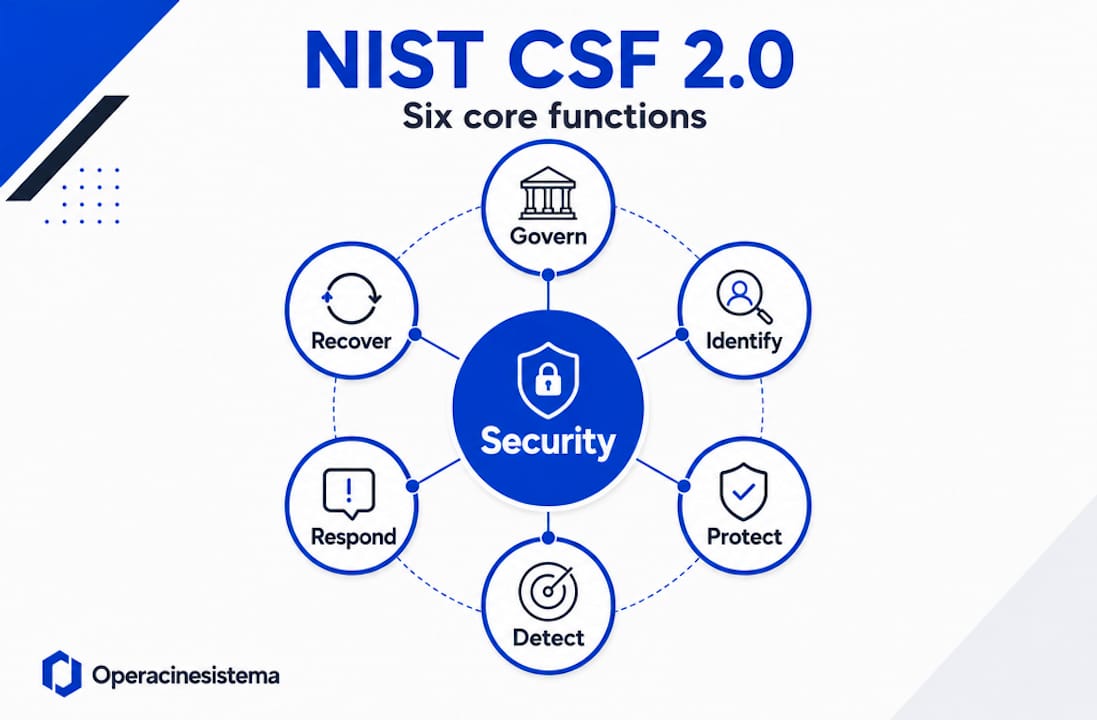
NIST CSF 2.0 organizes your security efforts around six core functions: Govern, Identify, Protect, Detect, Respond, and Recover. Think of these as the operating sequence for a secure business. Before you spend a dollar on software, you need to know what you are protecting and why.
What to do before buying any tool
Start by mapping your high-value assets. These are the systems and data your business cannot function without: customer records, financial accounts, payroll platforms, and any cloud-based operations.
Ask yourself three questions:
- What data would cause the most harm if stolen or lost?
- Who has access to it right now, and should they?
- What legal or contractual obligations do you have to protect it?
That last question matters more than most owners realize. Depending on your industry, you may face legal exposure if customer data is compromised. NIST guidance explicitly advises weighing your budget and risk tolerance before deciding whether to handle security internally, outsource it, or use a mix of both.
- Assign a named person responsible for cybersecurity decisions, even if it is the owner
- Write a one-page security policy covering password rules, acceptable use, and incident reporting
- Identify your top five most sensitive data assets and confirm who can access them
- Review your current software licenses to confirm everything is genuine and up to date
Dica profissional: A cybersecurity culture does not require a big team. It requires leadership commitment. If the owner treats security seriously, the rest of the team follows. That behavior shift costs nothing.
Using NIST CSF 2.0 as your IT security foundation for small businesses means you are not guessing about what to prioritize. You are working from a recognized standard that scales to your size and budget.
Protecting identities, access, and your people
Here is the uncomfortable truth that IT professionals see repeatedly: compromised credentials are the main entry point for most small business breaches, not malware, not zero-day exploits. An attacker with a valid username and password can walk right past your firewall.

That is why identity and access management is the highest-leverage area in small business cybersecurity. And the good news is that the most effective control costs almost nothing to implement.
Rolling out MFA across your business
Multi-factor authentication adds a second layer of verification beyond a password. The FTC is explicit: MFA significantly reduces the risk of identity compromise. You should enable it everywhere sensitive data lives.
Here is a practical rollout sequence for small businesses:
- Enable MFA on email first. Business email is the skeleton key to every other account. If it falls, everything else is exposed.
- Activate MFA on financial platforms. Payroll, banking, and accounting platforms all support MFA and should have it turned on by default.
- Extend to cloud storage and project tools. Google Workspace, Microsoft 365, Dropbox, and similar platforms all offer MFA settings in their security dashboards.
- Require MFA for any remote access. VPN connections and remote desktop sessions without MFA are an open door.
- Audit and remove inactive accounts. Former employees with lingering access are a serious risk. Review account lists quarterly.
Dica profissional: Use an authenticator app like Microsoft Authenticator rather than SMS-based codes. SIM-swapping attacks can intercept text message codes, but app-based tokens cannot be redirected the same way.
Training your team to spot threats
73% of SMB owners report that getting employees to take cybersecurity seriously is one of their biggest challenges. That tracks with what security professionals see on the ground. You can have perfect technical controls in place and still get breached because someone clicked a phishing link.
Regular training changes this. Not once-a-year compliance videos. Frequent, short, specific training that shows employees what real phishing emails look like, how social engineering works, and what to do when something feels wrong. Many managed security providers offer phishing simulation tools that test your staff with realistic fake attacks and provide immediate feedback.
Establish clear security roles too. Every employee should know who to call if they suspect a breach, what not to click on in an unfamiliar email, and that reporting a mistake quickly is always better than hiding it. You can find practical guidance on proven Windows security tips that apply directly to everyday SMB environments.
Managing vendor and third-party risks
Your security is only as strong as the weakest link in your supply chain. That could be a payroll provider, a cloud storage vendor, an IT contractor, or a bookkeeper with remote access to your systems. Vendor-managed security without internal accountability is one of the most common failure points in SMB security programs.
Here is what to do about it:
- Build a vendor inventory. List every third party with access to your systems or data. Include the access type (read, write, admin), the data they touch, and when their access was last reviewed.
- Ask for their security practices in writing. Any vendor handling your data should be able to tell you how they protect it. If they cannot answer basic questions about encryption, access controls, and breach notification, that is a red flag.
- Include security clauses in contracts. Require vendors to notify you within 24 to 48 hours of any breach that may affect your data. Make this contractual, not optional.
- Apply least-privilege access. Vendors should only access the systems and data they need for their specific function. Do not give broad admin rights to contractors.
- Review vendor access after any major change. If a vendor’s role changes or the relationship ends, revoke access the same day. Lingering vendor credentials are a persistent risk.
Small business data protection gets significantly more complex when third parties are involved because you lose direct visibility into how data is handled. The goal is not to distrust vendors. It is to verify. For detailed guidance on securing digital business practices, including vendor risk frameworks, there are resources built specifically for small and mid-sized teams.
Watch out: Software vendors supplying unlicensed or counterfeit operating systems create a vendor risk of their own. Fake Windows licenses may contain embedded malware or receive no security updates, turning your endpoint into a liability from day one.
Detection, response, and recovery planning
You cannot prevent every incident. The goal is to make sure that when something happens, you minimize the damage and get back to business fast. That requires preparation before the attack, not during it.
Basic detection for small businesses
| Detection Method | Melhor para | Custo |
|---|---|---|
| Email filtering and spam detection | Blocking phishing and malicious attachments | Low to free |
| Endpoint protection software | Catching known malware on devices | Low monthly fee |
| Login activity monitoring | Spotting unusual access patterns | Built into most cloud platforms |
| Network traffic alerts | Identifying unauthorized connections | Moderate, often included in routers |
| Backup integrity checks | Confirming backups are usable and untampered | Free if done manually |
The most overlooked detection tool is the simplest: paying attention. Unusual login times, unexpected password reset requests, and employees reporting strange system behavior are all early warning signs. Create a clear, low-friction way for staff to report these things without fear of blame.
Building your incident response plan
The National Cybersecurity Alliance recommends that small businesses maintain a written incident response plan and test it periodically. Your plan does not need to be long. It needs to be clear.
At minimum, your plan should cover who to call first (internal contact and external IT support), how to isolate a compromised device from your network, where your backups are stored and how to access them, and how to notify customers or partners if their data is affected.
Data backups are your best defense against ransomware. Keep at least three copies of critical data: one on-site, one off-site, and one in the cloud. Test your restores. A backup you have never tested is not a backup. NIST guidance for very small businesses confirms that even solo operators can use non-technical NIST CSF resources to build workable recovery plans.
For a practical breakdown of setting up secure business networks from the ground up, there are step-by-step resources designed specifically for small business infrastructure.
Keeping your defenses current over time
Building security is not a one-time event. It is an ongoing practice. Cyber threats change, your business changes, and your defenses need to keep pace with both.
Here is how to build continuous improvement into your routine without making it a burden:
- Quarterly security reviews. Set a recurring calendar event to review who has access to what, whether any software licenses have expired, and whether any vendor relationships have changed.
- Annual full assessment. Once a year, work through a structured self-assessment against NIST CSF 2.0. The FTC provides free self-assessment resources tailored to small businesses.
- Post-incident reviews. After any security incident, no matter how small, document what happened, how it was detected, and what you would do differently. These lessons are more valuable than any training course.
- Update your incident response plan. Any time your business adds a new platform, vendor, or team member, review the plan to make sure it still reflects reality.
- Know when to bring in outside help. If your risk profile grows, a managed security service provider can monitor your environment 24/7 for a predictable monthly fee. This is often more cost-effective than hiring an internal IT security person.
O IT security checklist for Microsoft software from Operacinesistema is a practical starting point for structuring your quarterly reviews, especially if your business runs on Windows.
Why security culture outlasts any tool you buy
I’ve worked with dozens of small businesses on their security posture, and the pattern is almost always the same. They invest in antivirus software, maybe a firewall, and then assume they are covered. Six months later, someone clicks a phishing link and the conversation changes fast.
What I’ve learned is that tools are necessary but not sufficient. The businesses that recover quickly from incidents are the ones where the owner treats security as a standing agenda item, not a one-time purchase. They talk about it in team meetings. They acknowledge when something almost went wrong. They create a culture where reporting a suspicious email is normal, not embarrassing.
The NIST CSF 2.0 matters because it gives small businesses a language and a structure for these conversations. It is not a technical manual. It is a way of thinking about risk that anyone can engage with, regardless of their technical background.
I’ve also seen the damage caused by fake or unlicensed software. A business running pirated or counterfeit Windows does not receive security patches. That means every vulnerability Microsoft fixes in a given month goes unpatched on that machine. It is an invisible risk that compounds over time.
My honest advice: spend less time comparing tools and more time building habits. Consistent basics, well executed, will protect your business better than any expensive platform you bought but never fully configured.
— Danielius
Secure your business with genuine Windows licenses
Building a secure IT environment starts with your operating system. If your Windows installation is not genuine, it will not receive the security updates that patch newly discovered vulnerabilities every month. That is a gap no amount of antivirus software can fully compensate for.
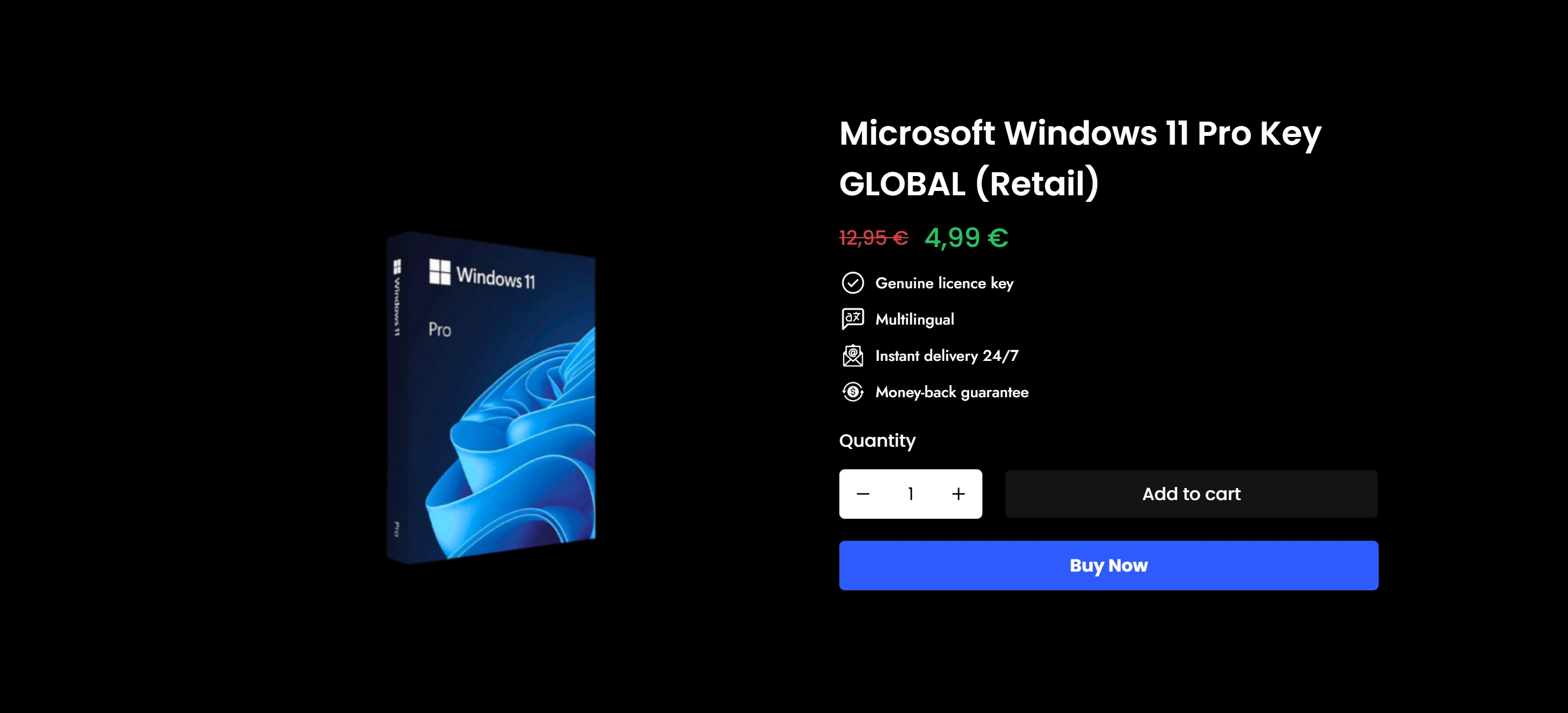
Operacinesistema specializes in genuine Microsoft Windows licenses designed for small businesses that need security, compliance, and affordability in one place. Whether you need Windows 10 Pro or Windows 11 Pro for a single workstation or an entire office, you get an official license with instant email delivery and full support. Start with the Windows licensing guide for small businesses to understand your options and stay compliant. You can also use Operacinesistema’s secure license buying guide to purchase with confidence, step by step.
Perguntas frequentes
What is the NIST CSF 2.0 and why should small businesses use it?
The NIST Cybersecurity Framework 2.0 is a free, voluntary framework with six core functions: Govern, Identify, Protect, Detect, Respond, and Recover. The FTC recommends it specifically for small businesses as a flexible way to manage cybersecurity risk without requiring a dedicated security team.
What is the biggest cybersecurity risk for small businesses?
Compromised login credentials are the most common entry point in small business breaches. Enforcing strong passwords and multi-factor authentication across all sensitive systems addresses the root cause of most attacks.
How often should a small business review its security posture?
Conduct a quarterly access review and an annual assessment benchmarked against a recognized framework like NIST CSF 2.0. Review your incident response plan any time your team, vendors, or platforms change significantly.
Does using unlicensed software create a security risk?
Yes. Counterfeit or unlicensed Windows installations do not receive official Microsoft security patches, leaving known vulnerabilities open indefinitely. Genuine licenses from a trusted source keep your systems updated and protected.
How can small businesses manage vendor security risks?
Build a vendor inventory, require written security practices from anyone with access to your data, and include breach notification clauses in contracts. Review and revoke vendor access whenever the relationship changes.