
Licenciamento do Windows para pequenas empresas: mantenha a conformidade
TL;DR:
- Os proprietários de pequenas empresas devem evitar comprar licenças do Windows incompatíveis ou falsificadas, pois elas aumentam os riscos de auditoria e segurança.
- A escolha do tipo certo de licença - OEM, Retail ou Volume - depende da estabilidade do hardware, das necessidades de flexibilidade e dos planos de crescimento de longo prazo para conformidade e segurança.
Muitos proprietários de pequenas empresas presumem que comprar qualquer licença do Windows on-line é suficiente. Isso não é verdade. Licenças incompatíveis ou falsificadas podem acionar auditorias de software, expor sua empresa a penalidades legais e desativar silenciosamente os recursos de segurança dos quais você depende todos os dias. A licença errada não custa dinheiro apenas no momento da renovação. Ela pode criar lacunas em sua configuração de TI que os invasores exploram ativamente. Este guia elimina a confusão, explica todos os principais tipos de licença em linguagem simples e fornece as ferramentas para que você escolha a opção certa para o tamanho, o orçamento e as necessidades de conformidade da sua equipe.
Índice
- Por que o licenciamento do Windows é importante para sua empresa
- Compreensão dos tipos de licença do Windows: OEM, Varejo e Volume
- Opções de licenciamento por volume para pequenas empresas
- Estratégias avançadas de licenciamento: Upgrades e Software Assurance
- Tomando a decisão certa sobre o licenciamento: dicas práticas para proprietários de PMEs
- O que a maioria das PMEs faz de errado - e como preparar seu licenciamento do Windows para o futuro
- Proteja sua licença do Windows da maneira correta
- Perguntas frequentes
Principais conclusões
| Ponto | Detalhes |
|---|---|
| Escolha a licença correta | A correspondência entre as necessidades de sua empresa e o tipo correto de licença do Windows evita erros dispendiosos e problemas de conformidade. |
| Considere o licenciamento por volume | O licenciamento por volume oferece gerenciamento e recursos dimensionáveis para PMEs, especialmente à medida que as equipes crescem. |
| Aproveite o Software Assurance | O Software Assurance desbloqueia a nuvem híbrida, os benefícios de upgrade e a mobilidade da VM, vitais para as configurações modernas de TI. |
| Cuidado com as falsas economias | Licenças baratas ou incompatíveis podem economizar dinheiro agora, mas podem causar riscos de segurança e auditoria posteriormente. |
| Planejar para necessidades futuras | Uma abordagem de licenciamento flexível prepara sua SMB para o futuro, para enfrentar a expansão e as mudanças tecnológicas. |
Por que o licenciamento do Windows é importante para sua empresa
Licenciamento não é papelada. Quando você executa licenças do Windows genuínas e adequadamente combinadas em todos os dispositivos da sua empresa, obtém cobertura legal, recursos de segurança completos e a tranquilidade de saber que o software tem suporte total da Microsoft.
🛑 O risco de auditoria é real. A Business Software Alliance (BSA) realiza auditorias de software em empresas de todos os portes, inclusive em pequenas equipes. Se a sua empresa não puder provar que possui licenças válidas para todos os dispositivos, você poderá enfrentar multas, recompras obrigatórias pelo preço total e sérios danos à reputação.
A conformidade não é o único motivo para se preocupar. As licenças originais desbloqueiam a pilha completa de ferramentas de segurança do Windows: criptografia BitLocker, Windows Defender e integração com os sistemas de identidade da Microsoft. Chaves falsificadas ou incompatíveis geralmente desativam silenciosamente esses recursos, deixando seus sistemas expostos sem nenhum sinal de alerta óbvio.
Seguindo práticas recomendadas de licenciamento de software é especialmente importante para PMEs que armazenam dados de clientes, processam pagamentos ou operam em setores regulamentados. Os requisitos do GDPR, HIPAA e PCI-DSS pressupõem que seus sistemas operacionais subjacentes são legítimos e totalmente corrigidos. Uma licença ruim pode quebrar totalmente essa premissa.
Aqui está um resumo rápido do que o licenciamento genuíno proporciona à sua empresa:
- Proteção legal total durante as auditorias
- Acesso a todos os recursos de segurança e gerenciamento
- Elegibilidade para suporte e garantia da Microsoft
- Atualizações e patches regulares sem interrupção
- Documentação de conformidade que satisfaça os reguladores
“O custo de uma licença genuína é sempre menor do que o custo de uma penalidade de auditoria, uma violação de dados ou uma substituição emergencial de software.” Essa é a verdade fundamental que a maioria das PMEs só aprende da maneira mais difícil.
Também vale a pena observar que As licenças OEM estão vinculadas a uma placa-mãe, tornando-os mais baratos, mas intransferíveis. Isso funciona bem para hardware estável, mas cria problemas reais se você planeja atualizar máquinas ou mover software entre dispositivos. Entender isso desde o início evita surpresas caras.
Usando o Lista de verificação de conformidade de SMBs é um primeiro passo inteligente. Ele ajuda a mapear todos os dispositivos do seu escritório para uma licença válida antes que surja um problema.
Compreensão dos tipos de licença do Windows: OEM, Varejo e Volume
Agora que você sabe por que o licenciamento é crucial, vamos explorar as principais categorias de licenças para entender o que é mais adequado.
Existem três tipos principais de licenças do Windows que todo proprietário de pequena empresa deve entender: OEM, Varejo e Volume. Cada uma delas atende a um cenário de negócios diferente, e a escolha errada pode desperdiçar dinheiro ou criar problemas de conformidade no futuro.
Licenças OEM
OEM significa Original Equipment Manufacturer (fabricante de equipamento original). Essas licenças vêm pré-instaladas em um novo hardware ou são vendidas junto com dispositivos específicos. Elas são a opção mais econômica. No entanto, as licenças OEM são bloqueadas para o hardware e não podem ser transferidas para uma máquina diferente. Quando o hardware morre, a licença morre com ele.
As licenças OEM são ideais para empresas que compram novos PCs e planejam usá-los durante todo o seu ciclo de vida sem trocar de hardware. Se os computadores da sua equipe forem estáveis e não houver previsão de trocas frequentes de hardware, o OEM costuma ser o caminho mais econômico.
Licenças de varejo
As licenças de varejo são adquiridas independentemente do hardware. Elas podem ser transferidas entre dispositivos, o que lhe dá mais flexibilidade à medida que sua empresa evolui. Se você substituir um laptop ou atualizar seu desktop, poderá mover a licença de varejo para a nova máquina.

A desvantagem é o preço. As licenças de varejo custam mais no início. No entanto, para empresas em que os funcionários trocam de dispositivos regularmente ou em que se deseja reutilizar licenças em um conjunto de hardware em evolução, as licenças de varejo oferecem melhor valor a longo prazo.
Licenças por volume
O licenciamento por volume foi projetado para organizações que precisam de várias licenças gerenciadas de forma centralizada. A Microsoft oferece vários programas de volume, sendo que o Open Value e o programa Cloud Solution Provider (CSP) são os mais acessíveis às pequenas empresas.
O licenciamento por volume traz benefícios adicionais, como ativação centralizada, melhores ferramentas de relatório e, em alguns casos, acesso a recursos de nível empresarial. Ele também simplifica a conformidade porque você gerencia as licenças em um único painel, em vez de rastrear chaves de produtos individuais.
Aqui está uma tabela de comparação para ajudá-lo a decidir:
| Tipo de licença | Custo | Transferível | Melhor para | Método de ativação |
|---|---|---|---|---|
| OEM | Mais baixo | De | Hardware estável, uso prolongado | Chave vinculada a hardware |
| Varejo | Médio a alto | Sim | Uso flexível, atualizações de dispositivos | Chave do produto, conta da Microsoft |
| Volume | Escalável | Depende do programa | Equipes com mais de 3 dispositivos, conformidade | KMS, MAK ou assinatura |
Dica profissional: escolher o tipo errado de licença logo no início não custa apenas dinheiro. Ela pode prendê-lo a restrições de upgrade que forçam a recompra total mais tarde. Sempre mapeie sua escolha de licença para seu hardware de três anos e plano de crescimento, não apenas para sua configuração atual.
Você pode explorar toda a gama de tipos de licença de software para ver qual se adapta ao seu fluxo de trabalho específico. E se você estiver pronto para agir, siga o Guia de compra de licenças do Windows para obter um caminho claro e passo a passo para uma compra segura.
Erros comuns que as PMEs cometem ao escolher os tipos de licença:
- Compra de licenças OEM para laptops que planejam substituir a cada dois anos
- Pagar por licenças de varejo quando o volume seria mais barato em escala
- Mistura de tipos de licenças entre dispositivos, o que cria pesadelos de rastreamento
- Comprar licenças de vendedores não oficiais para economizar alguns dólares antecipadamente
Opções de licenciamento por volume para pequenas empresas
Depois de analisarmos o OEM e o varejo, vamos nos aprofundar em como o licenciamento por volume proporciona poder e flexibilidade às PMEs.
Os proprietários de pequenas empresas geralmente presumem que o licenciamento de volumes é apenas para grandes empresas. Essa é uma concepção errônea e cara. A Microsoft tornou vários programas de volume acessíveis a organizações menores, e os benefícios vão muito além de apenas obter um desconto em chaves em massa.
Open Value e CSP: o que são
Valor aberto é um contrato de licenciamento da Microsoft projetado para organizações com cinco ou mais PCs. Ele permite que você pague anualmente, distribua os custos ao longo do tempo e centralize o gerenciamento de licenças em toda a sua frota.
CSP (provedor de soluções em nuvem) é ainda mais flexível. As licenças são adquiridas mensalmente por meio de um parceiro autorizado pela Microsoft, o que significa que você pode aumentar ou diminuir o número de funcionários à medida que sua equipe muda. Isso é ideal para empresas em crescimento que não podem prever o número de funcionários em 12 meses.
Programas de licenciamento por volume, como Open Value ou Enterprise E3 em CSP Isso permite que os recursos corporativos, incluindo gerenciamento avançado de dispositivos e segurança, sejam acessíveis a equipes que antes não podiam justificar o custo.
Licenciamento por usuário vs. licenciamento por dispositivo
Uma das maiores vantagens dos programas de volume modernos é o licenciamento por usuário. Com Empresa E3 via CSP, Em uma assinatura para um único usuário, são cobertos até cinco dispositivos. Isso significa que um funcionário que trabalha em um desktop no escritório, um laptop em casa e um tablet na rua está totalmente coberto por uma licença.
Aqui está uma comparação entre Open Value e CSP para PMEs:
| Recurso | Valor aberto | CSP (mensal) |
|---|---|---|
| Assentos mínimos | 5 | 1 |
| Compromisso | Anual | Mensal ou anual |
| Recursos corporativos | Complemento opcional | Incluído (E3/E5) |
| Flexibilidade de faturamento | Baixa | Alta |
| Ferramentas de gerenciamento | Moderado | Avançado (Intune, Azure AD) |
| Melhor para | Equipes estáveis, orçamentos previsíveis | Equipes em crescimento, trabalhadores remotos |
Etapas para configurar o licenciamento por volume para sua empresa
- Avalie sua contagem de dispositivos. Conte todos os PCs, laptops e estações de trabalho compartilhadas que precisam de uma licença do Windows.
- Escolha seu programa. Decida entre Open Value (equipes estáveis) ou CSP (equipes flexíveis). Um parceiro da Microsoft pode ajudá-lo a comparar as opções.
- Selecione seu nível de licença. O Windows Pro é suficiente para a maioria das SMBs. O Enterprise adiciona recursos avançados de segurança e gerenciamento.
- Inscreva-se por meio de um parceiro. A Microsoft exige que as licenças por volume sejam adquiridas por meio de parceiros autorizados. Evite revendedores do mercado cinza.
- Ativar de forma centralizada. Use o Key Management Service (KMS) ou Multiple Activation Keys (MAK) para ativar todos os dispositivos em um único ponto.
- Documentar tudo. Mantenha registros das confirmações de compra, contagem de licenças e datas de renovação. Essa é sua defesa de auditoria.
Manter-se atualizado com Tendências de licenciamento da Microsoft ajuda a identificar novos programas e mudanças antes que eles afetem seus custos de renovação ou status de conformidade.
Estratégias avançadas de licenciamento: Upgrades e Software Assurance
Com as licenças de volume escalonáveis em mente, é fundamental adotar uma estratégia de upgrades e maximizar seus investimentos em licenças.
Como fazer upgrade do Pro para o Enterprise
O Windows Pro é poderoso. Mas algumas PMEs acabam precisando dos recursos do Enterprise, especialmente à medida que crescem, adotam o trabalho remoto ou lidam com dados confidenciais. A boa notícia é que você não precisa comprar novas licenças do zero.
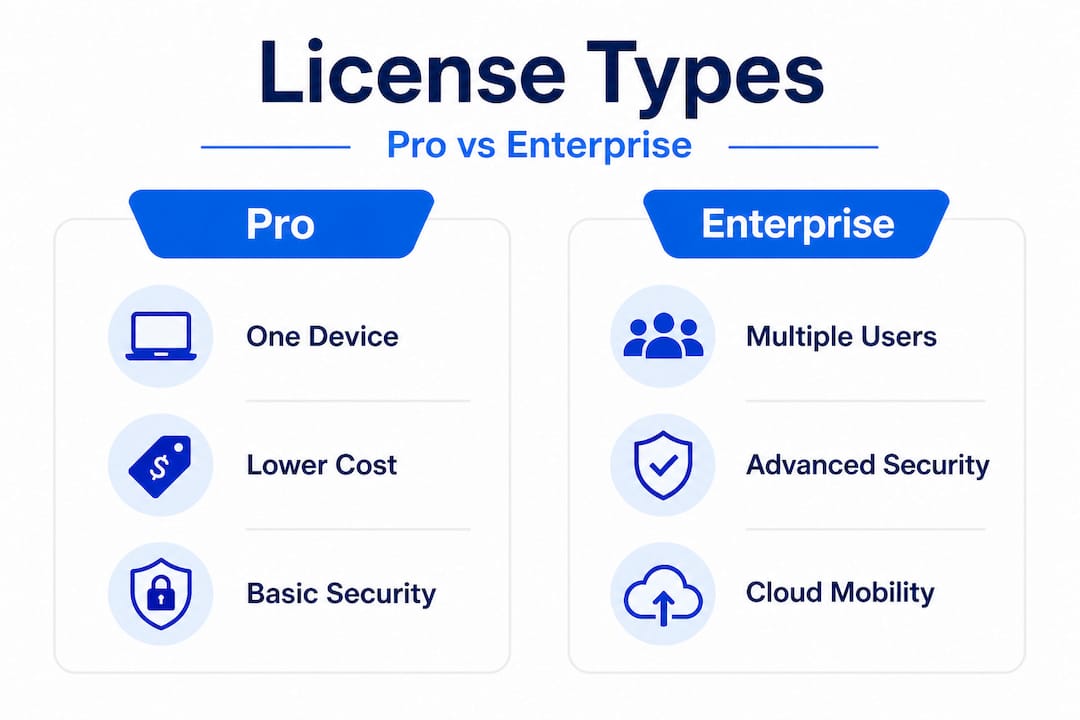
Upgrades do Windows Enterprise a partir do Pro por meio de ativação de assinatura, O Windows Pro é um produto de alta qualidade, especificamente por meio dos planos E3 ou E5 CSP, e adiciona recursos avançados como o Credential Guard e a integração com o Microsoft Entra (antigo Azure Active Directory). É importante ressaltar que, se sua assinatura expirar, o dispositivo será revertido para o Windows Pro, em vez de ficar sem licença. Essa é uma rede de segurança que muitos proprietários de PMEs não sabem que existe.
Principais recursos do Enterprise desbloqueados por meio do E3 ou E5:
- ✅ Proteção de credenciaisProteção de credenciais de login contra ataques de malware
- ✅ Integração com o Microsoft EntraGerenciamento centralizado de identidade e acesso
- ✅ Piloto automático do WindowsSimplifica a configuração de novos dispositivos sem o envolvimento da TI
- ✅ Integração do Microsoft Defender para EndpointDetecção avançada de ameaças
- ✅ Acesso direto e VPN sempre ativaAcesso remoto seguro sem ferramentas de terceiros
Esses são os recursos que protegem sua empresa quando os funcionários trabalham em cafeterias, hotéis ou escritórios domésticos. Segurança de TI do Windows Os recursos no nível Enterprise são um verdadeiro avanço em relação ao Pro e, para muitas empresas, justificam totalmente o custo da assinatura.
Software Assurance: o que ele realmente oferece a você
O Software Assurance (SA) é um complemento das licenças por volume. Muitas PMEs o ignoram para economizar dinheiro. Isso geralmente é um erro, especialmente se você estiver executando máquinas virtuais ou planejando usar serviços de nuvem.
O Software Assurance permite a mobilidade da VM, direitos de upgrade e benefícios da nuvem híbrida, Sem ela, você pode não estar tecnicamente em conformidade, mesmo que tenha uma licença básica válida.
“O Software Assurance não é apenas um complemento. É a camada de infraestrutura que conecta suas licenças do Windows no local a ambientes virtuais e de nuvem. Se você não o fizer, poderá violar os termos de licenciamento sem saber no momento em que mover uma carga de trabalho para a nuvem.”
Principais benefícios da SA que todas as PMEs devem avaliar:
- Direitos de atualização: mude para a versão mais recente do Windows sem custo adicional
- Mobilidade de VM: execute o Windows em máquinas virtuais em ambientes de nuvem autorizados
- Benefício híbrido do Azure: reduza os custos do Azure para cargas de trabalho do Windows Server
- Vouchers de treinamento: acesse os recursos de aprendizado da Microsoft para sua equipe de TI
- Suporte 24 horas por dia, 7 dias por semana: Suporte para resolução de problemas incluído nos contratos SA
Dica profissional: se você estiver executando cargas de trabalho virtualizadas ou planeja migrar sistemas para o Azure ou para uma configuração híbrida após 2022, a SA é praticamente inegociável. Os requisitos de licenciamento para o uso da nuvem são rigorosos, e as penalidades por não conformidade podem exceder em muito o custo da SA.
Para empresas que executam Windows 10 Pro ou Windows 11 Pro hoje, avaliar se o SA faz sentido para seu caminho de atualização é uma conversa que vale a pena ter com seu consultor de TI antes do próximo ciclo de renovação.
Tomando a decisão certa sobre o licenciamento: dicas práticas para proprietários de PMEs
Agora que as estratégias avançadas estão claras, vamos destilar toda essa orientação em etapas práticas para escolher a licença certa.
Sua lista de verificação de decisão
Antes de comprar qualquer licença do Windows, responda a estas cinco perguntas:
- Quantos dispositivos você precisa cobrir? Menos de 5 dispositivos geralmente apontam para OEM ou varejo. Mais de 5 indica volume.
- Com que frequência seu hardware é trocado? As atualizações frequentes favorecem o varejo ou o volume. O hardware estável favorece o OEM.
- Você precisa de recursos avançados de segurança? A integração do Credential Guard e do Entra requer o Enterprise. Pro atende às necessidades padrão.
- Qual é a sua estrutura orçamentária? O pagamento adiantado favorece as licenças perpétuas de OEM ou de varejo. Custos mensais previsíveis favorecem as assinaturas de CSP.
- Você atua em um setor regulamentado? As empresas do setor de saúde, financeiro e jurídico podem precisar de recursos empresariais e trilhas de auditoria completas.
Quando uma licença Pro perpétua faz mais sentido
Nem toda empresa precisa dos recursos do Enterprise. Nem todas as equipes estão crescendo em um ritmo que justifique os custos de assinatura mensal. Para pequenas e médias empresas que não processam dados altamente confidenciais, não operam em setores regulamentados e não precisam de integração profunda com o Microsoft 365, uma licença Pro perpétua costuma ser a opção financeira mais inteligente.
As licenças Pro perpétuas geralmente são mais baratas a longo prazo Quando você paga uma vez e possui a licença, elimina as taxas de assinatura contínuas que se acumulam ao longo dos anos. Uma equipe de cinco dispositivos que paga por assinaturas Enterprise E3 pode gastar muito mais em cinco anos do que a mesma equipe que usa licenças Pro perpétuas em hardware estável.
🔥 Verificação da realidade dos custos: Uma pequena equipe de 10 pessoas que paga pelo Enterprise E3 com o preço típico de um CSP pode gastar milhares de dólares a mais por ano do que a mesma equipe que usa licenças Pro perpétuas. Esse é um dinheiro que você poderia redirecionar para contratação, marketing ou equipamentos.
Erros comuns de decisão que as PMEs cometem e como evitá-los:
- ❌ Compra excessiva de Enterprise para uma equipe pequena com necessidades simples. Comece com o Pro e faça o upgrade somente quando recursos específicos forem realmente necessários.
- ❌ Ignorando o custo total do licenciamento por assinatura. Calcule o custo de três anos e de cinco anos, não apenas a taxa mensal.
- ❌ Comprar de fontes não oficiais ou do mercado cinza para economizar dinheiro. Chaves falsas ou recicladas podem ser bloqueadas pela Microsoft a qualquer momento, deixando os dispositivos sem licença e desprotegidos.
- ❌ Não documentar as atribuições de licenças. Sem registros, não é possível comprovar a conformidade durante uma auditoria.
- ❌ Supondo que as assinaturas na nuvem eliminem os requisitos de licenciamento no dispositivo. As licenças do Microsoft 365 e do Windows são produtos separados com regras separadas.
Seguindo a orientação sobre Evitar riscos de licenciamento da Microsoft pode salvar sua empresa dos erros mais comuns e caros. A maioria dos problemas de conformidade pode ser totalmente evitada com as informações corretas e uma fonte de compra legítima.
O que a maioria das PMEs faz de errado - e como preparar seu licenciamento do Windows para o futuro
Com a lista de verificação de decisão em mente, vale a pena examinar as armadilhas de licenciamento mais comuns e como as PMEs experientes as superam.
Aqui está uma dura verdade: a maioria dos problemas de licenciamento de pequenas empresas não é causada por ignorância. Eles são causados por pensamentos de curto prazo. O proprietário de uma empresa encontra uma chave barata on-line, acha que ela funciona bem e segue em frente. Seis meses depois, o Windows Update para de funcionar. Um ano depois, um recurso de segurança é silenciosamente desativado. Dois anos depois, uma auditoria revela que a chave era um OEM reciclado de uma máquina sucateada em outro país. A economia obtida com essa licença barata? Foi-se, e mais um pouco.
Vemos esse padrão constantemente. E a parte frustrante é que as licenças genuínas, especialmente as chaves OEM e Pro perpétuas de fontes confiáveis, não são muito mais caras do que as alternativas falsas. A diferença de preço é muito menor do que a diferença de risco.
O outro grande erro é não planejar o crescimento. Uma PME que compra cinco licenças perpétuas de OEM hoje pode ser uma equipe de 20 pessoas daqui a três anos. Se essas licenças forem todas vinculadas ao hardware e intransferíveis, você começará do zero quando atualizar o hardware. Enquanto isso, um contrato de volume ou CSP bem estruturado cresce com você, cobre novos dispositivos automaticamente e mantém sua postura de conformidade limpa.
A preparação de sua configuração de licenciamento para o futuro se resume a três aspectos. Primeiro, compre produtos genuínos. Sempre verifique a legitimidade do vendedor antes de efetuar o pagamento. Segundo, documente tudo. Cada licença, cada atribuição de dispositivo, cada data de renovação. Terceiro, pense em horizontes de tempo. Uma decisão que economiza $50 hoje pode custar $500 em dois anos.
As empresas que lidam bem com o licenciamento não são necessariamente as que têm os maiores orçamentos de TI. São aquelas que dedicam tempo para encontrar a licença de software certa para sua situação real, em vez de simplesmente escolher a mais barata ou a mais conhecida.
Mais uma coisa: não subestime o risco de auditoria porque você é pequeno. Os programas de conformidade do BSA e da Microsoft não têm como alvo apenas as grandes empresas. As pequenas empresas são, em muitos aspectos, alvos mais fáceis, justamente porque é menos provável que tenham uma documentação robusta. Uma equipe de oito pessoas com software licenciado de forma inadequada é tão responsável quanto uma equipe de 800 pessoas.
Invista nas licenças certas agora. Isso protege sua empresa, seus dados e sua flexibilidade futura. Essa não é uma mensagem de marketing. Essa é a lição de milhares de PMEs que aprenderam da maneira mais cara.
Proteja sua licença do Windows da maneira correta
Se você está pronto para escolher e ativar com confiança uma licença compatível do Windows, nossos recursos confiáveis podem ajudá-lo a começar.

Em operacinesistema.lt, Na Microsoft, somos especializados em licenças genuínas do Microsoft Windows, incluindo o Windows 10 Pro e o Windows 11 Pro, entregues instantaneamente por e-mail ou USB físico. Se precisar de uma única chave OEM para uma nova estação de trabalho ou de várias licenças de varejo para uma equipe em crescimento, você encontrará preços transparentes, descrições claras dos produtos e um processo de compra projetado para manter sua empresa em conformidade desde o primeiro dia. Não deixe seu licenciamento ao acaso. Navegue em nosso catálogo e seja ativado da maneira certa.
Perguntas frequentes
Qual é a diferença entre as licenças OEM e de varejo do Windows?
As licenças OEM estão vinculadas a um dispositivo e custam menos, enquanto as licenças de varejo são transferíveis entre máquinas e oferecem maior flexibilidade a um preço mais alto.
As pequenas empresas podem obter os recursos do Windows Enterprise sem comprar centenas de licenças?
Sim. O Enterprise E3 via CSP permite que as pequenas e médias empresas acessem os recursos do Enterprise por meio de assinaturas por usuário, sem grandes quantidades mínimas, cobrindo até cinco dispositivos por usuário por meio do canal Cloud Solution Provider da Microsoft.
O que acontece se uma assinatura Enterprise expirar?
O dispositivo é revertido para o Windows Pro e perde o acesso aos recursos de segurança e gerenciamento do Enterprise, incluindo o Credential Guard, até que a assinatura seja renovada.
Por que o Software Assurance é importante para as PMEs que usam nuvem ou desktops virtuais?
O Software Assurance permite a mobilidade da VM, os benefícios da nuvem híbrida e os direitos de atualização, o que o torna essencial para qualquer SMB que execute cargas de trabalho virtualizadas ou planeje usar os ambientes do Azure de forma compatível.
Quando uma licença Pro perpétua é mais econômica do que uma assinatura Enterprise?
As licenças Perpetual Pro custam menos a longo prazo para PMEs que não precisam de recursos avançados de segurança empresarial ou de integração profunda com o Microsoft 365, especialmente em hardware estável com padrões de uso previsíveis.
Recomendado
- Lista de verificação de licenças de software 2026: guia de conformidade para PMEs
- Evite os riscos de licenciamento da Microsoft 90%: Guia completo de conformidade
- Licenças seguras do sistema operacional da Microsoft para PMEs da Lituânia 2026
- Licenciamento seguro e legal do Windows 10: seu guia para 2026





