
What is Windows Professional? Security and value explained
Most people assume Windows Home and Windows Professional are nearly identical. They’re not. The gap between the two editions can mean the difference between a locked-down, business-ready machine and one that leaves your data exposed or locks you out of critical tools. Small businesses, freelancers, and power users regularly overpay for the wrong edition or miss features they desperately need. This article breaks down exactly what Windows Professional is, which features actually matter, how much a genuine license costs, and how to buy one safely without getting burned by a fake key.
Inhoudsopgave
- What is Windows Professional? Core definition and audience
- Key features of Windows Professional versus Home
- Security and business features that matter
- Pricing, licensing, and avoiding common pitfalls
- Why Windows Professional matters (and when it doesn’t): Our take
- Where to secure your genuine Windows Professional license
- Veelgestelde vragen
Belangrijkste opmerkingen
| Punt | Details |
|---|---|
| Windows Pro defined | Windows Professional is the advanced version of Windows designed for businesses and users needing stronger security and management. |
| Feature differences | Pro adds BitLocker encryption, Hyper-V, domain join, and remote features not included in Windows Home. |
| Best for security | Individuals and small businesses safeguarding sensitive data get real value from Pro’s business-grade protections. |
| Genuine licensing matters | Official licenses mean seamless security updates and peace of mind; avoid non-genuine offers for reliability. |
| Cost and application | Retail Pro licenses cost around $200, but upgrades and deals exist for different needs and budgets. |
What is Windows Professional? Core definition and audience
Windows Professional is the professional edition of Windows 11 designed for businesses, small businesses, and advanced users, offering enhanced security, management, and productivity features beyond the Home edition. Think of it as Windows with the business layer switched on. Everything in Home is still there, but Pro adds a set of tools that matter the moment you handle sensitive data, manage multiple devices, or need remote access to your machine.
Who is Windows Professional actually for? The short answer: anyone who needs more than basic computing. That includes:
- Small business owners running 2 to 50 PCs who need centralized control
- Freelancers and consultants handling client data that must stay encrypted
- Home office users who remote into their work PC regularly
- IT professionals who test software in virtual environments
- Power users who want full control over system policies and updates
De Functies van Windows 11 Pro not available in Home are not cosmetic upgrades. They address real security gaps and workflow bottlenecks. A detailed Pro vs Home comparison shows that over 70% of small and medium businesses choose Pro specifically for data protection and device management capabilities. If your work involves any sensitive files, client records, or multi-device setups, Pro is almost certainly the right call.
The Home edition is perfectly fine for casual browsing, streaming, and personal productivity. But the moment your needs grow, you will hit its ceiling fast.
Key features of Windows Professional versus Home
Understanding the audience and purpose, it is crucial to know exactly what sets Pro apart from Home. The differences are not subtle. Key exclusive features include BitLocker full-disk encryption, Hyper-V virtualization, domain join for Active Directory or Azure AD, Remote Desktop, and Group Policy management. None of these exist in Windows Home.
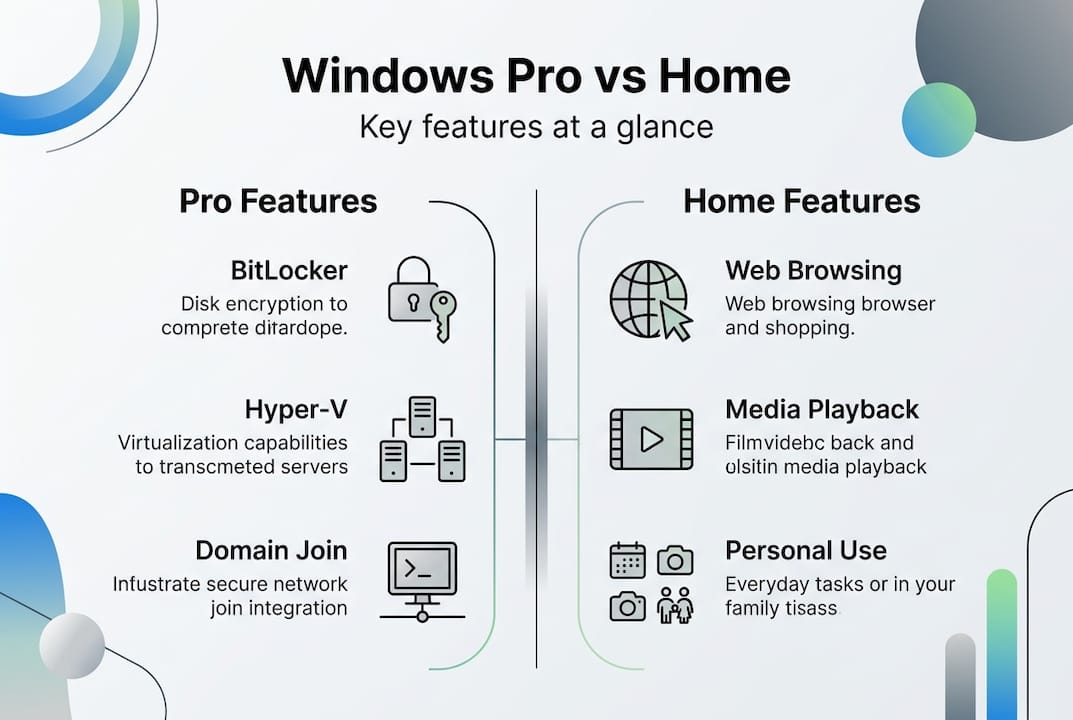
| Functie | Windows Home | Windows Pro |
|---|---|---|
| BitLocker encryptie | ❌ | ✅ |
| Hyper-V virtualisatie | ❌ | ✅ |
| Domain join (AD/Azure AD) | ❌ | ✅ |
| Remote Desktop (host) | ❌ | ✅ |
| Group Policy management | ❌ | ✅ |
| Windows Sandbox | ❌ | ✅ |
| Microsoft 365 business integration | Beperkt | Volledig |
| Assigned Access (kiosk mode) | ❌ | ✅ |
Here are five practical scenarios where Pro features are not optional:
- Client data storage — BitLocker encrypts your entire drive so stolen laptops don’t become data breaches.
- Software testing — Hyper-V lets you run a second OS inside Windows without buying extra hardware.
- Remote work — Remote Desktop lets you connect to your office PC from home securely.
- Multi-device management — Group Policy lets you enforce password rules and update schedules across all business PCs.
- Compliance requirements — Many industries require encryption at rest, which only Pro provides natively.
“Windows 11 Pro performance is comparable to Windows 10 Pro; Copilot+ PCs run up to 5x faster than 5-year-old machines, though VBS/HVCI security features may use 5 to 10% more system resources.”
Pro Tip: If you only use your PC for email, web browsing, and Office documents with no sensitive client data, Home is enough. The moment you need encryption, virtualization, or remote access, upgrade. You can find affordable Pro license deals that make the jump cost-effective, and you can also upgrade from Home to Pro without reinstalling Windows.
Security and business features that matter
Now that the high-level differences are clear, let us look at the security and business tools that make Pro a powerful choice.
BitLocker is the headline feature. It encrypts your entire hard drive using TPM 2.0 to store encryption keys securely, supporting XTS-AES 128 or 256-bit encryption. In plain terms: if someone steals your laptop and pulls the drive, they get nothing readable. For businesses storing customer records, financial data, or contracts, this is not a nice-to-have. It is a basic requirement.

Hyper-V lets you run a second operating system inside Windows as a virtual machine. Developers use it to test software. Security professionals use it to isolate risky tasks. Small businesses use it to run legacy software without buying old hardware. It is genuinely useful and saves real money.
Domain join and Group Policy are the tools that let small businesses manage all their PCs from one place. Set password policies, control which apps run, push updates, restrict USB ports. Without Pro, every PC is an island.
Here is a quick reference for what each feature protects against:
| Functie | What it enables | Risk it mitigates |
|---|---|---|
| BitLocker | Full-disk encryption | Data theft from lost/stolen devices |
| Hyper-V | Virtual machine hosting | Software conflicts, testing risks |
| Domain join | Centralized account management | Unauthorized access, weak passwords |
| Groepsbeleid | Device-wide policy enforcement | Inconsistent security settings |
| Desktop op afstand | Secure remote access | Need for physical presence |
🛑 Pro Tip: Enabling Hyper-V triggers BitLocker recovery if you do not suspend BitLocker protection first, because it alters the boot configuration measured by TPM. Always suspend BitLocker before making Hyper-V changes, then re-enable it afterward. Skipping this step locks many users out of their own machines. You can find secure genuine downloads that walk you through setup safely.
Pricing, licensing, and avoiding common pitfalls
With features mapped, the next concern is usually price, licensing, and how to buy safely.
A retail Windows Professional license costs $199.99 directly from Microsoft. Upgrading from Home to Pro costs roughly $60 to $99 depending on the channel. Many business PCs come with Pro pre-installed as an OEM license, which is tied to that specific machine.
“Genuine licenses via Microsoft Store or authorized retailers ensure ongoing security updates and full Microsoft 365 business integration, which is absent in Windows Home.”
Here is how to buy safely and avoid scams:
- ✅ Buy from authorized retailers or trusted digital key resellers with verified reviews.
- ✅ Check that the license type matches your use (OEM vs retail; OEM is tied to one PC, retail is transferable).
- ✅ Confirm the key activates via Microsoft’s servers, not a third-party tool.
- 🛑 Avoid keys priced under $10 to $15. They are almost always stolen, recycled, or volume license keys that get revoked.
- ✅ Look for sellers offering refunds and support if activation fails.
- ✅ Keep your activation confirmation email as proof of purchase.
Key value tips when buying Pro:
- OEM-licenties are cheaper but locked to one machine. Good for a new build, not for upgrades.
- Retail licenses cost more but move with you if you change hardware.
- Digital delivery is instant and just as valid as a physical box.
- Buying a genuine key from a reputable reseller is often significantly cheaper than the Microsoft Store price.
U kunt find affordable genuine Pro keys that are fully legitimate without paying full retail price. The key is knowing where to look and what questions to ask.
Why Windows Professional matters (and when it doesn’t): Our take
Here is an honest perspective from long-time users and business consultants who have seen both sides.
Windows Pro is overkill for solo users without sensitive data or domain needs. If you browse the web, stream video, and write documents on a personal laptop, Home does everything you need. Paying for Pro in that scenario is wasted money, full stop.
But here is what we have seen over and over: small businesses and freelancers underestimate their needs until something goes wrong. A stolen laptop with unencrypted client files. A ransomware attack that could have been isolated with Hyper-V. A compliance audit that reveals unlicensed or non-genuine software. These situations are expensive, embarrassing, and avoidable.
The real argument for Pro is not the feature list. It is peace of mind and risk avoidance. Licensing headaches, security incidents, and compliance failures cost far more than the price difference between Home and Pro. We have seen businesses spend thousands cleaning up problems that a $100 Pro license would have prevented.
Pro Tip: Before buying, write down your actual needs. Do you need encryption? Remote access? Virtual machines? If you check even one of those boxes, Pro pays for itself. Use digital key activation tips to make sure your purchase goes smoothly from day one.
The uncomfortable truth is that most people who skip Pro do so to save money short-term and end up paying more long-term.
Where to secure your genuine Windows Professional license
If you have decided Pro is right for you, here is where to find a genuine license with confidence.

Op operacinesistema.lt, we specialize in 100% genuine Microsoft Windows licenses delivered instantly to your inbox. No gray-area keys, no recycled volume licenses, no risk of deactivation. Whether you need a buy Windows 11 Pro digital key for a single machine or you are managing licenses across a small team, we have options that fit your budget and your compliance needs. 🔥 Our licenses activate directly through Microsoft’s servers, come with full support, and include a refund guarantee if something goes wrong. Need help staying compliant? Check our SMB license compliance checklist to make sure every device in your business is covered.
Veelgestelde vragen
Is Windows Professional necessary for home users?
Most home users do not need Windows Professional. Windows Home covers everyday tasks like browsing, streaming, and documents, unless you specifically need BitLocker encryption, remote desktop hosting, or enterprise management tools. For solo users without sensitive data, Home is the smarter, more affordable choice.
What security benefits does Windows Professional offer?
Windows Pro adds BitLocker full-disk encryption, Hyper-V virtualization, domain join for Active Directory or Azure AD, Remote Desktop hosting, and Group Policy management, none of which are available in Windows Home. These tools protect data at rest and give businesses centralized control over device security.
How much does an official Windows Professional license cost in 2026?
A retail Windows Professional license costs $199.99 from Microsoft directly. Home-to-Pro upgrades are available for roughly $60 to $99, and authorized resellers often offer genuine licenses at lower prices than the Microsoft Store.
Do I get Microsoft 365 business integration with Windows Professional?
Yes. Only Windows Professional supports full Microsoft 365 business integration and centralized device management through Azure Active Directory, making it the required edition for businesses using Microsoft’s cloud tools.
What’s the safest way to buy a genuine Windows Professional license?
Buy from an authorized retailer or trusted reseller that activates keys through Microsoft’s official servers, provides a receipt, and offers support if activation fails. Avoid suspiciously cheap keys under $15, as they are almost always invalid or stolen.





