Windows 11 Pro Generic Key: Legal Uses and Limits
Finding a truly affordable and legitimate Windows 11 Pro license feels more difficult as software threats and compliance checks become part of daily reality. Every tech-savvy user and small business owner knows that using generic installation keys only grants limited access and leaves critical features out of reach. This guide breaks down the difference between temporary installation codes and genuine licenses so you can avoid security risks and confidently choose the safest path for your system.
Table of Contents
- Windows 11 Pro Generic Key Defined
- Types Of Windows Installation Keys Explained
- How Generic Keys Function During Installation
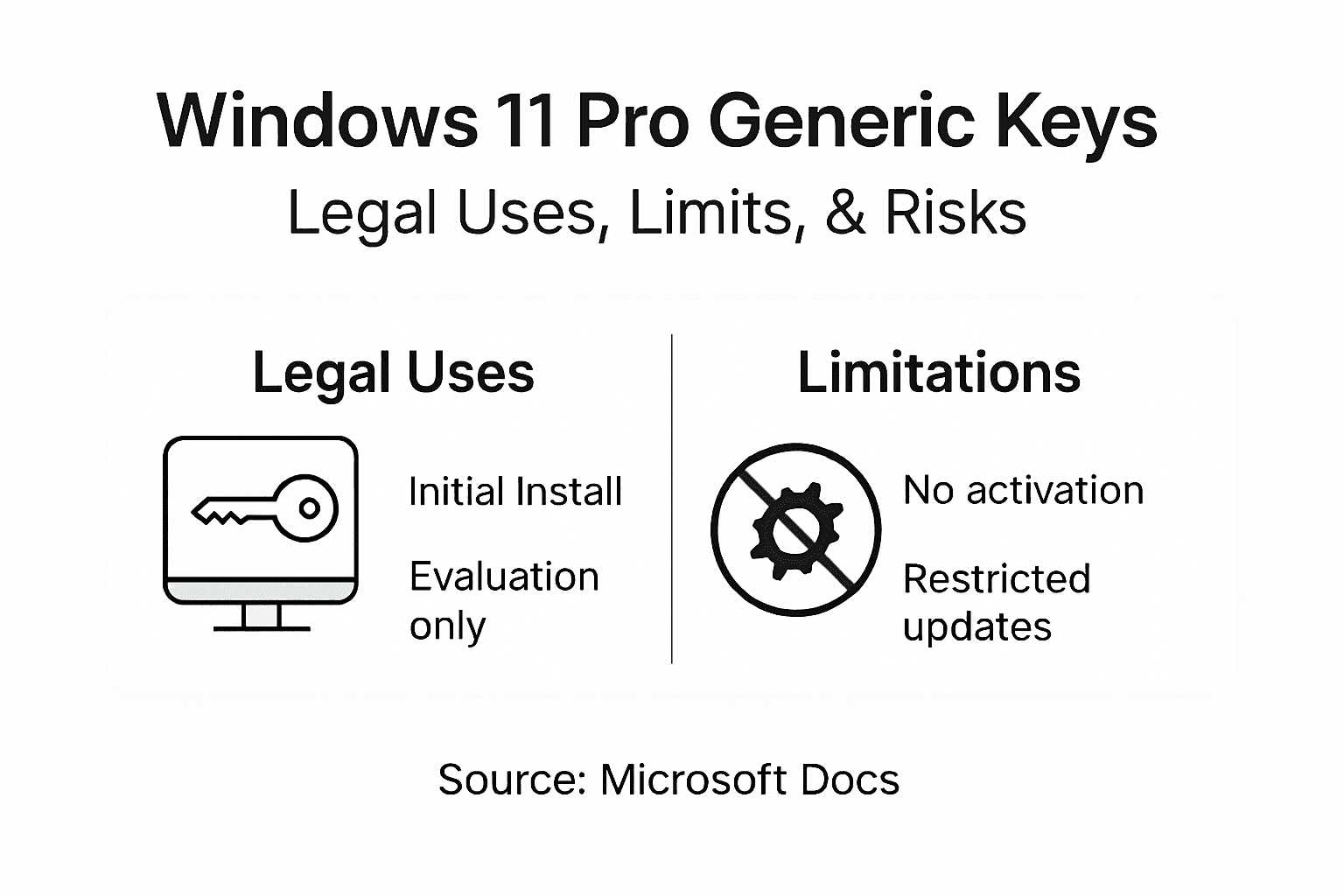
- Legal Status And Intended Uses For Generic Keys
- Risks, Limitations, And Common Misconceptions
- Genuine License Alternatives And Secure Purchasing
Key Takeaways
| Point | Details |
|---|---|
| Use of Generic Keys | Windows 11 Pro generic keys allow initial installation but do not activate software for permanent use. |
| Types of Installation Keys | Understanding different Windows key types is essential for proper software deployment and compliance. |
| Risks of Generic Keys | Relying on generic keys can lead to limited system functionality and potential legal issues. |
| Legitimate Licensing | Always acquire genuine licenses through authorized channels to ensure system security and compliance. |
Windows 11 Pro Generic Key Defined
A Windows 11 Pro generic key is a special installation code designed to facilitate the initial setup and temporary use of the Windows operating system without providing permanent activation. These keys play a unique role in software deployment, particularly in volume licensing and evaluation scenarios.
Generic keys differ fundamentally from traditional product keys in several critical ways:
- They enable initial Windows installation
- Do not provide permanent software activation
- Commonly used in enterprise and testing environments
- Require replacement with a genuine license for full functionality
The generic product keys serve a specific installation purpose by allowing users to begin using Windows without immediately inputting a permanent license. These temporary keys are particularly useful for IT professionals and organizations managing multiple computer systems.
Understanding the limitations of generic keys is crucial. While they permit installation, they restrict access to critical Windows features and system updates. Users will encounter periodic activation reminders and cannot customize certain system settings until a valid license is applied.
Pro tip: Always plan to replace generic keys with legitimate licenses to ensure complete system functionality and receive ongoing security updates.
Types of Windows Installation Keys Explained
Windows operating systems utilize several distinct key types that serve different installation and licensing purposes. Windows installation keys vary significantly in their functionality, transferability, and intended use across different computing environments.
The primary types of Windows installation keys include:
-
Retail Keys
- Purchased directly by end users
- Transferable between devices
- Provide maximum flexibility for individual users
-
OEM Keys
- Pre-installed by hardware manufacturers
- Permanently linked to specific hardware
- Non-transferable between different computer systems
-
Volume Licensing Keys
- Designed for organizations and enterprises
- Allow multiple system activations
- Managed through centralized licensing platforms
KMS Client Setup Keys represent a specialized category of installation keys used in large organizational settings. These keys enable activation through a local Key Management Service rather than individual product key validation.
Understanding the nuanced differences between these key types is crucial for IT professionals and individual users alike. Each key type carries specific restrictions and benefits that directly impact software deployment, licensing compliance, and system management strategies.
Pro tip: Always verify the specific licensing requirements and limitations associated with your Windows installation key to ensure full compliance and optimal system functionality.
Here’s a quick comparison of the main Windows key types and their typical use cases:
| Key Type | Transferability | Typical User | Main Purpose |
|---|---|---|---|
| Retail Key | Move between devices | Individual consumers | Personal device activation |
| OEM Key | Tied to single hardware | PC manufacturers | Pre-installed systems |
| Volume License Key | Used on multiple machines | Organizations/enterprises | Mass deployment |
| Generic Key | Temporary, not transferable | IT pros/testers | Initial setup/testing |
| KMS Client Key | Managed via KMS server | Large organizations | Centralized activation |
How Generic Keys Function During Installation
During Windows installation, generic keys play a unique role in facilitating system setup without immediate full activation. Generic keys enable temporary OS installation by serving as placeholder licenses that bypass standard activation requirements.
The installation process with generic keys involves several critical steps:
- Bypassing standard license validation
- Allowing initial system configuration
- Providing limited functional access
- Requiring future complete activation
When users initiate Windows installation using a generic key, the system recognizes the key as a valid placeholder. This recognition permits the operating system to install and perform basic functions, albeit with significant limitations. Generic keys facilitate evaluation or deployment scenarios without requiring an immediate full product key.

Important restrictions accompany generic key usage during installation. Users will encounter periodic activation notifications, limited customization options, and restricted access to advanced Windows features. The system essentially operates in a semi-functional state, encouraging users to complete activation with a genuine product key.
Pro tip: Prepare a legitimate product key in advance to smoothly transition from generic key installation to fully activated Windows functionality.
Legal Status and Intended Uses for Generic Keys
Generic keys occupy a specific legal landscape within Microsoft’s software licensing framework. Generic product keys are legally sanctioned for installation purposes in controlled environments, with strict guidelines governing their appropriate use.
The intended legal uses for generic keys include:
- Volume licensing deployment
- Enterprise system evaluations
- Bulk software installations
- Temporary system configuration
- Organizational technology testing
Microsoft explicitly designs these keys for specific scenarios, primarily targeting professional and organizational contexts. KMS client keys function within volume licensing agreements to facilitate controlled software distribution and activation in enterprise environments.
Unauthorized use of generic keys represents a significant legal risk. Organizations and individuals must understand that these keys are not permanent solutions but temporary placeholders requiring legitimate activation. Persistent use without proper licensing can trigger legal consequences, including potential intellectual property violations and software non-compliance penalties.
Pro tip: Always maintain comprehensive documentation of your software licensing to ensure legal compliance and avoid potential software audit challenges.
Risks, Limitations, and Common Misconceptions
Generic Windows keys come with significant risks that users must carefully understand. Common security vulnerabilities emerge when organizations or individuals misuse these temporary installation keys without proper comprehension.
Key risks and limitations include:
- Restricted system functionality
- No access to critical Windows updates
- Limited personalization options
- Potential legal compliance issues
- Ongoing activation notifications
- Security exposure risks
Generic keys impose substantial usage restrictions that many users fail to recognize initially. The most prevalent misconception involves believing these keys provide permanent, legitimate software licensing when they are merely temporary installation tools.
Persistent use of generic keys without transitioning to legitimate licenses can trigger serious consequences. Organizations may face legal penalties, while individual users risk system instability, security vulnerabilities, and potential intellectual property violations. The temporary nature of these keys demands proactive management and timely replacement with authorized licenses.
Pro tip: Develop a systematic approach for tracking and replacing generic keys to ensure continuous, compliant software deployment across your organization.
The table below summarizes the risks and consequences of prolonged generic key use:
| Risk or Limitation | User Impact | Long-term Consequence |
|---|---|---|
| Limited system functions | Reduced OS customization | Persistent restrictions |
| No critical updates | Security vulnerabilities | System instability |
| Compliance violation | Legal penalty risk | Fines, audits, or litigation |
| Activation prompts | Frequent user interruptions | Ongoing user annoyance |
| No official support | No Microsoft assistance | Difficult problem resolution |
Genuine License Alternatives and Secure Purchasing
Windows licensing presents multiple pathways for obtaining legitimate software access. Windows Genuine Advantage ensures license authenticity by implementing robust verification mechanisms that protect users from unauthorized software distribution.
Secure purchasing options include:
- Direct Microsoft online store purchases
- Authorized retail computer stores
- Volume licensing for enterprises
- Educational institution licensing programs
- Verified online software marketplaces
- Certified hardware manufacturer bundles
Legitimate license acquisition guarantees system security and provides critical benefits such as continuous updates, technical support, and full system functionality. Users can choose between retail, OEM, and volume licensing models depending on their specific requirements and budget constraints.
Purchasing from official channels protects against potential legal and security risks associated with unauthorized or counterfeit software. Genuine licenses not only ensure compliance but also provide peace of mind through official Microsoft support and guaranteed system performance.
Pro tip: Always verify the authenticity of your software vendor and keep purchase documentation to validate your Windows license.
Secure Your Windows 11 Pro License with Confidence
Struggling with the limitations and legal risks of using Windows 11 Pro generic keys is a common challenge. This article highlights the temporary nature of generic keys and emphasizes the urgent need to replace these placeholders with genuine licenses for uninterrupted updates, full system functionality, and compliance. Protecting your system against security vulnerabilities and activation interruptions demands a legitimate Windows license you can trust.
Take control now by choosing from our wide selection of original Windows 11 Pro digital keys and physical USB versions. At operacinesistema.lt, we prioritize secure, legal, and affordable licensing solutions with instant email delivery and comprehensive customer support. Avoid the pitfalls of limited generic key usage and upgrade to a 100% authentic Microsoft license that guarantees ongoing security, customization, and peace of mind.

Ready to make the switch today Discover our range of genuine Windows licenses designed for individual users, IT professionals, and small businesses alike. Act now to ensure your Windows installation is fully authorized without delay. Visit our checkout page and secure your authentic Windows 11 Pro key before activation issues or compliance concerns disrupt your workflow.
Frequently Asked Questions
What is a Windows 11 Pro generic key?
A Windows 11 Pro generic key is a temporary installation code that allows users to set up the operating system without activating it permanently. It is often used in environments where a full product key is not immediately available.
How do generic keys function during installation?
Generic keys enable initial Windows installation by bypassing standard activation requirements, allowing users to configure the system with limited functionality until a permanent product key is applied.
What are the legal uses of generic keys?
Generic keys are legally sanctioned for specific scenarios such as volume licensing deployment, enterprise evaluations, bulk installations, temporary configurations, and technology testing. Unauthorized use outside these contexts poses legal risks.
What are the risks and limitations of using a generic key?
Using a generic key can lead to restricted system functionality, lack of access to critical updates, limited personalization options, and frequent activation notifications, which can result in potential legal compliance issues and security vulnerabilities.