
Unlock benefits of official software for SMBs in 2026
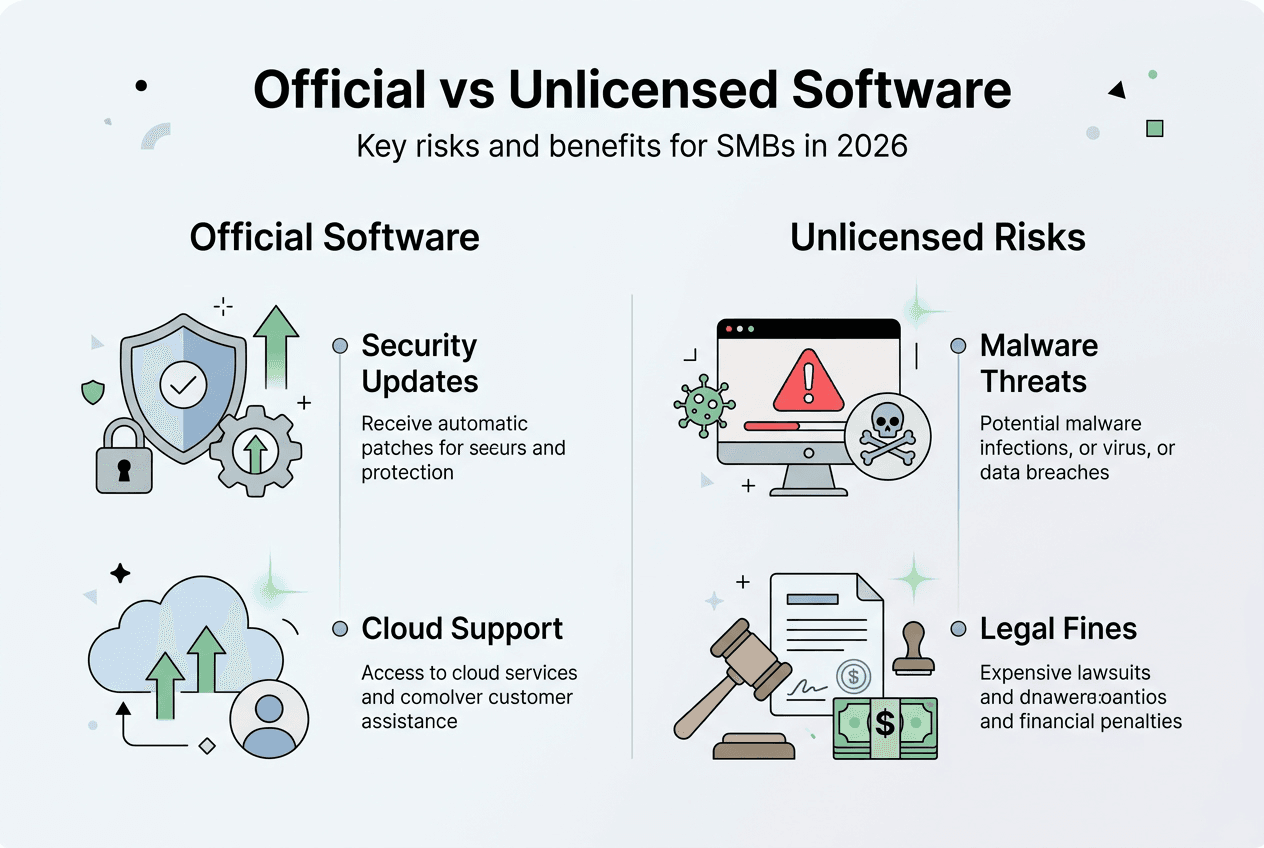
Many small business owners believe cutting corners on software costs by using unofficial versions saves money without consequences. This misconception creates massive security vulnerabilities and legal exposure that far outweigh any initial savings. In 2026, cyberthreats targeting small and medium businesses have escalated dramatically, making genuine Microsoft licenses essential rather than optional. Official software provides critical protections including automatic security updates, compliance safeguards, and enterprise-grade threat defense that unofficial versions deliberately disable. This guide reveals why investing in legitimate Microsoft solutions like Microsoft 365 Business Premium delivers measurable returns through enhanced security, operational efficiency, and risk mitigation that protects your business data and bottom line.
Table of Contents
- Understanding Official Software Benefits: Security And Compliance
- Operational Efficiency And Productivity Gains With Microsoft 365 Business Premium
- Risks Of Unlicensed And Unofficial Software: Hidden Costs And Vulnerabilities
- Making The Switch: Practical Steps To Secure Official Microsoft Software
- Secure Your Official Microsoft Software Today
- Frequently Asked Questions
Key takeaways
| Point | Details |
|---|---|
| Security protection | Official licenses provide advanced defense against phishing, ransomware, and data breaches with automatic updates |
| Compliance assurance | Genuine software eliminates audit risks and legal penalties that can devastate small business finances |
| Operational efficiency | Centralized device management and collaboration tools boost productivity across remote and onsite teams |
| Hidden costs of piracy | Unlicensed software carries malware, disabled security features, and expensive retroactive licensing fees |
| ROI advantage | Businesses achieve measurable returns through reduced IT complexity and enhanced data protection |
Understanding official software benefits: security and compliance
Cybercriminals specifically target small businesses because they often lack enterprise-level protections. Microsoft 365 Business Premium defends against cyberthreats like phishing, ransomware, and data loss through integrated security features that unofficial software simply cannot provide. Genuine licenses guarantee you receive monthly security patches addressing newly discovered vulnerabilities before attackers can exploit them.
The financial stakes are enormous. Nearly one in three SMBs experienced attacks in 2024, with cybersecurity breaches causing significant financial damage through downtime, data recovery costs, and customer trust erosion. Official Microsoft software closes these security gaps with features including:
- Advanced threat protection scanning emails and attachments in real time
- Multi-factor authentication preventing unauthorized account access
- Data loss prevention policies controlling sensitive information sharing
- Encrypted email protecting confidential business communications
Compliance represents another critical advantage. Software audits expose businesses to substantial fines when unlicensed installations are discovered. The Software & Information Industry Association actively investigates licensing violations, and penalties often include retroactive fees covering years of unauthorized use plus legal costs. Genuine licenses provide audit-ready documentation proving compliance, eliminating this financial risk entirely.
Secure access controls built into official software protect your business data from both external threats and internal mishaps. You can enforce password policies, restrict file sharing permissions, and monitor user activity across all devices. These capabilities are absent or deliberately disabled in pirated versions, leaving your sensitive financial records, customer data, and intellectual property vulnerable to theft or accidental exposure.
Pro Tip: Schedule quarterly license audits to verify all devices run genuine software and identify any gaps before they become compliance issues or security vulnerabilities.
“Investing in official Microsoft licenses transforms security from a cost center into a strategic asset that protects revenue, reputation, and operational continuity.”
The benefits of licensed software extend beyond immediate threat protection to create a foundation for sustainable business growth. When you know your systems are secure and compliant, you can focus resources on innovation and customer service rather than crisis management and legal defense.
Operational efficiency and productivity gains with Microsoft 365 Business Premium
Microsoft 365 Business Premium provides a complete solution supporting up to 300 users with integrated productivity applications and enterprise-grade security. This unified approach eliminates the complexity of managing separate tools for email, file storage, collaboration, and threat protection. Your team gains access to familiar applications like Word, Excel, and Outlook alongside powerful collaboration platforms.

Microsoft Teams enables seamless collaboration regardless of whether employees work remotely, in the office, or across multiple locations. Video conferencing, instant messaging, and shared workspaces keep projects moving forward without the delays caused by email chains or version control issues. Real-time co-authoring allows multiple team members to edit documents simultaneously, dramatically reducing project completion times.
Centralized device management represents a game-changing capability for small businesses with limited IT resources. Remote locking, wiping, and updating of business devices protects data when devices are lost, stolen, or reassigned. You can manage Windows PCs, Macs, iOS devices, and Android phones from a single admin console, enforcing security policies consistently across your entire technology fleet.
Key productivity enhancements include:
- Cloud storage providing 1TB per user for accessible file sharing
- Mobile apps enabling work from any device with automatic syncing
- Automated backup protecting against accidental deletion or hardware failure
- Version history allowing recovery of previous document iterations
- Shared calendars coordinating team schedules and meeting availability
Standardizing on Business Premium licenses delivers measurable cost savings. Instead of purchasing separate security tools, backup solutions, and collaboration platforms, you get everything in one subscription. This consolidation reduces vendor management overhead, simplifies billing, and ensures all components work together seamlessly without integration headaches.
Pro Tip: Enable conditional access policies to automatically block sign-in attempts from unrecognized locations or compromised devices, adding an extra security layer without impacting legitimate users.
The operational benefits extend to IT maintenance. Automatic updates ensure all users run current software versions without manual intervention. Security patches deploy overnight, and new features roll out gradually, minimizing disruption. This automation frees your IT staff or managed service provider to focus on strategic initiatives rather than routine maintenance tasks.
Understanding software safety features with genuine licenses helps you maximize the value of your investment. Official software includes technical support, online training resources, and documentation that empowers your team to use advanced features effectively. These resources are completely unavailable with pirated software, leaving you to troubleshoot issues alone.
Risks of unlicensed and unofficial software: hidden costs and vulnerabilities
The security implications of pirated software are catastrophic. Research reveals that 91% of PCs with pirated Windows contained malware or security vulnerabilities. Crackers who distribute unauthorized copies deliberately inject malicious code that steals passwords, monitors keystrokes, or recruits your computer into botnet networks used for distributed attacks.
Pirated versions disable critical security features like Windows Firewall, Windows Defender, and automatic updates to prevent detection of the unauthorized license. This creates permanent security holes that attackers exploit to access your business network, customer databases, and financial systems. The malware often alters browser settings to inject advertisements, redirect searches, or install additional unwanted software without your knowledge.
Legal and financial consequences pose equally serious threats. Unlicensed software usage exposes businesses to costly retroactive fees, audit penalties, and legal risks when discovered. Software publishers employ forensic tools to detect unauthorized installations during routine audits or when investigating security incidents. Penalties typically include:
| Risk Category | Potential Impact |
|---|---|
| Retroactive licensing | Pay full price for every unlicensed installation discovered, often covering multiple years |
| Audit penalties | Additional fines ranging from 150% to 300% of license costs |
| Legal fees | Attorney costs defending against copyright infringement claims |
| Reputation damage | Public disclosure harming customer trust and partner relationships |
| Operational disruption | Court orders requiring immediate software removal during business hours |
The false economy of pirated software becomes apparent when calculating total costs. A $200 savings on a Windows license seems attractive until you factor in the $50,000 average cost of a data breach, the $100,000 potential audit penalty, and the immeasurable damage to your professional reputation. Small businesses operating on thin margins cannot absorb these unexpected expenses.
Pro Tip: Document all software purchases with receipts and license certificates stored in a secure, backed-up location to prove compliance during audits and simplify asset management.
Educating employees about official vs unofficial software impact creates a culture of compliance and security awareness. When team members understand the risks, they become active participants in protecting business assets rather than unknowingly introducing vulnerabilities through well-intentioned but misguided cost-cutting measures.
The operational costs extend beyond direct financial penalties. Pirated software lacks technical support, meaning every problem requires expensive troubleshooting or consultant fees. Compatibility issues with legitimate software updates can break critical business applications. Data corruption from malware-infected systems can destroy years of customer records, project files, and financial data.
Making the switch: practical steps to secure official Microsoft software
Transitioning to fully licensed software requires systematic planning but delivers immediate security and compliance benefits. Start by conducting a comprehensive audit of existing software installations across all business devices. Document every application, version number, and license status to identify gaps and prioritize remediation efforts.
Purchasing official Microsoft 365 Business Premium licenses provides the most comprehensive solution for small businesses. This unified platform combines productivity applications, cloud storage, email hosting, and enterprise-grade security in a single subscription. The integrated approach eliminates compatibility issues and simplifies administration compared to cobbling together separate tools from multiple vendors.
Follow this implementation roadmap:
- Audit current software inventory across all devices and users
- Calculate total licensing needs based on employee count and device types
- Compare Business Premium versus Business Standard to determine optimal fit
- Purchase licenses from authorized resellers with verified authenticity guarantees
- Deploy licenses systematically, starting with devices handling sensitive data
- Configure security policies and device management before rolling out to users
- Train employees on new features and security best practices
- Document all licenses and maintain centralized records for future audits
Standardizing on Business Premium across all users reduces costs, simplifies IT management, and maximizes security by ensuring consistent protection. While Business Standard costs less per user, the additional security features in Business Premium justify the investment through reduced breach risk and simplified compliance. The cost difference of $8 per user monthly is negligible compared to potential breach costs.
Consider the compelling financial case. Research shows that SMBs achieved a 223% ROI deploying Microsoft 365 for Business, demonstrating strong economic impact beyond just security benefits. Productivity gains, reduced IT support costs, and avoided security incidents combine to deliver measurable returns within the first year.
| License Type | Monthly Cost | Security Features | Best For |
|---|---|---|---|
| Business Basic | $6/user | Basic email security | Very small teams with minimal security needs |
| Business Standard | $12.50/user | Standard threat protection | Growing businesses prioritizing productivity |
| Business Premium | $22/user | Advanced threat protection, device management, compliance tools | Any business handling sensitive data or facing regulatory requirements |
Pro Tip: Validate license authenticity by checking Windows licence key validity through official Microsoft tools before deploying to ensure you receive genuine software with full support and update access.
Working with reliable vendors ensures you receive legitimate licenses with proper documentation and ongoing support. Authorized resellers provide guidance on license selection, volume pricing for larger deployments, and technical assistance during implementation. Verify vendor credentials and read customer reviews before making significant software investments.
Explore resources on secure Microsoft OS licenses for SMBs to understand the latest licensing options and deployment methods available in 2026. The licensing landscape evolves regularly, and staying informed helps you make cost-effective decisions aligned with your business needs and growth trajectory.
Secure your official Microsoft software today
Protecting your business with genuine Microsoft licenses has never been more accessible for Lithuanian small and medium businesses. Trusted vendors offer official Windows 10 and Windows 11 Pro licenses with instant digital delivery, comprehensive support, and verified authenticity guarantees. These solutions provide the security foundation your business needs without the complexity or expense of enterprise-level deployments.

Take advantage of resources that help you check Windows licence key validity to ensure every license in your organization is genuine and properly activated. Understanding the latest activation methods and licensing options available in 2026 empowers you to make informed decisions that balance cost, security, and functionality. Explore comprehensive guides on secure Microsoft OS licenses for SMBs and discover Windows 11 activation keys 2026 to protect your business operations starting today.
Frequently asked questions
How does official software improve small business security?
Official Microsoft licenses provide automatic security updates that patch vulnerabilities before attackers exploit them, advanced threat protection against phishing and ransomware, and integrated firewall and antivirus capabilities. These features work together to create multiple defense layers protecting your business data, customer information, and financial records from increasingly sophisticated cyberthreats.
What compliance risks do unlicensed software create?
Using unlicensed software exposes businesses to copyright infringement claims, substantial financial penalties during software audits, and potential legal action from publishers. Compliance violations can result in retroactive licensing fees covering years of unauthorized use plus additional fines reaching 300% of license costs, creating unexpected expenses that can severely impact small business cash flow and profitability.
Is Microsoft 365 Business Premium worth the cost for small businesses?
Business Premium delivers measurable ROI through reduced security incidents, simplified IT management, and enhanced productivity that outweighs the monthly subscription cost. The integrated security features prevent costly data breaches, centralized device management reduces support overhead, and collaboration tools improve team efficiency, with studies showing 223% return on investment for businesses deploying Microsoft 365.
How can I verify my Windows licenses are genuine?
Verify license authenticity by checking activation status through Windows Settings, confirming your product key with Microsoft’s official validation tools, and reviewing purchase documentation from authorized resellers. Genuine licenses display proper activation status, receive automatic updates without errors, and include access to Microsoft support resources that pirated versions cannot provide.
What happens if my business is caught using pirated software?
Discovery of pirated software typically results in immediate legal notices demanding license purchases, substantial financial penalties including retroactive fees and fines, potential lawsuits for copyright infringement, and mandatory audits of all software installations. Beyond financial costs, businesses face reputation damage, customer trust erosion, and operational disruption from court-ordered software removal during business hours.





