
Windows Software Assurance Explained for IT Pros
Tóm tắt:
- Microsoft Software Assurance is a subscription program that provides organizations with upgrade rights, deployment support, and license mobility benefits for volume-licensed Windows and server products. It helps control IT budgets by enabling major version upgrades without additional purchases and offers planning, training, support, and license mobility features. When SA lapses, upgrade and mobility rights end immediately, risking non-compliance and increased costs during software transitions.
Microsoft Software Assurance is a subscription-based licensing program that grants organizations automatic upgrade rights, deployment support, and license mobility benefits for Windows and server products. Understanding Windows Software Assurance explained correctly is the difference between a predictable IT budget and a surprise six-figure repurchase bill. The program attaches to volume licenses purchased through agreements like Microsoft Enterprise Agreement or Open Value. It covers Windows desktop OS, Windows Server, SQL Server, Exchange, SharePoint, and more. For IT professionals and business decision-makers, Software Assurance is not a luxury add-on. It is a core licensing strategy tool that directly affects upgrade timing, cloud migration costs, and compliance posture.
What key benefits does windows software assurance provide?
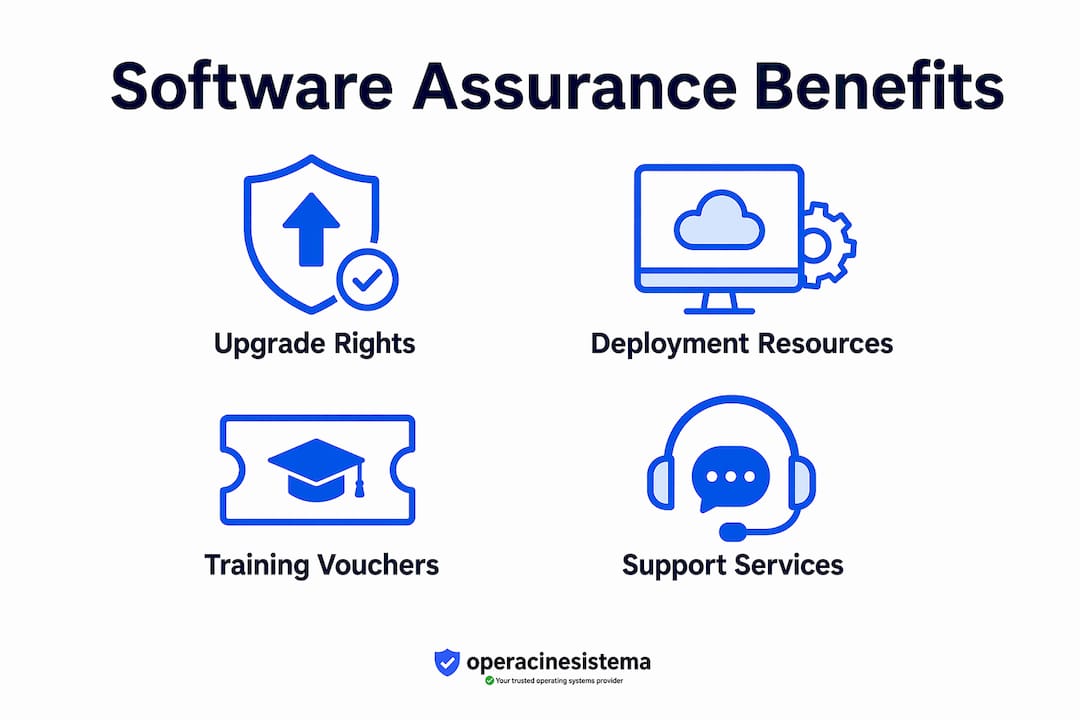
Software Assurance delivers four categories of value: upgrade rights, deployment planning resources, training vouchers, and support services. Each category solves a distinct operational problem for IT teams managing Microsoft environments at scale.

Upgrade rights are the headline benefit. Active Software Assurance grants organizations automatic access to major Microsoft product releases every 3–5 years without purchasing new licenses at full retail price. For a company running 500 Windows seats, that right alone can eliminate a procurement event worth hundreds of thousands of dollars.
Deployment planning and training are underused benefits that most organizations leave on the table. Microsoft provides Planning Services vouchers that fund on-site deployment planning days with certified partners. Training vouchers cover Microsoft Official Courses for IT staff, reducing the cost of upskilling when new Windows or server versions roll out.
Here is a breakdown of the core Software Assurance benefits:
- ✅ New version upgrade rights for Windows OS and server products
- ✅ License Mobility for eligible server applications to shared infrastructure
- ✅ Extended Security Updates (ESU) for products past end-of-support
- ✅ Microsoft Desktop Optimization Pack (MDOP) access for enterprise management tools
- ✅ Home Use Program allowing employees to install Microsoft software on personal devices
- ✅ 24×7 Problem Resolution Support for critical issues
- ✅ Step-up licenses to move between product editions
Mẹo hay: Review your SA benefit activation status in the Microsoft Volume Licensing Service Center (VLSC) at least once per quarter. Many organizations pay for benefits they never activate, which means they are funding a program without extracting its full value.
Hiểu biết Windows license types is a prerequisite before evaluating Software Assurance. SA only attaches to volume licenses, not OEM or retail licenses. If your organization runs a mix of license types, your SA coverage will be uneven across the fleet.
How do upgrade rights affect windows lifecycle management?
Upgrade rights are the most financially significant benefit in the Software Assurance program. They directly affect how your organization plans for Microsoft’s product release cycles and how you budget for infrastructure refreshes.
Microsoft releases major Windows versions on a multi-year cadence. Windows 10 launched in 2015, Windows 11 in 2021. Server products follow a similar pattern. Without SA, moving from one major version to the next requires purchasing new licenses. With active SA coverage, you deploy the new version as soon as it releases, using your existing license entitlement.
| Scenario | Without SA | With Active SA |
|---|---|---|
| Windows 10 to Windows 11 upgrade | New license purchase required | Covered, no additional cost |
| Windows Server 2019 to 2022 | New server license required | Upgrade right included |
| SQL Server version upgrade | Full repurchase at retail | Covered under SA terms |
| Extended Security Updates | Paid separately per device | Included in SA coverage |
| Deployment planning support | Paid consulting engagement | Planning Services vouchers included |
The financial logic is straightforward. SA ROI is most visible after major Microsoft product releases, when organizations with active coverage deploy new versions without procurement delays or license repurchases. Organizations without SA face a budget spike at exactly the moment their IT teams are already stretched managing the transition.
Upgrade rights also affect how you manage Multiple Activation Keys (MAK). When you deploy a new Windows version under SA, your volume license agreement generates updated MAK keys for the new version. Your IT team activates devices against those keys through the VLSC or Key Management Service (KMS). This process is documented and auditable, which matters during a Microsoft license audit.
Mẹo hay: Time your SA renewal to align with Microsoft’s known release schedule. If a major Windows Server version is expected within 12 months of your renewal date, renewing early locks in upgrade rights before the release. Missing the renewal window by even one day can forfeit those rights.
For organizations managing Windows 10 licensing through the transition to Windows 11, SA coverage is the cleanest path. It removes the need to track individual device upgrade eligibility and replaces it with a single program-level entitlement.
What license mobility rights does software assurance include?
License mobility is one of the most misunderstood benefits in the Microsoft Software Assurance program. The concept sounds simple: move your licenses to shared infrastructure. The reality is more specific, and the restrictions catch organizations off guard during cloud migrations.
What license mobility actually covers:
- ✅ SQL Server, Exchange Server, SharePoint Server, and Skype for Business can move to shared multi-tenant cloud environments with SA
- ✅ Eligible applications can run on any Microsoft-authorized License Mobility partner’s infrastructure
- ✅ Disaster recovery rights allow passive failover instances without additional licenses
- Windows Server has strict “Listed Provider” restrictions and cannot move freely to shared cloud hosts
- Windows desktop OS is not mobile at all under SA terms
The desktop OS restriction is the most consequential. Windows desktop OS licenses are not mobile, which means cloud providers must supply OS licenses for virtual desktops. If your organization plans to run Windows 10 or Windows 11 virtual desktops in a public cloud, your SA-covered desktop licenses do not follow the workload. The cloud provider’s licensing terms govern the OS layer instead.
| Sản phẩm | License Mobility with SA | Cloud Migration Notes |
|---|---|---|
| SQL Server | ✅ Wide mobility to authorized partners | Verify partner authorization before migration |
| Exchange Server | ✅ Mobile to shared infrastructure | Confirm SA is active at time of migration |
| Windows Server | ⚠️ Listed Provider restrictions apply | Requires dedicated host or vintage license in many cases |
| Windows Desktop OS | Not mobile | Cloud provider must supply OS license |
| SharePoint Server | ✅ Mobile with SA | Standard mobility rules apply |
Windows Server license mobility carries strict “Listed Provider” restrictions, often requiring dedicated hosts or vintage licenses to move to cloud environments. This is not a minor footnote. Organizations that assume their Windows Server SA coverage translates to free cloud migration rights frequently discover the error during a compliance review, not before.
Licensing experts confirm that OS licensing mobility must be evaluated separately from application mobility to avoid costly errors in cloud migration strategies. The practical advice is to map every workload by product type before committing to a cloud architecture. Application workloads and OS workloads follow different rules, and conflating them creates compliance gaps.
Mẹo hay: Before any cloud migration project kicks off, run a license mobility audit. List every product, confirm its SA status, and check whether it appears on Microsoft’s License Mobility through Software Assurance product list. This takes a day. A compliance failure takes months to resolve.
How does SA coverage status affect compliance and usage rights?
Software Assurance coverage is not permanent. It is a subscription, and when it lapses, your rights change immediately. This is the part of the program that most organizations underestimate until they are in a compliance crisis.
Here is what happens when SA coverage expires or lapses:
- Upgrade rights terminate. You retain the right to use the version you were running when SA was active, but you lose the right to deploy any newer version released after your coverage ended.
- Current branch access ends for Configuration Manager. Active SA or equivalent subscription rights are required to install and use the current branch production-ready builds of Microsoft Configuration Manager. Without coverage, you must uninstall the current branch and revert to Long-Term Servicing Branch (LTSB) builds, which receive fewer feature updates and have reduced functionality.
- License mobility rights stop. Any workloads you moved to cloud infrastructure under SA mobility terms may fall out of compliance if SA lapses and you have not transitioned to a subscription model.
- Extended Security Updates are no longer included. Products past their end-of-support date that relied on SA-covered ESU will require separate paid ESU agreements.
- SA expiration triggers repurchase requirements. Without active coverage, customers lose rights to upgrade or use current branches, requiring repurchase of licenses or fallback to limited versions.
The distinction between perpetual licenses and subscription rights matters here. A perpetual license gives you the right to use a specific version forever. SA is a subscription layered on top of that perpetual license. When the subscription ends, the perpetual right remains, but all the subscription-dependent benefits disappear. You own the version you had. You do not own the right to anything newer.
Compliance management under SA requires a calendar-driven approach. Set renewal reminders 90 days before expiration. Audit your VLSC benefit activation status quarterly. Confirm that every device running a current-branch Microsoft product has an active SA entitlement mapped to it. Licensing best practices recommend treating SA renewal as a fixed budget line, not a discretionary spend, because the cost of lapsing almost always exceeds the cost of renewing.
Điểm chính
Software Assurance is a subscription program that controls your organization’s rights to Microsoft upgrades, cloud mobility, and current-branch software access.
| Điểm | Chi tiết |
|---|---|
| Upgrade rights save budget | SA covers major Windows and server version upgrades without new license purchases every 3–5 years. |
| License mobility has hard limits | Desktop OS is not mobile; Windows Server requires Listed Provider compliance for cloud moves. |
| SA expiration has immediate consequences | Lapsed coverage forces downgrade from current branch software and ends upgrade rights instantly. |
| Benefits require active activation | Planning Services, training vouchers, and MDOP must be activated in VLSC or they go unused. |
| Compliance audits target SA gaps | Microsoft audits frequently surface SA lapses on current-branch deployments, triggering repurchase demands. |
Why most organizations get software assurance wrong
Danielius’s perspective on maximizing SA value in real enterprise environments
Most IT teams treat Software Assurance as a checkbox on the procurement form. They renew it because the Enterprise Agreement requires it, then never open the VLSC to activate the benefits. That is the first mistake.
The second mistake is assuming that SA is a uniform program. It is not. SA ROI is most noticeable after major Microsoft product releases, but only for organizations that planned for those releases in advance. If you are not tracking Microsoft’s release roadmap and aligning your SA renewal dates to it, you are paying for a benefit you may never use at the right moment.
The license mobility misunderstanding is where I have seen the most expensive mistakes. A cloud migration team assumes their Windows Server SA coverage means they can lift and shift to any public cloud host. They discover the Listed Provider restriction six months into the project, after architecture decisions are locked. The fix costs more than the original SA subscription.
One more thing worth clarifying: Microsoft Software Assurance is not the same as FDA Computer Software Assurance. The FDA framework is a regulatory compliance standard for medical device software. The Microsoft program is a commercial licensing subscription. The names are similar. The concepts are completely different. If you are in a regulated industry and someone on your team conflates the two, that is a problem worth correcting immediately.
My advice: treat SA as an active program, not a passive subscription. Assign someone to own it, review benefits quarterly, and build renewal dates into your IT procurement calendar. The organizations that extract real value from SA are the ones that manage it deliberately.
— Danielius
Find the right windows license before you add SA coverage

Software Assurance only attaches to volume licenses. If your organization is running OEM or retail keys, SA is not available to you until you move to a volume licensing agreement. Before you evaluate SA costs and benefits, you need to know exactly what license types you hold across your fleet.
Operacinesistema offers genuine Windows 10 and Windows 11 Pro licenses with instant digital delivery and full compliance documentation. Start with the Windows license checklist to map your current license types and identify gaps. If you need to understand the difference between OEM, retail, and volume options before making any SA decisions, the license types guide gives you a clear breakdown. Get your licensing foundation right first. SA strategy follows from there.
Câu hỏi thường gặp
What is windows software assurance?
Windows Software Assurance is a Microsoft subscription program that provides upgrade rights, license mobility, deployment planning, and support services for Windows and server products purchased under volume licensing agreements.
Is software assurance required for windows 11 upgrades?
Active Software Assurance covers the upgrade from Windows 10 to Windows 11 at no additional license cost. Without SA, organizations must purchase new Windows 11 licenses separately.
What happens when software assurance expires?
When SA lapses, upgrade rights end immediately, current-branch Configuration Manager access requires uninstallation, and license mobility rights for cloud workloads may fall out of compliance.
Can i use software assurance to move windows licenses to the cloud?
Windows desktop OS licenses are not mobile under SA terms. Windows Server has strict Listed Provider restrictions. Only specific server applications like SQL Server and Exchange Server carry wide mobility rights with active SA coverage.
Does software assurance apply to OEM licenses?
Software Assurance does not attach to OEM or retail licenses. It is exclusively available through Microsoft volume licensing programs such as Enterprise Agreement, Open Value, and Select Plus.
Đề xuất
- Cách Windows nâng cao bảo mật CNTT cho các chuyên gia vào năm 2026
- Khám phá những lợi ích của phần mềm chính thức dành cho doanh nghiệp vừa và nhỏ vào năm 2026
- Hướng dẫn mua giấy phép Windows an toàn: quy trình mua phần mềm từng bước
- Xác thực phần mềm: Vai trò quan trọng trong việc tuân thủ và cấp phép





