
Microsoft Office 365'i ücretsiz edinin: Güvenli ürün anahtarı alternatifleri
TL;DR:
- Free Microsoft Office 365 product keys from unofficial sources are usually scams or malware risks.
- Microsoft offers legitimate free access via browser-based web apps without needing a product key.
- Paid licenses from trusted resellers or official channels provide secure, legal, and scalable Office solutions.
Millions of people search for a “free Microsoft Office 365 product key” every month, hoping to unlock full software access without spending a cent. The reality is harder than most expect. Most free keys you find online are either fake, already used, or attached to malware that can compromise your device and your data. But here’s the good news: you don’t always need a product key to access Microsoft 365 legally. There are real, safe, and cost-effective routes available right now, whether you’re an individual user, a freelancer, or a small business owner trying to keep costs low without cutting corners on compliance.
İçindekiler
- Why free Office 365 product keys are hard to find—and what actually works
- Safe, legal ways to use Microsoft 365 for free
- Paid Office 365 keys: Affordable, secure routes for individuals and SMBs
- Common pitfalls to avoid when searching for Microsoft Office product keys
- Why the “free product key” myth persists, and what actually works
- Find your Microsoft 365 solution: Safe keys, compliance, and upgrades
- Sıkça sorulan sorular
Önemli Çıkarımlar
| Nokta | Detaylar |
|---|---|
| No legal free keys | Genuine Microsoft Office 365 product keys are only sold through official channels, not given away for free. |
| Use web apps free | You can access Microsoft Office web apps without a product key by signing up on the official site. |
| Avoid scams | Many ‘free key’ offers online are scams or illegal—stick to official and trusted sources. |
| Explore business options | Businesses can access discounted or bundled Microsoft 365 licenses from certified resellers. |
| Match features to needs | Free web apps are sufficient for basic tasks, while advanced work requires a paid plan. |
Why free Office 365 product keys are hard to find—and what actually works
Let’s get something straight first. Microsoft does not give away free product keys for Office 365 or Microsoft 365. The company earns billions of dollars annually from its subscription model, and free keys simply don’t exist in any official capacity. So when you see websites claiming to offer “working 2026 product keys” or “free activation codes,” you’re looking at one of three things: a scam, an already-used key, or a key obtained through unauthorized means.
Anlamak risks of free activation keys is the first step to protecting yourself. These include:
- 🛑 Malware and spyware hidden inside “key generator” downloads
- 🛑 Phishing pages designed to steal your Microsoft account credentials
- 🛑 Blocked or revoked keys that stop working after a short time
- 🛑 Legal exposure from using software in violation of Microsoft’s terms of service
- 🛑 Data breaches from entering personal info on unverified sites
What does “activation” actually mean? When you install Microsoft 365 on a desktop, the software checks in with Microsoft’s servers to confirm your license is valid. A product key is one way to prove that. But it’s not the only way. Microsoft also offers subscription-based access tied to your Microsoft account, which doesn’t require a traditional product key at all.
Here’s the key insight: legal free access to Office 365 exists through Microsoft’s own browser-based platform. You can access Microsoft 365 apps for free in the browser by signing up with a free Microsoft account and using the web apps directly. No product key needed. No download required. No risk.
“The smartest move isn’t hunting for a free key. It’s knowing which official route gets you what you actually need.”
Pro Tip: Before you download anything labeled as a “key generator” or “Office activator,” stop. These tools almost always contain malicious code. Verify every source before clicking, and never enter your Microsoft account password on a third-party site.
The bottom line here is simple. Free product keys from unofficial sources are not worth the risk. But that doesn’t mean you have to pay full price right away either. There are legitimate paths worth exploring.

Safe, legal ways to use Microsoft 365 for free
Now that you understand why legit free product keys are rare and risky, let’s focus on the real options for accessing Microsoft 365 safely and for free today.
Microsoft has actually made it easier than ever to use its core apps without paying. The browser-based Microsoft 365 platform gives you access to Word, Excel, PowerPoint, OneNote, and more, all running directly in your web browser. Here’s how to get started:
- Gitmek office.com and click “Sign in” or “Sign up for free.”
- Create a free Microsoft account using any email address. This takes about two minutes.
- Access the web apps directly from the dashboard. No installation, no product key, no credit card.
- Save files to OneDrive (you get 5 GB of free cloud storage with a free account).
- Share and collaborate with others in real time, just like Google Docs.
Beyond the web apps, there are additional legit free options for SMBs and individuals worth knowing about:
- Microsoft 365 free trial: New subscribers can often access a one-month free trial of Microsoft 365 Personal or Family. This gives you full desktop apps temporarily.
- Microsoft 365 Education: Students and educators at qualifying institutions get free access to full Microsoft 365 apps. Your school email is the key here.
- Microsoft 365 for nonprofits: Registered nonprofits can apply for heavily discounted or free Microsoft 365 plans through Microsoft’s nonprofit program.
- OneDrive and Outlook free tier: Even without a paid plan, you get free access to Outlook email, OneDrive storage, and basic Teams features.
Here’s a side-by-side look at what you get with free web access versus a paid plan:
| Özellik | Free web apps | Microsoft 365 Personal (paid) |
|---|---|---|
| Word, Excel, PowerPoint | ✅ Browser only | ✅ Desktop + browser |
| OneDrive storage | 5 GB | 1 TB |
| Offline access | ❌ Hayır | Evet |
| Advanced editing tools | Sınırlı | Tam |
| Outlook email client | Web only | Desktop app |
| Number of devices | Any browser | Up to 5 devices |
| Monthly cost | $0 | ~$6.99/month |
| Product key required | ❌ Hayır | No (subscription-based) |
As you can see, the free web version covers the basics well. For most individual users who primarily write documents, build spreadsheets, or create presentations, the free tier is genuinely usable. You can explore the full range of more Microsoft 365 solutions when you’re ready to upgrade.
Pro Tip: Use the free web apps for everyday tasks and only upgrade when you hit a real limitation, like needing offline access, advanced Excel macros, or desktop-quality formatting tools. Don’t pay for features you haven’t needed yet.
The limitations of free access are real but manageable. You won’t be able to use the software offline. Some advanced features like mail merge, complex pivot tables, and certain formatting options are locked behind the paid tier. For small businesses with multiple employees, the free tier may not scale well either. But for solo users, freelancers, and those testing the waters, it’s a solid starting point.
Paid Office 365 keys: Affordable, secure routes for individuals and SMBs
If free web access doesn’t meet your needs, you might consider paid keys. Let’s break down how to find safe and affordable options.
First, ask yourself this: do you actually need a product key? Microsoft 365 subscriptions today are account-based, not key-based. When you subscribe directly through Microsoft, your license is tied to your Microsoft account. You log in, and you’re activated. No traditional product key is required. Product keys are more relevant for one-time purchase versions like Office 2021 or Office 2024, not for the subscription-based Microsoft 365.
That said, Office product key alternatives and legitimate resellers do offer valid licenses at lower prices than Microsoft’s direct retail pricing. Here’s how the main purchasing routes compare:
| Purchase route | Price range | Security level | İçin en iyisi |
|---|---|---|---|
| Microsoft directly | Full retail price | En yüksek | Users wanting maximum assurance |
| Trusted licensed resellers | 30-60% below retail | High (if verified) | Budget-conscious individuals and SMBs |
| Volume licensing (Microsoft) | Negotiated rates | En yüksek | Businesses with 5+ users |
| Gray market sites | Çok düşük | 🛑 Low | Avoid entirely |
| Free key sites | $0 | 🛑 None | Avoid entirely |
Anlamak yazilim li̇sans türleri̇ matters a lot here. There are a few main categories:
- OEM licenses: Tied to one specific device. Cheaper, but not transferable if you change computers.
- Retail licenses: Can be moved from one device to another. More flexible and worth the slightly higher price for most users.
- Volume licenses: Designed for organizations. Require a minimum number of seats but offer significant cost savings.
- Subscription licenses: Microsoft 365 Personal, Family, or Business plans. Paid monthly or annually, tied to your account.
What makes a reseller trustworthy? This is where many buyers get tripped up. Here are the key signals to look for:
- ✅ Clear business registration and contact information on the website
- ✅ Customer reviews on independent platforms like Trustpilot or Google
- ✅ Secure checkout process with HTTPS and recognized payment methods
- ✅ Transparent refund and support policies
- ✅ Legitimate product descriptions that specify license type (OEM, retail, volume)
- ✅ No unrealistic pricing (a full Microsoft 365 license for $2 is not real)
🔥 Top tips for maximizing value and staying legally compliant when buying a paid key:
- Buy from resellers that are either Microsoft-authorized or have a verifiable track record
- Always check what type of license you’re buying before you pay
- Confirm the license is new and unused, not a recycled or shared key
- Keep your purchase confirmation email as proof of license
- Avoid any site that asks you to disable antivirus software before downloading
The benefits of buying through proper channels go beyond just getting a working key. You get warranty protection, customer support if activation fails, and peace of mind that your software won’t be remotely deactivated six months down the road. That’s worth a lot more than the few dollars saved by going the risky route.
Common pitfalls to avoid when searching for Microsoft Office product keys
To protect yourself and your organization, beware of these common mistakes when seeking Microsoft Office product keys.
The internet is full of traps for anyone searching for cheap or free Office keys. Scammers know exactly what keywords you’re searching, and they build convincing-looking sites to catch you. Here’s what you’re most likely to encounter:
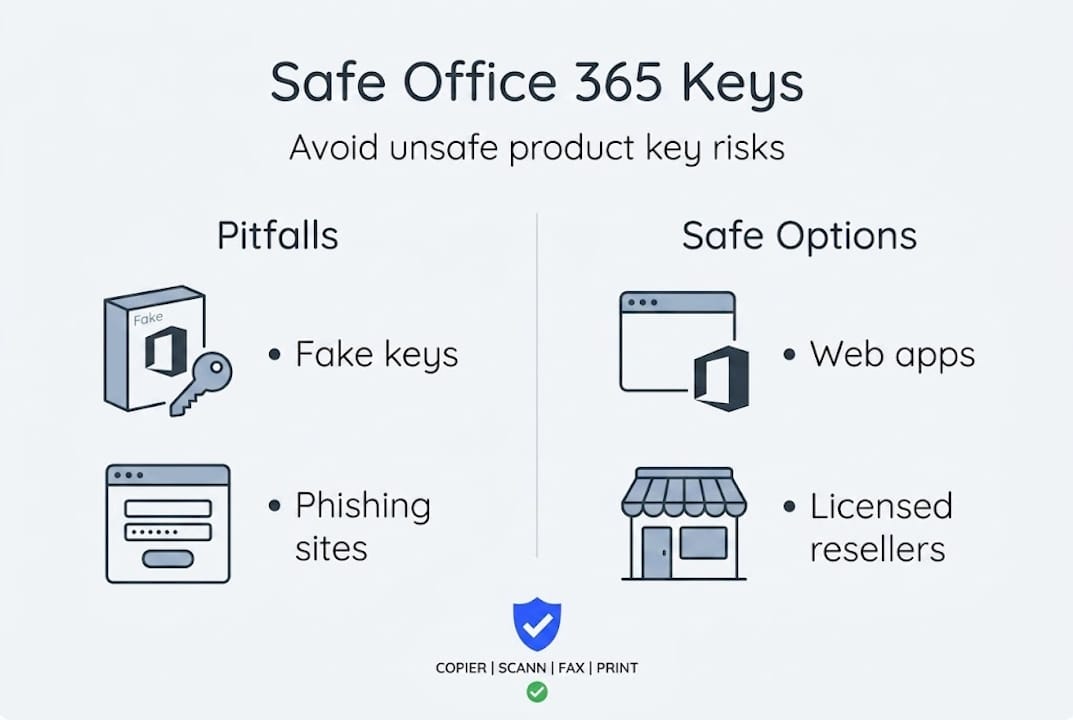
Fake key generators. These are programs or websites that claim to generate working product keys. They don’t. What they do generate is malware. Once installed, these tools can log your keystrokes, steal passwords, or encrypt your files for ransom.
Phishing sites. Some sites look exactly like Microsoft’s official pages. They ask you to “verify your account” or “claim your free license” by entering your email and password. The moment you do, your account is compromised.
Shared or recycled keys. A key that “worked for someone else” on a forum or YouTube video is almost certainly already used or flagged. Microsoft’s activation servers track key usage, and a blocked key means you get no software and no refund.
Too-good-to-be-true pricing. A full Microsoft 365 Business subscription for $3 is not a deal. It’s a warning sign. Security risks of unofficial keys are well-documented and include everything from data theft to legal liability.
Here’s a practical checklist for safe searching and purchasing:
- 🔍 Search for the reseller’s name plus “review” or “scam” before buying
- 🔒 Only enter payment info on pages with HTTPS in the URL
- 📧 Use a secondary email if you’re trying a new platform for the first time
- 📋 Read the product description carefully, including license type and terms
- 💳 Pay with a credit card or PayPal for purchase protection
- 🛑 Never download software from sites that require you to turn off your security tools
- ✅ After purchase, activate directly through Microsoft’s official activation portal
The legal risks are often underestimated. Using an unauthorized key in a business context can expose your company to software audits. Microsoft and the Business Software Alliance actively investigate non-compliant software use, especially in commercial settings. Fines can be significant, and the reputational damage is worse.
Pro Tip: When in doubt, start with Microsoft’s free web apps and only move to a paid option through a verified channel. The few dollars you save from a sketchy source are never worth the hours you’ll spend recovering from a security incident or dealing with a deactivated license.
The workflow disruption alone is costly. Imagine losing access to your documents mid-project because your key was revoked. Or spending a weekend cleaning malware off your work computer. These are real scenarios that happen to real users every week.
Why the “free product key” myth persists, and what actually works
Let’s step back and look at why so many people are still drawn in by promises of “free” product keys in 2026, and what’s really most effective.
The myth persists for a simple reason: aggressive online marketing. Dozens of websites, YouTube channels, and social media posts are specifically designed to rank for searches like “free Office 365 key” and “Microsoft 365 activation code.” Many of these are monetized through ad revenue or affiliate schemes. They don’t care if the key works. They care about the click.
There’s also a psychological element at play. The idea of getting premium software for free feels like beating the system. It triggers the same part of the brain that loves a great deal. Scammers understand this and exploit it deliberately.
Here’s the contrarian view that most articles won’t say out loud: chasing free keys often costs you more than just paying for legitimate access. Consider the time spent searching, testing keys that don’t work, cleaning up malware, or recovering a compromised account. That’s hours of lost productivity. For a small business owner, that time has real dollar value.
The conventional wisdom that “you always need a paid product key” is also outdated. The shift to cloud-based subscription models has fundamentally changed how software licensing works. You can access legitimate free access through Microsoft’s own platform right now, with no key required. For many users, especially those with basic needs, this is genuinely sufficient.
The smart play in 2026 is this: start with what’s free and official. Use the web apps. See if they meet your needs. If they don’t, invest in a legitimate paid license from a verified source. The difference in cost between a risky gray-market key and a legitimate one from a trusted reseller is often surprisingly small, especially when you factor in the risk.
We’ve seen too many users come to us after losing access to their files, their accounts, or worse, their business data, because they chased a “free” key. The lesson is always the same. The risk is never worth it. The free official option is always better than the risky unofficial one.
Find your Microsoft 365 solution: Safe keys, compliance, and upgrades
With all the facts laid out, here’s where to take action and ensure your Office 365 access is secure and compliant.
At operacinesistema.lt, we specialize in genuine, licensed Microsoft software for individuals and small businesses. Whether you need a single-user license or a solution for your entire team, we offer verified products with full activation support and clear documentation of what you’re buying.

If you’re ready to move beyond free web apps and want reliable desktop access, our range of Microsoft 365 licensed solutions covers personal, family, and business plans. Not sure which license type fits your situation? Our guide on software license types breaks down OEM, retail, and subscription options in plain language so you can make the right call. Every purchase comes with fast delivery, verified activation, and real customer support. No guessing, no risk, no wasted time.
Sıkça sorulan sorular
Can I get a free Microsoft Office 365 product key legally?
No, Microsoft does not distribute free product keys officially. However, you can use Microsoft 365 web apps for free by signing up with a free Microsoft account at office.com, no key required.
What’s the difference between Microsoft 365 web apps and the paid version?
The free web apps offer basic editing features and 5 GB of cloud storage, while paid versions include full desktop apps, advanced tools, 1 TB of OneDrive storage, and offline access across multiple devices.
Are sites offering free Office 365 keys safe?
No. Most sites offering free product keys are either scams or distribute unauthorized keys that expose you to malware, phishing, and legal risk. The only safe free option is Microsoft’s official web apps.
Can small businesses get discounted Office 365 licenses?
Yes. Official resellers and Microsoft’s volume licensing program offer business bundles and discounts for organizations with multiple users. Always verify the reseller’s legitimacy before purchasing.
Will using Microsoft 365 web apps meet all my needs?
For basic document editing, spreadsheets, and presentations, yes. But if you need offline access, advanced features, or desktop-quality performance, a paid Microsoft 365 plan is the right move.





