
Dapatkan Microsoft Office 365 gratis: Alternatif kunci produk yang aman
TL; DR:
- Kunci produk Microsoft Office 365 gratis dari sumber tidak resmi biasanya merupakan penipuan atau risiko malware.
- Microsoft menawarkan akses gratis yang sah melalui aplikasi web berbasis browser tanpa memerlukan kunci produk.
- Lisensi berbayar dari reseller tepercaya atau saluran resmi memberikan solusi Office yang aman, legal, dan dapat diskalakan.
Jutaan orang mencari “kunci produk Microsoft Office 365 gratis” setiap bulan, berharap dapat membuka akses perangkat lunak penuh tanpa mengeluarkan uang sepeser pun. Kenyataannya lebih sulit dari yang diharapkan. Sebagian besar kunci gratis yang Anda temukan secara online adalah palsu, sudah digunakan, atau dilampirkan pada malware yang dapat membahayakan perangkat dan data Anda. Namun, inilah kabar baiknya: Anda tidak selalu membutuhkan kunci produk untuk mengakses Microsoft 365 secara legal. Ada rute nyata, aman, dan hemat biaya yang tersedia saat ini, baik Anda pengguna perorangan, pekerja lepas, atau pemilik usaha kecil yang berusaha menekan biaya tanpa mengambil jalan pintas dalam hal kepatuhan.
Daftar Isi
- Mengapa kunci produk Office 365 gratis sulit ditemukan - dan apa yang sebenarnya berfungsi
- Cara aman dan legal untuk menggunakan Microsoft 365 secara gratis
- Kunci Office 365 berbayar: Rute yang terjangkau dan aman untuk individu dan UKM
- Jebakan umum yang harus dihindari saat mencari kunci produk Microsoft Office
- Mengapa mitos “kunci produk gratis” masih ada, dan apa yang sebenarnya bekerja
- Temukan solusi Microsoft 365 Anda: kunci aman, kepatuhan, dan peningkatan
- Pertanyaan yang sering diajukan
Hal-hal Penting yang Dapat Dipetik
| Titik | Detail |
|---|---|
| Tidak ada kunci gratis yang legal | Kunci produk Microsoft Office 365 asli hanya dijual melalui saluran resmi, tidak diberikan secara gratis. |
| Gunakan aplikasi web gratis | Anda dapat mengakses aplikasi web Microsoft Office tanpa kunci produk dengan mendaftar di situs resmi. |
| Hindari penipuan | Banyak penawaran ‘kunci gratis’ secara online adalah penipuan atau ilegal-tetap berpegang teguh pada sumber resmi dan tepercaya. |
| Jelajahi opsi bisnis | Bisnis dapat mengakses lisensi Microsoft 365 yang didiskon atau dibundel dari reseller bersertifikat. |
| Menyesuaikan fitur dengan kebutuhan | Aplikasi web gratis cukup untuk tugas-tugas dasar, sementara pekerjaan tingkat lanjut memerlukan paket berbayar. |
Mengapa kunci produk Office 365 gratis sulit ditemukan - dan apa yang sebenarnya berfungsi
Mari kita luruskan sesuatu terlebih dahulu. Microsoft tidak memberikan kunci produk gratis untuk Office 365 atau Microsoft 365. Perusahaan ini menghasilkan miliaran dolar setiap tahun dari model langganannya, dan kunci gratis tidak ada dalam kapasitas resmi apa pun. Jadi, ketika Anda melihat situs web yang mengklaim menawarkan “kunci produk 2026 yang berfungsi” atau “kode aktivasi gratis,” Anda melihat salah satu dari tiga hal: penipuan, kunci yang sudah digunakan, atau kunci yang diperoleh dengan cara yang tidak sah.
Memahami risiko kunci aktivasi gratis adalah langkah pertama untuk melindungi diri Anda. Ini termasuk:
- 🛑 Malware dan spyware tersembunyi di dalam unduhan “generator kunci”
- 🛑 Halaman phishing dirancang untuk mencuri kredensial akun Microsoft Anda
- 🛑 Kunci yang diblokir atau dicabut yang berhenti bekerja setelah waktu yang singkat
- 🛑 Paparan hukum menggunakan perangkat lunak yang melanggar ketentuan layanan Microsoft
- 🛑 Pelanggaran data dari memasukkan informasi pribadi di situs yang tidak diverifikasi
Apa arti sebenarnya dari “aktivasi”? Ketika Anda menginstal Microsoft 365 di desktop, perangkat lunak ini akan melakukan pengecekan ke server Microsoft untuk mengonfirmasi bahwa lisensi Anda masih berlaku. Kunci produk adalah salah satu cara untuk membuktikannya. Tetapi itu bukan satu-satunya cara. Microsoft juga menawarkan akses berbasis langganan yang terkait dengan akun Microsoft Anda, yang sama sekali tidak memerlukan kunci produk tradisional.
Inilah wawasan utamanya: akses gratis legal ke Office 365 ada melalui platform berbasis browser milik Microsoft sendiri. Anda dapat mengakses aplikasi Microsoft 365 secara gratis di browser dengan mendaftar dengan akun Microsoft gratis dan menggunakan aplikasi web secara langsung. Tidak perlu kunci produk. Tidak perlu mengunduh. Tidak ada risiko.
“Langkah paling cerdas bukanlah berburu kunci gratis. Langkah yang paling cerdas adalah mengetahui jalur resmi mana yang memberikan apa yang sebenarnya Anda butuhkan.”
Tip Pro: Sebelum Anda mengunduh apa pun yang berlabel “generator kunci” atau “aktivator Office”, berhentilah. Alat-alat ini hampir selalu mengandung kode berbahaya. Verifikasi setiap sumber sebelum mengklik, dan jangan pernah memasukkan kata sandi akun Microsoft Anda di situs pihak ketiga.
Intinya di sini sederhana saja, kunci produk gratis dari sumber yang tidak resmi tidak sebanding dengan risikonya. Tetapi bukan berarti Anda harus langsung membayar harga penuh. Ada jalan yang sah yang layak untuk dijelajahi.

Cara aman dan legal untuk menggunakan Microsoft 365 secara gratis
Sekarang setelah Anda memahami mengapa kunci produk gratis yang sah jarang terjadi dan berisiko, mari kita fokus pada opsi nyata untuk mengakses Microsoft 365 dengan aman dan gratis hari ini.
Microsoft sebenarnya telah membuatnya lebih mudah dari sebelumnya untuk menggunakan aplikasi intinya tanpa membayar. Aplikasi Microsoft 365 berbasis browser Platform ini memberi Anda akses ke Word, Excel, PowerPoint, OneNote, dan banyak lagi, semuanya berjalan langsung di browser web Anda. Inilah cara untuk memulai:
- Pergi ke office.com dan klik “Masuk” atau “Daftar gratis”.”
- Membuat akun Microsoft gratis menggunakan alamat email apa pun. Ini membutuhkan waktu sekitar dua menit.
- Mengakses aplikasi web langsung dari dasbor. Tanpa instalasi, tanpa kunci produk, tanpa kartu kredit.
- Menyimpan file ke OneDrive (Anda mendapatkan penyimpanan awan gratis sebesar 5 GB dengan akun gratis).
- Berbagi dan berkolaborasi dengan orang lain secara real time, seperti halnya Google Dokumen.
Di luar aplikasi web, ada aplikasi tambahan opsi gratis yang sah untuk UKM dan individu yang perlu diketahui:
- Uji coba gratis Microsoft 365: Pelanggan baru sering kali dapat mengakses uji coba gratis selama satu bulan untuk Microsoft 365 Personal atau Family. Ini memberi Anda aplikasi desktop lengkap untuk sementara.
- Microsoft 365 Education: Siswa dan pendidik di institusi yang memenuhi syarat mendapatkan akses gratis ke aplikasi Microsoft 365 lengkap. Email sekolah Anda adalah kuncinya di sini.
- Microsoft 365 untuk organisasi nirlaba: Organisasi nirlaba yang terdaftar dapat mengajukan permohonan paket Microsoft 365 dengan diskon besar atau gratis melalui program nirlaba Microsoft.
- Tingkat gratis OneDrive dan Outlook: Bahkan tanpa paket berbayar pun, Anda mendapatkan akses gratis ke email Outlook, penyimpanan OneDrive, dan fitur-fitur Teams dasar.
Berikut ini adalah tampilan berdampingan tentang apa yang Anda dapatkan dengan akses web gratis versus paket berbayar:
| Fitur | Aplikasi web gratis | Microsoft 365 Personal (berbayar) |
|---|---|---|
| Word, Excel, PowerPoint | ✅ Hanya browser | ✅ Desktop + browser |
| Penyimpanan OneDrive | 5 GB | 1 TB |
| Akses offline | ❌ Tidak | ✅ Ya |
| Alat bantu pengeditan tingkat lanjut | Terbatas | Penuh |
| Klien email Outlook | Hanya web | Aplikasi desktop |
| Jumlah perangkat | Browser apa saja | Hingga 5 perangkat |
| Biaya bulanan | $0 | ~$6.99/bulan |
| Diperlukan kunci produk | ❌ Tidak | Tidak (berbasis langganan) |
Seperti yang bisa Anda lihat, versi web gratisnya sudah mencakup dasar-dasarnya dengan baik. Untuk sebagian besar pengguna perorangan yang terutama menulis dokumen, membuat spreadsheet, atau membuat presentasi, versi gratisnya benar-benar dapat digunakan. Anda bisa menjelajahi berbagai macam solusi Microsoft 365 lainnya ketika Anda siap untuk meningkatkan.
Kiat Pro: Gunakan aplikasi web gratis untuk tugas sehari-hari dan hanya tingkatkan jika Anda mengalami keterbatasan, seperti membutuhkan akses offline, makro Excel tingkat lanjut, atau alat pemformatan berkualitas desktop. Jangan membayar untuk fitur yang belum Anda perlukan.
Keterbatasan akses gratis memang nyata tetapi dapat dikelola. Anda tidak akan bisa menggunakan perangkat lunak ini secara offline. Beberapa fitur canggih seperti penggabungan surat, tabel pivot yang rumit, dan opsi pemformatan tertentu terkunci di balik tingkat berbayar. Untuk bisnis kecil dengan banyak karyawan, tingkat gratis mungkin tidak berskala dengan baik. Tetapi untuk pengguna tunggal, pekerja lepas, dan mereka yang mencoba-coba, ini adalah titik awal yang solid.
Kunci Office 365 berbayar: Rute yang terjangkau dan aman untuk individu dan UKM
Jika akses web gratis tidak memenuhi kebutuhan Anda, Anda bisa mempertimbangkan kunci berbayar. Mari kita uraikan cara menemukan opsi yang aman dan terjangkau.
Pertama, tanyakan pada diri Anda sendiri: apakah Anda benar-benar membutuhkan kunci produk? Langganan Microsoft 365 saat ini berbasis akun, bukan berbasis kunci. Ketika Anda berlangganan langsung melalui Microsoft, lisensi Anda terikat dengan akun Microsoft Anda. Anda masuk, dan Anda diaktifkan. Tidak diperlukan kunci produk tradisional. Kunci produk lebih relevan untuk versi pembelian satu kali seperti Office 2021 atau Office 2024, bukan untuk Microsoft 365 berbasis langganan.
Itu dia, Alternatif kunci produk kantor dan pengecer resmi memang menawarkan lisensi yang valid dengan harga yang lebih rendah daripada harga eceran langsung dari Microsoft. Berikut ini perbandingan rute pembelian utama:
| Purchase route | Price range | Security level | Terbaik untuk |
|---|---|---|---|
| Microsoft directly | Full retail price | Highest | Users wanting maximum assurance |
| Trusted licensed resellers | 30-60% below retail | High (if verified) | Budget-conscious individuals and SMBs |
| Volume licensing (Microsoft) | Negotiated rates | Highest | Businesses with 5+ users |
| Gray market sites | Sangat rendah | 🛑 Low | Avoid entirely |
| Free key sites | $0 | 🛑 None | Avoid entirely |
Pemahaman software license types matters a lot here. There are a few main categories:
- OEM licenses: Tied to one specific device. Cheaper, but not transferable if you change computers.
- Retail licenses: Can be moved from one device to another. More flexible and worth the slightly higher price for most users.
- Volume licenses: Designed for organizations. Require a minimum number of seats but offer significant cost savings.
- Subscription licenses: Microsoft 365 Personal, Family, or Business plans. Paid monthly or annually, tied to your account.
What makes a reseller trustworthy? This is where many buyers get tripped up. Here are the key signals to look for:
- ✅ Clear business registration and contact information on the website
- ✅ Customer reviews on independent platforms like Trustpilot or Google
- ✅ Secure checkout process with HTTPS and recognized payment methods
- ✅ Transparent refund and support policies
- ✅ Legitimate product descriptions that specify license type (OEM, retail, volume)
- ✅ No unrealistic pricing (a full Microsoft 365 license for $2 is not real)
🔥 Top tips for maximizing value and staying legally compliant when buying a paid key:
- Buy from resellers that are either Microsoft-authorized or have a verifiable track record
- Always check what type of license you’re buying before you pay
- Confirm the license is new and unused, not a recycled or shared key
- Keep your purchase confirmation email as proof of license
- Avoid any site that asks you to disable antivirus software before downloading
The benefits of buying through proper channels go beyond just getting a working key. You get warranty protection, customer support if activation fails, and peace of mind that your software won’t be remotely deactivated six months down the road. That’s worth a lot more than the few dollars saved by going the risky route.
Jebakan umum yang harus dihindari saat mencari kunci produk Microsoft Office
To protect yourself and your organization, beware of these common mistakes when seeking Microsoft Office product keys.
The internet is full of traps for anyone searching for cheap or free Office keys. Scammers know exactly what keywords you’re searching, and they build convincing-looking sites to catch you. Here’s what you’re most likely to encounter:
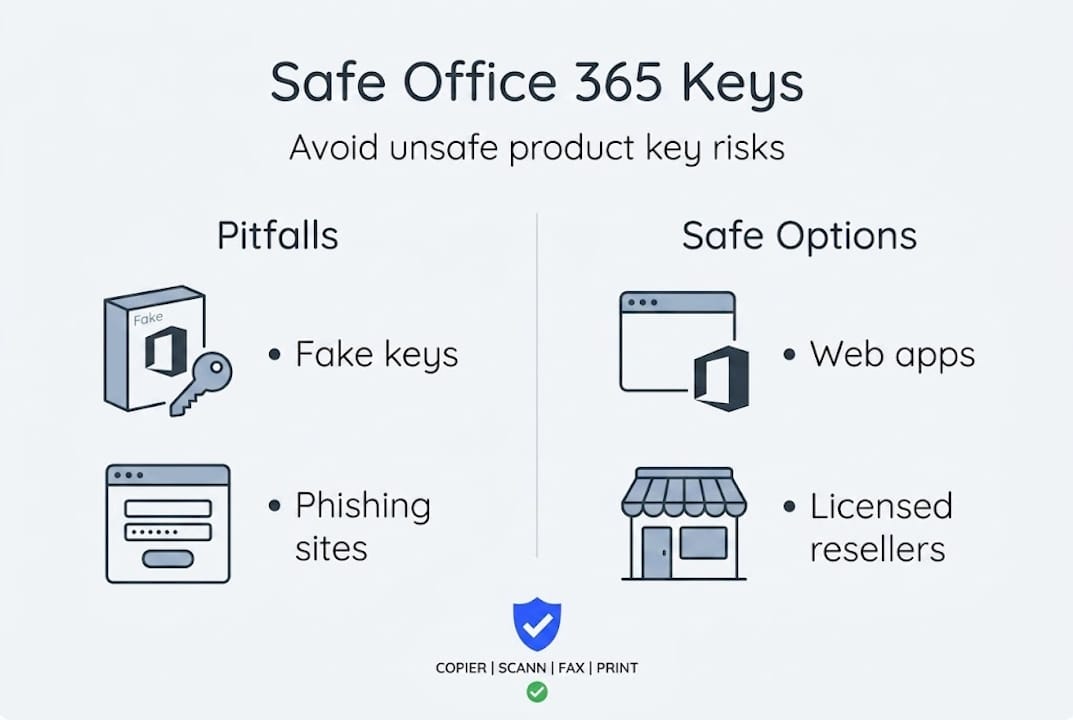
Fake key generators. These are programs or websites that claim to generate working product keys. They don’t. What they do generate is malware. Once installed, these tools can log your keystrokes, steal passwords, or encrypt your files for ransom.
Phishing sites. Some sites look exactly like Microsoft’s official pages. They ask you to “verify your account” or “claim your free license” by entering your email and password. The moment you do, your account is compromised.
Shared or recycled keys. A key that “worked for someone else” on a forum or YouTube video is almost certainly already used or flagged. Microsoft’s activation servers track key usage, and a blocked key means you get no software and no refund.
Too-good-to-be-true pricing. A full Microsoft 365 Business subscription for $3 is not a deal. It’s a warning sign. Security risks of unofficial keys are well-documented and include everything from data theft to legal liability.
Here’s a practical checklist for safe searching and purchasing:
- 🔍 Search for the reseller’s name plus “review” or “scam” before buying
- 🔒 Only enter payment info on pages with HTTPS in the URL
- 📧 Use a secondary email if you’re trying a new platform for the first time
- 📋 Read the product description carefully, including license type and terms
- 💳 Pay with a credit card or PayPal for purchase protection
- 🛑 Never download software from sites that require you to turn off your security tools
- ✅ After purchase, activate directly through Microsoft’s official activation portal
The legal risks are often underestimated. Using an unauthorized key in a business context can expose your company to software audits. Microsoft and the Business Software Alliance actively investigate non-compliant software use, especially in commercial settings. Fines can be significant, and the reputational damage is worse.
Pro Tip: When in doubt, start with Microsoft’s free web apps and only move to a paid option through a verified channel. The few dollars you save from a sketchy source are never worth the hours you’ll spend recovering from a security incident or dealing with a deactivated license.
The workflow disruption alone is costly. Imagine losing access to your documents mid-project because your key was revoked. Or spending a weekend cleaning malware off your work computer. These are real scenarios that happen to real users every week.
Mengapa mitos “kunci produk gratis” masih ada, dan apa yang sebenarnya bekerja
Let’s step back and look at why so many people are still drawn in by promises of “free” product keys in 2026, and what’s really most effective.
The myth persists for a simple reason: aggressive online marketing. Dozens of websites, YouTube channels, and social media posts are specifically designed to rank for searches like “free Office 365 key” and “Microsoft 365 activation code.” Many of these are monetized through ad revenue or affiliate schemes. They don’t care if the key works. They care about the click.
There’s also a psychological element at play. The idea of getting premium software for free feels like beating the system. It triggers the same part of the brain that loves a great deal. Scammers understand this and exploit it deliberately.
Here’s the contrarian view that most articles won’t say out loud: chasing free keys often costs you more than just paying for legitimate access. Consider the time spent searching, testing keys that don’t work, cleaning up malware, or recovering a compromised account. That’s hours of lost productivity. For a small business owner, that time has real dollar value.
The conventional wisdom that “you always need a paid product key” is also outdated. The shift to cloud-based subscription models has fundamentally changed how software licensing works. You can access legitimate free access through Microsoft’s own platform right now, with no key required. For many users, especially those with basic needs, this is genuinely sufficient.
The smart play in 2026 is this: start with what’s free and official. Use the web apps. See if they meet your needs. If they don’t, invest in a legitimate paid license from a verified source. The difference in cost between a risky gray-market key and a legitimate one from a trusted reseller is often surprisingly small, especially when you factor in the risk.
We’ve seen too many users come to us after losing access to their files, their accounts, or worse, their business data, because they chased a “free” key. The lesson is always the same. The risk is never worth it. The free official option is always better than the risky unofficial one.
Temukan solusi Microsoft 365 Anda: kunci aman, kepatuhan, dan peningkatan
With all the facts laid out, here’s where to take action and ensure your Office 365 access is secure and compliant.
Di operacinesistema.lt, we specialize in genuine, licensed Microsoft software for individuals and small businesses. Whether you need a single-user license or a solution for your entire team, we offer verified products with full activation support and clear documentation of what you’re buying.

If you’re ready to move beyond free web apps and want reliable desktop access, our range of Microsoft 365 licensed solutions covers personal, family, and business plans. Not sure which license type fits your situation? Our guide on software license types breaks down OEM, retail, and subscription options in plain language so you can make the right call. Every purchase comes with fast delivery, verified activation, and real customer support. No guessing, no risk, no wasted time.
Pertanyaan yang sering diajukan
Bisakah saya mendapatkan kunci produk Microsoft Office 365 gratis secara legal?
No, Microsoft does not distribute free product keys officially. However, you can use Microsoft 365 web apps for free by signing up with a free Microsoft account at office.com, no key required.
What’s the difference between Microsoft 365 web apps and the paid version?
Aplikasi web gratis menawarkan fitur pengeditan dasar dan penyimpanan awan sebesar 5 GB, sedangkan versi berbayarnya mencakup aplikasi desktop lengkap, alat canggih, penyimpanan OneDrive sebesar 1 TB, dan akses offline di beberapa perangkat.
Apakah situs yang menawarkan kunci Office 365 gratis aman?
No. Most sites offering free product keys are either scams or distribute unauthorized keys that expose you to malware, phishing, and legal risk. The only safe free option is Microsoft’s official web apps.
Bisakah bisnis kecil mendapatkan lisensi Office 365 dengan harga diskon?
Yes. Official resellers and Microsoft’s volume licensing program offer business bundles and discounts for organizations with multiple users. Always verify the reseller’s legitimacy before purchasing.
Apakah menggunakan aplikasi web Microsoft 365 akan memenuhi semua kebutuhan saya?
Untuk pengeditan dokumen dasar, spreadsheet, dan presentasi, ya. Tetapi jika Anda membutuhkan akses offline, fitur-fitur canggih, atau kinerja berkualitas desktop, paket Microsoft 365 berbayar adalah langkah yang tepat.





