Secure Microsoft OS licenses for Lithuanian SMBs 2026
You’ve found a Windows 10 Pro license online for €15 and think you scored a deal. Within months, Microsoft revokes it, your systems crash, and you face potential fines reaching €50,000 under Lithuanian law. Genuine Microsoft OS licenses protect your business from legal penalties, operational disruptions, and security breaches that could destroy years of hard work.
สารบัญ
- Introduction To Software Licensing Security
- Types Of Microsoft Licenses And Their Security Implications
- Common Misconceptions And Risks In Software Licensing
- Verifying Authenticity And Safe Purchase Channels
- Legal And Compliance Considerations For Lithuanian Small Businesses
- Practical Steps To Manage And Secure Microsoft Os Licenses
- Conclusion: Building A Secure Software Licensing Strategy
- Secure Your Microsoft Os Licenses Today
- Frequently Asked Questions About Software Licensing Security
ประเด็นสำคัญ
| จุด | รายละเอียด |
|---|---|
| Genuine licenses prevent legal risks | Authentic Microsoft OS licenses ensure compliance with Lithuanian regulations and avoid fines up to €50,000. |
| License type affects security | OEM licenses are cost-effective but device-locked; retail licenses offer transfer flexibility and long-term value. |
| Counterfeit keys cause failures | Fake licenses lead to activation failures, malware exposure, and costly business interruptions. |
| Verification protects investments | Use official Microsoft tools and authorized Lithuanian resellers to confirm license authenticity. |
| Records ensure compliance | Maintaining purchase documentation and license certificates simplifies audits and renewal management. |
Introduction to software licensing security
Microsoft operating system licenses come in three primary models that determine how you can use, transfer, and secure your software. OEM licenses bind permanently to the original device and offer the lowest upfront cost. Retail licenses provide flexibility to transfer between computers as your business evolves. Digital keys deliver instant activation through email while physical USB versions include bootable installation media.
License activation connects your software to specific hardware identifiers, creating a digital fingerprint that prevents unauthorized duplication. This security measure protects both Microsoft’s intellectual property and your business infrastructure from counterfeit threats. Windows 10/11 Pro retail licenses maintain a 99.9% success rate for activation without requiring support, demonstrating high reliability when purchased through verified channels.
Secure licensing forms the foundation of stable IT operations for Lithuanian small businesses. Genuine licenses guarantee access to critical security updates that protect against malware, ransomware, and data breaches. Without valid licenses, your systems become vulnerable to attacks that could compromise customer data and destroy your reputation.
Authentic Microsoft licenses ensure your business receives automatic security patches, maintaining protection against evolving cyber threats that target outdated or unlicensed systems.
Business continuity depends on software that functions reliably without unexpected deactivation. Counterfeit licenses often fail during critical moments, causing productivity losses and emergency replacement costs. Understanding genuine Microsoft licenses safety features helps you make informed purchasing decisions that protect your technology investments.
The activation process validates your license against Microsoft’s servers, confirming legitimacy and enabling full functionality. This verification prevents piracy while ensuring you receive the complete feature set and support services included with your purchase. Following proper Microsoft licensing compliance guidelines eliminates uncertainty and establishes clear audit trails.
- OEM licenses offer budget-friendly options for new computer purchases
- Retail licenses provide maximum flexibility for hardware upgrades
- Digital keys enable immediate deployment without shipping delays
- Physical USB versions serve businesses needing bootable installation media
Types of Microsoft licenses and their security implications
Choosing the right license type balances cost considerations against operational flexibility and compliance requirements. OEM licenses cost significantly less than retail versions but permanently tie to the original motherboard. When that computer fails or becomes obsolete, you must purchase a new license for the replacement device.

Retail licenses command higher prices but deliver transfer rights that extend license lifespan across multiple hardware generations. This flexibility proves valuable for businesses that regularly upgrade equipment or reassign computers between employees. The additional investment protects against future licensing costs when business needs change.
Digital licenses provide instant delivery through email, eliminating shipping time and physical media management. However, this convenience requires vigilance in verifying seller legitimacy before purchase. Fraudulent vendors exploit the digital format to distribute counterfeit keys that appear genuine until Microsoft’s validation system detects the fraud.
| ประเภทใบอนุญาต | Average Cost | โอนได้ | Activation Method | Primary Risk |
|---|---|---|---|---|
| OEM | €50-€80 | ไม่ | Digital key | Device lock limits future use |
| ค้าปลีก | €150-€200 | ใช่ | Digital key or USB | Higher upfront investment |
| Digital | €20-€180 | Varies | Email delivery | Counterfeit key exposure |
| ปริมาณ | Custom pricing | ใช่ | Enterprise portal | Management complexity |
Security implications vary significantly between license categories. OEM licenses from budget-conscious licensing solutions deliver genuine activation when purchased from authorized channels but offer no recourse if hardware fails prematurely. Retail options provide insurance against unexpected equipment changes while maintaining full Microsoft support.
Pro Tip: Match license type to your replacement cycle. If you upgrade computers every 3 years, OEM licenses optimize costs. For flexible fleets or frequent hardware changes, retail licenses prevent redundant purchases.
Understanding genuine Windows license types helps you evaluate vendor claims and spot inconsistencies that signal potential fraud. Legitimate sellers clearly disclose license category, transfer restrictions, and activation procedures before purchase. Vague descriptions or evasive responses about license origins indicate serious risks.
- OEM licenses suit stable hardware configurations with predictable lifecycles
- Retail licenses protect businesses planning equipment upgrades
- Digital delivery accelerates deployment for immediate operational needs
- USB versions provide offline installation and recovery capabilities
Common misconceptions and risks in software licensing
Many business owners believe cheap online license keys offer the same legitimacy as official Microsoft products. This dangerous misconception leads to revoked licenses, system failures, and potential legal consequences. Recent analysis shows 40% of businesses unknowingly use pirated software due to confusing license types and fraud schemes, emphasizing the need for clearer guidance.
The myth that all Microsoft licenses provide identical transfer rights creates compliance problems when businesses attempt to move OEM licenses between computers. Microsoft’s license agreements explicitly restrict OEM transfers, and violation attempts trigger activation failures. Understanding these limitations prevents costly mistakes and wasted license purchases.
Another widespread belief suggests any online seller maintains the same reliability as Microsoft’s official channels. In reality, unauthorized resellers frequently distribute counterfeit keys, volume license keys sold illegally, or MSDN developer licenses prohibited for commercial use. These fraudulent practices expose your business to immediate security and legal risks.
Counterfeit software introduces multiple threats beyond simple activation failure. Tampered installation files often contain malware that steals sensitive business data or installs ransomware. Even when fake licenses initially activate, Microsoft’s validation systems eventually detect fraud and permanently deactivate the software, forcing emergency replacements during critical business periods.
Lithuanian businesses face substantial financial penalties for using unlicensed software, with enforcement actions increasing as authorities crack down on digital piracy and intellectual property violations.
- Verify seller authorization through Microsoft’s partner directory before purchasing
- Request detailed license documentation including product key certificates
- Check activation success immediately after purchase to identify problems early
- Avoid suspiciously low prices that significantly undercut legitimate market rates
- Research seller reviews and complaint histories through independent sources
Fraud detection requires attention to red flags that indicate counterfeit operations. Sellers refusing to provide purchase receipts or license certificates operate illegally. Prices dramatically below market averages signal stolen, volume, or fake keys. Vague descriptions avoiding specific license types suggest deliberate deception about product legitimacy.
Windows license key validation tools help verify authenticity before and after purchase, protecting your investment. Microsoft provides free validation services that confirm license status and detect fraudulent activation. Running these checks immediately upon receiving keys identifies problems while return windows remain open.
Verifying authenticity and safe purchase channels
Microsoft provides official verification tools that confirm license authenticity and activation status directly through their servers. These validation systems check your product key against their database, identifying legitimate licenses and flagging counterfeit or improperly distributed keys. Verification takes minutes and prevents costly mistakes before you rely on questionable software.
Trusted Lithuanian resellers like operacinesistema.lt maintain authorization to distribute genuine Microsoft products while offering localized support and transparent purchase processes. Authorized vendors provide clear documentation, honor Microsoft’s warranty terms, and assist with activation issues. This reliability eliminates the uncertainty inherent in purchasing from unknown international sellers.
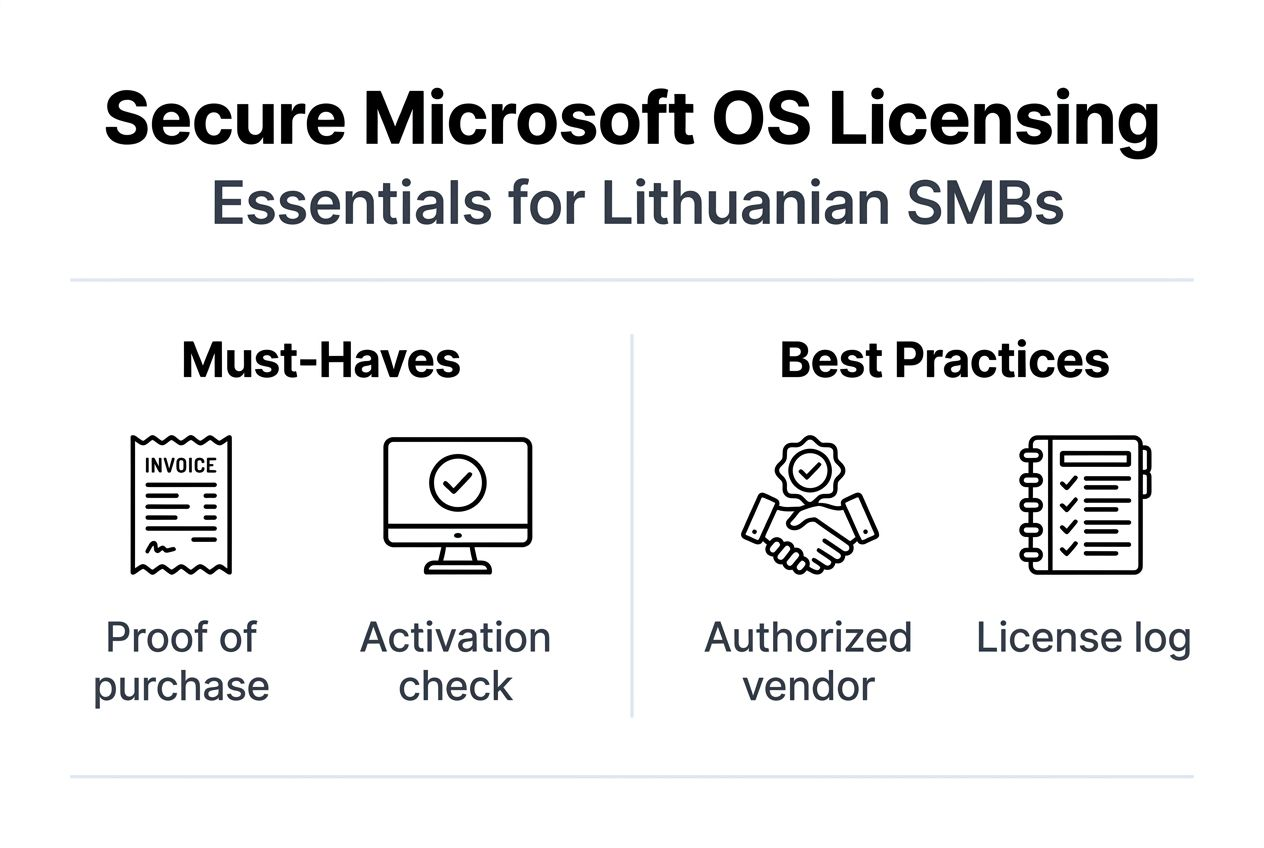
- Request complete purchase documentation including itemized receipts and license certificates
- Verify seller authorization through Microsoft’s official partner locator
- Check online reviews from independent sources, not just testimonials on seller websites
- Confirm return policies and support availability before completing purchases
- Test activation immediately after receiving keys to identify problems quickly
Fraudulent vendors exhibit consistent warning signs that help you avoid scams. Unusually low pricing that dramatically undercuts authorized resellers indicates stolen, volume, or counterfeit keys. Sellers refusing to disclose license types or transfer restrictions hide problematic origins. Lack of verifiable business registration or physical addresses suggests illegal operations.
Pro Tip: Always request proof of purchase documentation and official license certificates when buying Microsoft OS licenses. Legitimate sellers provide this evidence without hesitation, while fraudulent vendors make excuses or refuse entirely.
Trusted Windows 11 sellers in Lithuania offer transparent purchasing with clear license category disclosure and complete activation support. These authorized channels eliminate fraud risks while maintaining competitive pricing through legitimate wholesale relationships. Choosing verified vendors protects your business from legal complications and operational disruptions.
Activation validation should occur immediately after purchase, confirming your license functions correctly while return windows remain available. Microsoft’s activation servers verify product keys in real time, detecting counterfeit attempts or already-activated keys sold fraudulently. This immediate verification prevents discovering problems months later when recourse options have expired.
Best OS licensing solutions combine genuine products with strong customer support, creating complete purchasing experiences that prioritize your business security. Authorized resellers maintain direct relationships with Microsoft, ensuring license legitimacy and access to official support channels when technical issues arise.
Legal and compliance considerations for Lithuanian small businesses
Lithuanian copyright law mandates valid software licenses for all commercial computer use, with strict enforcement and substantial penalties for violations. The Law on Copyright and Related Rights establishes clear requirements that businesses must obtain proper authorization for all installed software. Compliance protects your business from legal action while ensuring ethical technology practices.
Small businesses face penalties up to €50,000 for software license non-compliance under national regulations. These fines represent minimum thresholds, with courts empowered to increase penalties based on violation severity and business revenue. Criminal charges may apply in cases involving intentional piracy or commercial distribution of counterfeit software.
Software audits conducted by copyright enforcement agencies or Microsoft itself can occur without warning, requiring immediate documentation of all installed licenses. Businesses unable to produce valid proof of purchase face presumptions of illegal use, shifting the burden of proof to demonstrate compliance. Maintaining organized records provides immediate defense against audit findings.
Compliance with software licensing requirements protects your business reputation, prevents legal penalties, and demonstrates ethical commitment to intellectual property rights that customers and partners value.
Reputational damage from licensing violations extends beyond immediate legal consequences. Public disclosure of piracy findings destroys customer trust and damages business relationships. Partners and clients increasingly require compliance certifications, making legitimate licensing essential for contract eligibility and competitive positioning.
- Maintain complete purchase records including receipts, license certificates, and activation keys
- Document license assignments to specific computers or users for audit trails
- Implement regular compliance reviews to identify gaps before enforcement actions
- Establish clear policies requiring legitimate software for all business operations
- Train employees on licensing requirements and reporting procedures for compliance issues
Pro Tip: Create a centralized license management system documenting all software purchases, activation dates, and assigned devices. This organized approach simplifies compliance verification and eliminates scrambling during unexpected audits.
Following Microsoft licensing compliance guidelines establishes clear processes that prevent violations and demonstrate good faith efforts toward legal operation. Documented compliance procedures provide evidence of intent to operate legally, potentially mitigating penalties if unintentional violations occur.
The Microsoft OS security checklist includes licensing verification as a fundamental security control, recognizing that legal compliance and cybersecurity form interconnected protection layers. Legitimate licenses ensure access to security updates essential for protecting business data and maintaining operational integrity.
Practical steps to manage and secure Microsoft OS licenses
Effective license management begins with comprehensive assessment of your current and future technology needs. This planning prevents over-purchasing while ensuring adequate coverage for business growth. Structured processes eliminate confusion and establish clear accountability for licensing compliance.
- Inventory all computers and devices requiring Microsoft OS licenses, including future acquisitions planned within 12 months
- Determine appropriate license types based on hardware replacement cycles and transfer requirements
- Select authorized vendors through Microsoft’s partner directory or verified Lithuanian resellers
- Purchase licenses with complete documentation including receipts and license certificates
- Activate licenses immediately and verify successful validation through Microsoft’s servers
- Record all license details in centralized management systems with device assignments
- Schedule regular compliance reviews to confirm ongoing license validity and coverage
- Plan license renewals and updates aligned with business technology refresh cycles
Microsoft Volume Licensing programs benefit businesses managing multiple licenses across numerous computers. These enterprise programs simplify administration through centralized portals, flexible assignment options, and volume discounts. Small businesses with 5+ licenses should evaluate volume programs for improved management capabilities.
Volume Licensing also provides access to Software Assurance benefits including free version upgrades, extended support, and deployment tools. These advantages offset higher initial costs for businesses planning long-term Microsoft OS use. The management efficiencies alone justify volume programs for growing organizations.
Pro Tip: Regularly review license usage and upcoming renewals quarterly to avoid compliance gaps. Proactive management prevents emergency purchases and ensures continuous protection for all business devices.
Timely updates maintain full software functionality and security protection essential for business operations. Microsoft releases monthly security patches addressing newly discovered vulnerabilities that attackers actively exploit. Unlicensed or counterfeit software often blocks update access, leaving systems exposed to preventable breaches.
Choosing between physical USB keys and digital licenses depends on specific business requirements. USB versions provide bootable installation media useful for multiple deployments or disaster recovery. Digital keys offer instant delivery and simplified storage but require careful backup to prevent loss.
The Microsoft OS license management checklist provides comprehensive guidance for establishing and maintaining effective licensing processes. Following structured checklists ensures consistent compliance and eliminates oversights that create legal or operational vulnerabilities.
Conclusion: building a secure software licensing strategy
Secure software licensing requires attention to three fundamental elements: license authenticity, legal compliance, and safe purchase channels. This framework protects Lithuanian small businesses from fraud, penalties, and operational disruptions that threaten technology investments. Verifying license legitimacy through official tools prevents counterfeit exposure.
Compliance with Lithuanian software licensing regulations eliminates legal risks while demonstrating ethical business practices. Maintaining organized documentation and following structured management processes simplifies audits and renewals. These practices minimize administrative burden while ensuring continuous protection.
Purchasing from authorized Lithuanian resellers combines genuine products with localized support and transparent processes. This approach delivers reliable activation, complete documentation, and assistance when technical issues arise. The peace of mind from legitimate licensing far outweighs minimal cost savings from questionable sources.
Secure licensing strategy creates multiple business benefits including minimized downtime, legal protection, and reliable IT environments. Your technology infrastructure forms the foundation for daily operations, customer service, and business growth. Protecting this foundation through genuine Microsoft OS licenses represents essential risk management.
Apply these practical steps immediately to safeguard your business technology. Inventory current licenses, verify authenticity, and address any compliance gaps. Establish clear purchasing and management procedures that prevent future violations. Your proactive approach today prevents costly problems tomorrow.
Secure your Microsoft OS licenses today
After understanding the critical importance of genuine Microsoft OS licenses, you need a trusted source for secure purchases. operacinesistema.lt provides verified Microsoft licenses specifically tailored for Lithuanian small businesses seeking reliable, compliant software solutions.

Our platform offers transparent purchase processes with complete documentation, instant digital delivery, and comprehensive activation support. Whether you need OEM licenses for cost optimization or retail licenses for maximum flexibility, we deliver authentic products that protect your business from legal and operational risks.
Verify your existing license status using our license key validity check tool before problems emerge. Purchase new licenses confidently through our Windows 11 Pro digital key offerings with immediate activation and full support. Explore our best OS licensing solutions for 2026 to find options perfectly suited to your business requirements and budget constraints.
Frequently asked questions about software licensing security
What should I do if my Windows license key is revoked?
Contact the original seller immediately to request a replacement or refund if purchased recently. If the seller refuses or proves fraudulent, purchase a genuine license from an authorized reseller like operacinesistema.lt to restore system functionality. Document the revocation for potential legal action against fraudulent vendors.
Can I transfer an OEM license to a new computer?
No, OEM licenses permanently bind to the original motherboard and cannot legally transfer to different hardware. Microsoft’s license agreement explicitly prohibits OEM transfers, and activation will fail on new devices. You must purchase a retail or new OEM license for replacement computers.
How important is it to keep purchase records for Microsoft licenses?
Extremely important for both compliance and practical purposes. Lithuanian law requires businesses to prove legitimate software ownership during audits, with penalties for missing documentation. Purchase records also enable support requests, replacement claims, and verification of license status when needed.
Are digital license keys as secure as physical USB licenses?
Yes, when purchased from authorized vendors, digital keys provide identical security and functionality to physical licenses. The delivery method differs, but the underlying license authenticity remains equivalent. Digital keys offer faster deployment while USB versions include bootable installation media for offline installations.
How can I verify if a reseller is authorized in Lithuania?
Check Microsoft’s official partner directory to confirm authorization status. Authorized resellers provide complete documentation, transparent license type disclosure, and verifiable business registration. Contact Microsoft directly if you have doubts about a vendor’s legitimacy before making purchases.