
Windows 10 vs 11: คู่มือสำหรับผู้ค้าปลีกไอทีในการอัปเกรดอย่างชาญฉลาด
Many IT resellers assume that keeping clients on Windows 10 saves money, but Extended Security Updates now cost $61 per device for the first year and double annually. Meanwhile, Windows 11 offers free upgrades for most compatible devices. This guide helps you navigate the post-2025 licensing landscape, evaluate hardware requirements, and recommend the right path for each client. You’ll learn when ESU makes sense, how to maximize profit from Windows 11 upgrades, and how to structure clear, trust-building conversations that position you as the go-to advisor for operating system decisions.
สารบัญ
- The Windows upgrade dilemma after 2025
- Windows 10 vs. 11: Key licensing and cost differences for resellers
- When should resellers recommend Windows 10 ESU?
- Upgrading to Windows 11: Licensing, hardware, and profit opportunities
- Practical decision framework: Choosing the right Windows path for every client
- Next steps for securing Windows licenses and maximizing value
- คำถามที่พบบ่อย
ประเด็นสำคัญ
| จุด | รายละเอียด |
|---|---|
| ESU costs escalate fast | Paying for Windows 10 support adds up quickly and is not a long-term solution past 2026. |
| Windows 11 upgrades often free | Most business clients can upgrade at no additional OS license cost if devices are compatible. |
| Evaluate hardware readiness | Older machines may need replacement for Windows 11, creating opportunity for resellers. |
| CSP boosts profit and flexibility | Cloud Solution Provider licensing makes it easier to serve SMBs and add service value. |
| Client profile drives best path | Assess device age, budgets, software needs, and timeline before advising on ESU or upgrade. |
The Windows upgrade dilemma after 2025
Windows 10 reached end of support on October 14, 2025. After that date, Microsoft stopped releasing free security patches, bug fixes, and feature updates. Devices running unsupported Windows 10 face increased malware risk, compliance failures, and potential data breaches.
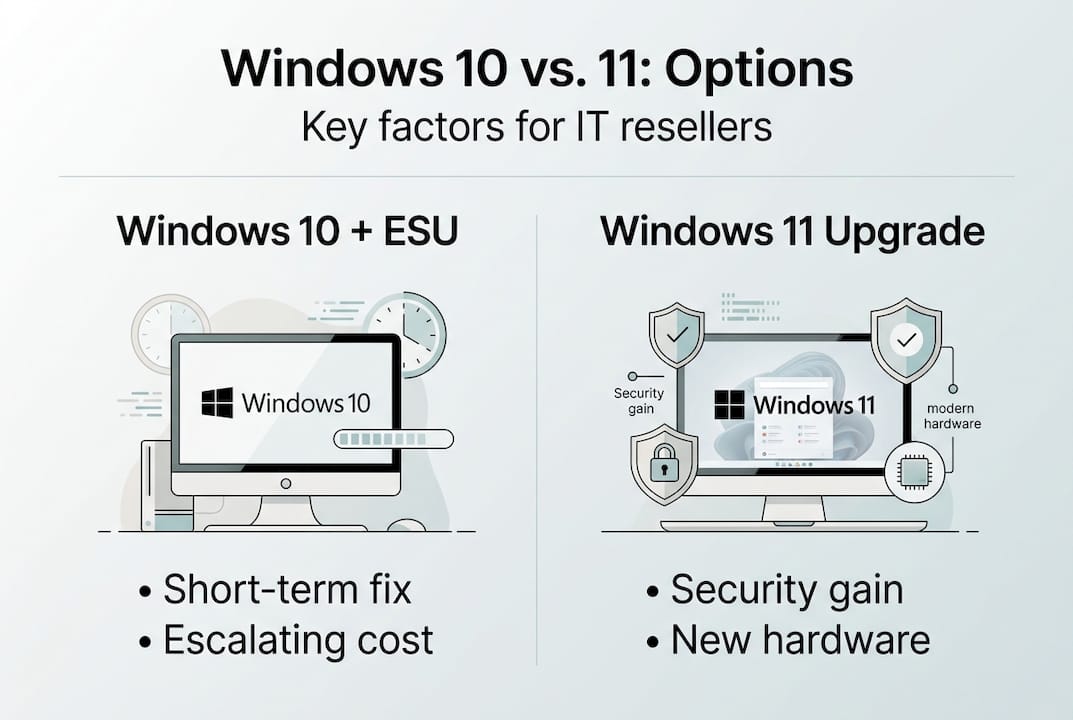
Extended Security Updates provide a temporary safety net. ESU delivers critical security patches for up to three years beyond the official end-of-support date. However, ESU costs $61 per device for 2026, then doubles to $122 in 2027 and $244 in 2028. For a 50-device fleet, that’s $3,050 in year one alone.
You now face two main paths when advising clients:
- Pay for ESU and delay the upgrade
- Upgrade to Windows 11 and avoid recurring ESU fees
Each option carries distinct cost, risk, and operational implications. Your role is to guide clients through these trade-offs with clarity and confidence. Clear messaging prevents surprise ESU bills and helps clients budget for hardware refreshes or license purchases.
คำแนะนำจากผู้เชี่ยวชาญ: Start ESU conversations early. Clients who discover ESU costs after support ends often feel blindsided and question your advisory value. Proactive planning builds trust and positions you as a strategic partner, not just a vendor.
การทำความเข้าใจ upgrade timing considerations helps you tailor recommendations to each client’s hardware lifecycle and budget constraints. The key is matching the right solution to the right business need.
Windows 10 vs. 11: Key licensing and cost differences for resellers
Licensing costs and feature sets differ significantly between Windows 10 ESU and Windows 11. Windows 11 Pro retail licenses cost $199 per device, while Enterprise subscriptions start at $7 per user per month. Most genuine Windows 10 Pro or Enterprise devices qualify for free upgrades to Windows 11.
| คุณสมบัติ | Windows 10 + ESU | วินโดวส์ 11 โปร | วินโดวส์ 11 เอ็นเทอร์ไพรส์ |
|---|---|---|---|
| Cost (Year 1) | $61/device ESU | $199 one-time or free upgrade | $7+/user/month subscription |
| Security Updates | Through 2028 (paid) | Ongoing (free) | Ongoing (free) |
| Hardware Requirements | Minimal | TPM 2.0, Secure Boot, 4GB RAM | TPM 2.0, Secure Boot, 4GB RAM |
| Feature Updates | None | Regular feature drops | Regular feature drops + advanced management |
| Support Timeline | Ends 2028 | Through at least 2031 | Through at least 2031 |
Hardware requirements create the biggest upgrade barrier. Windows 11 demands TPM 2.0, UEFI firmware with Secure Boot, and at least 4GB of RAM. Devices manufactured before 2018 often lack these features. You’ll need to assess each client’s device inventory before recommending an upgrade path.
For a 50-device SMB, here’s a three-year cost comparison:
- Windows 10 ESU: $3,050 (2026) + $6,100 (2027) + $12,200 (2028) = $21,350
- Windows 11 Pro (free upgrade): $0 if devices are compatible
- Windows 11 Pro (new licenses): $9,950 one-time if devices are incompatible
The math favors Windows 11 in nearly every scenario. ESU becomes prohibitively expensive by year three, and clients still face an eventual upgrade.
“Perpetual licenses offer predictable costs and full ownership, while subscriptions provide flexibility and automatic updates. For most SMBs, perpetual Windows 11 Pro licenses deliver the best value.”
When upgrading with genuine licenses, you ensure clients receive full support, security updates, and compliance protection. Explore Windows 11 Pro features to understand the specific advantages your clients gain, including BitLocker encryption, Remote Desktop, and domain join capabilities.
When should resellers recommend Windows 10 ESU?
ESU makes sense in narrow, specific scenarios. Recommend ESU only when upgrade blockers are temporary and clients commit to a clear migration timeline.
Client types who benefit from ESU:
- Organizations running mission-critical custom applications that require extensive testing before OS migration
- Businesses with specialized hardware (medical devices, industrial controllers) that lack Windows 11 drivers
- Companies planning hardware refreshes within 12-18 months who need security coverage during the transition
- Regulated industries where incompatible legacy systems create compliance risks if upgraded prematurely
ESU is a bridge, not a destination. The cost escalation makes it unsustainable beyond two years.
| ปี | Cost per Device | 50-Device Fleet | 200-Device Fleet |
|---|---|---|---|
| 2026 | $61 | $3,050 | $12,200 |
| 2027 | $122 | $6,100 | $24,400 |
| 2028 | $244 | $12,200 | $48,800 |
| Total | $427 | $21,350 | $85,400 |
Structure ESU conversations around these steps:
- Identify specific upgrade blockers (incompatible hardware, untested applications, budget constraints)
- Document the temporary nature of ESU and its escalating costs
- Create a migration roadmap with clear milestones and deadlines
- Schedule quarterly check-ins to track progress and adjust timelines
- Position ESU as a strategic investment in a smooth transition, not a permanent solution
คำแนะนำจากผู้เชี่ยวชาญ: Use ESU as a lever to plan staged hardware refresh cycles. Clients who commit to ESU in year one should budget for new devices in year two. This approach spreads costs, maintains security, and creates predictable revenue streams for your business.
For clients with legacy environments, ESU provides breathing room. However, delaying upgrades beyond 2027 rarely makes financial sense. The Windows 10 support transition requires proactive planning, not reactive scrambling.
Upgrading to Windows 11: Licensing, hardware, and profit opportunities
Windows 11 represents the best long-term value for most clients. Free upgrades are available for genuine Windows 10 Pro and Enterprise devices that meet hardware requirements. This creates multiple profit opportunities for resellers.
Assessing device compatibility at scale:
- Use Microsoft’s PC Health Check tool to scan client devices
- Document incompatible hardware and estimate replacement costs
- Identify devices that need BIOS updates to enable TPM 2.0 or Secure Boot
- Create a prioritized upgrade list based on device age, criticality, and user role
The free upgrade process runs through Windows Update. Eligible devices receive a notification when Windows 11 is ready to install. Users can also manually trigger the upgrade through Settings > Update & Security > Windows Update.
Reseller strategies for maximizing Windows 11 revenue:
- CSP licensing: Offer perpetual or subscription licenses through Cloud Solution Provider programs, earning recurring commissions
- Hardware refresh bundles: Package new devices with Windows 11 Pro licenses, setup services, and data migration
- Training add-ons: Provide user training sessions to ease the transition and reduce support tickets
- Managed services: Position ongoing Windows 11 management as a value-added service with monthly retainers
คำแนะนำจากผู้เชี่ยวชาญ: Document every new hardware install with detailed specs, license keys, and activation status. This documentation streamlines post-upgrade support and proves invaluable when clients need to verify compliance or troubleshoot activation issues.
Strict hardware requirements create upgrade friction. Devices without TPM 2.0 or Secure Boot cannot run Windows 11 without workarounds that void support agreements. Driver compatibility also poses risks, especially for older peripherals and specialized equipment.

Follow the free upgrade process carefully to avoid activation problems. For clients purchasing new licenses, use secure upgrade steps to ensure smooth transitions. Understanding the Windows comparison helps you explain feature benefits and justify upgrade investments to budget-conscious clients.
Practical decision framework: Choosing the right Windows path for every client
Use this framework to evaluate each client’s situation and recommend the optimal Windows strategy.
Decision steps:
- Inventory current devices: Document hardware specs, Windows versions, and license types
- Run compatibility checks: Use PC Health Check to identify upgrade-ready devices
- Assess application compatibility: Test critical business applications on Windows 11
- Calculate total cost of ownership: Compare ESU costs versus upgrade costs over three years
- Evaluate business priorities: Consider security requirements, compliance mandates, and budget constraints
- Create a migration timeline: Set clear milestones for testing, deployment, and training
- Communicate the plan: Present options with transparent cost breakdowns and risk assessments
| Client Profile | Recommended Path | Key Considerations |
|---|---|---|
| Compatible hardware, standard apps | Free Windows 11 upgrade | Lowest cost, best long-term value |
| Incompatible hardware, 2+ years old | Hardware refresh + Windows 11 Pro | Avoid ESU costs, modernize infrastructure |
| Legacy apps, testing required | ESU year 1, migrate year 2 | Bridge solution, commit to timeline |
| Specialized hardware, no Win11 drivers | ESU + vendor engagement | Work with vendors on driver updates |
| Budget constraints, compatible devices | Staged free upgrades | Spread deployment, minimize disruption |
“The best outcomes for resellers come from driving Windows 11 CSP adoption and perpetual licenses. This strategy avoids escalating ESU costs post-2026 while creating recurring revenue streams and strengthening client relationships.”
Clear, proactive communication separates trusted advisors from order-takers. Present options honestly, explain trade-offs transparently, and document recommendations in writing. Clients appreciate advisors who help them make informed decisions, not those who push a single solution.
For clients ready to move forward, guide them through secure upgrade processes that protect data and maintain productivity. Understanding editions and support timelines helps you match the right Windows 11 version to each client’s needs.
Next steps for securing Windows licenses and maximizing value
You now have a clear framework for advising clients on Windows 10 versus Windows 11 decisions. The next step is securing genuine licenses that deliver full support, security updates, and compliance protection.
For IT resellers and SMBs ready to move forward, we offer trusted resources that simplify the licensing process. Our step-by-step Windows license purchasing guide walks you through selecting the right license type, verifying authenticity, and activating your software securely.

Compliance matters more than ever in 2026. Use our รายการตรวจสอบการปฏิบัติตามลิขสิทธิ์ซอฟต์แวร์ to ensure your clients meet regulatory requirements and avoid costly audits. You can also validate your Windows license key instantly to confirm authenticity before deployment.
Genuine licenses protect your reputation and your clients’ operations. When you source licenses from trusted providers, you eliminate activation failures, security vulnerabilities, and support headaches. This foundation lets you focus on delivering strategic value, not troubleshooting licensing problems.
คำถามที่พบบ่อย
Is it worth keeping Windows 10 with ESU for business clients?
ESU works only for short-term needs or hardware that cannot run Windows 11. Costs double each year after 2026, making it unsustainable beyond two years.
Can Windows 11 be upgraded for free from any Windows 10 device?
Free upgrades are available for genuine Windows 10 Pro or Enterprise licenses on compatible hardware. Older PCs lacking TPM 2.0 or Secure Boot are ineligible.
What are the biggest risks of staying on Windows 10 after 2026?
Security risks and compliance failures increase significantly. Post-ESU devices face heightened threats from unpatched vulnerabilities and malware.
How can resellers maximize profit in the Windows 11 upgrade cycle?
CSP programs and hardware refreshes create new profit opportunities. Offer training, managed services, and perpetual license upsells to increase margins and client loyalty.





