
แนวทางปฏิบัติที่ดีที่สุดในการใช้ลิขสิทธิ์ซอฟต์แวร์เพื่อการปฏิบัติตามกฎระเบียบและประหยัดค่าใช้จ่าย
สรุปสั้น:
- การจัดการใบอนุญาตอย่างถูกต้องช่วยลดความเสี่ยงทางกฎหมายและทางการเงินผ่านแบบจำลองการออกใบอนุญาตที่ถูกต้องและการตรวจสอบอย่างสม่ำเสมอ.
- การนำกระบวนการ SAM ที่มีโครงสร้างและวงจรการปฏิบัติตามข้อกำหนดอย่างต่อเนื่องมาใช้ จะช่วยลดความเสี่ยงและค่าใช้จ่ายในการตรวจสอบ.
- การจัดการใบอนุญาตของซอฟต์แวร์โอเพนซอร์สและห่วงโซ่อุปทานเป็นสิ่งจำเป็นเพื่อหลีกเลี่ยงภาระผูกพันทางกฎหมายและหนี้สินที่ซ่อนอยู่.
ปัญหาการอนุญาตใช้ซอฟต์แวร์ไม่ได้ปรากฏให้เห็นอย่างชัดเจน ปัญหาเหล่านี้ค่อยๆ สะสมขึ้นผ่านการพลาดการต่ออายุ การใช้งานที่ไม่ตรงกับรุ่น การติดตั้งที่ไม่ได้รับอนุญาต และบันทึกที่ไม่สมบูรณ์ จนกระทั่งการตรวจสอบเกิดขึ้นบนโต๊ะทำงานของคุณหรือข้อพิพาทกับผู้ขายทำให้การดำเนินงานหยุดชะงักสำหรับเจ้าของธุรกิจและผู้จัดการด้านไอที การจัดการใบอนุญาตที่ไม่ดีเป็นหนึ่งในแหล่งที่มาของความเสี่ยงทางการเงินและทางกฎหมายที่สามารถป้องกันได้มากที่สุด บทความนี้นำเสนอแผนงานที่ชัดเจนและสามารถนำไปปฏิบัติได้ ครอบคลุมถึงรูปแบบการออกใบอนุญาตของ Windows การจัดการสินทรัพย์ซอฟต์แวร์ ความเสี่ยงจากซอฟต์แวร์โอเพนซอร์ส และการเตรียมการตรวจสอบ เพื่อให้คุณสามารถปฏิบัติตามข้อกำหนด ลดความสูญเปล่า และปกป้ององค์กรของคุณในปี 2026 และอนาคตต่อไป.
สารบัญ
- เข้าใจรูปแบบการออกใบอนุญาตของคุณ: รากฐานของการปฏิบัติตามกฎระเบียบ
- ดำเนินการกระบวนการบริหารจัดการสินทรัพย์ซอฟต์แวร์ (SAM) ที่มีความแข็งแกร่ง
- ให้ความสำคัญกับใบอนุญาตโอเพนซอร์สและใบอนุญาตห่วงโซ่อุปทานอย่างจริงจัง
- จัดตั้งวงจรการเตรียมความพร้อมด้านการปฏิบัติตามข้อกำหนดและการตรวจสอบที่ดำเนินการซ้ำได้
- ทำไมการอัตโนมัติการปฏิบัติตามกฎระเบียบจึงจำเป็นแต่ไม่เพียงพอ
- ปรับปรุงการออกใบอนุญาตและการปฏิบัติตามกฎระเบียบของคุณให้ราบรื่นยิ่งขึ้นวันนี้
- คำถามที่พบบ่อย
ประเด็นสำคัญ
| จุด | รายละเอียด |
|---|---|
| เข้าใจประเภทของใบอนุญาต | การเข้าใจความแตกต่างระหว่างรูปแบบการให้สิทธิ์การใช้งานมีความสำคัญอย่างยิ่งเพื่อให้แน่ใจว่ามีการปฏิบัติตามข้อกำหนดและเพิ่มประสิทธิภาพค่าใช้จ่าย. |
| อัตโนมัติและตรวจสอบ SAM | การบริหารจัดการสินทรัพย์อย่างต่อเนื่องและการตรวจสอบซอฟต์แวร์เป็นประจำเป็นสิ่งจำเป็นเพื่อหลีกเลี่ยงความเสี่ยงทางการปฏิบัติตามข้อกำหนดและค่าใช้จ่ายที่ไม่จำเป็น. |
| ซอฟต์แวร์โอเพนซอร์สต้องการการกำกับดูแล | ติดตามการใช้งานซอฟต์แวร์โอเพนซอร์สทั้งหมด และอย่าสันนิษฐานว่าคำว่า ‘ฟรี’ หมายถึงไม่มีข้อผูกพันด้านใบอนุญาต. |
| การทำซ้ำวงจรการปฏิบัติตาม | กำหนดตารางเวลาสำหรับการทบทวนและการเตรียมการต่ออายุเพื่อให้แน่ใจว่าใบอนุญาตยังคงเหมาะสมกับวัตถุประสงค์และพร้อมสำหรับการตรวจสอบทุกเมื่อ. |
| ก้าวไปไกลกว่าการทำงานอัตโนมัติ | ผสานเครื่องมือการปฏิบัติตามข้อกำหนดกับการกำกับดูแลขององค์กรและความรับผิดชอบที่แท้จริงของผู้มีส่วนได้ส่วนเสีย. |
เข้าใจรูปแบบการออกใบอนุญาตของคุณ: รากฐานของการปฏิบัติตามกฎระเบียบ
เมื่อคุณเข้าใจถึงผลกระทบที่เกิดจากการจัดการใบอนุญาตที่ไม่ดีแล้ว ขั้นตอนแรกคือการสร้างความชัดเจน และนั่นเริ่มต้นจากแบบจำลองใบอนุญาตของคุณ.
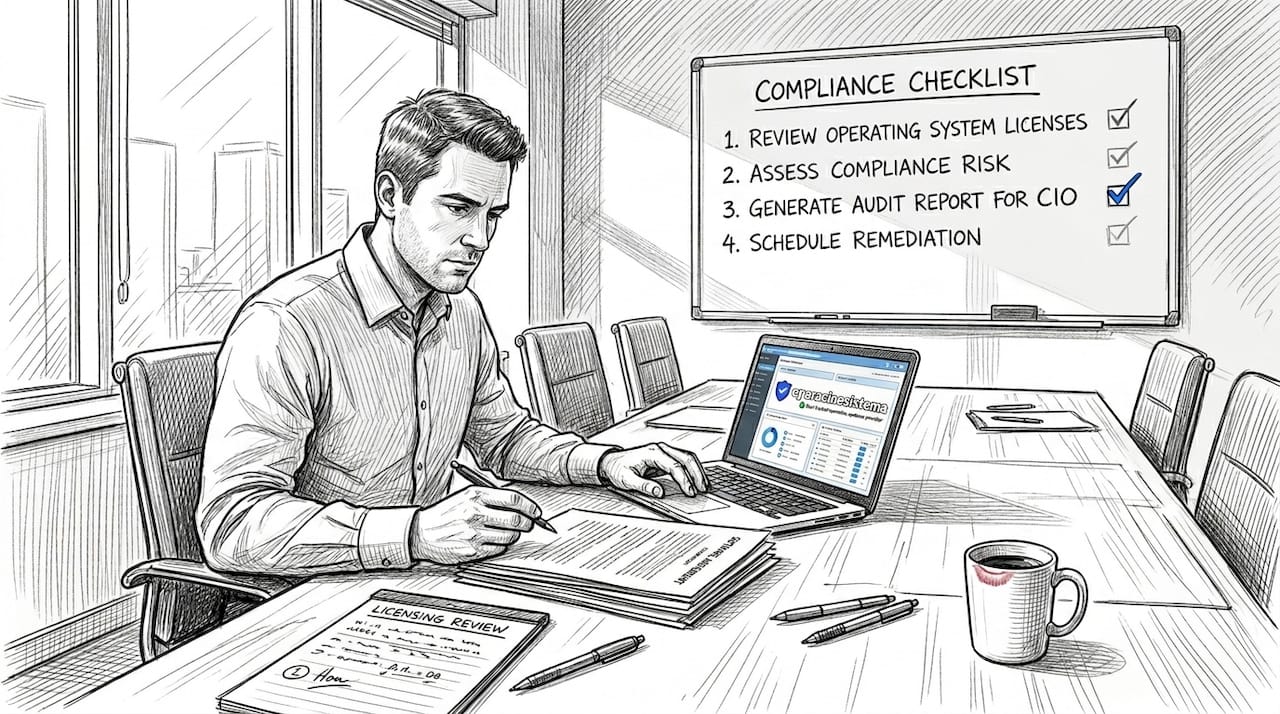
องค์กรส่วนใหญ่ใช้ใบอนุญาตมากกว่าหนึ่งประเภทในเวลาเดียวกันโดยไม่รู้ตัว คุณอาจมีใบอนุญาตแบบต่อผู้ใช้สำหรับพนักงานที่ทำงานจากระยะไกล ใบอนุญาตแบบต่ออุปกรณ์ที่เชื่อมโยงกับสถานีงานที่ใช้ร่วมกัน และข้อตกลงการสมัครสมาชิกเพิ่มเติม เมื่อรูปแบบเหล่านี้ไม่สอดคล้องกับวิธีการทำงานจริงของทีมคุณ คุณจะจบลงด้วยการซื้อใบอนุญาตเกินความจำเป็น (จ่ายเงินสำหรับที่นั่งที่ไม่มีใครใช้) หรือซื้อใบอนุญาตไม่เพียงพอ (เสี่ยงต่อการถูกตรวจสอบ).
นี่คือภาพรวมของโครงสร้างการอนุญาตให้ใช้สิทธิ์ Windows ที่สำคัญที่คุณจำเป็นต้องเข้าใจ:
- การอนุญาตให้ใช้สิทธิ์ต่อผู้ใช้: ใบอนุญาตหนึ่งใบจะถูกมอบให้กับบุคคลหนึ่งคนและสามารถใช้งานได้กับอุปกรณ์หลายเครื่อง ใบอนุญาตนี้เหมาะสำหรับผู้ใช้ที่ต้องทำงานผ่านอุปกรณ์ต่างๆ เช่น แล็ปท็อป เดสก์ท็อป และแท็บเล็ต.
- การอนุญาตให้ใช้สิทธิ์ต่ออุปกรณ์: ใบอนุญาตผูกติดกับเครื่องจักรเฉพาะเครื่องหนึ่ง ไม่ใช่บุคคล เหมาะสำหรับสถานีงานที่ใช้ร่วมกันในคลังสินค้า ร้านค้าปลีก หรือศูนย์บริการลูกค้าที่มีพนักงานหลายคนเข้าสู่ระบบบนคอมพิวเตอร์เครื่องเดียวกัน.
- ใบอนุญาตแบบใช้งานพร้อมกัน (ลอย) จำนวนใบอนุญาตที่มีให้ใช้ในแต่ละขณะนั้นจะมีจำนวนจำกัด ผู้ใช้จะแบ่งปันใบอนุญาตในสระรวมกัน และจะได้รับสิทธิ์การเข้าถึงจนกว่าจะถึงขีดจำกัดของจำนวนใบอนุญาตที่มีอยู่ โมเดลนี้เหมาะสำหรับซอฟต์แวร์ที่ใช้ในกะหรือตามฤดูกาล.
- การสมัครสมาชิก vs. ใบอนุญาตถาวร: ใบอนุญาตแบบสมัครสมาชิก (เช่น Microsoft 365) จะชำระค่าบริการเป็นรายเดือนหรือรายปี และรวมการอัปเดตไว้ด้วย ใบอนุญาตแบบถาวรเป็นการซื้อครั้งเดียวและยังคงใช้ได้กับเวอร์ชันเฉพาะ แต่จะไม่รวมการอัปเกรดในอนาคตโดยอัตโนมัติ.
“ดำเนินการกระบวนการ ‘การออกใบอนุญาตและการเพิ่มประสิทธิภาพ SaaS’ ที่สามารถทำซ้ำได้: ทำความเข้าใจรูปแบบการออกใบอนุญาต จากนั้นให้แน่ใจว่ามีการปฏิบัติตาม การจัดการสินทรัพย์ซอฟต์แวร์อย่างต่อเนื่อง, การตรวจสอบ, การตรวจสอบ, และการติดตามการใช้งาน”
— คำแนะนำการให้สิทธิ์การใช้งาน Microsoft FinOps
การถกเถียงระหว่างการใช้แบบสมัครสมาชิกกับใบอนุญาตแบบถาวรนั้นมีความสำคัญอย่างยิ่งต่อการวางแผนงบประมาณ การใช้แบบสมัครสมาชิกมอบค่าใช้จ่ายรายเดือนที่คาดการณ์ได้และซอฟต์แวร์ที่อัปเดตอยู่เสมอ ซึ่งเหมาะสำหรับธุรกิจที่กำลังเติบโต อย่างไรก็ตาม ใบอนุญาตแบบถาวร เมื่อซื้อจากแหล่งที่เชื่อถือได้ อาจมีความคุ้มค่ามากกว่าสำหรับสภาพแวดล้อมที่มั่นคงซึ่งไม่ต้องการการอัปเดตเวอร์ชันอย่างต่อเนื่อง ประเด็นสำคัญคือ การเลือกแบบที่เหมาะสมกับความต้องการการดำเนินงานของคุณจริง ๆ ไม่ใช่รอบการเรียกเก็บเงินที่ผู้ขายต้องการ.
ข้อผิดพลาดที่พบได้บ่อยและมีค่าใช้จ่ายสูงคือการเลือกแบบจำลองการให้สิทธิ์ใช้งานโดยพิจารณาจากราคาเริ่มต้นเพียงอย่างเดียวแทนที่จะพิจารณาจากโครงสร้างขององค์กรของคุณอย่างแท้จริง ให้ใช้เวลาในการทบทวนแผนผังองค์กรของคุณ มีพนักงานกี่คนที่ทำงานจากหลายสถานที่? มีอุปกรณ์กี่เครื่องที่ถูกใช้ร่วมกัน? แผนกใดที่ใช้ซอฟต์แวร์เฉพาะทางเพียงบางส่วนของปี? คำตอบสำหรับคำถามเหล่านี้ควรมีอิทธิพลโดยตรงต่อการเลือกแบบจำลองการให้สิทธิ์ใช้งานของคุณ.
เคล็ดลับมืออาชีพ: ก่อนถึงรอบการต่ออายุครั้งถัดไป ให้กำหนดซอฟต์แวร์แต่ละรายการให้กับผู้ใช้เฉพาะราย อุปกรณ์ หรือกลุ่มการใช้งานพร้อมกัน หากใบอนุญาตไม่มีเจ้าของหรือเครื่องที่ชัดเจน จะถือว่าสูญเปล่าหรือเสี่ยงต่อการสูญเสีย การทำความเข้าใจ ประเภทของใบอนุญาตซอฟต์แวร์ คุณสมบัตินี้ช่วยให้คุณทำแบบฝึกหัดการจับคู่ได้รวดเร็วและแม่นยำยิ่งขึ้น.
โมเดลที่ไม่ตรงกันเป็นหนึ่งในสาเหตุหลักที่ทำให้บริษัทล้มเหลวในการตรวจสอบ ผู้ให้บริการมีความสามารถในการตรวจจับความไม่สอดคล้องเหล่านี้มากขึ้น โดยเฉพาะในสภาพแวดล้อมคลาวด์และไฮบริด การเลือกโมเดลที่ถูกต้องตั้งแต่แรกจะช่วยประหยัดค่าใช้จ่ายและทำให้คุณพร้อมสำหรับการตรวจสอบ.
ดำเนินการกระบวนการบริหารจัดการสินทรัพย์ซอฟต์แวร์ (SAM) ที่มีความแข็งแกร่ง
การเข้าใจประเภทของใบอนุญาตของคุณมีประโยชน์เพียงเท่ากับความสามารถในการติดตามและปรับปรุงให้เหมาะสม นั่นคือจุดที่การจัดการสินทรัพย์ซอฟต์แวร์ หรือ SAM กลายเป็นเครื่องมือการดำเนินงานที่มีค่าที่สุดของคุณ.
SAM ไม่ใช่แค่สเปรดชีตหรือโครงการที่ทำครั้งเดียว แต่เป็นกระบวนการที่ดำเนินอย่างต่อเนื่อง วิธีการจัดการใบอนุญาตของ Microsoft แนะนำให้ วิธีการ SAM แบบสี่ขั้นตอน ถูกสร้างขึ้นโดยรอบสินค้าคงคลัง การวิเคราะห์การใช้งาน การสร้างแบบจำลองเพื่อเพิ่มประสิทธิภาพ และการวางแผนการต่ออายุ เมื่อนำไปใช้อย่างต่อเนื่อง วงจรนี้จะช่วยป้องกันการเบี่ยงเบนที่อาจนำไปสู่การไม่ปฏิบัติตามข้อกำหนดและการใช้งบประมาณเกิน.
นี่คือวิธีการสร้างวงจร SAM ของคุณทีละขั้นตอน:
จัดทำรายการซอฟต์แวร์ทั้งหมด. เริ่มต้นด้วยการทำการสแกนอย่างครอบคลุมทุกอุปกรณ์ในองค์กรของคุณ ใช้เครื่องมือค้นหาหรือแพลตฟอร์ม SAM เพื่อบันทึกซอฟต์แวร์ทุกชิ้นที่ติดตั้ง รวมถึงหมายเลขเวอร์ชัน สถานะการเปิดใช้งาน และประเภทของใบอนุญาต อย่าลืมเครื่องเสมือน จุดเชื่อมต่อระยะไกล หรืออุปกรณ์ที่เชื่อมต่อกับเครือข่ายของคุณไม่บ่อยนัก.
วิเคราะห์การใช้งานจริง. ข้อมูลสินค้าคงคลังดิบจะแสดงให้คุณเห็นว่ามีการติดตั้งอะไรบ้าง การวิเคราะห์การใช้งานจะแสดงให้คุณเห็นว่ามีการใช้งานจริงอะไรบ้าง ใบอนุญาตที่ติดตั้งแล้วแต่ไม่เคยใช้งานถือเป็นการสิ้นเปลืองเงิน แพลตฟอร์ม SAM ส่วนใหญ่จะติดตามความถี่ในการเปิดใช้งาน ระยะเวลาการใช้งาน และจำนวนผู้ใช้ที่ใช้งานอยู่ ดังนั้นคุณจึงสามารถระบุตัวที่มีศักยภาพในการจัดสรรใหม่หรือยกเลิกการใช้งานได้.
โอกาสในการปรับปรุงแบบจำลองให้มีประสิทธิภาพยิ่งขึ้น. เมื่อคุณทราบว่าคุณมีอะไรบ้างและใช้งานอย่างไร คุณสามารถวางแผนการเปลี่ยนแปลงได้ คุณสามารถรวมใบอนุญาตสองใบเป็นใบอนุญาตที่ใช้ร่วมกันได้หรือไม่? การเปลี่ยนแผนกจากแบบต่ออุปกรณ์เป็นแบบต่อผู้ใช้จะช่วยประหยัดเงินได้หรือไม่? คุณสามารถเจรจาราคาส่วนลดสำหรับการซื้อจำนวนมากเมื่อต่ออายุได้หรือไม่? นี่คือจุดที่การประหยัดต้นทุนที่แท้จริงเกิดขึ้น.
จงมีความกระตือรือร้นเมื่อต้องต่ออายุ. อย่ารอการแจ้งเตือนการต่ออายุอัตโนมัติ เริ่มเตรียมการต่ออายุอย่างน้อย 90 วันล่วงหน้า ตรวจสอบข้อมูลการใช้งานปัจจุบันของคุณ เปรียบเทียบกับสิทธิ์ที่คุณได้รับตามสัญญา และเจรจาต่อรองจากข้อมูลที่ครบถ้วน แทนที่จะทำภายใต้แรงกดดันของกำหนดเวลา.
นี่คือตารางอ้างอิงอย่างรวดเร็วสำหรับความถี่ที่แนะนำในการทบทวน SAM:
| งาน | ความถี่ | เจ้าของ |
|---|---|---|
| การสแกนซอฟต์แวร์ทั้งหมด | รายเดือน | ผู้จัดการฝ่ายไอที |
| การกระทบยอดใบอนุญาตกับการติดตั้ง | รายเดือน | ผู้ดูแลระบบ SAM |
| การวิเคราะห์การใช้ประโยชน์และการรายงาน | รายไตรมาส | ไอที / การเงิน |
| การสร้างแบบจำลองและการปรับแต่งเพื่อเพิ่มประสิทธิภาพ | รายไตรมาส | ผู้จัดการฝ่ายไอที |
| การตรวจสอบสัญญาและต่ออายุสัญญากับผู้ขาย | ประจำปี | ไอที + การจัดซื้อจัดจ้าง |
| การประเมินตนเองความพร้อมสำหรับการตรวจสอบ | ประจำปี | ไอที + กฎหมาย/การปฏิบัติตามข้อกำหนด |
🔥 หมายเหตุทางสถิติ: องค์กรที่นำโปรแกรม SAM อย่างเป็นทางการมาใช้อย่างต่อเนื่องรายงานว่ามีการลดค่าใช้จ่ายด้านซอฟต์แวร์อย่างมีนัยสำคัญ โดยหลายองค์กรระบุว่าพบใบอนุญาต 20 ถึง 30 เปอร์เซ็นต์ที่ไม่ถูกใช้งานหรือใช้งานน้อยเกินไปภายในรอบการตรวจสอบทรัพย์สินครั้งแรก นั่นคือเงินที่กู้คืนได้โดยตรงโดยไม่ต้องตัดฟังก์ชันการทำงานใด ๆ ออก.
ตามโครงสร้าง รายการตรวจสอบความสอดคล้องของซอฟต์แวร์ การปรับให้สอดคล้องกับจังหวะนี้ช่วยให้คุณก้าวไปข้างหน้าหนึ่งก้าวก่อนการตรวจสอบ แทนที่จะตอบสนองต่อมัน และเมื่อคุณผสมผสานวินัยนั้นเข้ากับการตรวจสอบที่เชื่อถือได้, ความถูกต้องของซอฟต์แวร์สำหรับธุรกิจขนาดเล็กและขนาดกลาง ด้วยการนำแนวปฏิบัติในการจัดหาที่มีประสิทธิภาพมาใช้ คุณจะขจัดหนึ่งในความเสี่ยงด้านการปฏิบัติตามข้อกำหนดที่พบบ่อยที่สุด นั่นคือการใช้รหัสลิขสิทธิ์ที่ไม่ได้รับการยืนยันหรือเป็นของปลอม ซึ่งสามารถผ่านการเปิดใช้งานในขั้นต้นได้ แต่จะล้มเหลวในการตรวจสอบจากผู้จำหน่ายในภายหลัง.
คำแนะนำจากผู้เชี่ยวชาญ: แต่งตั้งผู้รับผิดชอบ SAM ที่ได้รับการมอบหมายภายในองค์กรของคุณ ไม่จำเป็นต้องเป็นตำแหน่งเฉพาะ แต่ควรมีบุคคลที่รับผิดชอบในการกระทบยอดรายเดือนและการตรวจสอบรายไตรมาส หากไม่มีผู้รับผิดชอบ งาน SAM มักจะถูกเลื่อนออกไปจนกว่าจะถึงเวลา “เมื่อไหร่ก็ได้ที่เราจะมีเวลา” และนั่นคือจุดที่ช่องว่างเริ่มปรากฏขึ้น.
การปรับให้สอดคล้องอย่างต่อเนื่องคือสิ่งที่ทำให้องค์กรที่ปฏิบัติตามกฎระเบียบแตกต่างจากองค์กรที่มักจะประสบปัญหาเพียงเพราะการตรวจสอบครั้งเดียว ทำให้ SAM เป็นส่วนหนึ่งของการดำเนินงานด้านไอทีของคุณที่จัดตารางไว้และไม่สามารถต่อรองได้.
ให้ความสำคัญกับใบอนุญาตโอเพนซอร์สและใบอนุญาตห่วงโซ่อุปทานอย่างจริงจัง
การจัดการใบอนุญาตไม่ได้จำกัดเฉพาะซอฟต์แวร์ที่ต้องเสียค่าใช้จ่ายเท่านั้น การพึ่งพาซอฟต์แวร์โอเพนซอร์สและห่วงโซ่อุปทานสามารถสร้างความเสี่ยงที่ซ่อนอยู่ซึ่งร้ายแรงไม่แพ้กับการพลาดการต่ออายุใบอนุญาตของ Microsoft.
หลายทีมทำงานภายใต้สมมติฐานว่าซอฟต์แวร์ฟรีหมายถึงไม่มีข้อผูกมัดด้านใบอนุญาต สมมติฐานนี้ไม่ถูกต้อง และอาจต้องเสียค่าใช้จ่ายสูงหากเรียนรู้จากประสบการณ์ที่ผิดพลาด ใบอนุญาตโอเพนซอร์สมีหลากหลายประเภท ตั้งแต่ใบอนุญาตแบบอนุญาตอย่างกว้างขวาง เช่น MIT และ Apache 2.0 ซึ่งอนุญาตให้ใช้งานได้อย่างกว้างขวางโดยมีเงื่อนไขน้อย ไปจนถึงใบอนุญาตแบบโคเพลสต์ เช่น ครอบครัว GPL ซึ่งกำหนดให้ผลงานที่ดัดแปลงใด ๆ ต้องเผยแพร่ภายใต้ใบอนุญาตเดียวกันหากทีมพัฒนาของคุณรวมส่วนประกอบที่มีใบอนุญาต GPL ในผลิตภัณฑ์ที่มีลิขสิทธิ์โดยไม่เข้าใจเงื่อนไขเหล่านั้น คุณอาจถูกบังคับให้เปิดเผยซอร์สโค้ดทั้งหมดของคุณหรือเผชิญกับการดำเนินคดีทางกฎหมาย.
ข้อผูกพันหลักที่ทีมของคุณต้องติดตามสำหรับซอฟต์แวร์โอเพนซอร์ส:
- ✅ ข้อกำหนดการระบุแหล่งที่มา: ใบอนุญาตหลายฉบับกำหนดให้คุณต้องรวมประกาศลิขสิทธิ์และข้อความใบอนุญาตไว้ในผลิตภัณฑ์ที่คุณแจกจ่าย การไม่ปฏิบัติตามนี้ถือเป็นการละเมิดใบอนุญาต แม้ว่าซอฟต์แวร์จะเป็น “ฟรี” ในทางเทคนิคก็ตาม”
- ✅ ความเข้ากันได้ของลิขสิทธิ์แบบโคเพิลต์: ไม่ทุกใบอนุญาตโอเพนซอร์สสามารถใช้งานร่วมกันได้. การรวมใบอนุญาตที่ไม่สามารถใช้งานร่วมกันได้ไว้ในฐานโค้ดเดียวกันอาจก่อให้เกิดปัญหาการปฏิบัติตามข้อกำหนดซึ่งอาจแก้ไขได้ยากและมีค่าใช้จ่ายสูง.
- ✅ ตัวกระตุ้นการกระจาย: บางข้อผูกพันจะมีผลบังคับใช้เฉพาะเมื่อคุณแจกจ่ายซอฟต์แวร์เท่านั้น ไม่ใช่เมื่อคุณใช้งานภายในองค์กร ตรวจสอบให้แน่ใจว่าคุณทราบอย่างชัดเจนว่าข้อผูกพันของคุณมีผลบังคับใช้เมื่อใด.
- 🛑 ข้อจำกัดในการใช้เพื่อการค้า: ใบอนุญาตบางฉบับมีการจำกัดการใช้ในเชิงพาณิชย์อย่างชัดเจน กรุณาตรวจสอบก่อนการใช้งาน.
“ปฏิบัติต่อภาระผูกพันด้านการระบุแหล่งที่มาและข้อผูกพันด้านลิขสิทธิ์เสรี/ความเข้ากันได้เสมือนเป็น ภาระผูกพันในการขอใบอนุญาต (ไม่ใช่ ‘ฟรี หมายถึง ปลอดภัย’); สร้างคลังข้อมูลโอเพนซอร์สที่ทันสมัยและร่างข้อกำหนดในสัญญาเพื่อให้แน่ใจว่าสอดคล้องกับข้อกำหนด”
บิลของวัสดุซอฟต์แวร์ หรือ SBOM ได้กลายเป็นเครื่องมือที่ได้รับความนิยมในการติดตามส่วนประกอบโอเพนซอร์สในห่วงโซ่อุปทานซอฟต์แวร์ SBOM จะแสดงรายการส่วนประกอบทั้งหมด ความพึ่งพา และไลบรารีในผลิตภัณฑ์ซอฟต์แวร์ พร้อมด้วยข้อมูลเวอร์ชันและใบอนุญาต ฟังดูเหมือนเป็นเครื่องมือที่สมบูรณ์แบบสำหรับการปฏิบัติตามข้อกำหนด แต่ความเป็นจริงนั้นซับซ้อนกว่านั้น. การวิจัยเกี่ยวกับการนำไปใช้ของ SBOM เผยให้เห็นว่าแม้จะมี SBOM ให้ใช้ แต่ SBOM เหล่านั้นก็มักจะไม่สมบูรณ์: น้อยกว่าครึ่งที่รวม SBOM ไว้ในระบบควบคุมเวอร์ชันหรือเอกสารการปล่อยเวอร์ชัน และหลายฉบับขาดข้อมูลสำคัญ เช่น รหัสใบอนุญาต, ค่าแฮชของส่วนประกอบ หรือชื่อผู้จัดหา.
นี่คือการเปรียบเทียบระหว่าง SBOM ที่สมบูรณ์กับ SBOM ที่พบเห็นได้ในโลกจริง:
| ฟิลด์ข้อมูล SBOM | รายการส่วนประกอบของซอฟต์แวร์ (SBOM) ที่สมบูรณ์/เหมาะสมที่สุด | ตัวอย่าง SBOM ในโลกจริง |
|---|---|---|
| ชื่อส่วนประกอบและเวอร์ชัน | ✅ มีอยู่ | ✅ มีให้บริการตามปกติ |
| รหัสระบุใบอนุญาต (SPDX) | ✅ มีอยู่ | ⚠️ มักจะหายไป |
| ข้อมูลผู้จัดจำหน่าย/แหล่งกำเนิด | ✅ มีอยู่ | ⚠️ มักจะไม่อยู่ |
| แฮชเข้ารหัส | ✅ มีอยู่ | 🛑 แทบจะไม่รวมอยู่ด้วย |
| รวมอยู่ในระบบควบคุมเวอร์ชัน | ✅ เสมอ | 🛑 น้อยกว่า 50% |
| รวมอยู่ในผลิตภัณฑ์ที่เผยแพร่ | ✅ เสมอ | 🛑 น้อยกว่า 50% |
สิ่งนี้หมายความว่าอย่างไรสำหรับกระบวนการปฏิบัติตามข้อกำหนดของคุณ? อย่าถือว่าเอกสาร SBOM เป็นผลิตภัณฑ์ที่เสร็จสมบูรณ์แล้ว แต่ให้ถือว่าเป็นจุดเริ่มต้นที่ต้องมีการตรวจสอบอย่างต่อเนื่อง ควรเสริมด้วยระบบติดตามสินทรัพย์โอเพนซอร์สของคุณเอง และตรวจสอบให้แน่ใจว่าทุกสัญญาผู้ขายหรือสัญญาพัฒนา มีข้อกำหนดที่ระบุให้ต้องจัดเตรียมเอกสารและอัปเดตข้อมูลการปฏิบัติตามข้อกำหนดด้านลิขสิทธิ์.
ในทางปฏิบัติ คุณควรรักษาทะเบียนส่วนประกอบโอเพนซอร์สภายในองค์กรให้ทันสมัยอยู่เสมอ โดยอัปเดตทุกครั้งที่มีการปล่อยผลิตภัณฑ์ใหม่ รวมถึงประเภทของใบอนุญาต เวอร์ชัน ข้อผูกพัน และชื่อของบุคคลที่รับผิดชอบในการปฏิบัติตามข้อกำหนด ผสานข้อมูลนี้กับการตรวจสอบเป็นประจำของคุณ ใบอนุญาตระบบปฏิบัติการที่ปลอดภัย และความเข้าใจอย่างถ่องแท้เกี่ยวกับ คู่มือความเสี่ยงด้านลิขสิทธิ์ของไมโครซอฟท์ เพื่อให้ได้ภาพรวมที่สมบูรณ์ว่าความเสี่ยงของคุณอยู่ที่ใด.
ความเสี่ยงจากซอฟต์แวร์โอเพนซอร์สไม่ใช่ปัญหาของนักพัฒนา แต่เป็นปัญหาทางธุรกิจ หากคุณแจกจ่ายซอฟต์แวร์หรือสร้างเครื่องมือภายในองค์กรที่ใช้ส่วนประกอบโอเพนซอร์ส เรื่องนี้ควรอยู่ในวาระการปฏิบัติตามข้อกำหนดของคุณตั้งแต่วันนี้.
จัดตั้งวงจรการเตรียมความพร้อมด้านการปฏิบัติตามข้อกำหนดและการตรวจสอบที่ดำเนินการซ้ำได้
การกำกับดูแลห่วงโซ่อุปทานที่แข็งแกร่งเป็นสิ่งสำคัญ แต่จะมีประสิทธิภาพก็ต่อเมื่อมีการปฏิบัติตามอย่างต่อเนื่องเท่านั้น การปฏิบัติตามไม่ใช่จุดสิ้นสุดในตัวเอง แต่เป็นแนวปฏิบัติ.
ข้อผิดพลาดที่พบบ่อยที่สุดที่องค์กรทำคือการปฏิบัติต่อการปฏิบัติตามกฎระเบียบเสมือนเป็นโครงการที่ทำเพียงครั้งเดียว คุณทำการตรวจสอบครั้งใหญ่ แก้ไขช่องว่าง ยื่นเอกสาร แล้วดำเนินการต่อไปจนกว่าจดหมายจากผู้ขายฉบับถัดไปจะมาถึง วิธีการเชิงรับนี้ทำให้คุณตกอยู่ในความเสี่ยงตลอดเวลา สิ่งที่คุณต้องการคือปฏิทินการปฏิบัติตามกฎระเบียบที่ทำงานบนวงจรที่คาดการณ์ได้และเกิดขึ้นซ้ำๆ.
ตามแนวทางที่แนะนำโดยไมโครซอฟท์ วงจรการปฏิบัติตามข้อกำหนดมีดังนี้:
การกระทบยอดรายเดือน: ทุกเดือน ให้เปรียบเทียบสิทธิ์การใช้งานใบอนุญาตที่ใช้งานอยู่ของคุณกับรายการซอฟต์แวร์ในองค์กร ตรวจสอบการติดตั้งที่ไม่มีใบอนุญาตที่ถูกต้อง ใบอนุญาตที่มอบหมายให้กับพนักงานที่ลาออกแล้ว และเวอร์ชันซอฟต์แวร์ที่ไม่ได้รับการสนับสนุนอีกต่อไป ระบุความไม่สอดคล้องทันที.
การทบทวนการใช้งานรายไตรมาส: ทุกไตรมาส ให้จัดทำรายงานการใช้งานสำหรับสินทรัพย์ซอฟต์แวร์หลักของคุณ ระบุใบอนุญาตที่มีการใช้งานเป็นศูนย์หรือใกล้ศูนย์ ทำการเรียกคืนและจัดสรรใบอนุญาตเหล่านั้นใหม่ก่อนรอบการเรียกเก็บเงินถัดไป นี่เป็นช่วงเวลาที่ดีในการทบทวนว่ารูปแบบการออกใบอนุญาตปัจจุบันของคุณยังคงสอดคล้องกับโครงสร้างทีมของคุณหลังจากการเปลี่ยนแปลงองค์กรใดๆ หรือไม่.
การเตรียมการสำหรับการต่ออายุประจำปี: เริ่มกระบวนการต่ออายุอย่างน้อย 90 วันก่อนที่ข้อตกลงใด ๆ จะหมดอายุ ใช้ข้อมูลการใช้งานรายไตรมาสของคุณเพื่อเจรจาต่อรองตามความต้องการที่แท้จริงแทนที่จะยึดตามสัญญาในอดีต หากการใช้งานของคุณลดลง ให้ผลักดันเพื่อลดจำนวนที่นั่ง หากเพิ่มขึ้น ให้เจรจาต่อรองราคาตามปริมาณก่อนที่การต่ออายุอัตโนมัติจะล็อคคุณไว้ในอัตราที่สูงขึ้น.
การประเมินตนเองความพร้อมสำหรับการตรวจสอบ: อย่างน้อยปีละครั้ง ให้ดำเนินการตรวจสอบจำลอง รวบรวมเอกสารใบอนุญาตของคุณ ตรวจสอบบันทึกการเปิดใช้งาน และตรวจสอบให้แน่ใจว่าซอฟต์แวร์ทั้งหมดสามารถตรวจสอบย้อนกลับไปยังการซื้อที่ถูกต้องได้ ตรวจสอบให้แน่ใจว่าเอกสารของคุณถูกจัดเก็บไว้ในสถานที่ที่ผู้มีส่วนได้ส่วนเสียที่เกี่ยวข้องทุกคนสามารถเข้าถึงได้อย่างรวดเร็ว.
สำหรับกระบวนการทำงานเอง ให้แต่งตั้งเจ้าของเอกสารสำหรับสินทรัพย์ซอฟต์แวร์แต่ละรายการ บุคคลนั้นจะรับผิดชอบในการเก็บรักษาบันทึกการซื้อ รหัสเปิดใช้งาน ข้อตกลงการใช้งาน และวันต่ออายุไว้ในที่จัดเก็บที่เป็นระเบียบ เมื่อมีการตรวจสอบจริงเกิดขึ้น คุณจะสามารถจัดเตรียมเอกสารทั้งหมดได้ภายในไม่กี่ชั่วโมง ไม่ใช่หลายวัน.
เคล็ดลับมืออาชีพ: เชื่อมโยงปฏิทินการตรวจสอบการปฏิบัติตามข้อกำหนดของคุณกับรอบการวางแผนงบประมาณประจำปีโดยตรง เมื่อคุณตรวจสอบใบอนุญาตในไตรมาสที่ 3 คุณจะมีข้อมูลที่จำเป็นสำหรับการวางแผนงบประมาณสำหรับการต่ออายุในไตรมาสที่ 4 อย่างแม่นยำแล้ว วิธีนี้จะเปลี่ยนค่าใช้จ่ายที่ไม่คาดคิดจากการต่ออายุใบอนุญาตให้กลายเป็นรายการงบประมาณที่คาดการณ์ได้และจัดการได้ นอกจากนี้ยังช่วยให้คุณตัดสินใจได้อย่างชาญฉลาดว่าจะต่ออายุ ขอต่อรองใหม่ หรือเปลี่ยนไปใช้โซลูชันอื่น.
ค้นหาข้อมูลเพิ่มเติมเกี่ยวกับ การปฏิบัติด้านความปลอดภัยของซอฟต์แวร์ และความจริง ผลกระทบของซอฟต์แวร์ที่ไม่มีใบอนุญาต เน้นย้ำว่าทำไมกำหนดการนี้จึงไม่ใช่ทางเลือก การลงโทษสำหรับการไม่ปฏิบัติตาม ทั้งทางการเงินและชื่อเสียง มีมากกว่าเวลาที่ต้องใช้ในการติดตามให้ทันสมัยอยู่เสมอ.
ทำไมการอัตโนมัติการปฏิบัติตามกฎระเบียบจึงจำเป็นแต่ไม่เพียงพอ
แนวทางปฏิบัติที่ดีที่สุดวางรากฐานที่มั่นคง แต่ประสบการณ์ในโลกแห่งความเป็นจริงเผยให้เห็นความเป็นจริงที่ลึกซึ้งกว่าซึ่งบทความส่วนใหญ่มองข้าม.
นี่คือความจริงที่ไม่น่าฟัง: องค์กรส่วนใหญ่ที่ประสบปัญหาการไม่ปฏิบัติตามกฎระเบียบไม่ได้เพิกเฉยต่อปัญหานี้ พวกเขามีเครื่องมือพร้อมใช้งานแล้ว พวกเขาได้ทำการสแกนตรวจสอบแล้ว พวกเขาเชื่อว่าทุกอย่างได้รับการคุ้มครองแล้ว ความล้มเหลวไม่ได้เกิดจากการขาดเทคโนโลยี แต่เกิดจากการพึ่งพาเทคโนโลยีมากเกินไป.
เครื่องมืออัตโนมัติมีพลังอย่างแท้จริงพวกเขาสามารถสแกนจุดสิ้นสุดได้หลายพันจุด, แจ้งเตือนความไม่สอดคล้องของใบอนุญาต, และสร้างรายงานได้ภายในไม่กี่นาที แต่พวกเขาจะทำงานภายใต้กฎที่คุณกำหนดไว้ หากเครื่องมือของคุณไม่ได้ตั้งค่าให้ตรวจจับประเภทใบอนุญาตเฉพาะ มันก็จะไม่ตรวจพบ หากข้อมูลสินทรัพย์ของเครื่องมือถูกนำเข้าจากแหล่งที่มีช่องว่าง ช่องว่างเหล่านั้นก็จะถูกนำเข้าโดยอัตโนมัติเช่นกัน และดังที่เราเห็นกับ SBOMs ผลงานเอกสารมักจะไม่สมบูรณ์ในลักษณะที่เครื่องมือแบบพาสซีฟไม่สามารถตรวจจับได้ด้วยตัวเอง.
ทีมที่จัดการการปฏิบัติตามข้อกำหนดได้อย่างมีประสิทธิภาพมากที่สุดคือทีมที่ผสมผสานเครื่องมือเข้ากับพนักงานที่ได้รับการฝึกอบรมและมีความรับผิดชอบ ซึ่งหมายความว่าพนักงานไอทีต้องเข้าใจข้อตกลงการใช้งานซอฟต์แวร์ที่พวกเขากำลังจัดการ ไม่ใช่เพียงแค่ซอฟต์แวร์ที่จัดการข้อตกลงเหล่านั้นเท่านั้น นอกจากนี้ ฝ่ายกฎหมายหรือฝ่ายจัดซื้อจัดจ้างต้องมีส่วนร่วมในการร่างข้อกำหนดในสัญญา โดยเฉพาะข้อกำหนดที่เกี่ยวข้องกับซอฟต์แวร์โอเพนซอร์สและข้อผูกพันด้านห่วงโซ่อุปทาน และผู้บริหารต้องให้ความสำคัญกับการจัดการลิขสิทธิ์เป็นลำดับความสำคัญด้านการกำกับดูแล ไม่ใช่เพียงแค่งานธุรการของฝ่ายไอทีเท่านั้น.
ยังมีแง่มุมทางวัฒนธรรมที่เครื่องมือไม่สามารถแก้ไขได้ เมื่อพนักงานไม่เข้าใจว่าทำไมการอนุญาตให้ใช้ซอฟต์แวร์จึงมีความสำคัญ พวกเขาก็อาจตัดสินใจที่ก่อให้เกิดความเสี่ยง: ดาวน์โหลดเครื่องมือฟรีที่มีภาระผูกพันทางลิขสิทธิ์แบบโคเพลต์, แบ่งปันคีย์การเปิดใช้งานระหว่างแผนก, หรือหลีกเลี่ยงระบบไอทีเมื่อติดตั้งซอฟต์แวร์บนอุปกรณ์ทำงาน โครงสร้างการฝึกอบรมและการรับผิดชอบคือสิ่งที่ป้องกันไม่ให้การตัดสินใจของบุคคลกลายมาเป็นภาระผูกพันขององค์กร.
อีกประเด็นหนึ่งที่ควรพิจารณาคือเงื่อนไขการอนุญาตให้ใช้สิทธิ์อาจมีการเปลี่ยนแปลงได้ ผู้ขายมักจะปรับปรุงข้อตกลงของตน บางครั้งอาจเกิดขึ้นในระหว่างระยะเวลาของสัญญา เงื่อนไขการสมัครสมาชิกสำหรับซอฟต์แวร์บนคลาวด์อาจเปลี่ยนแปลงได้ในระยะเวลาอันสั้น เครื่องมืออัตโนมัติที่ใช้กฎเกณฑ์ของปีที่แล้วอาจไม่สามารถตรวจจับปัญหาการไม่ปฏิบัติตามข้อกำหนดที่เกิดจากการเปลี่ยนแปลงเงื่อนไขที่เกิดขึ้นเมื่อสองเดือนก่อนได้ การตรวจสอบการสื่อสารและการเปลี่ยนแปลงข้อตกลงของผู้ขายโดยมนุษย์เป็นวิธีป้องกันความเสี่ยงประเภทนี้ที่เชื่อถือได้เพียงวิธีเดียว.
มั่นคง รายการตรวจสอบการซื้อซอฟต์แวร์ เป็นเครื่องมือที่ใช้งานได้จริงซึ่งช่วยเชื่อมช่องว่างระหว่างระบบอัตโนมัติกับการตัดสินใจของมนุษย์ มันช่วยให้มั่นใจได้ว่าจะมีการตรวจสอบอย่างเป็นระบบในทุกขั้นตอนของการรับข้อมูลเข้า โดยรับประกันว่าการตัดสินใจเกี่ยวกับการอนุญาตใช้งานจะเกิดขึ้นอย่างรอบคอบและมีเอกสารบันทึกไว้ก่อนที่ซอฟต์แวร์จะถูกนำไปใช้งานในสภาพแวดล้อมของคุณ.
ระบบอัตโนมัติด้านการปฏิบัติตามกฎระเบียบเป็นพลังทวีคูณ แต่จะเพิ่มประสิทธิภาพเฉพาะกับผู้ที่ปฏิบัติงานด้วยความรอบคอบอยู่แล้วเท่านั้น.
ปรับปรุงการออกใบอนุญาตและการปฏิบัติตามกฎระเบียบของคุณให้ราบรื่นยิ่งขึ้นวันนี้
พร้อมที่จะนำแนวทางปฏิบัติที่ดีที่สุดเหล่านี้ไปใช้ในธุรกิจของคุณเองหรือยัง? ทรัพยากรที่เหมาะสมสามารถสร้างความแตกต่างระหว่างการปฏิบัติตามกฎระเบียบที่เป็นภาระกับการปฏิบัติตามกฎระเบียบที่เป็นข้อได้เปรียบในการแข่งขัน.

ที่ operacinesistema.lt, เราเชี่ยวชาญในของแท้, ตรวจสอบแล้ว คีย์ลิขสิทธิ์ Windows สำหรับการใช้ในธุรกิจและมืออาชีพ รวมถึงเวอร์ชัน OEM และเวอร์ชันค้าปลีกของ Windows 10 และ Windows 11 Pro ทุกใบอนุญาตที่เราให้ล้วนเป็นของแท้ ได้รับการสนับสนุนโดยการส่งมอบทางดิจิทัลอย่างรวดเร็ว และการสนับสนุนลูกค้าอย่างเต็มที่หากคุณไม่แน่ใจว่าโมเดลใดเหมาะกับองค์กรของคุณ คู่มือการเลือกใบอนุญาตซอฟต์แวร์ของเราจะนำคุณผ่านกระบวนการตัดสินใจอย่างชัดเจน และเมื่อคุณพร้อมที่จะสร้างกระบวนการปฏิบัติตามข้อกำหนดตั้งแต่เริ่มต้น รายการตรวจสอบการปฏิบัติตามข้อกำหนดซอฟต์แวร์ของเราจะให้กรอบการทำงานแบบทีละขั้นตอนเพื่อให้คุณพร้อมสำหรับการตรวจสอบได้อย่างรวดเร็ว ปลอดภัย ราคาไม่แพง และปฏิบัติตามข้อกำหนด: นั่นคือสิ่งที่เราพร้อมช่วยคุณให้บรรลุเป้าหมาย 🔥
คำถามที่พบบ่อย
ความแตกต่างระหว่างการอนุญาตให้ใช้ซอฟต์แวร์แบบต่อผู้ใช้และแบบต่ออุปกรณ์คืออะไร?
การอนุญาตให้ใช้สิทธิ์แบบรายผู้ใช้จะมอบให้กับบุคคลและติดตามผู้ใช้ไปยังอุปกรณ์หลายเครื่อง ในขณะที่การอนุญาตให้ใช้สิทธิ์แบบรายอุปกรณ์จะผูกการเข้าถึงกับเครื่องเฉพาะเครื่องหนึ่ง การเลือกรูปแบบที่เหมาะสมขึ้นอยู่กับโครงสร้างของพนักงานของคุณ เนื่องจากคำแนะนำ FinOps ของ Microsoft แนะนำให้จัดรูปแบบการอนุญาตให้ใช้สิทธิ์ให้สอดคล้องกับรูปแบบองค์กรที่แท้จริงเพื่อหลีกเลี่ยงทั้งการใช้จ่ายเกินและความเสี่ยงด้านความสอดคล้อง.
ควรตรวจสอบใบอนุญาตซอฟต์แวร์ของฉันบ่อยแค่ไหนเพื่อให้แน่ใจว่าปฏิบัติตามข้อกำหนด?
แนวทางปฏิบัติที่ดีที่สุดของ Microsoft แนะนำให้มีการกระทบยอดรายเดือน การทบทวนการใช้งานรายไตรมาส และการเตรียมการต่ออายุรายปี เพื่อให้มั่นใจในความสอดคล้องอย่างต่อเนื่องและป้องกันช่องว่างที่มีค่าใช้จ่ายสูงจากการสะสมเมื่อเวลาผ่านไป.
ส่วนประกอบโอเพนซอร์สจำเป็นต้องมีการจัดการลิขสิทธิ์หรือไม่?
ใช่, โค้ดโอเพนซอร์สมาพร้อมกับข้อผูกพันทางลิขสิทธิ์ที่แท้จริง รวมถึงการให้เครดิต, ข้อกำหนดของลิขสิทธิ์แบบโคเปิลิฟต์ และข้อกำหนดความเข้ากันได้ ตามที่นักวิเคราะห์ทางกฎหมายได้ชี้ให้เห็น การปฏิบัติต่อซอฟต์แวร์โอเพนซอร์สว่า “ปราศจากความเสี่ยง” เป็นหนึ่งในข้อผิดพลาดที่พบบ่อยและมีค่าใช้จ่ายสูงที่สุดที่องค์กรต่างๆ ทำ.
ฉันสามารถเชื่อถือ SBOM สำหรับบันทึกการอนุญาตทั้งหมดของฉันได้หรือไม่?
อย่างไรก็ตาม การวิจัยเกี่ยวกับความสมบูรณ์ของ SBOM แสดงให้เห็นว่า SBOM หลายรายการขาดข้อมูลสำคัญ เช่น รหัสใบอนุญาต ชื่อผู้จัดจำหน่าย และแฮชแบบเข้ารหัส ซึ่งหมายความว่า SBOM ควรใช้เสริมกระบวนการติดตามของคุณในปัจจุบันมากกว่าที่จะใช้แทนที่.
หากฉันสงสัยว่ามีปัญหาเกี่ยวกับการปฏิบัติตามข้อกำหนด ขั้นตอนแรกคืออะไร?
เริ่มต้นทันทีด้วยการสแกนซอฟต์แวร์อย่างครอบคลุมในทุกจุดเชื่อมต่อ จากนั้นเปรียบเทียบซอฟต์แวร์ที่ติดตั้งกับสิทธิ์การใช้งานใบอนุญาตที่ใช้งานอยู่และข้อมูลการใช้งาน การดำเนินการอย่างรวดเร็วจะช่วยให้คุณเห็นภาพที่ชัดเจนที่สุดเกี่ยวกับความเสี่ยงและช่วยให้คุณอยู่ในตำแหน่งที่ดีที่สุดในการแก้ไขปัญหาใดๆ ก่อนที่การตรวจสอบจากผู้ขายจะยกระดับสถานการณ์.
แนะนำ
- หลีกเลี่ยงความเสี่ยงด้านลิขสิทธิ์ของ Microsoft 90%: คู่มือการปฏิบัติตามข้อกำหนดอย่างสมบูรณ์
- รายการตรวจสอบใบอนุญาตซอฟต์แวร์ 2026: คู่มือการปฏิบัติตามข้อกำหนดสำหรับธุรกิจขนาดกลางและขนาดย่อม
- ประเภทของใบอนุญาตซอฟต์แวร์: ค้นหาใบอนุญาตที่เหมาะกับความต้องการของคุณที่สุด
- จัดหาใบอนุญาตระบบปฏิบัติการ Microsoft อย่างปลอดภัยสำหรับธุรกิจขนาดกลางและขนาดย่อมในลิทัวเนียภายในปี 2026





