Secure Windows license buying guide: step by step software purchase
Buying a Windows license can feel like navigating a minefield. Counterfeit keys flood the market, promising deep discounts but delivering malware, sudden deactivation, and zero support. For individuals and small business owners, the stakes are high: one wrong purchase can compromise security, waste money, and create compliance headaches. This guide cuts through the confusion with a clear, step by step framework. You’ll learn how to verify your PC’s compatibility, choose the right edition, buy from trusted sellers, and activate your license safely. Follow these steps to secure a genuine Microsoft operating system without the risk.
Innehållsförteckning
- Viktiga lärdomar
- Preparation: confirm compatibility and select the right Windows edition
- Execution: buying your genuine Windows license safely
- Execution: downloading, installing, and activating your Windows license
- Verification and troubleshooting common pitfalls
- Explore reliable Windows licensing options with our trusted partner
- FAQ
Viktiga slutsatser
| Punkt | Detaljer |
|---|---|
| Check PC compatibility | Use the PC Health Check tool to verify hardware meets Windows requirements before purchasing. |
| Choose Home or Pro | Decide between Home and Pro based on your needs and budget, noting that Pro adds features like BitLocker, Remote Desktop, Hyper V, and domain join. |
| Buy from verified sellers | Purchase only from verified retailers such as Microsoft Store, Amazon direct, Best Buy, or Newegg to avoid counterfeit keys and risk of malware or deactivation. |
| Avoid cheap keys | Avoid suspiciously cheap keys that are likely counterfeit, deactivated, or carry malware and security risks. |
Preparation: confirm compatibility and select the right Windows edition
Before spending a dollar, verify your computer can actually run the Windows version you’re considering. Microsoft provides a free PC Health Check tool that scans your hardware against Windows 11 requirements. Check PC compatibility with PC Health Check before buying to avoid purchasing a license your machine cannot use. The tool checks processor generation, RAM capacity, storage space, and TPM 2.0 security chip presence. If your PC fails the check, you’ll know to either upgrade hardware components or stick with Windows 10, which remains supported through October 2025.
Once compatibility is confirmed, choose between Windows Home and Pro editions. Home edition costs around $139 and covers basic needs: web browsing, office applications, media consumption, and gaming. Pro edition runs $199 and adds features critical for business environments: BitLocker encryption, Remote Desktop hosting, Hyper-V virtualization, and domain join capabilities. Small business owners managing sensitive client data or needing remote access should invest in Pro. Individual users without these requirements save money with Home.
Understanding license types prevents future headaches. Retail licenses offer maximum flexibility because they’re transferable between computers. Buy a retail license today, and you can move it to a new PC next year. Operating system retail versions provide this portability advantage. OEM licenses cost less but permanently bind to the first computer where you activate them. Motherboard replacement typically invalidates OEM licenses. Volume licenses serve businesses buying multiple seats and aren’t available for individual purchase. For most individuals and small businesses, retail licenses deliver the best value despite higher upfront costs.
Pro Tip: Selecting the proper edition upfront saves cost and hassles later. Upgrading from Home to Pro after purchase requires buying a full Pro license, essentially paying twice. Evaluate your needs honestly before buying.
Execution: buying your genuine Windows license safely
The purchasing phase separates legitimate software from dangerous counterfeits. Buy only from verified sellers to guarantee authenticity and avoid the nightmare of deactivated licenses and malware infections. Buy digital licenses from Microsoft Store, Amazon sold by Amazon, Best Buy, or Newegg for safety. Microsoft’s official store provides the gold standard: direct purchase with instant digital delivery and full manufacturer support. Amazon works when the seller is Amazon itself, not third party marketplace vendors. Best Buy and Newegg maintain reputations as authorized retailers with buyer protection policies.
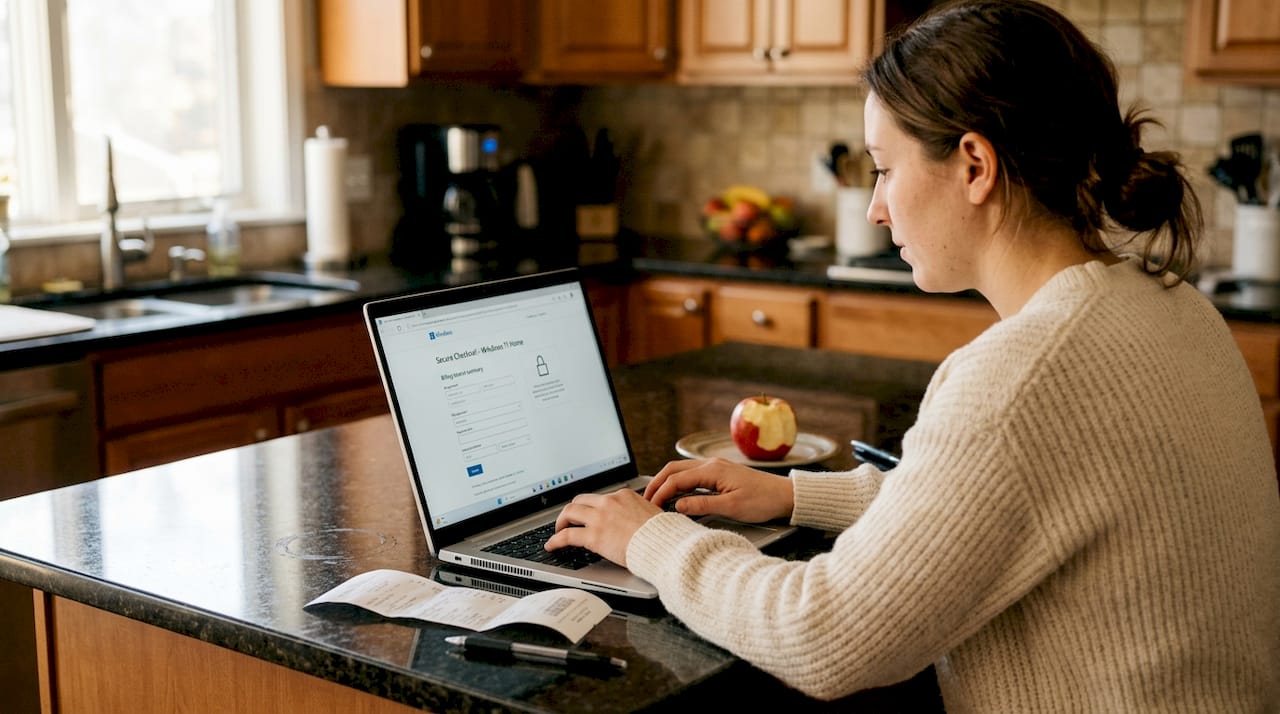
Steer clear of unauthorized sellers offering Windows keys under $100. These deals seem attractive until reality hits. Avoid third party sites selling keys under $100 as 90-99% are illegitimate and risky. These keys often come from volume licensing agreements resold illegally, MSDN subscriptions misused for profit, or outright fabrication. Microsoft actively deactivates these keys, leaving buyers with non-functional systems and no recourse.
Recognize warning signs of counterfeit keys:
- Prices significantly below Microsoft’s retail pricing, especially under $50
- Sellers operating through auction sites, forums, or social media without business credentials
- Payment requests via cryptocurrency, gift cards, or wire transfer instead of credit cards
- Bundled “activator” tools or scripts required to make the key work
- No official purchase receipt, invoice, or proof of authenticity provided
- Sellers with recent account creation dates and limited transaction history
Counterfeit Windows keys expose your system to malware, provide no official support, and face sudden deactivation. The initial savings vanish when you’re forced to buy a legitimate license anyway, while dealing with potential security breaches and data loss.
Payment method matters for buyer protection. Credit cards and PayPal offer dispute resolution and fraud protection that cryptocurrency and wire transfers lack. If a seller refuses standard payment methods, that’s a red flag. Legitimate retailers accept major credit cards without hesitation. Software buying security tips provide additional guidance on protecting yourself during digital purchases.
Pro Tip: Always pay with credit card or PayPal for buyer protection. These payment methods let you dispute charges if the seller delivers a non-functional or counterfeit key, giving you leverage that other payment forms don’t provide.
Execution: downloading, installing, and activating your Windows license
With a legitimate license key in hand, proper installation ensures smooth activation and full functionality. Download ISO/installer from official sources and activate via Settings reliably. Never download Windows installation files from unofficial websites, torrent sites, or file sharing platforms. These sources frequently bundle malware with installation media, compromising your system before you even finish setup.
Follow these steps for safe installation and activation:
- Visit Microsoft’s official download page and select your Windows version (10 or 11)
- Download the Media Creation Tool or direct ISO file for your edition
- Create bootable installation media using a USB drive with at least 8GB capacity
- Boot your computer from the USB drive and follow the installation wizard prompts
- Select “I don’t have a product key” during installation to complete setup first
- After Windows installs and boots, open Settings and navigate to Update & Security
- Click Activation in the left sidebar, then select “Change product key”
- Enter your purchased 25 character license key carefully, including dashes
- Click Next and allow Windows to verify and activate your license online
- Confirm activation status shows “Windows is activated with a digital license”
The activation process connects to Microsoft’s servers to verify your key’s authenticity. Legitimate keys activate instantly. Counterfeit or already used keys trigger error messages like “This product key has already been used” or “We can’t activate Windows on this device.” If you encounter activation errors with a key from a verified seller, contact their support immediately with your purchase receipt.
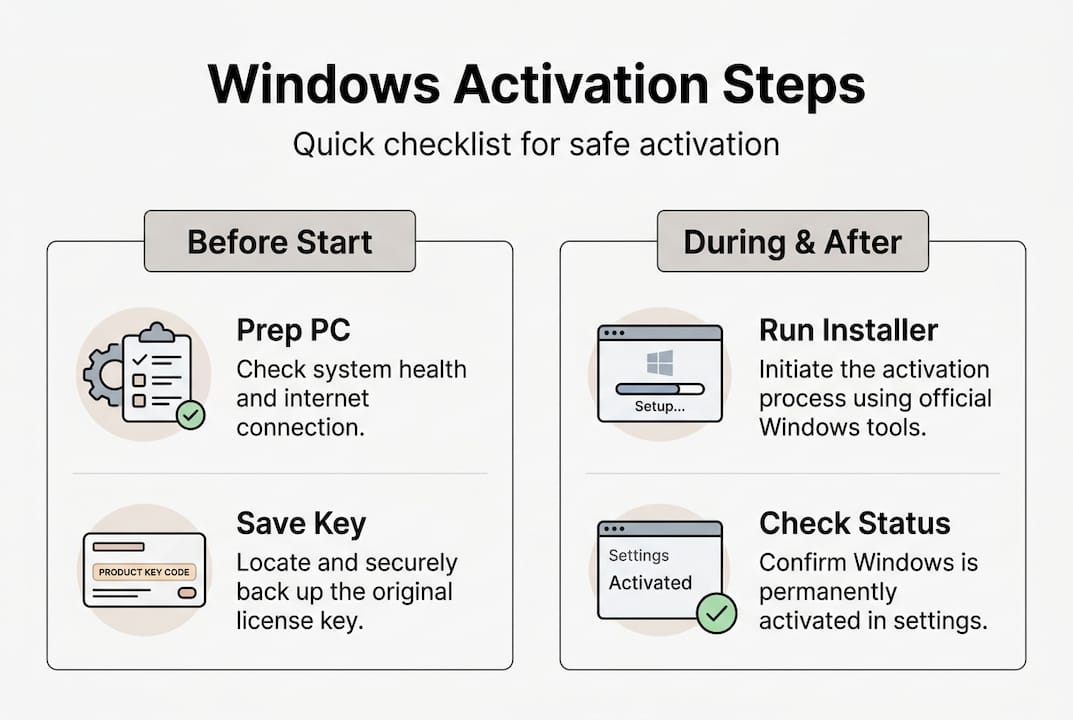
Keep documentation organized for future reference. Save your purchase confirmation email, receipt, and license key in a secure location like a password manager or encrypted file. You’ll need this information if you reinstall Windows, transfer a retail license to new hardware, or contact Microsoft support. Windows activation guide offers detailed troubleshooting for activation challenges.
Pro Tip: Keep a copy of the activation key and proof of purchase for support. Screenshot your activated Windows settings page as additional proof. This documentation proves ownership if you need to reactivate after hardware changes or contact Microsoft for assistance.
Verification and troubleshooting common pitfalls
Activation doesn’t guarantee legitimacy. Sophisticated counterfeiters sometimes provide keys that activate initially but deactivate weeks or months later. Verify your license authenticity immediately after activation and periodically thereafter. Open Settings, navigate to Update & Security, and click Activation. Genuine licenses display “Windows is activated with a digital license linked to your Microsoft account.” Suspicious licenses show temporary activation or error messages.
IDC reports 37% of businesses unknowingly buy counterfeit keys; Microsoft finds 99% cheap keys illegitimate. These statistics reveal the scale of the counterfeit problem. Many buyers don’t realize they’ve purchased fraudulent licenses until problems emerge. Check Windows license validity using official verification tools to catch issues early.
Understand the differences between genuine and counterfeit licenses:
| Characteristic | Genuine License | Counterfeit License |
|---|---|---|
| Aktivering | Permanent activation with digital license | Temporary activation or frequent deactivation |
| Updates | Full access to security and feature updates | Blocked or limited update access |
| Stöd | Official Microsoft support available | No support, seller disappears |
| Price | $139-$199 from authorized retailers | Under $100 from unauthorized sellers |
| Security | Clean installation, no malware | High malware risk, compromised systems |
| Legality | Fully compliant with licensing terms | Violates Microsoft licensing agreements |
Counterfeit keys create predictable problems:
- Sudden deactivation requiring repurchase of legitimate license
- Blocked Windows updates leaving security vulnerabilities unpatched
- Malware infections from compromised installation media or activator tools
- Audit failures for businesses subject to software compliance reviews
- No recourse or refunds when keys stop working
- Potential legal liability for using unlicensed software
Troubleshooting activation errors starts with identifying the specific error code. Error 0xC004F074 indicates the key management service is unavailable, often resolved by checking internet connectivity. Error 0xC004C003 means the activation server determined the key is blocked, signaling a counterfeit or volume license used improperly. Error 0x8007007B suggests the key doesn’t match the Windows edition you’re trying to activate.
If you discover you’ve purchased a counterfeit key, act quickly. Contact your payment provider to dispute the charge if you used credit card or PayPal. Report the seller to the platform where you made the purchase. Purchase a legitimate license from a verified seller to restore full functionality and security. Document everything for potential legal action or consumer protection complaints.
Regular verification provides peace of mind. Check activation status monthly, especially for business computers handling sensitive data. Set calendar reminders to review license validity and ensure Windows updates install properly. This proactive approach catches problems before they escalate into security breaches or compliance violations.
Explore reliable Windows licensing options with our trusted partner
Navigating the Windows licensing landscape becomes simpler with trusted resources. After understanding the step by step process for secure software purchase, you need a reliable source that implements these best practices. Operacinesistema.lt specializes in genuine Microsoft operating system licenses, offering both digital keys and physical USB versions for Windows 10 and Windows 11 Pro. The platform emphasizes security, instant email delivery, and comprehensive support including refunds for unopened products.

Individual users and small business owners benefit from transparent pricing and verified authenticity. Before making any purchase, check your Windows license validity using the provided tools to ensure you’re starting with accurate information about your current licensing status. Ready to upgrade or purchase new licenses? Explore the Windows 11 Pro digital key purchase options designed for fast, secure activation. Small and medium businesses should review the 2026 SMB software license compliance checklist to avoid licensing risks and maintain full compliance with Microsoft’s terms.
FAQ
What is the safest way to buy a Windows license?
Purchasing directly from Microsoft Store or verified major retailers like Amazon (sold by Amazon), Best Buy, and Newegg provides maximum safety and authenticity guarantees. These authorized sellers provide legitimate licenses backed by official support and buyer protection policies. Use credit card or PayPal payments for additional fraud protection and dispute resolution capabilities if problems arise.
Can I transfer a Windows license to another computer?
Retail licenses offer full transferability between computers, allowing you to move the license when upgrading hardware. OEM licenses permanently bind to the original computer’s motherboard and cannot be transferred to new hardware. Understanding retail license transferability helps you choose the right license type based on your future plans and flexibility needs.
How can I verify if my Windows license key is genuine?
Use Windows built-in activation status tools by opening Settings, navigating to Update & Security, and checking the Activation section for confirmation of digital license linking. Microsoft provides official validation services that verify key authenticity against their licensing database. Verify Windows license key early to catch counterfeit licenses before they cause security or compliance problems.
What are the risks of buying Windows keys from unofficial sellers?
Unauthorized sellers frequently provide volume licensing keys or OEM licenses misused as retail products, leading to sudden deactivation when Microsoft detects the violation. 90-99% of keys under $100 from unofficial sellers are illegitimate with high malware risk. Buyers face compromised systems, blocked updates, zero official support, and the cost of repurchasing legitimate licenses after counterfeit keys fail.