
How to support end-users with Microsoft OS effectively
Supporting end-users with Microsoft operating systems demands more than technical expertise. IT professionals and business owners must balance compliance requirements, operational efficiency, and user satisfaction while managing licensing complexities and security standards. This comprehensive guide walks you through preparing your support environment, executing efficient service delivery, and verifying success through measurable outcomes. You’ll discover structured processes, automation strategies, and compliance frameworks that transform chaotic support into a streamlined operation that keeps users productive and your organization protected.
Inhoudsopgave
- Belangrijkste opmerkingen
- Preparing your support environment for Microsoft OS users
- Executing efficient support with tiered, automated, and self-service tools
- Verifying success through user training, KPI monitoring, and compliance audits
- Handling challenges and edge cases in Microsoft OS end-user support
- Explore certified Microsoft OS licenses and compliance solutions
- What is the role of ITIL in supporting Microsoft OS end-users?
- How can self-service portals improve Microsoft OS support?
- What KPIs should I track to measure support success?
- How do I handle Windows 10 end-of-support in my user base?
- How do I balance automation with human support?
Belangrijkste opmerkingen
| Punt | Details |
|---|---|
| ITIL aligned processes | Implement ITIL aligned service desk processes to standardize incident, request, and problem handling for faster, consistent resolutions. |
| Clear SLAs and channels | Document response and resolution times by priority and monitor compliance to set user expectations and reduce unnecessary contacts. |
| Automation and self service | Automate routine tasks and enable self service to reduce workload and speed issue resolution. |
| Security baselines compliance | Apply Microsoft security baselines, STIGs, and CIS benchmarks and automate patching to meet standards and reduce risk. |
| Runbooks improve onboarding | Create environment specific runbooks to document exact configurations and halve training time for new staff. |
Preparing your support environment for Microsoft OS users
Building a solid foundation prevents the chaos that plagues reactive support teams. Your preparation phase establishes the processes, tools, and compliance frameworks that enable consistent service delivery across all user interactions.
Start by implementing ITIL-aligned service desk processes including incident management, service request fulfillment, and problem management. This structured approach creates a single point of contact for all Microsoft OS issues, eliminating the confusion of users contacting random IT staff members. The ITIL framework standardizes how you categorize, prioritize, and route tickets, which directly impacts resolution speed.
Next, establish clear SLAs defining response and resolution times by priority level. Critical system outages might require 15-minute response times, while low-priority requests can wait 48 hours. Document these commitments and monitor compliance weekly. Users appreciate transparency about when they can expect help, which reduces anxiety and repeat contacts.
Your support channels should reflect how users actually communicate. Deploy multi-channel support including chat, email, phone, and portal options, but funnel everything into a centralized ticketing system. This prevents the nightmare scenario where a user calls, emails, and chats about the same issue, creating duplicate work. Proactive monitoring tools can detect problems before users report them, often reducing ticket volumes by 40%.
Security and compliance form the non-negotiable baseline for Microsoft OS support. Apply Microsoft security baselines, STIGs, and CIS benchmarks to ensure every supported system meets industry standards. Automate patching through modern device management solutions like Microsoft Intune to eliminate manual errors. Regular vulnerability scans identify gaps before they become incidents. Refer to our Microsoft OS beveiligingschecklist 2026 for a complete compliance framework.
Pro Tip: Create environment-specific runbooks that document your exact configuration of Microsoft security baselines. When new support staff join, these runbooks cut training time in half and ensure consistent troubleshooting approaches across your team.
The preparation phase also requires selecting the right tools. Your ticketing system should integrate with Microsoft management platforms, Active Directory, and monitoring solutions. This integration provides support agents with complete context about a user’s system configuration, recent changes, and open issues without switching between five different applications.
| Preparation Component | Time Investment | Payoff Timeline |
|---|---|---|
| ITIL process documentation | 40-60 hours | 2-3 months |
| SLA definition and approval | 20-30 hours | Immediate |
| Multi-channel tool deployment | 80-120 hours | 1-2 months |
| Security baseline implementation | 60-100 hours | Ongoing |
| Staff training on new processes | 40 hours per person | 1 month |
This investment in preparation pays dividends through reduced escalations, faster resolutions, and fewer compliance incidents. Organizations that skip this phase spend triple the time firefighting issues that proper preparation would have prevented. Understanding how Windows enhances IT security for professionals helps you leverage built-in features during your setup phase.
Executing efficient support with tiered, automated, and self-service tools
Efficient execution transforms your prepared environment into tangible results for end-users. The combination of organizational structure, automation, and user empowerment creates a support operation that scales without proportional cost increases.
Implement a tiered support structure that matches expertise to problem complexity:
- Tier 1 handles password resets, software installations, and basic troubleshooting using standardized scripts and knowledge base articles
- Tier 2 addresses system configuration issues, application conflicts, and Microsoft licensing questions requiring deeper technical knowledge
- Tier 3 tackles complex problems involving multiple systems, security incidents, or architectural decisions
Use tiered support models where Tier 1 resolves 70-80% of tickets without escalation. Clear escalation criteria prevent tickets from bouncing between tiers, which frustrates users and wastes time. Document which scenarios trigger immediate escalation, such as potential security breaches or executive-level issues.

Self-service portals revolutionize support efficiency by empowering users to solve common problems independently. Deploy self-service portals and knowledge bases covering frequent Microsoft OS issues like password resets, printer connections, and software installations. A well-maintained knowledge base with 50-plus articles can reduce ticket volume by 60%, freeing your team to focus on complex issues requiring human expertise.
Your knowledge base should include:
- Step-by-step guides with screenshots for common tasks
- Video tutorials demonstrating complex procedures
- Troubleshooting flowcharts for systematic problem-solving
- FAQ sections addressing recurring questions
- Quick reference cards for keyboard shortcuts and basic commands
Automation handles repetitive tasks that consume disproportionate support time. Automate routine tasks and leverage AI for ticket deflection and triage. Modern AI solutions can categorize incoming tickets, suggest relevant knowledge base articles, and even resolve simple requests without human intervention. Integration with Microsoft tools like Intune enables automated device compliance checks and remediation.
However, balance automation benefits with human judgment. Complex technical issues and situations requiring empathy still need human support agents. Users contacting support are often frustrated or anxious, and AI cannot replicate the reassurance of speaking with a knowledgeable person who genuinely cares about solving their problem.
Pro Tip: Track which knowledge base articles users access most frequently, then create video versions of your top 10 articles. Video content reduces support tickets by an additional 25% because users find visual demonstrations easier to follow than written instructions.
Multi-channel ticket intake streamlines the user experience, but your backend should consolidate all channels into a single queue. This prevents the common problem where phone calls get priority over email tickets simply because they feel more urgent. Priority should depend on business impact and SLA commitments, not communication channel.
Measure automation success through deflection rates and user satisfaction scores. If your self-service portal has high traffic but low resolution rates, your content needs improvement. If AI triage misroutes 30% of tickets, your categorization algorithms require tuning. Continuous refinement based on actual usage data optimizes your automation investment. Ensuring software legitimacy for Microsoft OS users prevents licensing complications that create unnecessary support tickets.
Verifying success through user training, KPI monitoring, and compliance audits
Measuring and verifying support effectiveness ensures your processes deliver sustained value. Without metrics and ongoing improvement, even well-designed support operations drift toward inefficiency and user dissatisfaction.
Train staff on Microsoft-specific troubleshooting and soft skills to build a customer-centric culture. Technical knowledge alone does not create great support experiences. Your team needs communication skills, empathy, and the ability to explain complex concepts in simple terms. Regular training sessions covering new Microsoft features, common issues, and customer service techniques can raise satisfaction scores by 30%.
Training should include:
- Monthly technical deep dives on Microsoft OS updates and features
- Quarterly soft skills workshops covering active listening and conflict resolution
- Peer shadowing programs where junior staff learn from experienced agents
- Certification programs for Microsoft technologies to build credibility
Monitor key performance indicators including First Call Resolution above 70%, Customer Satisfaction above 90%, SLA compliance above 95%, and Mean Time to Resolution under 24 hours. These metrics reveal whether your support operation meets user needs and organizational commitments. Weekly KPI reviews identify trends before they become crises.
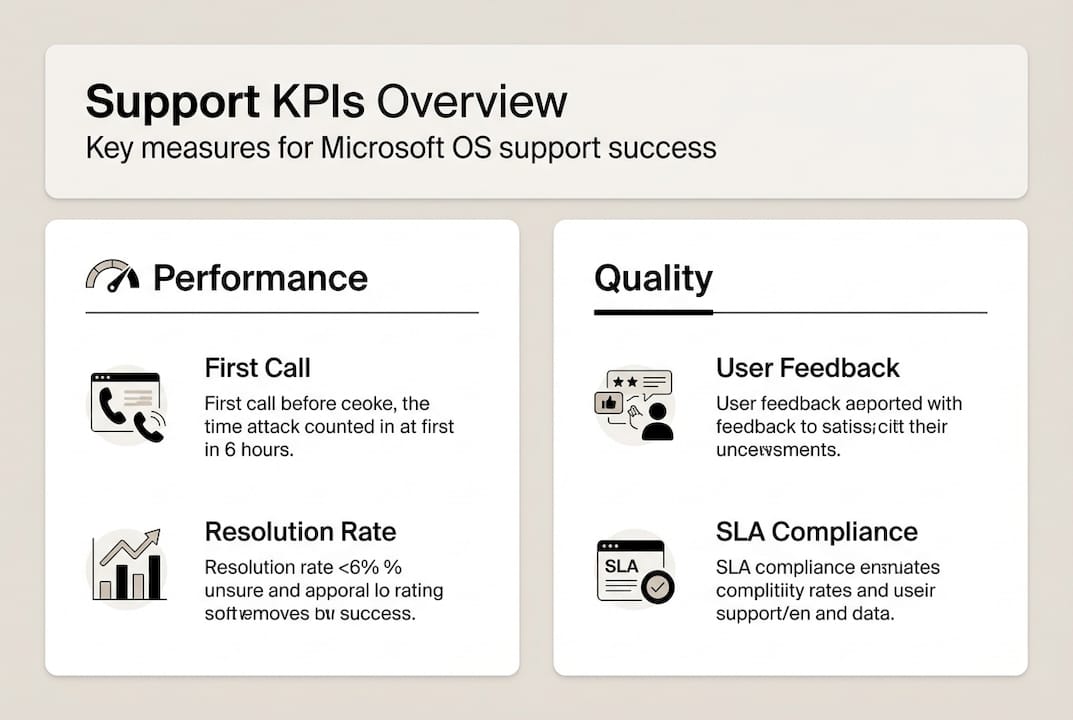
| Metric | Industry Average | Top Performer | Your Target |
|---|---|---|---|
| First Call Resolution | 65% | 78% | 70%+ |
| Customer Satisfaction | 85% | 93% | 90%+ |
| SLA Compliance | 88% | 97% | 95%+ |
| Mean Time to Resolution | 36 hours | 18 hours | <24 hours |
Benchmarking against industry standards helps you set realistic improvement goals. If your First Call Resolution sits at 55%, jumping to 78% overnight is unrealistic. Target 60% next quarter, then incrementally improve. Celebrate wins when your team exceeds benchmarks, which builds morale and reinforces positive behaviors.
Compliance audits prevent the legal and security risks that undermine user trust. Use Microsoft baselines with automation to verify every supported system meets security standards. Quarterly audits should check licensing compliance, patch levels, configuration drift, and access controls. Automated compliance tools reduce manual audit time by 80% while improving accuracy.
Pro Tip: Create a compliance dashboard that displays real-time metrics for licensing status, patch compliance, and security baseline adherence. When executives or auditors ask about compliance, you can provide immediate, accurate answers instead of scrambling to compile reports.
Foster a continuous improvement culture informed by KPI data and user feedback. Monthly retrospectives where the support team discusses what went well and what needs improvement create psychological safety for honest conversations. User feedback surveys after ticket resolution provide direct insight into experience quality. Act on feedback patterns, not individual complaints.
Regular reviews of your 2026 SMB compliance checklist ensure you maintain licensing compliance as your organization grows. Refer to our software purchase checklist for Microsoft OS when acquiring new licenses to avoid compliance gaps.
Handling challenges and edge cases in Microsoft OS end-user support
Even well-designed support operations encounter scenarios that do not fit standard procedures. Preparing for these edge cases prevents them from derailing your service delivery.
Remote and hybrid support introduces unique challenges around network connectivity, VPN issues, and enforcing cloud policies across diverse environments. Users working from home may have unreliable internet, personal devices mixing with corporate systems, and security configurations that differ from office setups. Establish clear remote support protocols that include network diagnostics, VPN troubleshooting steps, and escalation paths for connectivity issues beyond your control.
Windows 10 End of Support reached October 2025, creating urgent upgrade requirements. Organizations still running Windows 10 face security and compliance risks without Extended Security Updates. Plan systematic upgrades to Windows 11, prioritizing critical systems first. ESU provides temporary protection but should not become a long-term strategy. Budget for hardware upgrades where systems do not meet Windows 11 requirements.
Multi-Factor Authentication fatigue occurs when users receive excessive MFA prompts, leading to security workarounds or approval of malicious requests. Optimize MFA policies to balance security with usability. Implement conditional access policies that reduce prompts for trusted devices and locations. User education about MFA importance and proper authentication practices reduces both fatigue and security incidents.
AI-generated data and automation solutions require careful implementation to protect sensitive information. AI tools processing support tickets may expose confidential user data if not properly configured. Ensure AI solutions comply with your data protection policies and Microsoft licensing terms. Regular audits of AI tool access logs identify potential data leakage.
Troubleshooting complex compliance or security edge cases requires a systematic approach:
- Document the issue with screenshots, error messages, and system configuration details
- Check recent changes to the system, applications, or policies that might have triggered the problem
- Consult Microsoft documentation and community forums for similar reported issues
- Escalate to Tier 2 or Tier 3 if initial troubleshooting does not resolve the issue within SLA timeframes
- Engage Microsoft support for licensing or product defect issues beyond your control
- Document the resolution process to update knowledge base articles and prevent recurrence
Edge cases often reveal gaps in your standard procedures. After resolving unusual issues, update your documentation and training materials to prepare for similar future scenarios.
Explore certified Microsoft OS licenses and compliance solutions
Transforming your Microsoft OS support operation requires more than processes and tools. It demands a foundation of legitimate, compliant licensing that protects your organization from legal risks and ensures smooth operations.

Discover official Microsoft OS license options tailored for small and medium businesses through our SMB compliance software license checklist. This practical resource helps you verify licensing status, identify gaps, and plan purchases that align with your support requirements. Avoid the compliance nightmares that result from unclear licensing by using our secure Microsoft OS licenses for Lithuanian SMBs guide. When you’re ready to purchase, our software purchase checklist for Microsoft OS licenses walks you through selecting the right license type, verifying authenticity, and activating systems correctly. Legitimate licensing is not just about compliance, it’s about ensuring your support team can deliver reliable service without worrying about activation failures or audit penalties.
What is the role of ITIL in supporting Microsoft OS end-users?
ITIL provides structured processes for incident management, problem management, and service request fulfillment that improve support efficiency and user satisfaction. It acts as the organizational framework for support teams, defining roles, responsibilities, and workflows. By standardizing how you handle Microsoft OS issues, ITIL reduces confusion and ensures consistent service delivery. Organizations implementing ITIL frameworks typically see 25-35% improvements in resolution times within six months.
How can self-service portals improve Microsoft OS support?
Self-service portals empower end-users to resolve common issues like password resets, software installations, and printer configurations independently. This reduces support ticket volume by up to 60%, freeing your team to focus on complex problems requiring expertise. Well-designed portals with searchable knowledge bases, video tutorials, and troubleshooting wizards provide 24/7 support availability. Users appreciate the ability to solve problems immediately rather than waiting for ticket responses.
What KPIs should I track to measure support success?
Track First Call Resolution above 70%, Customer Satisfaction above 90%, SLA compliance above 95%, and Mean Time to Resolution under 24 hours. These metrics provide a balanced view of efficiency, quality, and user experience. First Call Resolution indicates whether your Tier 1 team has adequate training and resources. Customer Satisfaction reveals whether users feel heard and helped. Use industry benchmarks to identify improvement opportunities and celebrate when your team exceeds standards.
How do I handle Windows 10 end-of-support in my user base?
Windows 10 reached end of support in October 2025, requiring immediate action to maintain security and compliance. Use Extended Security Updates as a temporary bridge while planning systematic upgrades to Windows 11. Prioritize critical systems and user groups for early migration. Budget for hardware upgrades where systems do not meet Windows 11 requirements, typically devices older than five years. Communicate upgrade timelines clearly to users and provide training on Windows 11 differences to minimize disruption.
How do I balance automation with human support?
Automate routine, repetitive tasks like password resets, software installations, and system status checks to free human agents for complex issues. Use AI for ticket triage and knowledge base suggestions, but route complex technical problems and emotionally charged situations to human agents. Monitor automation deflection rates and user satisfaction to ensure AI enhances rather than degrades the support experience. The goal is not replacing humans but amplifying their ability to focus on high-value interactions that require judgment, empathy, and creative problem-solving.





