
माइक्रोसॉफ्ट 365 फ्री: व्यक्तियों और लघु तथा मध्यम आकार के व्यवसायों के लिए वैध विकल्प
संक्षेप में:
- Microsoft 365 असीमित अवधि के लिए सीमित सुविधाओं के साथ मुफ्त वेब और मोबाइल ऐप्स प्रदान करता है।.
- नि:शुल्क परीक्षणों के लिए क्रेडिट कार्ड की आवश्यकता होती है और समाप्ति तिथि से पहले रद्द न किए जाने पर वे स्वचालित रूप से नवीनीकृत हो जाएंगे।.
- विद्यार्थी और शिक्षक एक सत्यापित स्कूल ईमेल पते के साथ 12 महीनों तक मुफ्त माइक्रोसॉफ्ट 365 प्रीमियम का उपयोग कर सकते हैं।.
अधिकांश लोग मानते हैं कि Microsoft 365 की हमेशा पैसे खर्च होती है। यह धारणा उनका समय बर्बाद करती है और कभी-कभी असली पैसे भी खर्च करवा देती है। सच तो यह है, माइक्रोसॉफ्ट 365 एक महीने का मुफ्त ट्रायल प्रदान करता है। व्यावसायिक और व्यक्तिगत उपयोगकर्ताओं के लिए, और इन सेवाओं को मुफ्त में प्राप्त करने के कई अन्य वैध तरीके भी हैं जिन्हें अधिकांश लोग अनदेखा कर देते हैं। यह मार्गदर्शिका इस भ्रम को दूर करती है। आप ठीक-ठीक जानेंगे कि क्या मुफ्त है, कौन पात्र है, और ऑटो-रिन्यूअल शुल्क या अनुपालन उल्लंघनों जैसे जालों में फंसे बिना कैसे शुरुआत करें। चाहे आप फ्रीलांसर हों, छात्र हों, या एक छोटी टीम चला रहे हों, आपकी स्थिति के अनुरूप एक कानूनी विकल्प मौजूद है।.
विषय-सूची
- ‘Microsoft 365 फ्री’ का वास्तव में क्या मतलब है?
- माइक्रोसॉफ्ट 365 मुफ्त ट्रायल: यह कैसे काम करता है और इससे बचने वाली गलतियाँ
- निःशुल्क वेब और मोबाइल माइक्रोसॉफ्ट 365 ऐप्स: इसमें क्या शामिल है और क्या शामिल नहीं है
- छात्र और शैक्षिक ऑफ़र: विस्तारित मुफ़्त पहुँच की व्याख्या
- अधिकांश उपयोगकर्ताओं के लिए ‘माइक्रोसॉफ्ट 365 फ्री’ ऑफ़र कोई जादुई समाधान क्यों नहीं हैं
- अगले कदम: किफायती, लाइसेंस प्राप्त Microsoft 365 और सॉफ़्टवेयर समाधान अनलॉक करें
- अक्सर पूछे जाने वाले प्रश्न
मुख्य बातें
| बिंदु | विवरण |
|---|---|
| निःशुल्क कोर ऐप्स हमेशा उपलब्ध हैं। | आप Microsoft 365 वेब और मोबाइल ऐप्स को बुनियादी सुविधाओं और 5GB स्टोरेज के साथ, नि:शुल्क उपयोग कर सकते हैं।. |
| परीक्षण अस्थायी आधार पर पूर्ण पहुँच प्रदान करते हैं। | एक महीने के मुफ्त परीक्षण सभी सुविधाओं तक पूर्ण पहुँच प्रदान करते हैं, लेकिन इसके लिए आपको अपना कार्ड विवरण देना होगा और समय रहते रद्द करना होगा।. |
| व्यावसायिक उपयोग के लिए सही योजना आवश्यक है। | छोटे व्यवसायों को यह सुनिश्चित करने के लिए कि वे अनुपालन में रहें और लाइसेंसिंग जोखिमों से बचें, आधिकारिक व्यावसायिक योजनाओं का उपयोग करना चाहिए।. |
| छात्र अपनी पहुँच बढ़ा सकते हैं। | जहाँ ऑफ़र उपलब्ध हैं, छात्र और शिक्षक अपने स्कूल के सत्यापन के बाद 12 महीने तक की मुफ़्त प्रीमियम एक्सेस के लिए पात्र हो सकते हैं।. |
‘Microsoft 365 फ्री’ का वास्तव में क्या मतलब है?
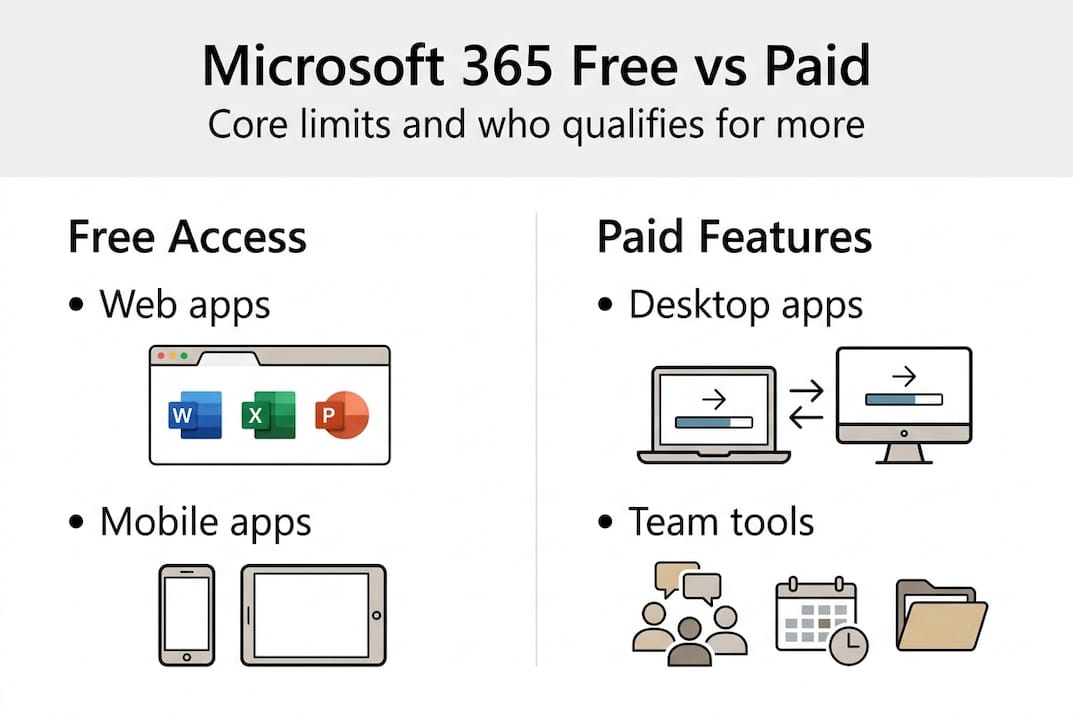
जब माइक्रोसॉफ्ट 365 की बात आती है तो “मुफ्त” शब्द का बहुत इस्तेमाल होता है। लेकिन “मुफ्त” का मतलब हर किसी के लिए एक जैसा नहीं होता। इसे तीन अलग-अलग श्रेणियों में विभाजित करना मददगार होता है: मुफ़्त वेब और मोबाइल ऐप्स, समय-सीमित मुफ्त परीक्षण, और भुगतान किए गए सदस्यताएँ.
मुफ्त वेब और मोबाइल संस्करण कुछ Microsoft 365 ऐप्स अनिश्चित काल के लिए उपलब्ध हैं, लेकिन कुछ सीमाओं के साथ। आपको Word, Excel, PowerPoint और कुछ अन्य टूल्स के ब्राउज़र-आधारित संस्करण निःशुल्क मिलते हैं। इसके लिए आपको केवल एक Microsoft खाते की आवश्यकता है। लेकिन इसमें क्या पकड़ है? कोई डेस्कटॉप इंस्टॉलेशन नहीं, सीमित OneDrive स्टोरेज (5GB) और मोबाइल ऐप्स पर सीमित सुविधाएँ।.
पूर्ण डेस्कटॉप एक्सेस, उन्नत एआई टूल्स और प्रीमियम स्टोरेज सभी के लिए या तो मुफ्त ट्रायल या पेड प्लान की आवश्यकता होती है। यहाँ एक त्वरित तुलना है:
| पहुँच का प्रकार | शामिल ऐप्स | भंडारण | डेस्कटॉप इंस्टॉलेशन | अवधि |
|---|---|---|---|---|
| मुफ्त वेब/मोबाइल | वर्ड, एक्सेल, पावरपॉइंट (मूलभूत) | वनड्राइव के 5GB | ❌ नहीं | अनिश्चित |
| व्यक्तिगत/पारिवारिक परीक्षण | पूर्ण प्रीमियम ऐप्स | वनड्राइव का 100GB | ✅ हाँ | एक महीना |
| व्यावसायिक परीक्षण | पूर्ण सुइट + टीम्स | प्रति उपयोगकर्ता 1TB तक | ✅ हाँ | एक महीना |
| छात्र प्रस्ताव | पूरा प्रीमियम | विभिन्न | ✅ हाँ | 12 महीने तक |
पात्रता योजना के आधार पर भी भिन्न होती है:
- व्यक्तिगत/पारिवारिक: माइक्रोसॉफ्ट खाता रखने वाला कोई भी व्यक्ति
- व्यवसाय300 उपयोगकर्ताओं तक वाली संस्थाओं को एक कार्य डोमेन की आवश्यकता होती है।
- छात्र और शिक्षकएक वैध स्कूल ईमेल पता आवश्यक है; उपभोक्ता विकल्पों के लिए व्यक्तिगत और पारिवारिक परीक्षण का विवरण देखें।
🛑 एक आम भ्रांतिकई उपयोगकर्ता मान लेते हैं कि वे ट्रायल का उपयोग कर सकते हैं और फिर नए खाते के साथ इस प्रक्रिया को दोहरा सकते हैं। माइक्रोसॉफ्ट इसे ट्रैक करता है। एक बार किसी खाते पर ट्रायल का उपयोग हो जाने के बाद, उसे उसी खाते पर फिर से सक्रिय नहीं किया जा सकता।.
छोटे व्यवसायों के लिए यह भी ध्यान देने योग्य है कि व्यक्तिगत योजनाएँ टीम उपयोग के लिए नहीं हैं। यदि आपको छोटे व्यवसायों के लिए माइक्रोसॉफ्ट 365, बिजनेस ट्रायल शुरू करने के लिए सही जगह है, पर्सनल नहीं।.
माइक्रोसॉफ्ट 365 मुफ्त ट्रायल: यह कैसे काम करता है और इससे बचने वाली गलतियाँ
नि:शुल्क परीक्षण प्रक्रिया सरल लगती है। व्यवहार में, कुछ सामान्य गलतियाँ आपको इसका उपयोग करने से रोक सकती हैं या आपको पैसे खर्च करने पड़ सकते हैं। यहाँ यह चरण-दर-चरण ठीक वैसे ही बताया गया है कि यह कैसे काम करता है।.
- आधिकारिक Microsoft 365 पेज पर जाएँ आपके प्लान प्रकार के लिए। का उपयोग करें व्यावसायिक योजना विकल्प टीमों के लिए पेज, या व्यक्तियों के लिए व्यक्तिगत/पारिवारिक पेज।.
- “1 महीने के लिए मुफ्त में आज़माएँ” पर क्लिक करें” और साइन इन करें या माइक्रोसॉफ्ट खाता बनाएँ।.
- कृपया एक वैध क्रेडिट या डेबिट कार्ड दर्ज करें।. परीक्षण सक्रियण के लिए एक वैध कार्ड आवश्यक है।; यह स्वचालित रूप से एक सशुल्क योजना में स्विच हो जाता है जब तक कि आप परीक्षण समाप्त होने से पहले रद्द नहीं करते।.
- डाउनलोड और इंस्टॉल करें ऐप्स, यदि आपके प्लान में डेस्कटॉप एक्सेस शामिल है।.
- रद्दीकरण की याद दिलाने वाला समय निर्धारित करें परीक्षण अवधि समाप्त होने से पहले।.
📅 प्रो टिप: अपने परीक्षण की समाप्ति से 5 दिन पहले कैलेंडर में रिमाइंडर सेट करें। इससे आपको रद्द करने, किसी भी फ़ाइल को एक्सपोर्ट करने और यह तय करने का समय मिलता है कि क्या आपके लिए पेड प्लान वास्तव में उपयोगी है।.
अब, समस्याएँ। ये वे सबसे आम कारण हैं जिनकी वजह से लोग अटक जाते हैं या अतिरिक्त भुगतान कर देते हैं:
- प्रीपेड या वर्चुअल कार्ड अक्सर ब्लॉक हो जाते हैं।. Microsoft को भविष्य के बिलिंग के लिए सत्यापित किया जा सकने वाला कार्ड आवश्यक है। प्रीपेड वीज़ा गिफ्ट कार्ड या अधिकांश वर्चुअल कार्ड इस सत्यापन को पास नहीं करते।.
- देश या पता मेल नहीं खाता आपके Microsoft खाते और बिलिंग विवरणों के बीच असंगतताएँ त्रुटियों का कारण बन सकती हैं।.
- आपके खाते को समाप्त हो चुके परीक्षण के कारण चिह्नित किया गया है।. यदि आपने पहले कोई Microsoft 365 उत्पाद आज़माया है, तो वही खाता उसी योजना के लिए नया परीक्षण शुरू नहीं कर सकता।.
- परीक्षण अवधि के दौरान भंडारण सीमाएँ लागू होती हैं।. बिजनेस ट्रायल 300 उपयोगकर्ताओं तक का समर्थन करते हैं, लेकिन पूर्ण प्लान सक्रिय होने तक सीमित साझा भंडारण विन्यासों के साथ आते हैं।.
समझना लाइसेंस प्राप्त सॉफ़्टवेयर के लाभ यहाँ जो बात मायने रखती है वह यह है। ट्रायल असली टेस्ट ड्राइव होते हैं, और ये आपको वास्तविक पहुँच देते हैं। लेकिन इन्हें आपका भुगतान करने वाला ग्राहक बनाने के लिए डिज़ाइन किया गया है। एक योजना के साथ आगे बढ़ें। जानें कि आपको क्या टेस्ट करना है, और एक स्पष्ट समयसीमा निर्धारित करें।.
अपने लाइसेंसिंग दायित्वों का आकलन करने वाले व्यवसायों के लिए, एक की समीक्षा करना सॉफ़्टवेयर लाइसेंस अनुपालन मार्गदर्शिका यह आपके ट्रायल शुरू करने से पहले करना एक अच्छा विचार है। यह आपको यह समझने में मदद करता है कि आपकी टीम को वास्तव में दीर्घकालिक रूप से किस योजना की आवश्यकता है।.
निःशुल्क वेब और मोबाइल माइक्रोसॉफ्ट 365 ऐप्स: इसमें क्या शामिल है और क्या शामिल नहीं है
ट्रायल के लिए तैयार नहीं हैं? मुफ्त वेब और मोबाइल ऐप्स आकस्मिक उपयोगकर्ताओं के लिए एक व्यवहार्य विकल्प हैं। लेकिन वास्तविक काम के लिए उन पर भरोसा करने से पहले आपको उनकी सीमाओं से अवगत होना चाहिए।.
नि:शुल्क माइक्रोसॉफ्ट खाते के साथ आपको ये मिलता है:
| ऐप | वेब संस्करण | मोबाइल संस्करण | डेस्कटॉप संस्करण |
|---|---|---|---|
| शब्द | ✅ बुनियादी संपादन | ✅ बुनियादी | ❌ निःशुल्क नहीं |
| एक्सेल | ✅ बुनियादी संपादन | ✅ बुनियादी | ❌ निःशुल्क नहीं |
| पावरपॉइंट | ✅ बुनियादी संपादन | ✅ बुनियादी | ❌ निःशुल्क नहीं |
| वनड्राइव | ✅ 5GB स्टोरेज | ✅ 5GB | ❌ निःशुल्क नहीं |
| Teams | ✅ Free tier | ✅ Free tier | ✅ Free tier |
| Copilot AI tools | ❌ Not included | ❌ Not included | ❌ Not included |
Free web and mobile versions provide basic Word, Excel, and PowerPoint, but only 5GB storage and no offline or advanced features. That is fine for occasional tasks. It is not fine for anyone managing large files, working offline, or needing advanced formulas and formatting.
The biggest gaps to know about:
- No offline access. If your internet drops, you cannot work.
- No desktop apps. You cannot use keyboard macros, advanced Excel pivot tools, or Word’s full formatting suite.
- Limited third-party integrations. Many business tools that plug into Microsoft 365 require the desktop or premium version.
- Only 5GB of OneDrive storage. That fills up fast if you store photos, videos, or large documents.
💡 प्रो टिप: You can pair the free web apps with open-source tools like LibreOffice for offline editing. Use Microsoft’s web version for collaboration and sharing, and LibreOffice when you need to work without an internet connection.
For most casual users, the free apps cover the basics. But for anyone using safe software use guidelines for a business environment, the web apps alone are not enough for compliance or consistent productivity.

छात्र और शैक्षिक ऑफ़र: विस्तारित मुफ़्त पहुँच की व्याख्या
Students and educators are in a uniquely good position. Microsoft offers substantially more free access to this group than it does to the general public.
Here is what the current education offer includes and who qualifies:
Eligibility checklist:
- ✅ Currently enrolled student at an accredited college or university
- ✅ Valid school-issued email address (usually ending in .edu)
- ✅ Age requirement met per Microsoft’s terms
- ✅ Offer must be live in your country
Student offers provide up to 12 months free with school email verification, and this is a limited-time offer. The 2026 announcement also added LinkedIn Premium Career to the package, which is a significant bonus for anyone job hunting alongside their studies.
Standard consumer trials are 1 month. That means students can get up to 12x more free access than a regular individual user, and with full premium features included.
🎁 प्रो टिप: Do not assume your school automatically gives you access. Check your school’s IT portal or Microsoft’s education page directly. Some institutions have separate Microsoft deals that give full access through the school account, separate from Microsoft’s public student offer.
For educators, similar options may apply depending on the institution. If you are in higher education and want to make sure your software use is legitimate, reviewing software safety benefits for genuine licenses is a good habit. Free access through official channels is always safer than third-party workarounds, especially when handling student data.
The student free offers are genuinely valuable, but act fast. These promotions are time-limited and can be pulled or changed at any point.
अधिकांश उपयोगकर्ताओं के लिए ‘माइक्रोसॉफ्ट 365 फ्री’ ऑफ़र कोई जादुई समाधान क्यों नहीं हैं
Here is the honest take that Microsoft’s own marketing will never give you. Free access to Microsoft 365 is real. It is also mostly useful as a short-term test or a lightweight tool, not a permanent work solution.
For individuals doing occasional editing, the free web apps work. For a student on a tight budget, the 12-month offer is genuinely great. But for small businesses? The picture changes fast.
Using a Personal plan to run business operations is a real compliance risk. Legitimate free access is possible but limited in features and terms, and business users need dedicated plans for compliance. If your team stores client data, sends business emails, or needs admin controls, a Personal plan can expose you to data security gaps and license violations.
The free trial is not a long-term plan either. It is one month. After that, you either pay or lose access. Hopping between accounts to extend free access violates Microsoft’s terms and risks losing your data entirely.
For real work, the conclusion is straightforward: use free tools to evaluate, then invest in affordable business-grade Microsoft 365 for actual operations. The cost of a proper license is always lower than the cost of a compliance issue or a data breach.
अगले कदम: किफायती, लाइसेंस प्राप्त Microsoft 365 और सॉफ़्टवेयर समाधान अनलॉक करें
You now know what is genuinely free, who qualifies, and where the risks are. The next move is making sure your software setup is fully legitimate and properly licensed for your actual needs.

Official licensing is not just about following rules. It is about protecting your data, your business, and your ability to work without interruption. Whether you are an individual, a student, or a small business owner, the right license makes everything more secure and reliable. Start by reading our guide to find the best license fit for your situation. And if you are unsure about your current setup, you can also check your Windows licence validity to make sure everything is in order before you go further. 🔥
अक्सर पूछे जाने वाले प्रश्न
Can I really use Microsoft 365 for free long-term?
Free web and mobile versions of Microsoft 365 apps are available indefinitely without a subscription, but desktop apps and premium features require a paid plan or active trial.
What do I need to start a Microsoft 365 free trial?
Trial activation requires a valid credit or debit card for verification; cancel before the trial period ends to avoid automatic charges.
Can I use Microsoft 365 Personal for my business?
Microsoft 365 Personal is intended for individuals; using it for small business operations may violate Microsoft’s terms and create compliance risks.
Do students get more Microsoft 365 features for free?
Yes. Student offers provide up to 12 months of free Microsoft 365 Premium with valid school email verification, when the offer is active in your region.





