
Customer support tips for buying genuine Microsoft licenses
TL;DR:
- Choosing genuine Microsoft licenses from authorized sources ensures reliable support and reduces deactivation risks for small businesses.
- Research vendor reviews, verify support responsiveness, and avoid gray-market keys that violate licensing terms and may be revoked, causing operational disruptions.
Buying a Microsoft license sounds simple. But for small businesses and IT professionals, choosing the wrong vendor can mean wasted money, blocked activation keys, and zero support when things go wrong. The stakes are real. A deactivated Windows license mid-project can halt operations, frustrate employees, and create compliance headaches that take weeks to resolve. This article gives you a practical, no-fluff roadmap for evaluating vendors, spotting red flags, and getting the best possible support experience when purchasing genuine Microsoft software licenses.
Índice
- Key criteria for choosing software vendors with great support
- Review platforms and research: How to spot support red flags
- Watch for license traps: Avoiding deactivation and compliance risks
- Comparison table: Legitimate vs risky software buying options
- Expert tips for a smoother support experience
- What most software buyers get wrong about support (and how to fix it)
- Get reliable support for your Microsoft software purchase
- Preguntas más frecuentes
Principales conclusiones
| Punto | Detalles |
|---|---|
| Choose official vendors | Buy Microsoft licenses only from official or authorized sources to ensure support and legitimacy. |
| Check support quality | Review support history and real buyer comments to avoid vendors with poor service records. |
| Beware license traps | Individually resold volume or OEM keys risk deactivation—always match the license type to your case. |
| Test support responsiveness | Contact vendors with real questions before your purchase to assess their true support. |
| Document all interactions | Keep a record of all support conversations and agreements to resolve any future disputes. |
Key criteria for choosing software vendors with great support
Having set the stage, let’s explore the essentials for support-focused software selection.
Not every vendor that sells Microsoft licenses is created equal. Some offer fast delivery but disappear the moment something goes wrong. Others look polished online but can’t answer a basic question about license types. The quality of customer support is often the difference between a smooth purchase and a costly mistake.
Start with the source. Buying genuine licenses directly from Microsoft, authorized retailers, or Cloud Solution Provider (CSP) partners guarantees both authenticity and access to structured support. A CSP partner, for context, is a Microsoft-certified reseller authorized to sell and support Microsoft products directly. This matters because it means accountability.
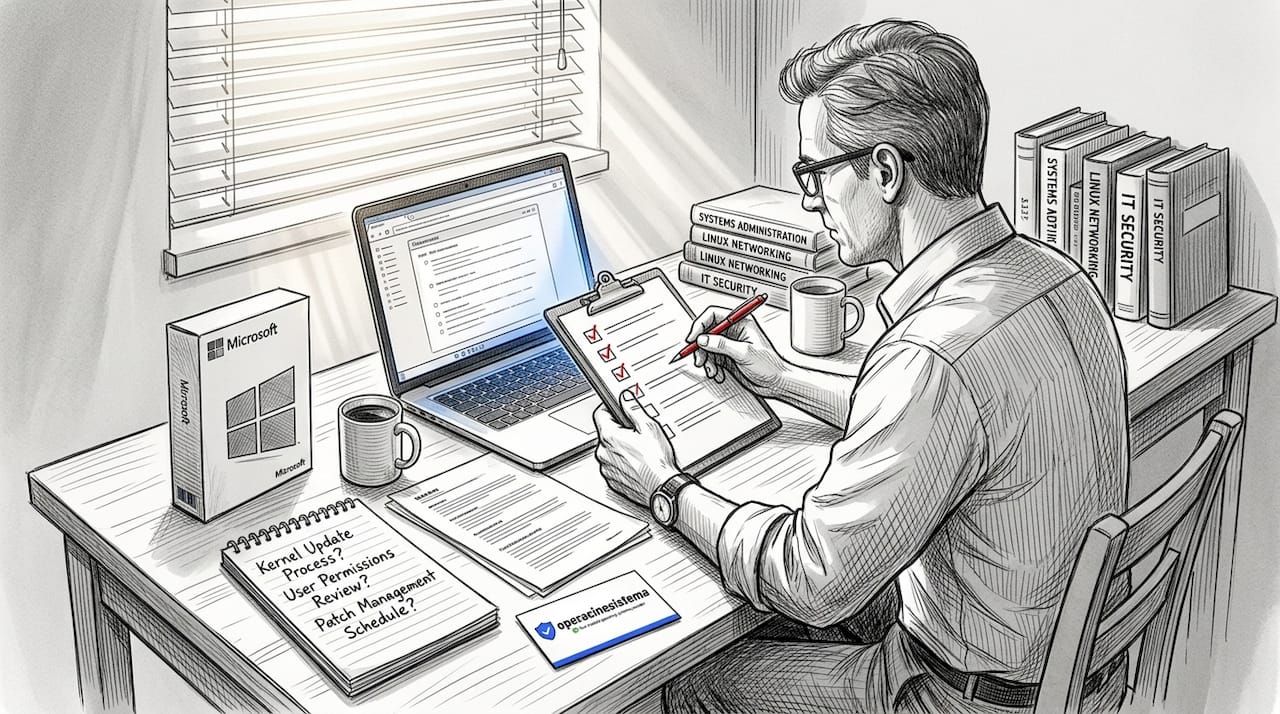
The support checklist every buyer should use
Before finalizing any purchase, run your vendor through this checklist:
- ✅ Multiple support channels: Does the vendor offer email, live chat, and phone support? Relying on a single channel is a risk if it goes down.
- ✅ Published response times: Good vendors state how quickly they respond, typically within a few hours for priority issues.
- ✅ Service level agreements (SLAs): An SLA is a written commitment to response and resolution times. If a vendor can’t provide one, that’s a concern.
- ✅ Clear escalation paths: Ask how issues are escalated. If there’s no second tier of support, complex problems may never get resolved.
- ✅ Post-purchase resources: Look for installation guides, activation instructions, FAQs, and access to support staff after the sale closes.
- ✅ Refund and warranty policies: Reputable vendors offer documented return or refund policies, especially for unopened or unactivated products.
Knowing how to verify genuine Microsoft OS licenses before purchase adds another layer of protection to your procurement process. Combine that with solid secure software buying tips and you’ve built a solid pre-purchase process.
“Poor customer service costs businesses more than $75 billion annually, largely due to unresolved issues and customer churn.” — NewVoiceMedia Research
Pro Tip: Before committing to a vendor, contact their support team with a straightforward question about license types. Time how long it takes to get a useful answer. If it takes days or feels scripted and unhelpful, walk away.
That single test tells you more than any marketing page. Great vendors respond quickly and clearly. Weak ones delay, deflect, or provide generic answers that don’t actually help.
Review platforms and research: How to spot support red flags
With a support checklist in hand, the next step is gathering outside evidence on how vendors actually perform.
You can’t rely solely on a vendor’s own website to judge their support quality. Of course their homepage says “24/7 support” and “5-star service.” What you need is real feedback from real buyers who experienced problems and needed help. That’s where review research becomes critical.
Steps to evaluate vendor support using reviews
-
Search the vendor on multiple platforms. Use platforms like G2, Trustpilot, and Google Reviews. Cross-referencing at least two or three sources gives you a much clearer picture than relying on any single site. Review platform research focused on support quality is one of the most effective vendor evaluation strategies available.
-
Filter for one and two-star reviews specifically. Most buyers leave positive reviews when things go smoothly. The negative reviews reveal how the vendor actually handles problems. Read the details carefully.
-
Look for specific support complaints. Phrases like “couldn’t get through,” “took two weeks to respond,” “my key was deactivated and they never fixed it,” or “no refund despite promises” are serious red flags. Vague complaints about price are less relevant than concrete support failures.
-
Check how the vendor responds to negative reviews. Does the company reply to complaints professionally and resolve issues publicly? Or do they ignore criticism? A vendor that engages thoughtfully with negative feedback usually takes support seriously.
-
Search forums and IT communities. Subreddits like r/sysadmin, Spiceworks community boards, and IT-focused Facebook groups often have candid discussions about license sellers. These are unfiltered, peer-level conversations that review sites don’t always capture.
-
Check for patterns over time. One bad review might be an outlier. A dozen similar complaints from different years is a pattern. Pay attention to whether issues are recent or old, and whether they’ve improved or gotten worse.
Red flag patterns to watch for 🛑
- Repeated reports of license keys being deactivated after a few weeks
- Multiple buyers saying support is slow, unreachable, or unhelpful after payment
- Complaints about licenses not matching the advertised type (e.g., OEM sold as retail)
- No visible response to negative feedback from the company
- Vague or missing contact information on the website
Applying solid buenas prácticas en materia de licencias de software during your research phase will save you from vendors who look fine on the surface but fall apart when you need them most.
Pro Tip: Go beyond the star rating and read the actual text of reviews. A vendor with a 4.2-star average might have dozens of specific complaints about post-purchase support buried in the three-star reviews. The details are everything.
Watch for license traps: Avoiding deactivation and compliance risks
Vendor reputation matters, but buyers also need to understand what makes a license legitimate and what puts them at risk.
Here’s something many small business buyers don’t realize: not every license being sold online is legal to use in your situation. The price might look great. The key might activate your system today. But weeks or months later, Microsoft may flag it, and you could find yourself with a deactivated system and no recourse from the seller.
Why some licenses are ticking time bombs 🛑
OEM and volume keys resold individually violate Microsoft’s licensing terms, which means Microsoft can and does deactivate them remotely. OEM licenses are designed to be tied to a single original piece of hardware sold by a manufacturer. Volume licenses are intended for organizations with specific agreements, not for individual retail sale.
When a gray-market vendor sells you one of these keys at a steep discount, they’re selling you a liability. The fact that the key activates Windows initially doesn’t mean it’s valid long-term. Microsoft periodically audits activations, and keys that don’t check out get revoked.
Here’s what to watch for when reviewing a license:
- ✅ Retail license: Fully transferable, can be moved between devices, and supported directly. This is the gold standard for individual and business buyers.
- ✅ OEM license (from original manufacturer): Tied to the hardware it shipped with. Acceptable only if you’re buying a new device and the key comes pre-installed or packaged with that device.
- ⚠️ Volume license (resold individually): Intended for enterprise agreements. Reselling a single key from a volume batch is against Microsoft’s terms.
- 🛑 Unknown source key: Any key sold at an extreme discount with no clear provenance should be treated as high-risk. If the vendor can’t explain where the key came from, assume the worst.
Comprender la ventajas del software oficial goes far beyond just the license itself. Official licenses come with security updates, guaranteed compatibility, and Microsoft support access. Gray-market buys often sacrifice all of that.
“Purchasing Volume or OEM licenses outside of their intended use case is one of the most common compliance mistakes businesses make, and the deactivation risk is not theoretical. It happens regularly.” — Software licensing compliance expert
Good customer support from a reputable vendor can also help you understand exactly what license type you need before you buy. That kind of pre-purchase guidance is a major advantage of working with legitimate, responsive sellers. Make sure you understand the risk with genuine licenses versus non-genuine ones before making any purchasing decision.
Comparison table: Legitimate vs risky software buying options
It’s easier to judge options when you see the key support and risk factors side by side.
When evaluating your buying options, comparing them directly helps you see the full picture. Price alone is misleading. What you really need to weigh is total risk, support access, and long-term compliance.
| Factor | Official channels (Microsoft, authorized retailers, CSPs) | Gray-market resellers (OEM/volume key resellers) | Unknown sources |
|---|---|---|---|
| License authenticity | Garantizado | ⚠️ Questionable | 🛑 Unknown |
| Deactivation risk | Muy bajo | Alta | Extremely high |
| Customer support | Full support available | Varies, often limited | Rarely available |
| Garantía | Yes, documented | Rarely offered | None |
| Compliance | Fully compliant | Often non-compliant | Non-compliant |
| Refund policy | Clear and structured | Inconsistent | Nonexistent |
| Post-purchase help | Installation and activation support | Rarely available | None |
| Precio | Higher but transparent | Low, with hidden risks | Very low, very risky |
As the Microsoft Licensing Guide makes clear, buying directly from Microsoft, authorized retailers, or CSP partners is the only way to guarantee genuine license support. Everything else introduces varying degrees of risk.
Use the software purchase checklist to run through your options systematically before committing. And if you’re uncertain whether a key you already have is valid, you can check if your Windows key is valid to confirm its status before deploying it.
The table makes it clear: the upfront cost savings from gray-market or unknown sources are almost always outweighed by the support gaps, compliance risks, and potential deactivation headaches you’ll face later. For small businesses especially, a single deactivated license during a critical workday can cost far more than the money saved on a discounted key.
Expert tips for a smoother support experience
After comparing your options, these pro tips help ensure a stellar support experience whatever vendor you choose.
Even when you choose the right vendor, you can do a lot to maximize the quality of support you receive. Most buyers leave too much to chance. Being prepared before and after your purchase puts you in a much stronger position if something goes wrong.
Steps to get the most out of vendor support
-
Document every conversation. Keep records of email threads, chat logs, and any phone conversations. Note the date, time, and name of the support representative. This documentation is invaluable if a dispute arises later.
-
Understand the escalation path before you need it. Ask the vendor: “If my initial support contact can’t resolve my issue, who do I contact next?” Knowing the escalation process in advance saves you time and frustration during a real problem.
-
Keep your warranty and license information organized. Store your product key, purchase receipt, and any warranty documentation in a secure location. Losing these makes it much harder to get help quickly.
-
Request onboarding or installation assistance upfront. Many vendors offer setup guidance, but buyers rarely ask for it. Before your purchase is complete, ask if they provide step-by-step activation support or a direct helpline for installation issues.
-
Test responsiveness before you buy. Send a pre-purchase inquiry and measure the response quality and speed. A vendor who responds promptly and clearly before the sale is much more likely to support you well after it.
-
Create a post-purchase issue checklist. Know exactly what steps you’ll take if activation fails. This includes: checking your key for typos, confirming the license type matches your device, contacting vendor support with your order number ready, and if necessary, reaching out to Microsoft directly.
-
Use the software license checklist to stay on top of compliance requirements for your team. A well-maintained license record prevents issues before they start.
-
Review support performance after your purchase. If the support experience was poor, leave a detailed review on a platform like G2 so other buyers benefit from your experience. Vendor evaluation platforms only get better when buyers contribute honest, detailed feedback.
Pro Tip: Test the vendor’s support before your order is complete. Send a question about license compatibility, refund terms, or installation help. If you don’t get a clear, useful answer within a few hours, treat that as a signal to keep looking.
Great support isn’t just reactive. The best vendors actively help you avoid problems by providing clear resources, proactive communication, and knowledgeable staff who understand both the product and your situation. Don’t settle for less.
What most software buyers get wrong about support (and how to fix it)
Let’s close with a candid perspective that can help buyers avoid common support pitfalls.
Here’s the uncomfortable truth: most small businesses don’t think about support until something breaks. They shop by price, place the order, activate the key, and move on. Support becomes an afterthought, something they scramble for when activation fails three months after the purchase.
That’s the wrong approach entirely.
Think about it this way. When you buy a business-critical tool, whether that’s a physical machine, a cloud platform, or an operating system, you’re not just buying a product. You’re buying a relationship. The support structure around that product determines whether your investment works for you over the long term or becomes a source of ongoing stress.
We’ve seen this pattern repeatedly with software buyers who come to us after a bad experience elsewhere. They chose a vendor based on a low price, never tested the support, and then needed help urgently when something went wrong. The vendor was slow, unhelpful, or simply gone. By then, the damage was done.
The buyers who have the best outcomes are the ones who treat a license purchase the same way they’d treat hiring a vendor for any other business service. They ask hard questions upfront. They test the responsiveness. They read the fine print on refunds and warranties. They verify the license type before activating it. They build a process, not just a transaction.
Another major pitfall is ignoring post-sale support entirely. Many vendors offer resources like activation guides, compatibility FAQs, and direct support lines but buyers never use them until they’re in crisis mode. If your vendor provides onboarding resources, use them immediately after purchase. Understand how the license works, confirm the activation is stable, and note any expiry or renewal requirements. This proactive approach catches problems early, when they’re still easy to fix.
The businesses that consistently get the most from their software investments are the ones that build relationships with trusted, authentic software providers rather than chasing the cheapest option available at any given moment. Authenticity and reliability are not extras. They’re the foundation of a software purchase that actually works.
Price matters, yes. But the cost of a deactivated license, a compliance audit, or a lost workday is always higher than the amount saved on a gray-market deal. Reframe how you think about a software license. It’s not a commodity. It’s an investment in your business continuity.
Get reliable support for your Microsoft software purchase
Now that you know how to buy with confidence, get started with a trusted provider.
Choosing a vendor with strong support isn’t just about peace of mind. It’s a practical business decision that protects your operations, your data, and your compliance standing. You’ve done the research. You know what red flags to avoid, what questions to ask, and how to evaluate your options honestly.

The next step is taking action with a provider you can trust. Explore genuine Microsoft license keys from a verified source, and make sure your business is set up to stay compliant with current licensing requirements. If you’re ready to deploy Windows 10 securely, our secure Windows 10 licensing guide walks you through every step of making a safe, legitimate purchase. Start with confidence, knowing you have both genuine software and dependable support behind you. 🔥
Preguntas más frecuentes
What is the difference between buying Microsoft licenses from official channels versus gray-market resellers?
Official channels guarantee genuine licenses with full support and minimal deactivation risk, while gray-market resellers may sell ineligible or non-compliant keys that can be revoked at any time.
How can I verify a Microsoft license is genuine before buying?
Check with the official Microsoft website, review purchase documentation carefully, and request written proof of authenticity from the seller before completing the transaction.
Why do some Microsoft licenses get deactivated after purchase?
Licenses are often deactivated because they were OEM or volume keys resold individually, which violates Microsoft’s licensing terms and triggers remote revocation.
What should I ask a vendor to confirm they offer good support?
Request specific details about their support channels, typical response times, service level agreements, escalation procedures, and ask for references or verifiable reviews from real clients.
Recomendado
- Consejos para comprar software seguro de Microsoft en 2026
- Guía de compra de licencias de Windows seguras: compra de software paso a paso
- Licencia original de Windows 10/11 Pro: cómo distinguir la auténtica de la falsa y elegir la mejor versión USB - operacinesistema.lt
- Lista de comprobación de compra segura de software para licencias de SO de Microsoft





