
安全如何为明智的微软许可选择提供动力
简而言之:
- Owning a genuine Microsoft license is essential but insufficient for security success, as licenses do not inherently provide protection.
- Security and licensing must be deliberately integrated, with higher license tiers unlocking advanced security tools critical for safeguarding systems.
Owning a genuine Microsoft license is a smart start, but it is not a security shield on its own. Many small business owners and IT resellers assume that once they purchase and activate an official Windows key, their systems are protected. That assumption can be costly. Attackers do not always target fake software. Sometimes they go after systems with real licenses that lack proper security layers around them. This article breaks down why security and licensing must work together, what that looks like in practice, and how you can apply these steps to protect your business and your clients.
目录
- Why security matters in Microsoft licensing
- How Microsoft ties security and licensing together
- Ensuring operational legitimacy: Activation, monitoring, and drift prevention
- Secure admin roles: Least privilege in license activation
- Why real security in licensing is more than a checklist
- Secure your Microsoft licensing and boost your security 🔥
- 常见问题
主要收获
| 点 | 详细信息 |
|---|---|
| Licensing alone isn’t security | A Microsoft license is essential for legitimacy but does not provide built-in protection from threats. |
| Layer security with compliance | Combine license checks, anti-tamper tools, proper tier selection, and server validation to truly secure systems. |
| Monitor and audit regularly | Use activation tools and regular checks to ensure licenses remain valid and secure as your business grows. |
| Restrict privileged roles | Limit high-level admin access during license activation to prevent security weaknesses and accidental exposures. |
| Upgrade for advanced features | Premium licensing tiers unlock vital security and compliance features that basic licenses do not provide. |
Why security matters in Microsoft licensing
Let’s address the most common misconception first. A lot of people believe that buying a legitimate license means their Microsoft environment is secure. It means the software is legally yours to use. That is it. Security is a separate layer, and the two must be deliberately paired.
Think about it this way: you can own a car with a valid registration, but without seatbelts, airbags, and proper locks, you are still at risk. A license is your registration. Security is everything that keeps you safe while driving.
Real-world examples show this clearly. Businesses have suffered malware infections and data breaches on fully licensed Windows installations because they skipped patching, monitoring, or access controls. The license was valid. The environment was not secure. The outcome was still harmful.
Microsoft itself reinforces this. Client-side license checks can be bypassed if protection is limited to only the client side, and Microsoft guidance recommends layering anti-tamper controls alongside server-side validation to strengthen the overall integrity of any activation system.
This matters to you as an SMB owner or IT reseller because it means simply verifying that a license key activates is not enough. You need checks in place that catch unauthorized changes, flag suspicious behavior, and validate status continuously, not just at setup.
“Security maturity requires more than just software licensing. It includes governance, monitoring, and additional security capabilities layered on top of any technical controls already in place.”
That quote speaks directly to what we see in the field. Organizations treat licensing as the finish line. It is actually the starting block.
Here are the specific ways security and licensing must be connected:
- ✅ Licensing tells you what you can use legally
- ✅ Security tells you how safely you are using it
- 🛑 Licensing alone does not block malware, phishing, or unauthorized access
- 🛑 A valid activation key does not apply patches or enforce strong passwords
- ✅ Both must be actively managed, reviewed, and updated
If you want a structured starting point, review our secure software purchase checklist before your next activation cycle. And for deeper insight into protecting your environment, explore our Microsoft OS security strategies guide.
Now that you see why licenses alone are not enough, let’s break down how Microsoft weaves security and licensing together for real protection.
How Microsoft ties security and licensing together
Microsoft does not just sell software. It builds specific security capabilities into specific license tiers. The version you choose determines what security tools you can actually access and enforce. That is a direct, practical connection most buyers do not fully consider before purchasing.
This is especially true for Microsoft 365. The difference between a basic subscription and a premium one is not just storage or features. It is security access. Tenant-level security and compliance services in Microsoft 365 require the correct subscription licenses for both legal access and technical enablement. Without the right license, the security feature simply is not available to you, no matter how good your intentions are.
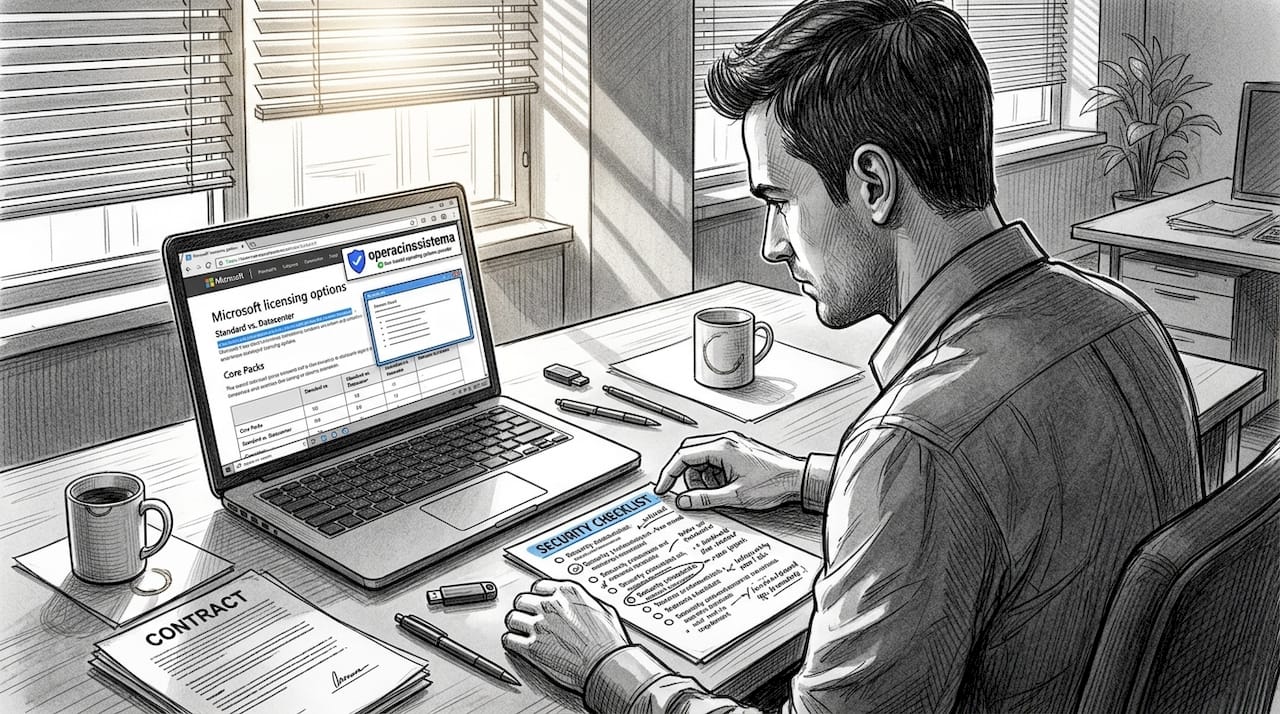
And it goes further than just feature access. Security maturity and license tiers are directly mapped, meaning the higher your security requirements, the higher the license level you will typically need to meet them. Basic licenses give basic protection. Premium licenses unlock advanced threat detection, identity protection, and compliance tools.
Here is a practical comparison to illustrate this:
| License level | Security features included | Best suited for |
|---|---|---|
| Windows 10/11 Home | Basic Windows Defender, BitLocker limited | Personal use only |
| Windows 10/11 Pro | Full BitLocker, Remote Desktop, Group Policy | SMBs and IT resellers |
| Microsoft 365 Business Basic | Cloud apps, standard security | Very small teams |
| Microsoft 365 Business Premium | Advanced threat protection, Intune, Defender for Business | Growing SMBs |
| Microsoft 365 E3/E5 | Full compliance suite, identity protection, SIEM integration | Enterprise or larger |
As an IT reseller, this table should shape every client conversation. When a client asks what license they need, the right question back is: “What security posture do you need to maintain?” The two answers determine the right purchase decision together.
Key security features unlocked by higher license tiers include:
- 🔥 Microsoft Defender for Business: Advanced endpoint detection only available from Business Premium upward
- ✅ Microsoft Intune: Device management and policy enforcement tied directly to license eligibility
- ✅ Azure Active Directory Premium: Conditional access and multi-factor authentication at scale
- 🛑 Purview Compliance tools: Legal hold, eDiscovery, and data loss prevention require E3/E5 or add-on licenses
- ✅ Microsoft Secure Score: Available at varying depths depending on subscription level
Choosing the wrong license is not just a budget decision. It is a security gap. The tool you need to stop a breach might literally be behind a paywall you have not crossed yet.
If you are thinking about how to structure licensing decisions across a portfolio of clients, our guide on optimizing software licensing lays out practical frameworks. You should also review the software safety features that come with genuine Microsoft licenses before you advise any client on a purchase.
Pro Tip: Before upgrading or scaling any client operation, review both the license tier requirements and the security feature requirements side by side. A mismatch at this stage creates expensive fixes later.
Understanding the direct connection between Microsoft’s security features and license tiers sets the stage for tackling a hidden challenge: staying compliant and secure in day-to-day IT operations.
Ensuring operational legitimacy: Activation, monitoring, and drift prevention
You activated your license. Great. But what happens in month six when something quietly changes? Licenses can drift. Activation can expire or fail silently. Systems can fall out of compliance without any visible warning. This is what we call licensing drift, and it is more common than most SMBs realize.
Monitoring is not optional. It is an ongoing responsibility. Fortunately, Microsoft provides clear, documented methods for monitoring activation status across your environment. Here is what each tool actually does and when to use it:
| Monitoring method | What it checks | 最适合 |
|---|---|---|
| VLSC (Volume Licensing Service Center) | License counts, key usage, entitlements | Businesses with volume licenses |
| Slmgr commands | Activation status, expiration, grace periods | Individual machines, IT admins |
| WMI scripts | Bulk status queries across multiple machines | IT resellers managing many clients |
| Windows event logs | Activation events, failures, status changes | Auditing and compliance reviews |
Each method has trade-offs. VLSC is great for seeing the big picture but requires you to log in and check actively. Slmgr is fast and powerful but you need to know the right commands. WMI scripts scale well but require some scripting ability. Event logs capture history but require you to look at the right place at the right time.
Here is a step-by-step process to check the activation status of any Windows machine:
- Open the Start menu and type "cmd`, then right-click and select Run as administrator
- 类型
slmgr /xprand press Enter to see the expiration or permanent activation message - 类型
slmgr /dlvfor a detailed license report including partial product key, license status, and remaining grace time - Check Event Viewer under Windows Logs > Application for any activation-related errors flagged with source “Security-SPP”
- For volume license environments, log in to the VLSC portal and review key assignment reports
- If managing multiple machines, run a WMI query using
Get-WmiObject SoftwareLicensingProductin PowerShell to pull status from every managed device in one pass
This six-step check can be completed in under 15 minutes per device and should be part of your standard maintenance routine.
🛑 What happens when drift goes undetected? Windows enters a notification mode where features may be restricted, the desktop may show watermarks, and in some cases, the system flags the environment as potentially counterfeit. For a business client, this is embarrassing, disruptive, and in some regulatory contexts, a compliance problem.
To reduce your risk significantly, check out our breakdown of malware risk reduction and our dedicated resource for secure OS licenses for SMBs.
Pro Tip: Schedule a quarterly activation and status review across all managed devices. Add it to your calendar now. Catching drift at three months costs far less than dealing with it at twelve.
While monitoring and tools help keep your licenses legitimate, you also need to manage administrative access securely to avoid new risks.
Secure admin roles: Least privilege in license activation
Here is something many IT resellers and SMB owners overlook entirely. The act of activating a Microsoft license, especially through Online Service Activation (OSA) for open programs, often requires elevated admin privileges. And those elevated privileges, if left unchecked, become a security risk themselves.
Online Service Activation (OSA) is the process by which Microsoft licenses purchased through open commercial programs are activated using an online portal. It sounds routine. But because OSA often involves Global Administrator roles, it creates a privileged access point that attackers actively target.
Microsoft recommends assigning the Global Administrator role for OSA only when absolutely necessary, and consistently favors using the least privileged role available to reduce exploitation risks. This is not a suggestion. It is security policy grounded in real threat data.
“Assign the least privileged role that allows the task to be completed. Avoid assigning Global Administrator when a more limited role will do. This reduces the attack surface for every activation task.”
What does least privilege look like in practice for licensing?
- ✅ Create a dedicated service account for license activation tasks with only the required permissions
- ✅ Use role-based access control (RBAC) to assign specific license-related roles rather than broad admin access
- 🛑 Never use a personal Global Admin account for routine activation tasks
- ✅ Enable multi-factor authentication (MFA) on any account involved in license activation
- ✅ Remove elevated permissions immediately after a licensing task is complete, a practice called just-in-time access
- 🛑 Do not share admin credentials across multiple team members or clients
- ✅ Maintain a log of every account that performed a licensing task and when
For IT resellers managing licenses across multiple client environments, this discipline is even more critical. A breach of one admin account can expose every client tenant you manage. Separation of duties means that the person who purchases a license should not necessarily be the same person who activates it, and neither of them should have standing Global Admin access.
Think of it like key control in a physical office. You would not hand every employee a master key. The same logic applies to admin roles in license activation.
For a broader look at securing your administrative practices, our resource on protective admin practices covers this in detail with Windows-specific guidance.
Applying these strategies puts SMBs and resellers in a much stronger position to manage software securely and confidently. But why do so many miss these steps? Here is our take.
Why real security in licensing is more than a checklist
Here is the uncomfortable truth we see repeated constantly. Businesses treat licensing as a compliance activity. Something to check off, file, and forget. They buy the genuine key, activate it, keep the invoice, and call it done. That approach leaves serious gaps, and those gaps get exploited.
We have seen it happen. A business purchases legitimate Windows Pro licenses for 30 workstations. Clean activation across the board. But nobody reviews admin roles, nobody monitors for drift, and nobody checks whether the license tier actually supports the security tools their IT policy requires. Six months later, an account compromise exposes client data. The licenses were real. The security architecture was not.
The conventional wisdom says: buy genuine, stay compliant. That is true but incomplete. The benefits of official software are real and significant. Genuine licenses give you a foundation. But genuine is not the same as secure. One is a legal status. The other is an operational condition you have to actively build and maintain.
Real security in the licensing context means three things running together at all times.
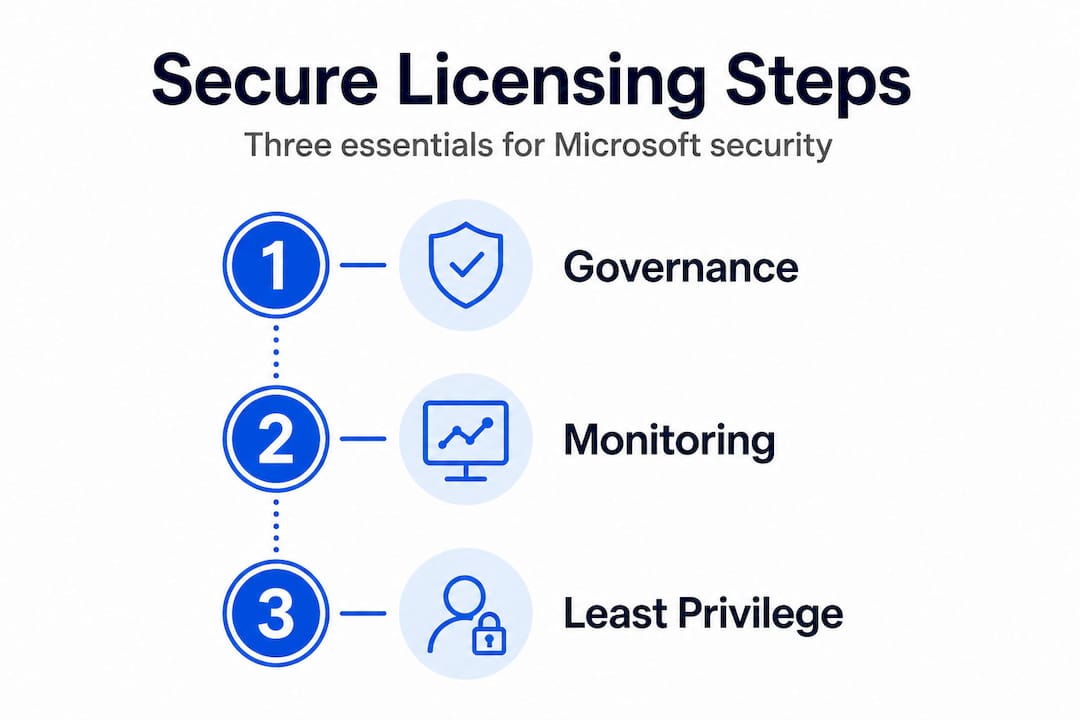
First, governance. Who is authorized to purchase, activate, and manage licenses? What is the process, and who approves exceptions? Without written answers to those questions, your licensing environment is vulnerable to human error, insider risk, and social engineering.
Second, monitoring. As we covered earlier, activation status can drift and licenses can fail silently. Regular, scheduled reviews of activation status across all devices are not optional for businesses that take security seriously. They are a baseline.
Third, least privilege. Every admin role involved in licensing should be the minimum required for the task, used for the minimum time necessary, and audited regularly. This is not extra work. It is the difference between a secure operation and a liability.
We also strongly recommend moving beyond individual knowledge and running periodic team workshops that combine licensing policy and security practice. Most staff-level employees do not know the difference between an OEM and a retail license, let alone what happens to their system if a license drifts into deactivation. That knowledge gap is itself a security gap.
Pro Tip: Conduct a short workshop every six months with your IT team or clients covering three topics: how to verify license status, who holds admin rights and why, and what the current license tier allows or restricts in terms of security features. Keep it practical and under an hour. The awareness pays off.
The takeaway here is that treating licensing as a living operational responsibility rather than a one-time purchase transforms your security posture. Checklists are tools. Discipline and ongoing review are what actually protect you.
Secure your Microsoft licensing and boost your security 🔥
Everything covered in this article points to one reality: smart licensing and real security go hand in hand. You cannot have one without the other if you want your business genuinely protected.

在 operacinesistema.lt, we specialize in genuine Microsoft OS licenses for SMBs and IT resellers, including Windows 10 Pro and Windows 11 Pro digital keys and USB versions, all with fast delivery and full support. But we also help you go beyond the purchase. Our resources are built specifically to guide you through secure activation, license management, and the right license choice for your security needs. Start with our SMB software license checklist for a clear picture of where you stand. Then explore the full breakdown of license types and features through our guide on what license types fit your operation best. Your next secure purchase starts here.
常见问题
Does buying a Microsoft license guarantee full security for my business?
No, a license grants legal use but does not automatically protect against attacks or system vulnerabilities. Security maturity requires governance, monitoring, and additional security layers beyond just owning a valid key.
How do I check if my Microsoft license is still valid and secure?
You can monitor license activation with tools like VLSC, Slmgr commands, WMI scripts, and Windows event logs. Microsoft provides specific documented methods for tracking activation status and catching licensing drift early.
What is the risk of using only client-side license checks?
Attackers may bypass or tamper with client-side checks, making your license validation unreliable. Anti-tamper and server validation layers are essential additions to any client-side check to maintain real integrity.
How can I reduce the risk from privileged admin roles during license activation?
Use the least-privilege principle by restricting admin access and separating duties whenever possible. Microsoft recommends limiting Global Administrator usage for OSA tasks and using role-based access controls instead.
Do I need a different Microsoft license to enable advanced security features?
Yes, some advanced security and compliance services require premium subscription licenses to unlock. Tenant-level security services are only available to users with the correct subscription tier, so the license you choose directly determines your security capabilities.





