
遵守和节约软件许可的最佳实践
简而言之:
- Proper license management prevents legal and financial risks through accurate licensing models and regular audits.
- Implementing a structured, ongoing SAM process and compliance cycle reduces audit exposure and costs.
- Managing open-source and supply-chain licenses is critical to avoid hidden legal obligations and liabilities.
Software licensing mistakes do not announce themselves. They build quietly, through missed renewals, mismatched models, unlicensed installs, and incomplete records, until an audit lands on your desk or a vendor dispute freezes operations. For business owners and IT managers, poor license management is one of the most preventable sources of financial and legal risk. This article gives you a clear, actionable roadmap covering Windows licensing models, software asset management, open-source risks, and audit preparation so you can stay compliant, cut waste, and protect your organization in 2026 and beyond.
目录
- Know your licensing models: The foundation of compliance
- Implement robust software asset management (SAM) processes
- Treat open-source and supply-chain licenses seriously
- Establish a repeatable compliance and audit preparation cycle
- Why compliance automation is necessary but not enough
- Streamline your licensing and compliance today
- 常见问题
主要收获
| 点 | 详细信息 |
|---|---|
| Understand license types | Knowing the difference between licensing models is crucial for compliance and optimizing costs. |
| Automate and review SAM | Continuous asset management and regular software audits are vital to avoiding compliance risks and cost waste. |
| Open-source needs oversight | Track all open-source use and don’t assume ‘free’ means risk-free for licensing obligations. |
| Repeat compliance cycles | Establish scheduled reviews and renewal prep to keep licensing fit for purpose and audit-ready at all times. |
| Go beyond automation | Combine compliance tools with organizational oversight and real stakeholder accountability. |
Know your licensing models: The foundation of compliance
Once you understand the consequences of licensing mismanagement, the first step is clarity, and that starts with your license models.
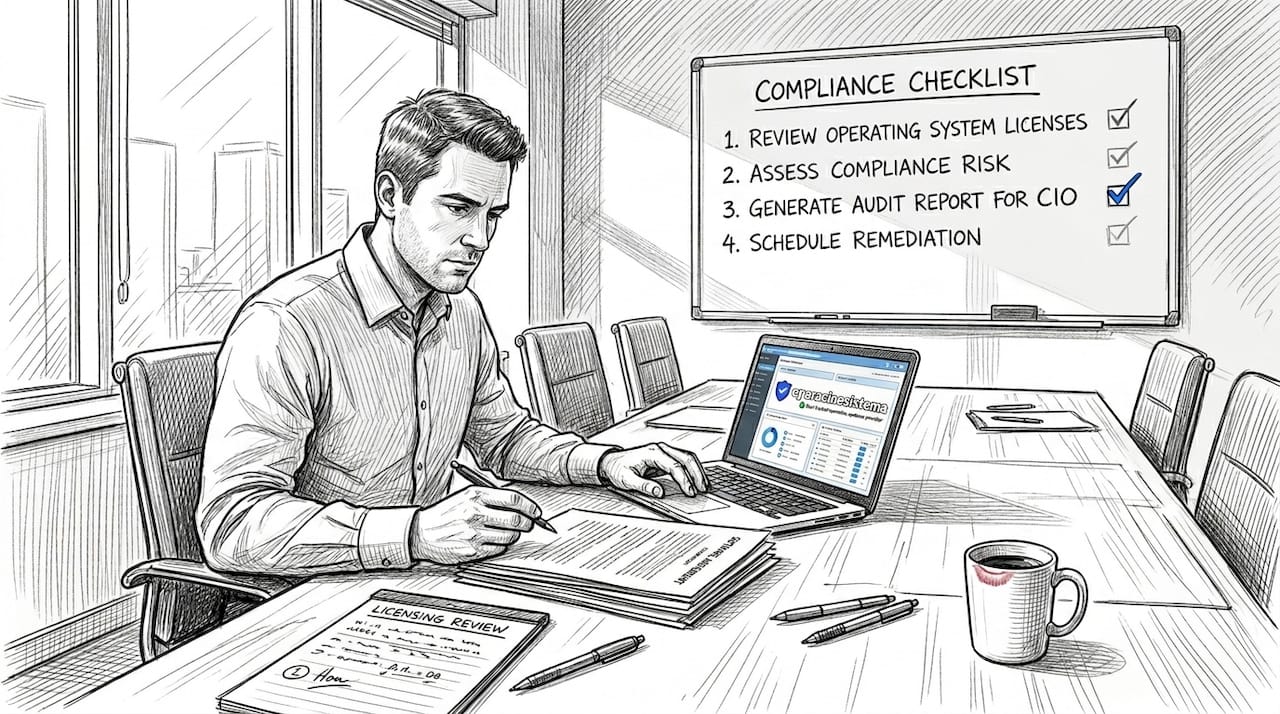
Most organizations are running more than one licensing type at the same time without fully realizing it. You might have per-user licenses for your remote workers, per-device licenses tied to shared workstations, and a subscription agreement layered on top. When those models are not properly mapped to how your team actually works, you end up either over-licensed (paying for seats nobody uses) or under-licensed (exposed to audit risk).
Here is a breakdown of the core Windows licensing structures you need to understand:
- Per-user licensing: A single license is assigned to one person and follows them across multiple devices. This works well for mobile or remote workers who switch between laptops, desktops, and tablets.
- Per-device licensing: The license is tied to a specific machine, not a person. Ideal for shared workstations in warehouses, retail floors, or call centers where multiple staff log in on the same computer.
- Concurrent (floating) licenses: A set number of licenses are available at any moment. Users share the pool, and access is granted until the limit is reached. This model suits software used in shifts or seasonally.
- Subscription vs. perpetual licenses: Subscription licenses (like Microsoft 365) are paid monthly or annually and include updates. Perpetual licenses are a one-time purchase and stay valid for a specific version, but do not include future upgrades by default.
“Implement a repeatable ‘licensing and SaaS optimization’ process: understand licensing models, then govern compliance with ongoing software asset management, audits, and usage monitoring.”
— Microsoft FinOps Licensing Guidance
The subscription vs. perpetual debate is particularly important for budget planning. Subscriptions offer predictable monthly expenses and always-current software, which is great for growing businesses. But perpetual licenses, when purchased from a verified source, can be more cost-effective for stable environments where you do not need constant version updates. The key is matching the model to your real operational pattern, not the vendor’s preferred billing cycle.
A common and costly mistake is choosing a licensing model based on the initial price alone rather than on how your organization is actually structured. Take time to audit your organizational chart. How many people work from multiple locations? How many devices are shared? Which departments run specialized software only part of the year? Answers to these questions should directly inform your licensing model selection.
Pro Tip: Before your next renewal cycle, map each software asset to either a named user, a device, or a concurrent pool. If a license does not have a clear owner or machine, it is either wasted or at risk. Understanding the types of software licenses available helps you make that matching exercise faster and more accurate.
Mismatched models are one of the top reasons companies fail audits. Vendors are increasingly sophisticated about detecting these gaps, especially in cloud and hybrid environments. Getting the model right from the start saves money and keeps you audit-ready.
Implement robust software asset management (SAM) processes
Understanding your license types is only as useful as your ability to track and optimize them. That is where software asset management, or SAM, becomes your most valuable operational tool.
SAM is not just a spreadsheet or a one-time project. It is a living process. Microsoft’s approach to licensing management recommends a four-phase SAM methodology built around inventory, utilization analysis, optimization modeling, and renewal preparation. When applied consistently, this cycle prevents the kind of drift that causes compliance failures and budget overruns.
Here is how to build your SAM cycle step by step:
Inventory all software assets. Start with a complete scan of every device in your organization. Use a discovery tool or SAM platform to log every piece of software installed, including version numbers, activation status, and license type. Do not forget virtual machines, remote endpoints, or devices that connect to your network infrequently.
Analyze actual utilization. Raw inventory tells you what is installed. Utilization analysis tells you what is actually being used. A license that is installed but never launched is wasted money. Most SAM platforms track launch frequency, session duration, and active user counts so you can identify candidates for reallocation or decommissioning.
Model optimization opportunities. Once you know what you have and how it is used, you can model changes. Could you consolidate two licenses into one shared seat? Would switching a department from per-device to per-user save money? Could you negotiate better volume pricing at renewal? This phase is where real cost savings emerge.
Prepare for renewals proactively. Do not wait for an auto-renewal notification. Start renewal prep at least 90 days in advance. Review your current usage data, compare it against your contracted entitlements, and negotiate from a position of knowledge rather than deadline pressure.
Here is a quick reference table for the recommended SAM review cadence:
| Task | Frequency | Owner |
|---|---|---|
| Full software inventory scan | Monthly | IT Manager |
| License vs. installation reconciliation | Monthly | SAM Administrator |
| Utilization analysis and reporting | Quarterly | IT / Finance |
| Optimization modeling and adjustments | Quarterly | IT Manager |
| Vendor contract and renewal review | Annual | IT + Procurement |
| Audit readiness self-assessment | Annual | IT + Legal/Compliance |
🔥 Statistic callout: Organizations that implement formal SAM programs consistently report significant reductions in software spend, with many identifying 20 to 30 percent of licenses as unused or underused within their first inventory cycle. That is money directly recovered without cutting any actual functionality.
Following a structured software compliance checklist aligned with this cadence helps you stay ahead of audits instead of reacting to them. And when you pair that discipline with verified, software authenticity for SMBs sourcing practices, you eliminate one of the most common compliance vulnerabilities: unverified or counterfeit license keys that pass initial activation but fail vendor audits later.
Pro Tip: Assign a named SAM owner in your organization. It does not have to be a dedicated role, but someone should be accountable for the monthly reconciliation and the quarterly review. Without ownership, SAM tasks drift to “whenever we get around to it,” and that is when gaps form.
Continuous reconciliation is the difference between a compliant organization and one that is always one audit away from a problem. Make SAM a scheduled, non-negotiable part of your IT operations calendar.
Treat open-source and supply-chain licenses seriously
License management is not just for paid software. Open-source and supply-chain dependencies can create hidden risks that are just as serious as a missed Microsoft renewal.
Many teams operate under the assumption that free software means no licensing obligations. That assumption is wrong, and it can be expensive to discover the hard way. Open-source licenses come in a wide range of types, from permissive licenses like MIT and Apache 2.0, which allow broad use with minimal conditions, to copyleft licenses like the GPL family, which require that any derivative works also be released under the same license. If your development team includes GPL-licensed components in a proprietary product without understanding those conditions, you could be forced to open-source your entire codebase or face legal action.
Key obligations your team must track for open-source software:
- ✅ Attribution requirements: Many licenses require you to include copyright notices and license texts in your distributed products. Failing to do so is a license violation, even if the software is technically “free.”
- ✅ Copyleft compatibility: Not all open-source licenses are compatible with each other. Mixing incompatible licenses in the same codebase creates compliance conflicts that can be difficult and costly to unwind.
- ✅ Distribution triggers: Some obligations only kick in when you distribute software, not when you use it internally. Know exactly when your obligations activate.
- 🛑 Commercial use restrictions: Some licenses explicitly restrict commercial use. Check before you deploy.
“Treat attribution and copyleft/compatibility obligations as licensing obligations (not ‘free means safe’); build an up-to-date open-source inventory and contract clauses to enforce compliance duties.”
Software bills of materials, or SBOMs, have become a popular tool for tracking open-source components in software supply chains. An SBOM lists every component, dependency, and library in a software product, along with version and license information. This sounds like the perfect compliance tool. But the reality is more complicated. Research on SBOM adoption reveals that even when SBOMs exist, they are frequently incomplete: fewer than half include SBOMs in version control or release artifacts, and many lack critical data like license identifiers, component hashes, or supplier names.
Here is a comparison of what a complete versus typical real-world SBOM looks like:
| SBOM data field | Ideal/complete SBOM | Typical real-world SBOM |
|---|---|---|
| Component name and version | ✅ Present | ✅ Usually present |
| License identifier (SPDX) | ✅ Present | ⚠️ Often missing |
| Supplier/origin information | ✅ Present | ⚠️ Frequently absent |
| Cryptographic hash | ✅ Present | 🛑 Rarely included |
| Included in version control | ✅ Always | 🛑 Less than 50% |
| Included in release artifacts | ✅ Always | 🛑 Less than 50% |
What does this mean for your compliance process? Do not treat SBOM documentation as a finished product. Treat it as a starting point that requires active verification. Supplement it with your own open-source inventory tracking and ensure that every vendor or development contract includes language requiring license compliance documentation and updates.
Practically speaking, you should maintain an internal open-source component registry updated with each product release. Include license type, version, obligations, and the name of the person responsible for compliance. Pair this with regular reviews of your secure OS licenses and a solid understanding of your Microsoft licensing risk guide to build a full picture of where your exposure lies.
Open-source risk is not a developer problem. It is a business problem. If you ship software or build internal tools that use open-source components, this belongs on your compliance agenda today.
Establish a repeatable compliance and audit preparation cycle
Solid supply-chain governance is vital, but only effective with an ongoing compliance rhythm. Compliance is not a destination. It is a practice.
The most common mistake organizations make is treating compliance as a one-time project. You do a big audit, clean up the gaps, file the paperwork, and then move on until the next vendor letter arrives. That reactive approach leaves you perpetually vulnerable. What you need instead is a compliance calendar that operates on a predictable, repeating cycle.
Following Microsoft’s recommended methodology, the compliance rhythm looks like this:
Monthly reconciliation: Every month, compare your active license entitlements against your software inventory. Look for installs without valid licenses, licenses assigned to departed employees, and software versions that are no longer under active maintenance. Flag every discrepancy immediately.
Quarterly utilization review: Every quarter, pull usage reports for your key software assets. Identify any licenses with zero or near-zero usage. Reclaim and reallocate those licenses before the next billing period. This is also a good time to review whether your current licensing models still match your team structure after any organizational changes.
Annual renewal preparation: Start your renewal process at least 90 days before any agreement expires. Use your quarterly utilization data to negotiate based on actual need rather than historical contracts. If your usage has dropped, push for a lower seat count. If it has grown, negotiate volume pricing before auto-renewal locks you into a higher rate.
Audit readiness self-assessment: At least once per year, simulate an audit. Gather your proof of license documents, check your activation records, and confirm that all software can be traced back to a legitimate purchase. Test whether your documentation is stored in a location that all relevant stakeholders can access quickly.
For the workflow itself, designate a document owner for every software asset. That person is responsible for keeping the purchase record, the activation key, the license agreement, and the renewal date in one organized location. When a real audit happens, you want to be able to produce documentation within hours, not days.
Pro Tip: Tie your compliance review calendar directly to your annual budget planning cycle. When you review licenses in Q3, you already have the data you need to budget accurately for Q4 renewals. This turns licensing from a surprise expense into a predictable, managed line item. It also supports smarter decisions about whether to renew, renegotiate, or switch to a different solution.
Learning more about secure software practices and the real impact of unlicensed software reinforces why this cadence is not optional. The penalties for non-compliance, both financial and reputational, far outweigh the time investment of staying current.
Why compliance automation is necessary but not enough
Best practices set a strong foundation, but real-world experience highlights deeper realities that most articles skip over.
Here is an uncomfortable truth: most organizations that suffer compliance failures were not ignoring the problem. They had tools in place. They ran scans. They believed they were covered. The failure came not from a lack of technology but from over-reliance on it.
Automation tools are genuinely powerful. They can scan thousands of endpoints, flag license discrepancies, and generate reports in minutes. But they work within the rules you configure. If your tool is not set up to catch a specific license type, it will not catch it. If the tool’s asset data is imported from a source with gaps, those gaps get automated too. And as we saw with SBOMs, documentation artifacts are often incomplete in ways that passive tools cannot detect on their own.
The teams that handle compliance best are the ones that combine tools with trained, accountable humans. That means IT staff who understand the license agreements they are managing, not just the software that manages the agreements. It means legal or procurement involvement in contract clauses, especially around open-source and supply-chain obligations. And it means executives who treat licensing as a governance priority, not an IT housekeeping task.
There is also a cultural dimension that tools cannot address. When employees do not understand why software licensing matters, they make decisions that create risk: downloading a free tool that carries a copyleft obligation, sharing activation keys across departments, or bypassing IT when installing software on a work device. Training and accountability structures are what prevent those individual decisions from becoming organizational liabilities.
One more angle worth considering: licensing terms shift. Vendors update their agreements, sometimes mid-contract. Subscription terms for cloud software can change with relatively little notice. An automated tool using last year’s rule set may not catch a compliance issue introduced by a terms update that happened two months ago. Human review of vendor communications and agreement changes is the only reliable backstop for this kind of risk.
A solid software purchase checklist is a practical tool that bridges the gap between automation and human judgment. It forces a structured review at every acquisition point, ensuring that licensing decisions are deliberate and documented before software ever touches your environment.
Compliance automation is a force multiplier. But it only multiplies the effort of people who are already doing the work thoughtfully.
Streamline your licensing and compliance today
Ready to put these best practices to work in your own business? The right resources make the difference between compliance as a burden and compliance as a competitive advantage.

在 operacinesistema.lt, we specialize in genuine, verified Windows license keys for business and professional use, including OEM and retail versions of Windows 10 and Windows 11 Pro. Every license we provide is authentic, backed by fast digital delivery and full customer support. If you are unsure which model fits your organization, our guide to choosing your software license walks you through the decision clearly. And when you are ready to build your compliance process from the ground up, our detailed software compliance checklist gives you a step-by-step framework to get audit-ready fast. Secure, affordable, and compliant: that is what we are here to help you achieve. 🔥
常见问题
What’s the difference between per-user and per-device software licensing?
Per-user licensing is assigned to individuals and follows them across multiple devices, while per-device licensing ties access to a specific machine. Choosing the right model depends on your workforce structure, as Microsoft’s FinOps guidance recommends matching licensing models to actual organizational patterns to avoid both over-spending and compliance exposure.
How often should I audit my software licenses to maintain compliance?
Microsoft’s best practice recommends monthly reconciliation, quarterly utilization review, and annual renewal preparation to maintain continuous compliance and prevent costly gaps from building up over time.
Do open-source components require license management?
Yes, open-source code carries real licensing obligations including attribution, copyleft duties, and compatibility requirements. As highlighted by legal analysts, treating open-source as “risk-free” is one of the most common and costly mistakes organizations make.
Can I rely on SBOMs for all my licensing records?
No. Research on SBOM completeness shows that many SBOMs lack critical data like license identifiers, supplier names, and cryptographic hashes, meaning they should supplement your active tracking process rather than replace it.
What is the first step if I suspect a compliance gap?
Start immediately with a full software inventory scan across all endpoints, then reconcile your installed software against your active license entitlements and usage data. Acting quickly gives you the clearest picture of your exposure and the best position to resolve any issues before a vendor audit escalates the situation.





