
Apa Itu Aktivasi Windows? Panduan 2026 Anda
TL; DR:
- Windows activation verifies your Windows license, ensuring your system is genuine and properly licensed. It uses hardware fingerprinting and online confirmation, linking your license to either a product key or digital entitlement. Activating Windows unlocks updates, personalization, and security features, reducing risks associated with non-genuine software.
If you’ve ever seen that “Activate Windows” watermark in the corner of your screen, you’ve already bumped into what is Windows activation without knowing it. It’s Microsoft’s system for verifying that your copy of Windows is genuine and properly licensed to the device you’re running it on. Skip activation, and you lose access to security updates, personalization settings, and full functionality. Get it right, and your system runs clean, protected, and fully supported. This guide covers everything: how the process works, which license type you need, how to fix activation errors, and why it genuinely matters for your security in 2026.
Daftar Isi
- Hal-hal Penting yang Dapat Dipetik
- What is Windows activation and how it works
- License types and activation methods in 2026
- Why activation matters: benefits and real risks
- Pemecahan masalah aktivasi Windows
- How to find your Windows activation key
- My take on Windows activation after years in the field
- Get a genuine Windows license from Operacinesistema 🔥
- PERTANYAAN YANG SERING DIAJUKAN
Hal-hal Penting yang Dapat Dipetik
| Titik | Detail |
|---|---|
| Activation verifies your license | Windows checks that your copy is genuine and linked to your device or Microsoft account. |
| Two main activation methods exist | You activate Windows with either a 25-character product key or a digital license tied to hardware. |
| Non-activated Windows has real limits | Without activation, you lose personalization options, security updates, and the watermark stays. |
| Link your license to a Microsoft account | Doing so lets you recover activation easily after hardware changes or a fresh reinstall. |
| Genuine licenses protect your security | Unauthorized activation tools expose your system to malware and remove official update access. |
What is Windows activation and how it works
At its core, Windows activation is the process of verifying that your copy of Windows is genuine, legally licensed, and tied to the correct device or user account. It unlocks the full feature set of the operating system, removes persistent watermarks, and enables access to security updates and Microsoft support.
Here’s what actually happens behind the scenes when you activate Windows:
- Hardware fingerprinting: Windows scans key components of your PC (CPU, motherboard, storage, network adapter, and others) and generates a unique hardware hash. This hash identifies your specific device.
- License matching: That hash gets compared against the license data Microsoft holds for your product key or digital license. If the two match, activation succeeds.
- Activation channels: The process uses one of two channels. You either enter a 25-character Windows activation key, or Windows uses a digital license already linked to your hardware or Microsoft account.
- Server confirmation: Windows contacts Microsoft’s activation servers over the internet and receives a token confirming your entitlement. This token is stored locally on your device.
Modern Windows devices use digital licenses that auto-activate when connected to the internet, so many users today never manually enter a key at all. That said, knowing how the system works saves you serious headaches if activation fails.
Pro Tip: If your PC shipped with Windows pre-installed, it almost certainly has an embedded OEM key in its firmware. You don’t need to do anything for activation to happen automatically on a clean install.
Understanding Windows activation also means understanding that it isn’t a one-time check. Windows periodically revalidates your activation status with Microsoft’s servers. If it can’t reach those servers or detects a hardware mismatch, your activation can degrade over time. That’s why a stable, genuine license matters long-term, not just at setup.
License types and activation methods in 2026
Not all Windows licenses are the same, and the type you own directly affects how activation works. Knowing the difference prevents confusion and helps you make smarter purchasing decisions.
The three main license types
Activation channels vary significantly by license type. Here’s how each one behaves:
| Jenis lisensi | Untuk siapa | Metode Aktivasi | Dapat dipindahtangankan? |
|---|---|---|---|
| OEM | PC manufacturers and pre-built systems | Embedded firmware key, auto-activates | ❌ No, tied to original hardware |
| Ritel | Individual buyers | Product key or digital license via Microsoft account | ✅ Yes, can move between devices |
| Volume | Businesses and organizations | Key Management Service (KMS) or MAK | ✅ Limited, managed by organization |
OEM licenses are the most common. If you bought a laptop or desktop from a manufacturer, that machine came with an OEM key baked into the motherboard firmware. It activates automatically when you install Windows and connect to the internet.
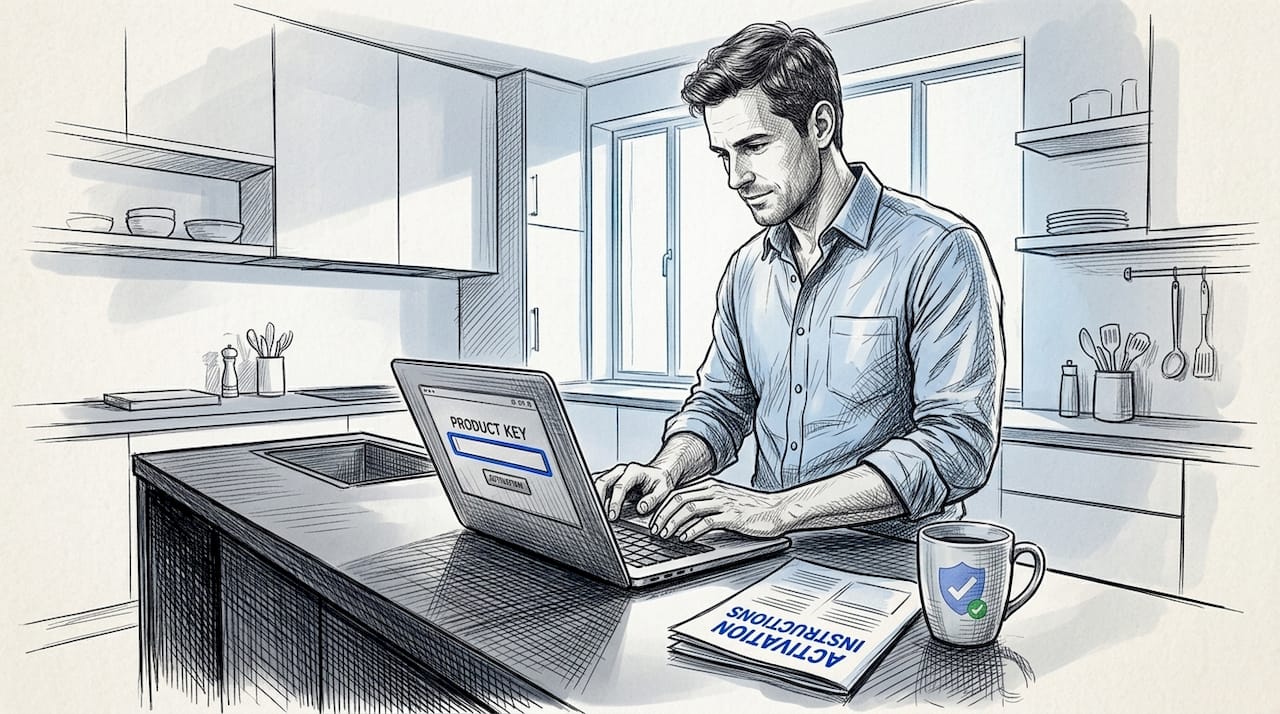
Retail licenses are more flexible. You buy a key, enter it during or after installation, and that key can travel with you to a different PC if you deactivate it from the old one first. These licenses are what most individual buyers purchase from licensed resellers.
Volume licenses are built for IT departments managing dozens or hundreds of machines. They use centralized activation systems like KMS servers or Multiple Activation Keys (MAK). If you’re managing a business fleet, this is your category.
How product keys and digital licenses differ
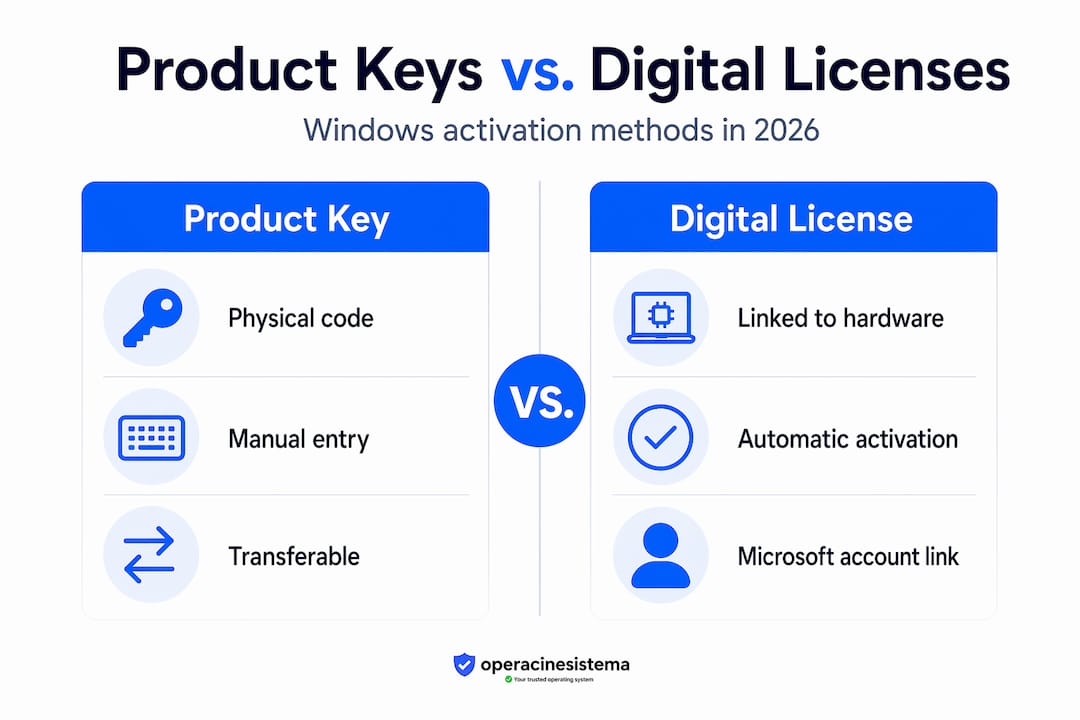
A product key is the classic 25-character alphanumeric code (formatted as XXXXX-XXXXX-XXXXX-XXXXX-XXXXX) that you enter manually to activate Windows. It’s the method most people recognize.
A lisensi digital (also called a digital entitlement) works without a visible key. Instead, Microsoft links the license directly to your hardware fingerprint or your Microsoft account. When you reinstall Windows on the same device or sign in with your linked account, activation happens automatically.
Pro Tip: If you upgraded to Windows 10 or 11 from a qualifying older version during Microsoft’s free upgrade period, your device likely received a digital license automatically. Check your activation status in Settings before buying a new key.
Most modern PCs have product keys embedded directly in motherboard firmware, which means reinstalling Windows can auto-detect the key with zero manual input. This is a significant convenience, but it also means your OEM license is permanently tied to that specific machine.
Why activation matters: benefits and real risks
Some users ignore the “Activate Windows” message for months, assuming it’s cosmetic. It’s not. The difference between activated and non-activated Windows is meaningful, and the risks of skipping it go beyond a watermark on your desktop.
What you get with a genuine, activated copy
Activation unlocks personalization, removes the watermark, and enables security updates. More specifically, here’s what you gain:
- ✅ Full access to Windows Update, including critical security patches
- ✅ Personalization features: change wallpapers, colors, themes, lock screen, and taskbar settings
- ✅ Microsoft support eligibility for software issues
- ✅ Stable, validated system behavior without unexpected feature restrictions
- ✅ Peace of mind that your OS isn’t flagged as non-genuine at any point
Security updates are the biggest deal here. Microsoft releases patches constantly to address vulnerabilities. If your Windows isn’t activated with a genuine license, you’re at real risk of missing those patches.
What happens without activation 🛑
“Unauthorized activation methods expose users to malware and leave systems without official support. Genuine activation is not just a technicality. It’s the foundation of a secure and compliant Windows environment.” — Windows Activation Security
Running non-activated Windows means you’re stuck with the watermark, locked out of personalization settings, and potentially cut off from updates. But the bigger risk comes when users turn to unofficial tools like “activators” or cracked keys to bypass the process. These tools frequently carry malware, spyware, or backdoors that compromise your entire system. You can read more about why unofficial keys are dangerous and how they expose your data.
Using genuine Windows is vital for security. Unauthorized activations compromise system integrity and leave users vulnerable to threats that no antivirus can reliably catch, because the malware is baked into the activation tool itself.
Pemecahan masalah aktivasi Windows
Activation doesn’t always go smoothly. Hardware changes, major Windows updates, and license mismatches are the most common reasons users end up with an activation error. Here’s what to do when things break.
Common activation errors and their causes
Hardware changes affect the hardware hash Windows uses for activation. Replacing your motherboard is the most disruptive change. From Windows’ perspective, a new motherboard often equals a new PC, which breaks the existing activation link entirely.
Activation errors after major updates are often caused by a mismatch between the stored entitlement and the current hardware fingerprint. The 24H2 update caused exactly this problem for some users in late 2025. So if your activation broke after a Windows feature update, you’re not alone.
Other common causes include:
- Switching from Windows 11 Home to Pro without updating the license key
- Reinstalling Windows on a machine with a digital license not linked to a Microsoft account
- Network issues blocking access to Microsoft’s activation servers
Step-by-step troubleshooting checklist
- Run the Activation Troubleshooter. Go to Settings > System > Activation, then click “Troubleshoot.” Windows will attempt to diagnose and fix the issue automatically.
- Sign in with a Microsoft account. If your digital license is linked to your account, signing in often resolves activation instantly on the same hardware.
- Force a license check via Command Prompt. Open Command Prompt as administrator and run "slmgr /ato`. This manually triggers a license re-check with Microsoft’s servers.
- Use the Activation Troubleshooter after hardware changes. If you replaced your motherboard, the troubleshooter can reactivate Windows using your linked Microsoft account. This is the official path for hardware upgrade recovery.
- Re-enter your product key. If you have a retail key, go to Settings > System > Activation > Change product key and re-enter it.
- Contact Microsoft Support. If none of the above works, Microsoft’s support team can manually verify and restore your license, especially for OEM keys with hardware replacement.
Pro Tip: If you’re planning a major hardware upgrade, link your digital license to a Microsoft account BEFORE you swap components. This single step saves hours of troubleshooting later. Check the full activation error guide for advanced fixes.
For hardware-related activation failures, it’s also worth understanding the underlying hardware troubleshooting principles that affect how Windows identifies your device after component changes.
How to find your Windows activation key
Knowing where your Windows activation key lives saves you when you need to reinstall or transfer your license. The location depends on what type of license you have.
Retrieving your key from firmware
Most modern PCs-how-to-find-your-windows-product-key) store OEM keys directly in the motherboard firmware. To retrieve it, open Command Prompt as administrator and run:
wmic path SoftwareLicensingService get OA3xOriginalProductKey
If a key appears, that’s your embedded OEM key. Save it somewhere safe.
Other places to look
- Certificate of Authenticity (COA) sticker: Older PCs and retail boxes often have a physical sticker on the case, bottom of a laptop, or on the original packaging. The 25-character key is printed here.
- Microsoft account: If you linked your license to your account, log in at account.microsoft.com and check your devices section for associated licenses.
- Email receipt: If you purchased a retail or digital key from a reseller like Operacinesistema, your key was delivered to your email instantly at the time of purchase.
- Third-party key retrieval tools: Tools like ProduKey or ShowKeyPlus can read keys from a running Windows installation, though they cannot retrieve keys that have already been converted to digital licenses.
Linking your digital license to a Microsoft account
This step is the single most useful thing you can do for long-term activation stability. Linking a digital license to your Microsoft account enables easier activation recovery after hardware changes, without needing a physical key at all.
To link your license:
- Go to Settings > System > Activation
- Click “Add a Microsoft account” (or “Sign in with a Microsoft account instead”)
- Complete the sign-in process
Once linked, if you ever replace your motherboard or reinstall Windows, the Activation Troubleshooter can reactivate your copy using your account credentials. It’s activation portability that requires no product key at all.
My take on Windows activation after years in the field
By Danielius
I’ve seen the same frustration repeat itself constantly. Someone’s PC loses activation after a RAM upgrade. Or they reinstall Windows and can’t figure out why their copy won’t activate. Or they bought a suspiciously cheap key from a random site and now their system is flagged as non-genuine three months later. Every single one of these situations was preventable.
What I’ve learned is that most people treat Windows activation as a checkbox. Activate it once, forget about it. But activation is really an identity system that ties software to hardware and binds your entitlement to your device over time. When something changes in that chain, the system flags it. Understanding that changes how you approach it.
The biggest mistake I see? Not linking a digital license to a Microsoft account before upgrading hardware. It takes two minutes and eliminates the most common activation support issue entirely. Do it now, not after something breaks.
My other strong opinion: the “free activator” tools are never worth it. I’ve seen what those tools do to systems. The short-term convenience of avoiding a license purchase costs people far more in malware cleanup, data exposure, and lost productivity. A genuine license from a trusted reseller isn’t expensive. The risks of going unofficial absolutely are.
Activation frustrations are real, but they’re almost always solvable. Understand your license type, keep it linked to your account, and buy from a source you can verify. That’s the whole playbook.
— Danielius
Get a genuine Windows license from Operacinesistema 🔥
You now understand what Windows activation is, how it works, and what can go wrong. The next step is making sure your license is genuine, properly activated, and built to last through hardware changes and major updates.

Operacinesistema specializes in 100% genuine Microsoft Windows licenses, including OEM and Retail keys for Windows 10 and Windows 11 Pro. Keys are delivered instantly to your email, so you can activate your system today without waiting. Every purchase comes with full support if you hit activation issues.
Whether you need a fresh Windows license key for a new build or want to understand which license type fits your situation best, Operacinesistema has you covered. You can also explore the OEM, Retail, and Volume breakdown to pick the right option before you buy. Don’t leave your system unprotected or locked out of updates. Get a genuine key today and activate with confidence. 🎁
PERTANYAAN YANG SERING DIAJUKAN
What is Windows activation and why do I need it?
Windows activation is the process of verifying that your copy of Windows is genuine and properly licensed to your device. Without it, you lose access to security updates, personalization features, and Microsoft support.
What is the difference between a product key and a digital license?
A product key is a 25-character code you enter manually, while a digital license is automatically linked to your hardware fingerprint or Microsoft account and requires no manual entry during reinstallation.
How do I check my Windows activation status?
Go to Settings > System > Activation. You’ll see whether Windows is activated, which license type is in use, and options to troubleshoot or change your product key.
Why did my Windows lose activation after a hardware change?
Hardware changes affect the hash Windows uses to identify your device. A motherboard replacement in particular often triggers activation loss because Windows treats it as a new machine.
How do I fix Windows activation errors?
Run the Activation Troubleshooter in Settings > System > Activation, sign in with your linked Microsoft account, or run slmgr /ato in an elevated Command Prompt to force a manual license check with Microsoft’s servers.





