
Kuidas osta ja aktiveerida seaduslikult ja turvaliselt ehtsat Windows 10-i
TL;DR:
- Windows 10 support ended in October 2025, leading to higher security risks without free updates.
- Buying licenses from authorized sellers is crucial to avoid illegitimate or fake Windows keys.
- Upgrading to Windows 11 or subscribing to ESU are recommended for ongoing security and compliance.
Millions of users still run Windows 10 daily, and many assume any cheap key they find online will work just fine. That assumption is getting more dangerous. Windows 10 support ended on October 14, 2025, meaning no more free security updates, feature updates, or technical support from Microsoft. For individual users and small businesses, this changes everything about how you should approach licensing. Buying the wrong key today can mean wasted money, a blocked activation, or a system with zero protection. This guide cuts through the confusion and gives you a clear, expert-backed path to buying, activating, and securing Windows 10 the right way.
Sisukord
- Understanding Windows 10 licensing after end of support
- How to buy a genuine Windows 10 license: What works in 2026
- Activating Windows 10 in 2026: Step-by-step for legal users
- Security and compliance: How to stay protected with Windows 10
- Why most people underestimate Windows 10’s end of support risks
- Find the right Windows license solution for your needs
- Korduma kippuvad küsimused
Peamised järeldused
| Punkt | Üksikasjad |
|---|---|
| End of support means risk | Windows 10 is no longer updated or supported, leaving you exposed if you don’t take extra precautions. |
| Buy licenses legally | Only purchase Windows 10 licenses from authorized retailers to ensure legality and ongoing activation. |
| ESU bridges, but upgrade soon | Extended Security Updates buy time but aren’t a permanent solution—you need a plan for future upgrades like Windows 11. |
| Activation is straightforward | You can still activate or move a genuine Windows 10 license online or by phone, especially if linked to your Microsoft account. |
| Security is ongoing | Pair ESU with robust cybersecurity practices and migration planning to keep your workflow and data safe. |
Understanding Windows 10 licensing after end of support
So what does “end of support” actually mean for you? In plain terms, support has ended means Microsoft no longer pushes free security patches, bug fixes, or feature updates to Windows 10 users. Your system still works. But every new vulnerability discovered after that date goes unpatched unless you pay for extended coverage.
For individuals, this means higher exposure to malware, ransomware, and exploits. For small businesses, the stakes are even higher. Running unsupported software can put you out of compliance with data protection regulations, void your cyber insurance, and create real liability if customer data is compromised.
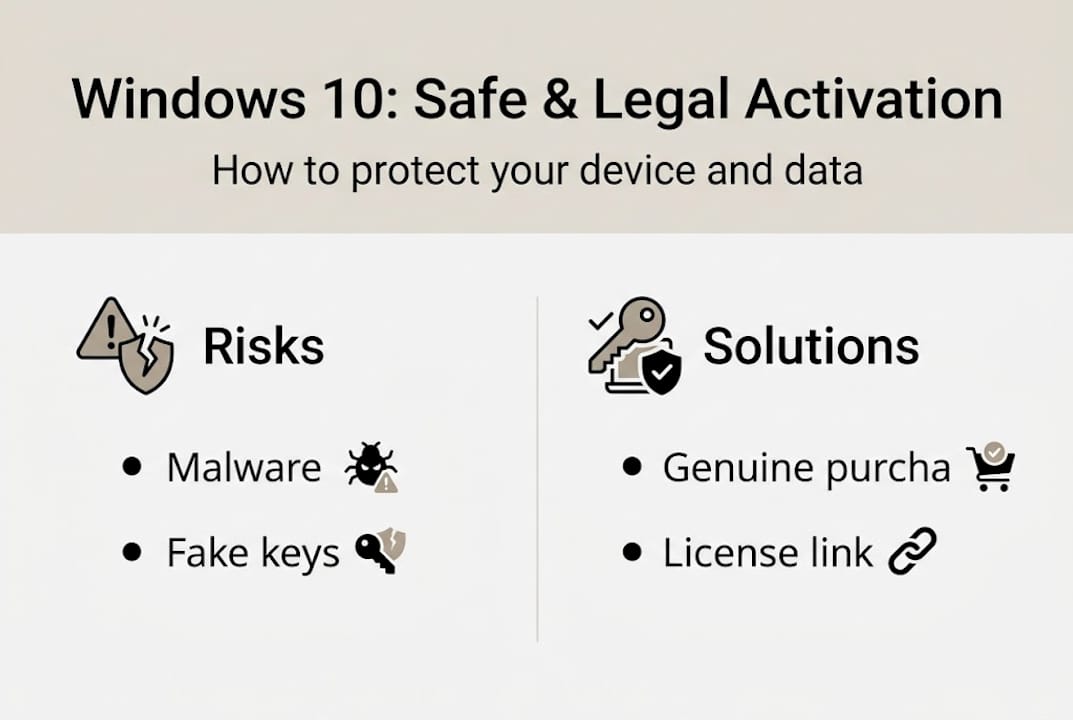
You have three realistic options right now:
| Valik | What it means | Recommended? |
|---|---|---|
| Purchase ESU (Extended Security Updates) | Paid security-only updates, ~$30/year for consumers | Short-term only |
| Upgrade to Windows 11 | Full support, free upgrade if hardware qualifies | ✅ Yes, long-term |
| Continue without updates | No patches, high security risk | 🛑 Not recommended |
The ESU program is a bridge, not a destination. It buys you time, but it does not replace the value of a fully supported OS. If your hardware supports it, upgrading is the smarter long-term move. You can check the Windows 10 vs 11 key differences to understand what changes before you commit.
Oluline: Even with ESU, you only receive security patches. No new features, no compatibility improvements, and no technical support calls to Microsoft. It is a safety net, not a full solution.
If you are ready to move forward, the Windows 11 upgrade guide walks you through the process step by step. But if Windows 10 is still the right fit for your workflow, read on.
How to buy a genuine Windows 10 license: What works in 2026
With those risks clearly on the table, let’s talk about where and how to buy a safe, legal Windows 10 license today. The first rule is simple: buy from sources you can verify.
Retail licenses from recognized stores like Newegg, Walmart, and B&H remain the most reliable options for legality and price. Authorized digital resellers with verifiable reviews and clear return policies are also legitimate. What you want to avoid are the grey-market platforms selling keys for $5 or $8 with no documentation, no support, and no accountability.
| Source type | Typical price | Risk level | Warranty |
|---|---|---|---|
| Authorized retailer / reseller | $30 to $139 | Low | ✅ Jah |
| Grey-market key site | $5 to $15 | High | 🛑 Puudub |
| Microsoft Store (direct) | $139 (Home) | Väga madal | ✅ Täielik |
Ultra-cheap keys are almost always one of the following:
- 🛑 Volume license keys meant for enterprise use, resold illegally
- 🛑 Previously used keys that may already be flagged or deactivated
- 🛑 Fraudulently obtained keys purchased with stolen credit cards
- 🛑 Fake keys that simply do not work at all
The real cost of a fake key is not just the $8 you spent. It is the time lost troubleshooting, the risk of a non-activated system, and potentially running software that never had legal standing. We have seen exactly what happens when users go this route, as detailed in risks of cheap Windows keys.
Pro Tip: Always save your digital proof of purchase. Screenshot the order confirmation, download the receipt email, and store your product key in a secure password manager. If you ever need to reactivate after a hardware change, that documentation is your lifeline.
Activating Windows 10 in 2026: Step-by-step for legal users
Once you have a legitimate license in hand, activation is straightforward. Microsoft still supports activation for legal copies of Windows 10, even after end of support. The OS itself is not being shut down; only the free update pipeline is closed.
Product activation works in two ways: online (automatic, takes seconds) or by phone (for hardware without internet or after major hardware changes). Here is how to activate your copy:
- Avatud seaded on your Windows 10 device.
- Go to Update & Security, then click Aktiveerimine.
- Click “Change product key” and enter your 25-character product key.
- Click Next and let Windows connect to Microsoft’s activation servers.
- If online activation fails, select “Activate by phone” and follow the automated instructions.
- Confirm activation status shows as “Windows is activated” before closing.
If you are reinstalling Windows 10 on the same machine, a digital license linked to your hardware will activate automatically once you connect to the internet. No key entry needed.

For more advanced scenarios, including managing licenses across multiple machines or using command-line tools, the command line activation guide covers every method in detail.
Pro Tip: Link your digital license to your Microsoft account immediately after activation. Go to Settings > Accounts > Your info and sign in. This ties your license to your account, not just your hardware, making future reinstalls and hardware upgrades much easier to recover from.
Security and compliance: How to stay protected with Windows 10
Activating your license is only part of the picture. Running Windows 10 after end of support requires a deliberate security strategy, especially for small businesses handling sensitive data.
The ESU program offers security updates for a fee after end of support, but it is explicitly a bridge, not a long-term solution. For individual consumers, ESU costs around $30 for the first year, doubling annually. For businesses, costs scale with the number of devices. It covers critical and important security patches only. No new features, no compatibility updates.
📊 Statistic callout: A significant share of small and medium businesses continue using Windows 10 well past end-of-support dates, primarily because of legacy application compatibility. Specialized software, industry-specific tools, and older hardware drivers often do not run on Windows 11, making immediate migration impractical. This is a real operational constraint, not just laziness.
If you are staying on Windows 10 for now, here are the baseline steps to reduce your risk:
- ✅ Subscribe to ESU if you handle any sensitive or business-critical data
- ✅ Install a reputable third-party antivirus (Windows Defender alone is not enough on unsupported OS)
- ✅ Enable your firewall and review inbound/outbound rules
- ✅ Disable unused services and ports to reduce attack surface
- ✅ Back up your data regularly to an external drive or cloud service
- ✅ Audit your installed software and remove anything outdated or unneeded
- ✅ Start planning your Windows 11 migration now, not when a breach forces you to
The step-by-step guide to update Win 10 to 11 is a practical starting point if you are ready to begin that transition.
Why most people underestimate Windows 10’s end of support risks
Here is the uncomfortable truth: most users hear “end of support” and think “my computer still works, so I am fine.” That logic made sense in 2015. In 2026, it is genuinely risky thinking.
The threat landscape has changed. Attackers now actively target end-of-life systems because they know patches will not come. The moment a vulnerability is published, unpatched machines become easy targets. ESU buys time, but as industry analysis confirms, even Microsoft frames ESU as a temporary bridge while users plan their upgrade, not a permanent operating mode.
We also see small business owners underestimate the financial exposure. A single ransomware incident on an unpatched machine can cost tens of thousands of dollars in recovery, legal fees, and lost business. Compare that to the cost of a legitimate Windows 11 license. The math is not close.
Our honest take: if you are still on Windows 10 because of legacy app compatibility, that is a valid reason to delay. But “delay” should mean six months with a plan, not indefinitely with no strategy. Start the Windows 11 upgrade path now, even if you do not finish it immediately. Complacency is the real risk here.
Find the right Windows license solution for your needs
Ready to take the next step toward secure, compliant Windows use? Whether you need a genuine Windows 10 license to stay operational or you are ready to move to a fully supported system, having the right license matters more than ever.
At operacinesistema.lt, we specialize in genuine Microsoft OS licenses with instant digital delivery, verified keys, and real customer support. Start with the SMB compliance checklist to make sure your setup is legally sound. For businesses navigating licensing decisions in 2026, our Microsoft OS license guidance covers your options clearly. And if you are ready to upgrade, browse our safe Windows 11 Pro keys for a fast, secure path to a fully supported system. 🔥
Korduma kippuvad küsimused
Can I still use Windows 10 after October 2025?
Yes, but no free updates or support are provided unless you purchase an Extended Security Update subscription. Your system keeps running, but it is unpatched and increasingly vulnerable.
Is it legal to buy cheap Windows 10 keys online?
Only if the seller is an authorized retailer. Avoid ultra-cheap sites with no documentation, as those keys are frequently illegitimate, previously used, or outright fake.
How do I activate Windows 10 in 2026 if I reinstall or upgrade hardware?
Use your digital license linked to your Microsoft account for automatic reactivation, or enter your product key manually and activate online or by phone.
Is it safe to keep using Windows 10 for my small business?
Only with ESU coverage, strong third-party security tools, and a migration plan in place. ESU is a bridge, not a permanent solution, and unsupported systems carry growing legal and financial risk over time.
Soovitatav
- Tasuta Windowsi aktiveerimisvõti: seaduslikud võimalused ja ohutu aktiveerimise juhend - operacinesistema.lt
- Turvaline Windowsi litsentsi ostujuht: samm-sammult tarkvara ostmine
- Windows 11 Pro allalaadimine: turvaline ja ehtne juhend
- kms activator ✓ Activate Windows 11 and Office Products Effortlessly ➤ 2025 – Skan Plumbing & Heating





