Top 6 Office Free Product Keys 2026
Finding a way to access office software at no extra cost can feel like searching for a hidden shortcut in your daily routine. With so many options promising free access and easy activation, choosing the right path might be tougher than you think. Some options offer quick results, while others might require a bit more patience or technical know-how. New possibilities may emerge each year, leaving many wondering what really works. Wondering which solutions will actually deliver on their promises in 2026? Take a closer look at the top choices just around the corner.
Table of Contents
- Windows 11 Pro Product Key & Activation Guide
- LibreOffice
- Apache OpenOffice
- WPS Office
- ONLYOFFICE
- FreeOffice
- Massager for Menstrual Cramps
- Bambyra Body Massager
Windows 11 Pro Product Key & Activation Guide
At a Glance
Windows 11 Pro Product Key & Activation Guide is the top choice for buyers looking for a fast, legitimate way to activate Windows 11 Pro with minimal hassle. It combines official license keys, instant delivery, and a money-back guarantee to reduce risk for small business owners and individuals.
Core Features
The provider specializes in selling genuine Windows 10 and Windows 11 Pro digital keys and physical USB versions, with instant email delivery of digital licenses. The platform emphasizes secure purchases, genuine Microsoft operating system licenses, and support for both retail and OEM license types.
Key features include an official license key, Digital License Activation, multilingual support, 24/7 instant delivery via email, and a money-back guarantee. The activation process is handled directly through Windows settings, eliminating the need for additional tools or complicated steps.
Pros
Fast and simple purchasing process: You can purchase a key and activate Windows in just a few minutes by following the instructions provided and using the email delivery option.
Secure purchase with a money-back guarantee: The seller offers refunds for unopened products, which reduces the purchasing risk for small businesses.
Activation without additional tools: The product allows you to take full advantage of Windows 11 Pro's features without the need for additional activation tools or manual hacks.
Excellent value for authenticity: The price reflects genuine Windows licensing rather than unofficial or gray-market alternatives.
24/7 instant delivery: Keys are sent via email at any time, helping IT resellers and busy business owners deploy systems after hours.
Who It's For
This solution is designed for users who want a verified, quick, and legal method of activating Windows 11 Pro. It is ideal for sole proprietors, small business owners, IT resellers, and tech-savvy individuals who prioritize affordability without compromising on authenticity.
Unique Value Proposition
What sets this offering apart is the combination of genuine Microsoft license distribution and practical service details tailored to buyers. The platform delivers instant email delivery, supports multiple languages, and handles both digital and physical USB options. For sophisticated buyers, this means a shorter deployment time, predictable licensing for audits, and straightforward support for OEM or retail licensing scenarios.
The vendor positions itself as a trusted reseller, offering customer reviews and security features that reduce the uncertainty typically associated with low-cost keys.
Real World Use Case
A small marketing agency purchases a Windows 11 Pro key, receives the digital license via email, and activates the new workstation through Settings in less than five minutes. The agency uses the money-back guarantee to buy multiple keys for test systems before finalizing purchases for the entire team.
Pricing
The listed price is €4.99, reduced from €12.95, making it an attractive option for cost-conscious buyers who still need legitimate licensing. The low price shortens the payback period for new hardware purchases and helps small teams stay within budget.
Website: https://operacinesistema.lt
LibreOffice
At a Glance
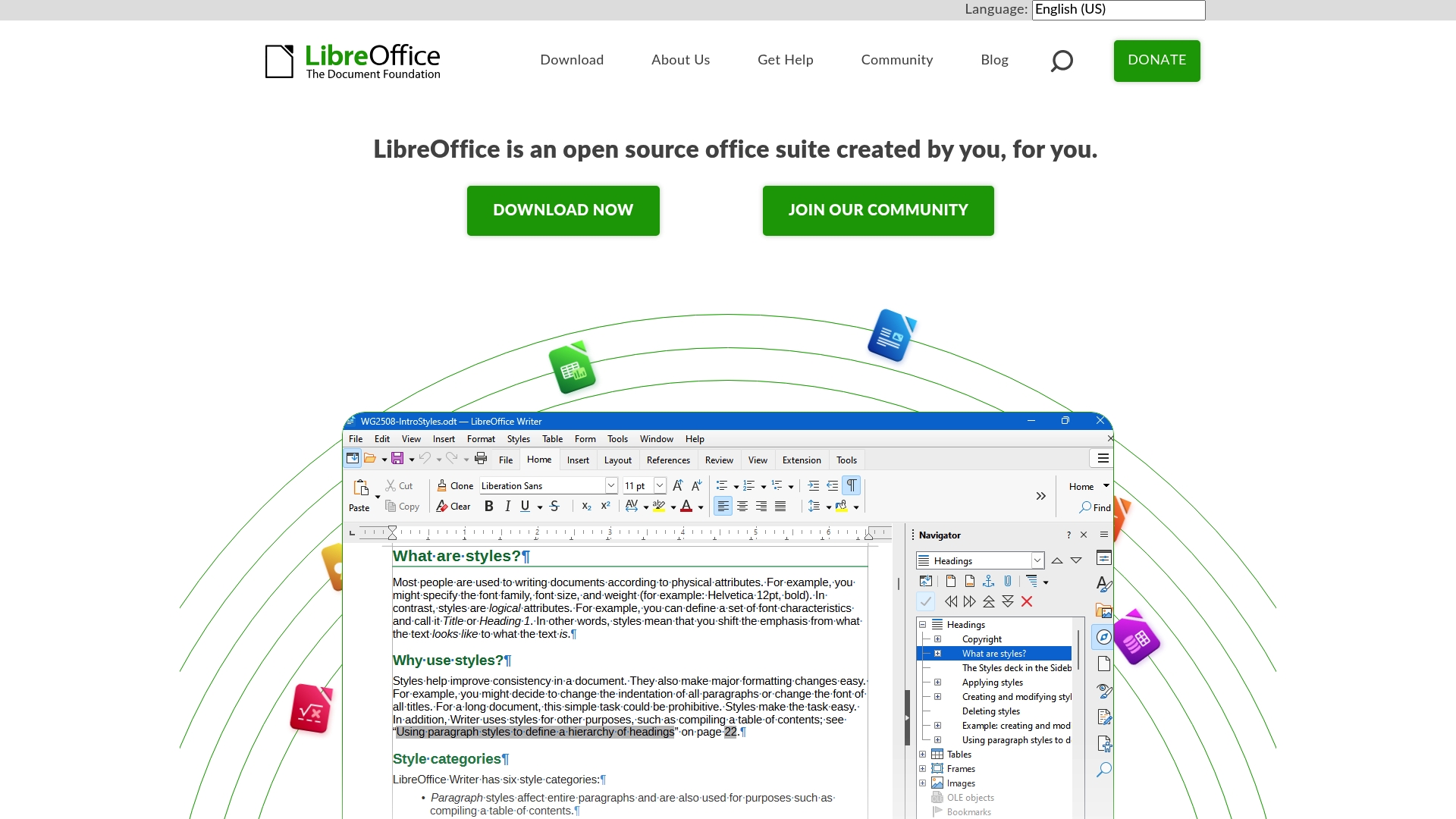
LibreOffice is a free of charge and open source An office suite created by a global community to meet core productivity needs without subscription fees. It provides reliable document creation and basic collaboration tools for individuals and small- to medium-sized businesses. The suite prioritizes transparency and cost savings over polished proprietary compatibility.
Core Features
LibreOffice bundles Writer, Calc, Impress, Draw, Base, and Math to handle word processing, spreadsheets, presentations, diagrams, database tasks, and formula editing all in one package. The apps share a common interface, support multiple languages, and receive frequent community-driven updates and extensions.
Pros
- No licensing costs: LibreOffice is free to download and use for personal and commercial projects, which immediately reduces software costs.
- Extensive language support: Built-in localization and translations make the suite practical for teams across regions and educational settings.
- Full office coverage: The package includes most of the tools needed for daily office tasks, ranging from drafting documents to designing presentations and creating simple database forms.
- Active community development: Contributors provide patches, extensions, and user support that help the suite continue to evolve and remain secure.
- Regular updates: The project releases updates and security fixes frequently, so installations remain up to date at no additional cost.
Cons
- Compatibility with Microsoft Office formats: Complex Word or Excel files may lose their original formatting and require manual corrections after import or export.
- A steeper learning curve for advanced features: Power users who are switching from proprietary software suites may need some time to find equivalent options and workflows.
- Performance varies depending on the hardware: Large spreadsheets or presentations with a lot of media can run slowly on older or lower-end computers.
Who It's For
LibreOffice is suitable for individuals, students, educators, and small to medium-sized businesses that need a robust office suite without monthly or per-user fees. It is also suitable for organizations that prefer community-maintained software and want full local control over files and installations.
Unique Value Proposition
LibreOffice offers a complete desktop office experience without licensing costs, supported by a transparent development model and community support. This combination provides you with a verifiable, extensible alternative to subscription models while maintaining local file ownership and offline access.
Real World Use Case
A student writes essays and formats citations in Writer, while a small business creates budgets and visualizes cash flow in Calc. An educator prepares lecture slides in Impress and uses Draw for classroom diagrams—all without having to purchase software licenses.
Pricing
LibreOffice is free for both personal and commercial use, with no subscription, per-user fees, or trial restrictions.
Website: https://www.libreoffice.org
Apache OpenOffice
At a Glance
Apache OpenOffice is a free and open source An office suite that includes word processing, spreadsheets, presentations, graphics, and basic databases. It provides reliable core tools for users seeking a free alternative to proprietary suites with broad file compatibility.
Core Features
Apache OpenOffice provides word processing, spreadsheet management, and presentation creation that mirror common office workflows. It also includes drawing tools for simple graphics and a base application for database forms and data handling across multiple platforms.
Pros
- Free and open-source software: You can download and use the full suite without paying any licensing fees, which helps keep software costs low for small businesses and individuals.
- Supports multiple languages and platforms: The suite runs on major operating systems and offers language packs so that diverse teams can work in their preferred language.
- Extensive support and community: A volunteer community provides documentation, templates, and forum support to fill in the gaps in official support channels.
- Regular updates and improvements: The project receives maintenance releases that fix bugs and address compatibility issues, ensuring that basic functionality remains stable for everyday use.
- Compatibility with Microsoft Office file formats: You can open and save common Word, Excel, and PowerPoint files, which makes it easier to exchange documents with external partners.
Cons
- The interface may be less modern than that of some competitors: The visual design and toolbar layout seem outdated compared to newer suites, which can slow adoption among users who expect a modern look.
- Limited cloud integration features: Built-in syncing and collaborative editing are limited, so teams that rely on real-time cloud collaboration will need third-party solutions.
- Some advanced features may be less intuitive for new users: Certain formatting and database tasks require additional training, which can be time-consuming for staff without prior experience.
Who It's For
Small business owners and independent professionals who need essential office tools without recurring costs will find Apache OpenOffice practical and cost-effective. Educational institutions and nonprofit organizations that prioritize open-source principles also benefit from its cross-platform availability.
Unique Value Proposition
Apache OpenOffice offers a complete office suite at no cost, supported by a community-driven project that emphasizes file compatibility and stability. For organizations looking to reduce licensing costs while maintaining their existing document workflows, it provides clear value.
Real World Use Case
A small accounting firm uses Apache OpenOffice to create client invoices, manage ledgers in spreadsheets, and prepare presentation reports for meetings. The firm reduces overhead by avoiding subscription fees and ensures that files remain compatible with clients by using widely used formats.
Pricing
Apache OpenOffice is completely free to download and use, with no license fees or subscription costs.
Website: https://www.openoffice.org
WPS Office
At a Glance
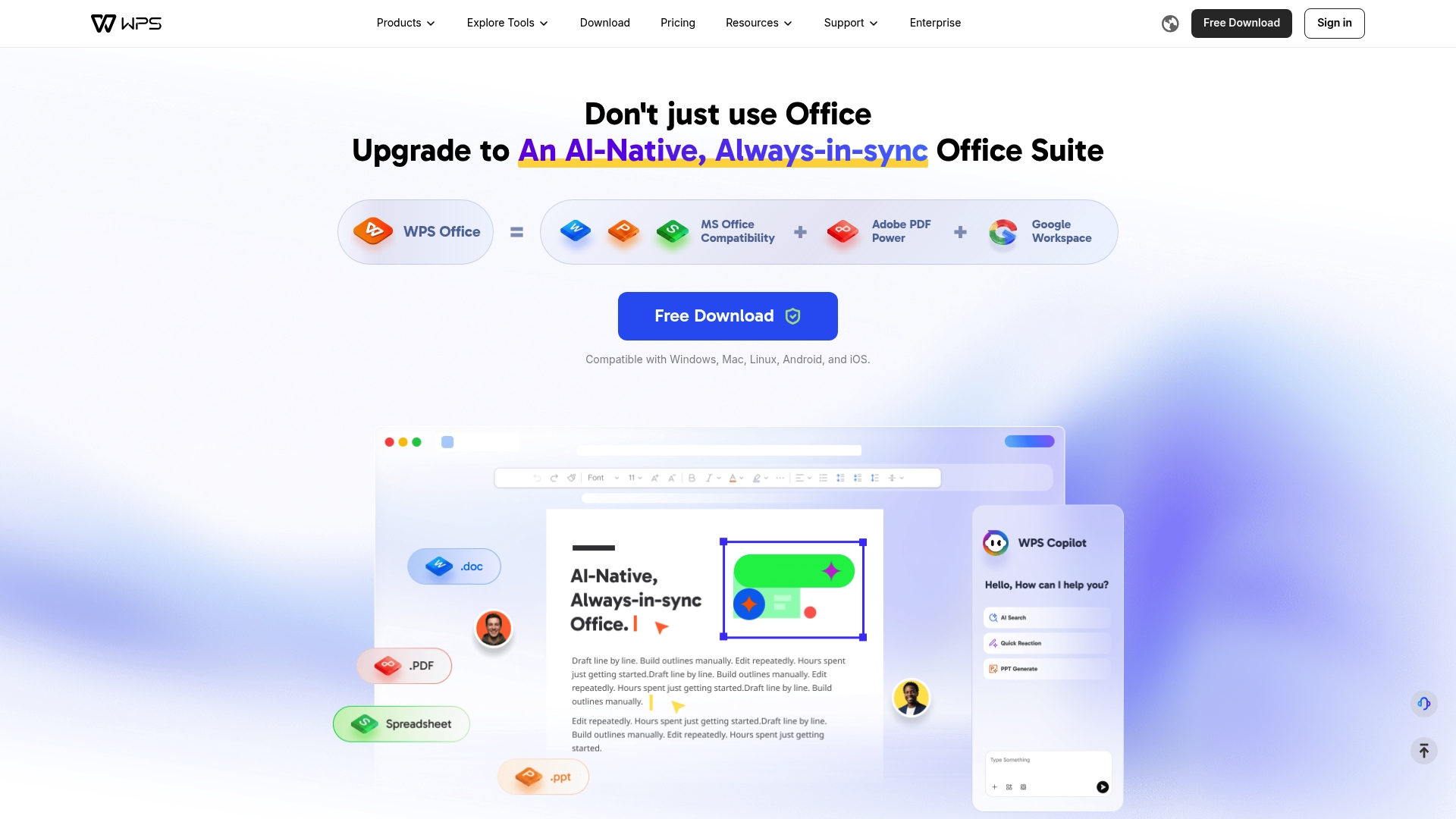
WPS Office is an AI-native an office suite that stays in sync across devices and aims for broad MS Office Compatibility. It combines document, spreadsheet, presentation, and PDF tools into a single package that works on Windows, Mac, Linux, Android, and iOS.
- Fast synchronization across devices
- Built-in AI assistance for writing and formatting
Core Features
WPS Office focuses on cross-platform productivity and collaboration with cloud-based collaboration and real-time editing. Built-in PDF Tools cover conversion, compression, merging, and signing, while AI tools speed up formatting and content creation.
- MS Office Compatibility for documents, spreadsheets, and presentations
- AI-powered tools for content writing, presentation design, and data analysis
- Comprehensive PDF utility features, along with a wide range of templates and assets
Pros
Cross-platform compatibility lets you open and edit files on Windows, Mac, Linux, Android, and iOS without having to switch between apps.
Built-in AI features Speed up common tasks such as document formatting and content generation so you spend less time polishing drafts.
Powerful collaboration tools include cloud storage and real-time editing, which help distributed teams collaborate on the same files.
Affordable all-in-one suite replaces multiple subscriptions by combining Office apps and PDF tools into a single product.
High security and privacy standards give small businesses confidence when handling sensitive documents.
Cons
The depth of these features may be overwhelming for casual users who only need to perform basic document editing.
Some advanced features require a subscription or payment before you can gain full access, which limits the free tier.
The user interface differs from other office suites, which creates a learning curve for users who expect a Microsoft-style layout.
Who It's For
WPS Office is ideal for individuals, small- to medium-sized businesses, and educational institutions looking for a cost-effective, versatile office suite with AI enhancements and cross-device support.
- Freelancers who need an affordable alternative to an office
- Small teams that collaborate on presentations and reports
- Schools that need access to multiple devices and PDF tools
Unique Value Proposition
WPS Office stands out by including AI-powered productivity with a full suite of PDF tools and strong cross-platform compatibility. This combination reduces the need for separate PDF editors and third-party writing tools.
- One package for documents, spreadsheets, presentations, and PDFs
- AI features integrated into common workflows
Real World Use Case
A marketing team uses WPS Office to collaboratively create presentation decks and reports across laptops and phones, while AI tools generate draft content and format slides. The team shares compressed PDFs for client review and makes edits in real time.
- Real-time edits to presentations and spreadsheets
Pricing
WPS Office offers a free version with basic features and paid premium plans that unlock advanced collaboration and AI features. Pricing varies by plan and feature set, so choose based on the number of users and the capabilities you need.
- Free tier for basic document and PDF tasks
- Premium plans for advanced features and comprehensive collaboration tools
Website: https://www.wps.com
ONLYOFFICE
At a Glance
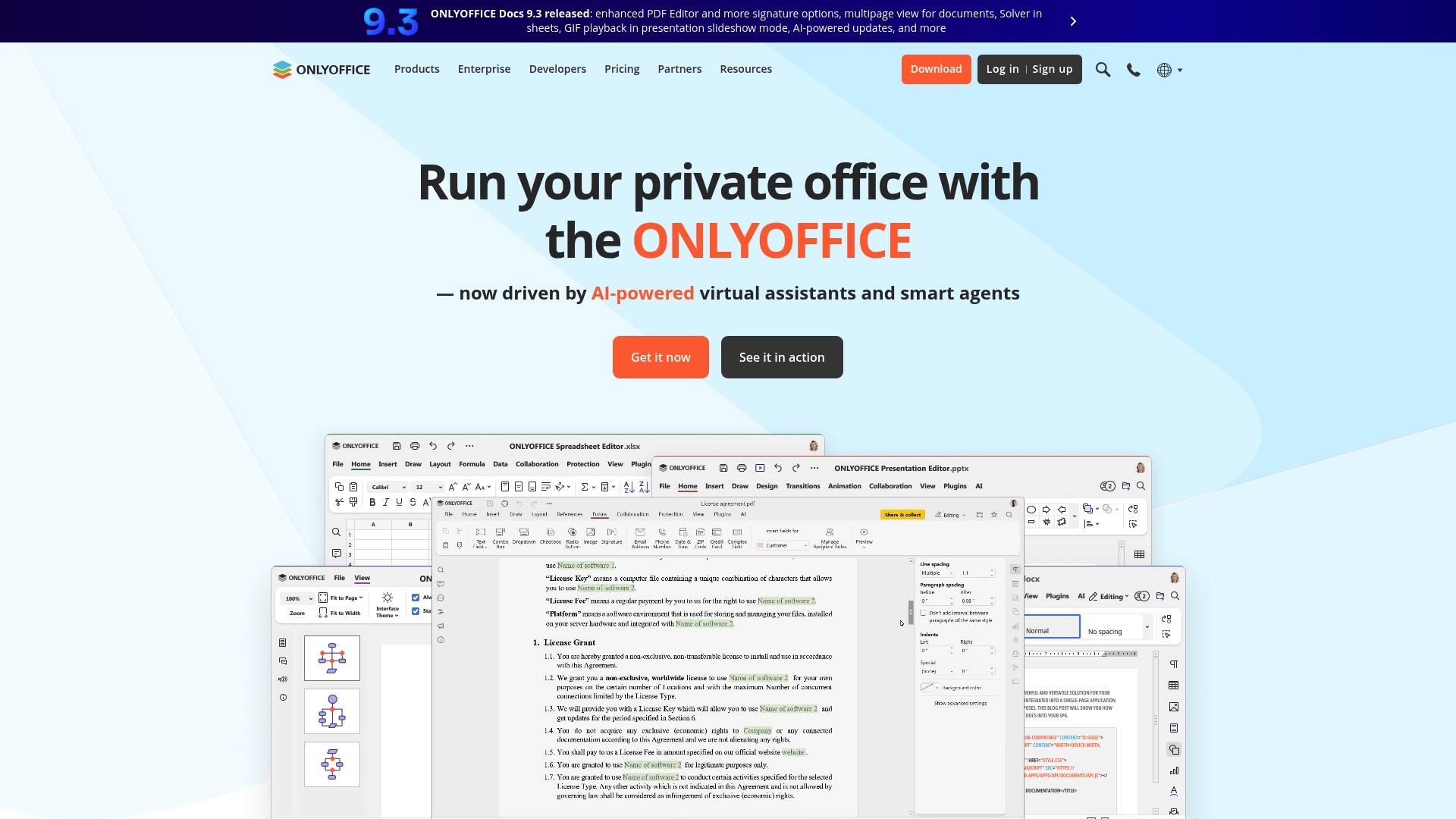
ONLYOFFICE is a versatile office suite designed for collaboration across online, desktop, and mobile apps. Its strengths lie in document editing and teamwork, combined with security and AI features, making it a practical alternative for organizations seeking control and flexibility.
Core Features
ONLYOFFICE lets you view, edit, and collaborate on documents, spreadsheets, presentations, and PDFs, with real-time co-editing and comment threads to ensure clear team communication. The suite supports the creation of fillable PDF forms and the editing of PDFs directly within the platform.
ONLYOFFICE can convert documents to Markdown and HTML and can compile e-books from longer texts, while offering diagram navigation tools for visual files. It also provides AI powered tools to speed up writing and editing and supports integrations with other platforms and services.
Powerful. Flexible.
Pros
- Open source and free to use: The base offering is available free of charge, so you can deploy the core tools without paying a licensing fee.
- Comprehensive document tools: You get comprehensive support for documents, spreadsheets, presentations, PDFs, and even e-book creation—all in one package.
- Integration-friendly: ONLYOFFICE supports connections to various platforms and services, which helps centralize workflows.
- AI-enhanced editing: Built-in AI-powered tools speed up content creation and reduce the need for manual cleanup when working with documents.
- High security standards: The product emphasizes security and compliance, making it ideal for organizations that handle sensitive documents.
Cons
- The extensive feature set can be overwhelming for casual users who need only simple editing tools and prefer minimalist interfaces.
- Self-hosting and advanced integrations require technical knowledge, so individual users or small teams without IT support may have difficulty setting them up.
- Some advanced features are likely reserved for paid plans, which means enterprise features may incur additional costs for larger deployments.
Who It's For
Businesses, educational institutions, developers, and individual professionals who want a secure, versatile, and open-source office productivity suite will benefit the most. Teams that require on-premises or cloud hosting options and integration flexibility will find tangible value.
Unique Value Proposition
ONLYOFFICE stands out by combining broad document support with collaboration features and a commitment to open-source development. The combination of self-hosting, cloud options, and AI-powered tools gives organizations control over their data, workflows, and customization.
Real World Use Case
A university uses ONLYOFFICE to enable students and staff to collaborate on coursework, co-edit research papers, and manage PDFs within the campus platform. IT teams integrate ONLYOFFICE with single sign-on and storage systems to keep data secure and accessible.
Pricing
ONLYOFFICE offers free desktop and mobile apps, as well as free cloud solutions for basic use and testing. Paid plans are available for enterprise features, hosting options, and priority support, with pricing that varies based on deployment and service level.
Website: https://onlyoffice.com
FreeOffice
At a Glance
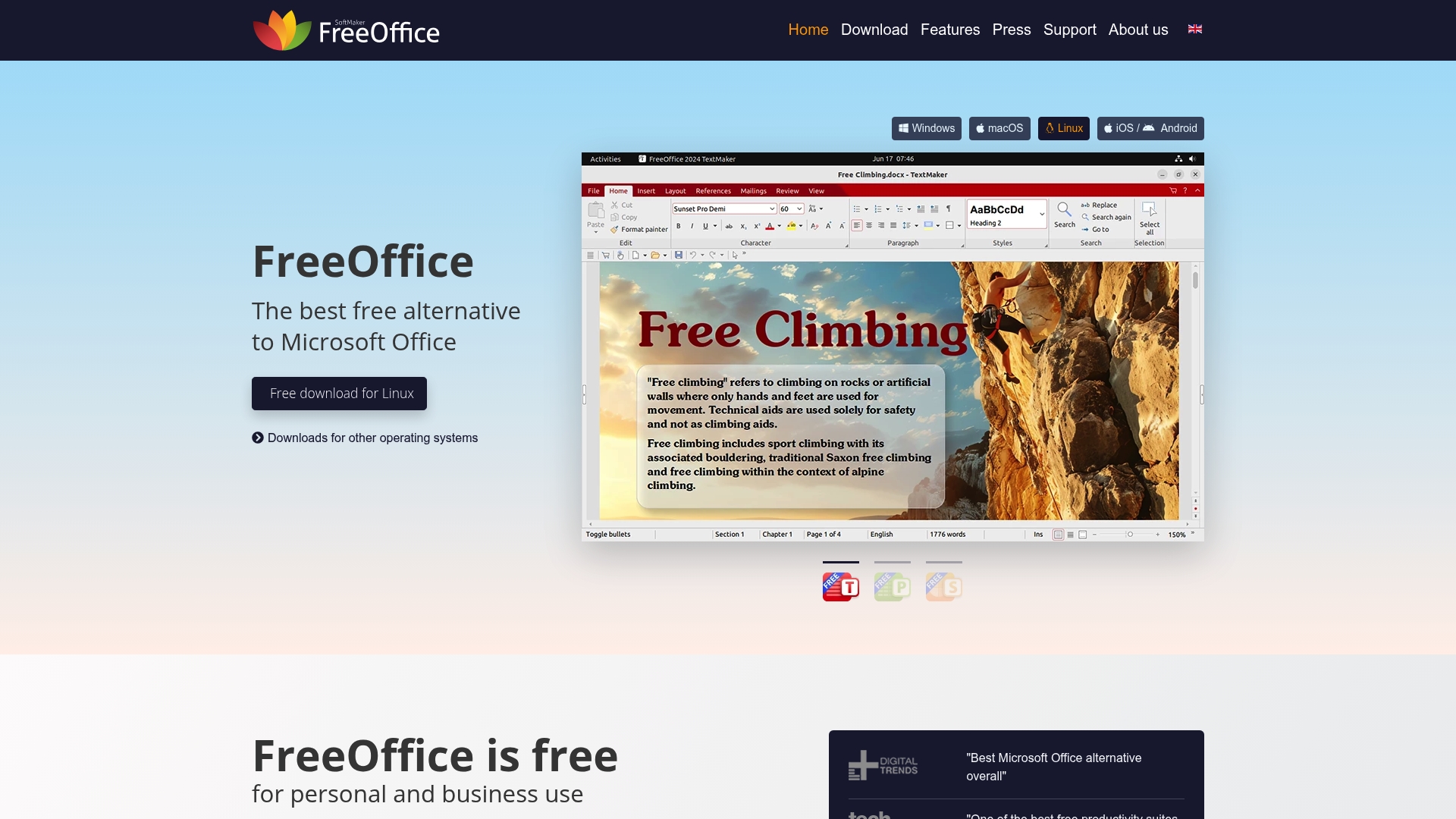
FreeOffice is a complete office suite that provides a word processor, spreadsheet, and presentation app for free on major platforms. It offers robust Microsoft Office compatibility and a familiar interface that makes it easier for users and small teams to get started.
Bottom line: Give FreeOffice a try when you need a free alternative that opens Office files without any hassle.
Core Features
FreeOffice bundles TextMaker for word processing, PlanMaker for spreadsheets, and Presentations for slide decks. Each app supports common Office formats, so documents you receive from clients open correctly on all devices.
The suite is available on Windows, macOS, Linux, iOS, and Android, which makes it a solid cross-platform a good choice for remote teams and independent workers.
Quick takeaway: Install the platform build that matches your device and test a few real client files before making the full switch.
Pros
Free for personal and business use. This eliminates licensing costs for individuals and small businesses looking to reduce their software expenses.
Compatible with Microsoft Office files. Opening and saving .docx, .xlsx, and .pptx files works reliably for standard documents and common layouts.
Available on multiple operating systems. You get the same basic tools on both desktop and mobile, which keeps workflows consistent across devices.
Easy for Microsoft Office users to learn. The interface and menu structure follow familiar patterns, so it doesn't take long for staff to get used to them.
Includes a full office suite. You get word processing, spreadsheets, and presentation software without having to piece together separate apps.
Practical tip: Use FreeOffice to handle daily office tasks and avoid subscription fees.
Cons
Limited advanced features compared to Microsoft Office. Users who need macros, complex templates, or enterprise collaboration tools will find that some functionality is missing.
Requires an internet connection for updates and support when using online features. Offline users will need to plan their update windows carefully.
Some advanced features may require paid upgrades or alternative solutions. Power users who rely on niche Excel functions or third-party add-ins will need to test compatibility.
Risk management takeaway: Validate advanced workflows before moving mission-critical documents to FreeOffice.
Who It Is For
FreeOffice is ideal for users and small businesses looking for a free, familiar office suite that is still compatible with Microsoft Office files. It is well-suited for independent contractors, nonprofit teams, and cost-conscious startups that prioritize compatibility over advanced enterprise features.
Key takeaway for users: Start with a pilot project involving basic documents and spreadsheets to determine if the solution is a good fit.
Unique Value Proposition
FreeOffice offers a practical balance between zero cost and practical compatibility. Its main advantage is that it preserves document fidelity for typical office work while avoiding subscription fees and vendor lock-in.
Key takeaway: Choose FreeOffice when budget is a concern and Microsoft Office-level functionality is sufficient for your tasks.
Real World Use Case
A small business replaces Microsoft Office with FreeOffice to reduce licensing costs while continuing to exchange files with clients. Employees edit proposals, manage budgets, and prepare client presentations without the need for retraining or any loss of formatting.
Operational takeaway: Migrate standard templates first and keep a backup copy in the original Office format.
Pricing
FreeOffice is free for both personal and business use. No subscription is required for the core suite, and users can download installers for each supported platform.
Key takeaway: If you need to quickly eliminate recurring software costs, FreeOffice is an immediate solution.
Website: https://www.freeoffice.com
Comparison of Office and Operating System Tools
This table provides a detailed comparison of various office productivity and operating system licensing tools, highlighting their features, advantages, disadvantages, pricing, and target users to help you make an informed decision.
| Product | Key Features | Pros | Cons | Pricing |
|---|---|---|---|---|
| Windows 11 Pro Product Key & Activation Guide | Original license keys, digital and physical options, multilingual support, 24/7 instant email delivery | Fast process, secure purchase with a money-back guarantee, no extra tools required, excellent value for the price | Specific to Windows 11 Activation | €4.99 (Reduced from €12.95) |
| LibreOffice | Open source; includes Writer, Calc, Impress, Draw, Base, and Math; supports multiple languages | No cost to use, Wide range of office functions, Regular updates | Compatibility issues with advanced Microsoft Office files; some features are not very intuitive | Completely free |
| Apache OpenOffice | A comprehensive suite of alternatives to Word, Excel, and PowerPoint, as well as drawing and database tools | Free and robust tools, compatible with Microsoft Office formats, available on multiple platforms | Outdated interface, limited cloud integration features | Completely free |
| WPS Office | Integration of document, spreadsheet, presentation, and PDF tools, along with AI features to boost productivity | AI-powered tools for clarity and efficiency, cross-platform support, cloud integration | A subscription is required for premium features; the interface may seem unfamiliar at first | Free basic tier, paid premium plans |
| ONLYOFFICE | Online, desktop, and mobile apps; advanced collaboration tools; AI-powered enhancements | Open-source software, advanced document and PDF tools, suitable for team collaboration | Complex for casual users; some features are limited to paid versions | Free basic plan, plans for businesses |
| FreeOffice | Word processing, spreadsheet, and presentation applications; compatible with Microsoft Office formats | Free for personal and business use, user-friendly interface, reliable compatibility with Microsoft Office files | Limited features for power users; reliance on the Internet for updates and premium features | Completely free |
Unlock Productivity with Genuine Software and Trusted Licensing
Choosing the right office suite is key to working efficiently and securely in 2026. Whether you rely on popular free office products or need licensed systems that guarantee full compatibility and updates, avoiding costly licensing issues is essential. Many people struggle with unreliable product keys, compatibility issues, or delayed activations when trying to get their productivity tools up and running.
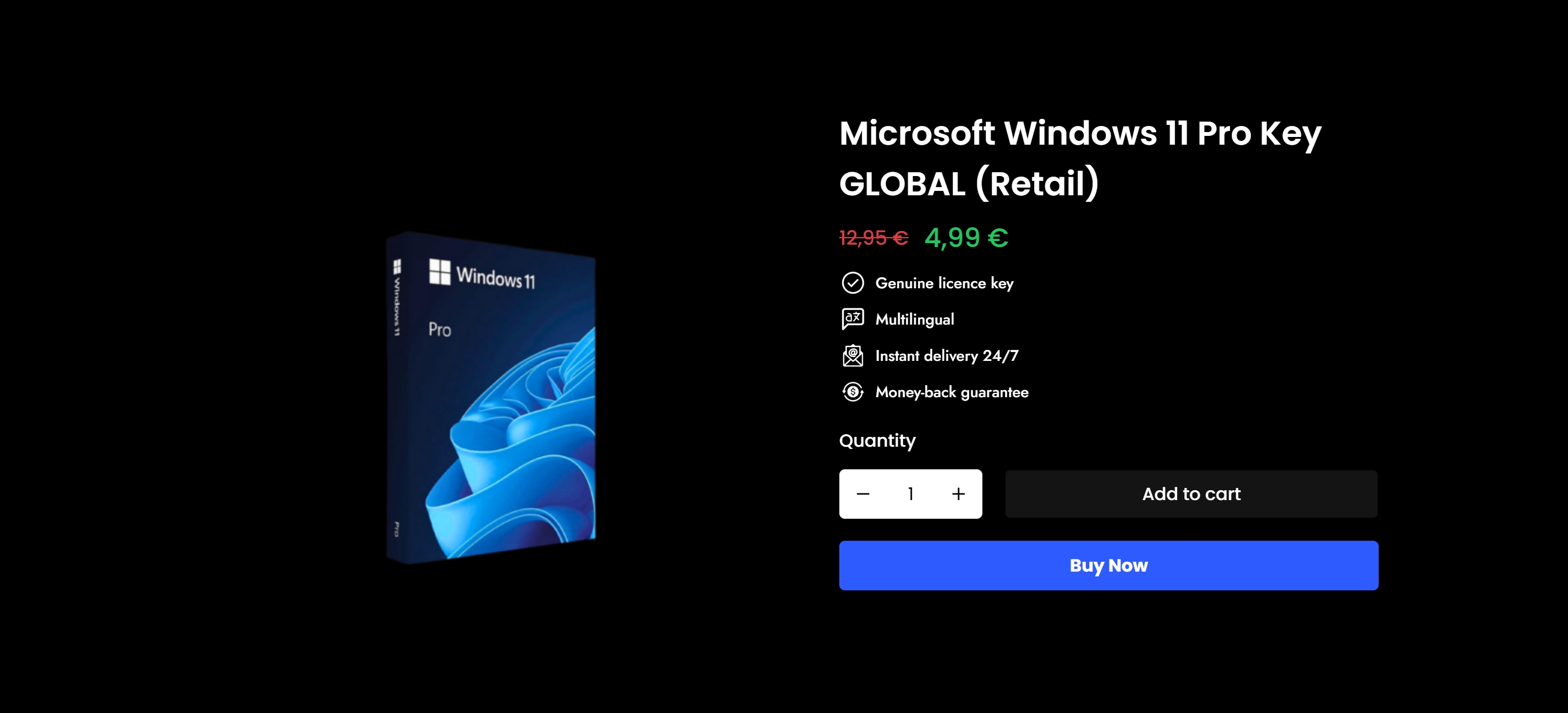
Discover official Windows licenses that perfectly meet your office software needs at Operating Systems Archives. Get fast, secure, and legitimate Windows 11 Pro or Windows 10 product keys delivered instantly to keep your workflow running smoothly and your documents safe. Don’t wait—protect your workspace with authentic licenses today by visiting our checkout page. Start 2026 off right with trusted software solutions you can count on.
Frequently Asked Questions
What are the benefits of using free product keys for Office software in 2026?
Using free product keys for Office software allows individuals and small businesses to access essential productivity tools without incurring licensing fees. This can significantly reduce operating costs while still providing software that is functionally adequate for daily tasks.
How can I activate Office software with a free product key?
To activate Office software with a free product key, open the program and go to the activation settings. Enter the key provided, and follow the on-screen instructions to complete the activation process.
Are there any restrictions on using free product keys for Office software?
Yes, free product keys may come with limitations, such as restricted features or a lack of support compared to paid versions. It’s advisable to assess your needs and determine whether the features offered meet your requirements.
How often are free product keys updated or changed?
Free product keys for Office software can change frequently, typically to reflect new software versions or updates. Check for new keys regularly—every few months or whenever significant updates are released—to ensure compatibility and continued access.
Can I use a free product key for commercial projects?
Using a free product key for commercial projects can be risky if the license agreement does not allow it. Always review the terms of use associated with the key to ensure compliance before using it for business-related tasks.
What should I do if my free product key doesn't work?
If your free product key doesn't work, double-check for errors when entering it, as a mistyped character can cause activation failures. If the problem persists, search for alternative keys or consult community forums for troubleshooting advice.