Is Windows Defender enough for your PC?
When it comes to protecting your computer from viruses and malware, Windows Defender is one of the most popular and affordable protection tools, as it is installed on every computer running the Windows operating system. But the question is: is Windows Defender effective enough, or is it worth investing in an additional antivirus programme?
In this article, we'll look at how Windows Defender works, its pros and cons, and whether you really need extra protection.
What is Windows Defender?
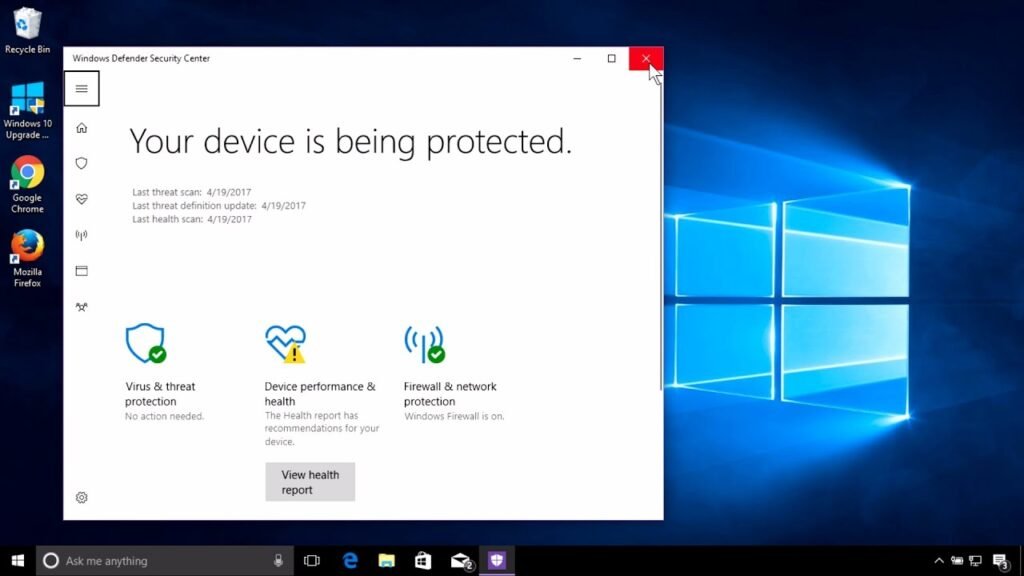
Windows Defender, also known as Microsoft Defender Antivirus, is a built-in Windows security application. It is designed to protect your computer from viruses, spyware and other malicious threats. Defender runs continuously in the background, scanning your system and checking downloaded files.
Key features of Windows Defender:
- Real-time protection: Continuously monitors the system and detects threats as soon as they occur.
- Periodic scans: Automatically checks files, applications and systems.
- Firewall integration: Ensures network security by blocking suspicious activity.
- Parental control: Allows restrictions on children.
Benefits of Windows Defender
- Free and integrated
Windows Defender requires no additional cost or complex installation - it is activated automatically when you install the Windows operating system. - Minimal impact on system performance
Unlike many other antivirus programmes, Defender does not interfere with the performance of your computer. This is especially useful if you are using an older or less powerful computer. - Regular updates
Defender receives frequent security updates directly from Microsoft, so it adapts to new threats.
Disadvantages and limitations
While Windows Defender is effective enough for most users, it has some limitations:
- Lower level of protection against sophisticated threats
Defender is good at dealing with common viruses, but its effectiveness against sophisticated threats such as ransomware (ransomware) is limited. - Lack of additional features
Other anti-virus programmes often offer additional features such as password management tools, VPN services or advanced internet protection. - False positives
Windows Defender can sometimes mistakenly identify secure files as a threat, which can cause inconvenience.
Do you need additional Antivirus?
The answer depends on your needs and usage habits:
When is Windows Defender enough?
- If you only use your computer for web browsing, email and occasional downloads from trusted sources.
- If you are not in the habit of installing unknown applications or visiting risky websites.
- If you want protection that doesn't degrade the performance of your computer.
When is additional protection needed?
- If you work with sensitive information, such as financial data, or manage business computers.
- If you frequently browse untrusted websites or download files from unofficial sources.
- If you want additional security features such as, dark web tracking or secure browsing tools.

The best free antivirus programs for Windows PC
If you decide that Windows Defender is not enough for your needs, there are several excellent free antivirus applications that offer reliable protection against cyber threats:
- Avast One
Avast One is one of the most popular free antivirus apps, offering real-time protection, password management and even a limited VPN service. It is a user-friendly application with many advanced features such as a game mode that reduces the load on the system. Disadvantages include frequent prompts to upgrade to the paid version and a low impact on system performance.

- Bitdefender Free Antivirus
It is distinguished by its effective threat protection and lower impact on system performance. Bitdefender runs silently in the background, providing real-time protection. The free version is limited to basic features, but it is perfect for those looking for reliable protection without additional complex settings.

- Avira Free Antivirus
In addition to antivirus protection, Avira includes a free VPN (with limited data) and a password management tool. It's a simple and easy-to-use application, suitable for beginners. The limited VPN options and lack of some features may be limitations for more advanced users.

- AVG Antivirus Free
AVG offers protection against a wide range of threats, including spyware and Trojans. It includes email protection, and the user-friendly interface allows quick scans. Like many free solutions, it limits features that are only available in the paid version.

When choosing the right antivirus software, assess your needs - whether basic protection is enough or whether you need additional features such as password management or VPN.
Finally,
Windows Defender is an excellent choice as a basic protection tool, especially for those who use their PC for everyday needs. However, if you work with sensitive data or regularly face more sophisticated threats, an additional antivirus application can provide even more security.
If you're planning to buy the latest version of Windows, or to find out more about the system's capabilities, visit our In the Windows operating systems category.
Protect your data and enjoy a smooth and secure workflow!