What Is Device Compatibility? A Clear 2026 Guide
TL;DR:
- Device compatibility involves hardware, software, and network support working together to ensure proper device function. Using an IMEI check is the most reliable way to verify a device’s exact hardware support before purchasing or switching carriers. Many compatibility issues are permanent due to hardware limitations, making early verification essential for smooth operation.
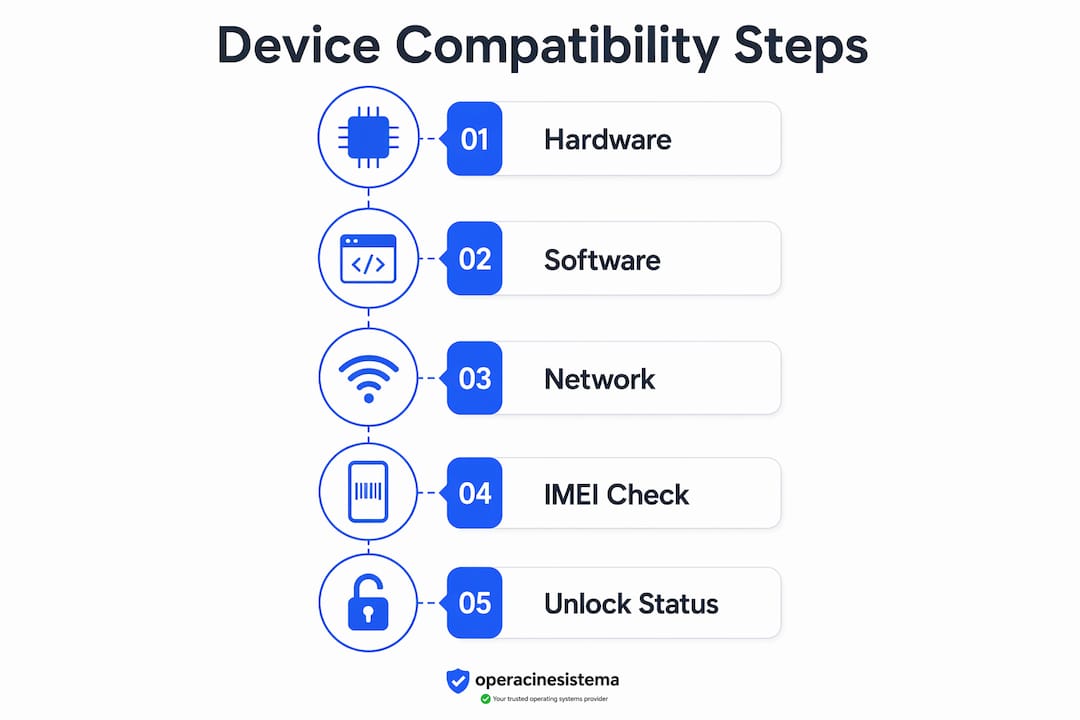
Device compatibility is defined as the ability of hardware, software, and networks to work together without errors, forming the foundation for every device interaction you rely on daily. Whether you’re connecting a phone to a carrier network, running an app on a laptop, or pairing a smartwatch with your smartphone, compatibility determines whether that interaction succeeds or fails. The GSMA projects that over 430 million devices will require network verification by 2027. That number shows just how central compatibility has become to modern technology. Understanding device compatibility explained in full means looking at three distinct layers: hardware, software, and network.
What is device compatibility and how does it work?
Device compatibility is the technical match between a device’s hardware or software and the system it needs to interact with. The term covers everything from whether your phone supports a carrier’s 5G bands to whether an app runs correctly on your operating system. Compatibility is not a single yes-or-no answer. It is a graded condition that ranges from fully compatible to completely blocked, with partial compatibility sitting in between.
The three core layers of compatibility are:
- Hardware compatibility: The physical components of a device match the requirements of the network or peripheral it connects to.
- Software compatibility: The operating system, CPU architecture, and API libraries support the application or service being used.
- Network compatibility: The device’s radio frequency bands and network technology (4G, 5G) align with the carrier’s infrastructure.
Each layer operates independently, but a failure in any one of them creates a compatibility problem. A device can have perfect hardware for a network but run software that blocks a key feature. That is why understanding all three layers matters before you buy a device or deploy an app.
How does hardware compatibility work?
Hardware compatibility in mobile telecommunications means your device’s physical components match the technical requirements of the network or accessory you want to use. The most critical factor is radio frequency bands. Carriers operate on specific frequency bands, and a device must support those bands to access the network at full speed and capability.

Carrier lock vs. unlocked devices
Carrier lock status restricts a device to one carrier’s network. An unlocked device, by contrast, can activate a SIM or eSIM on any compatible carrier. This distinction matters most when you travel internationally or switch carriers. A locked device may physically support the right frequency bands but still fail to connect because the software restricts network access.
Regional hardware variants
The same phone model sold in different regions often has different internal hardware. Regional variants of the same device may support different frequency bands, which causes partial compatibility when used outside their intended market. A phone purchased in Europe may lack the specific 5G bands used by American carriers, even if the marketing name is identical.
Why IMEI matters more than the model name
The IMEI number is the most reliable way to verify hardware compatibility. IMEI-based checks identify the specific hardware variant of a device, going beyond the generic marketing name. Two phones with the same brand name and model number can have entirely different network support depending on their region of manufacture.
| Check Method | What It Reveals | Reliability |
|---|---|---|
| Marketing name only | General device category | Niedrig |
| Model number | Hardware generation | Mittel |
| IMEI check | Exact hardware variant and band support | Hoch |
Profi-Tipp: Always run an IMEI check before purchasing a used device or switching carriers. The model name alone will not tell you which frequency bands the device actually supports.
How does software compatibility affect your devices?
Software compatibility determines whether an application or service can run correctly on a given device. Apps rarely run universally across all platforms. Instead, they target specific CPU architectures, such as ARM or x86, and require the operating system to provide the correct kernel features and API libraries.
CPU architecture and OS version requirements
A program compiled for an x86 processor will not run natively on an ARM processor without a translation layer. This is why apps built for Windows PCs do not automatically work on devices running ARM-based chips. Beyond architecture, the operating system version plays a critical role. Older OS versions often lack the kernel features or API libraries that newer apps depend on, causing crashes, missing features, or outright failure to launch.
The key software compatibility factors are:
- CPU architecture match: ARM, x86, or x64 must align between the app and the device processor.
- OS version floor: Apps declare a minimum OS version; devices running below that version cannot install or run the app.
- API availability: Apps call specific system APIs. If the OS does not include those APIs, the app fails or loses functionality.
- Kernel features: Low-level system functions required by some apps must be present in the OS kernel.
Keeping your OS current is one of the most direct ways to maintain software compatibility. OS updates add new APIs and kernel features that newer apps require. Skipping updates does not just create security risks. It also narrows the range of software your device can run correctly.
Verstehen OS compliance requirements is especially relevant for businesses managing fleets of devices, where a single outdated OS version can block a critical application across dozens of machines.
What are common compatibility issues with devices?
Compatibility problems fall into four distinct categories, each with different consequences for the user. Recognizing which category applies to your situation tells you exactly what you can and cannot do with a device.
- Fully compatible: The device supports all network features, including 5G, Wi-Fi calling, and hotspot functionality. No restrictions apply.
- Partially compatible: The device connects to the network and handles voice and text, but advanced features like 5G or Wi-Fi calling are unavailable. This is the most common outcome for devices used outside their home region.
- Incompatible: The device does not support the carrier’s required frequency bands. Basic service is unavailable.
- Blocked: The device is carrier-locked or flagged (for example, reported as stolen). Carrier lock status prevents SIM or eSIM activation entirely.
How to check device compatibility
The fastest way to check compatibility is through an IMEI-based tool provided by your carrier. Most major carriers offer a compatibility checker on their website. You enter the device’s IMEI number, and the tool returns the compatibility status along with a list of supported features. This takes less than two minutes and gives you a definitive answer before you commit to a purchase or plan change.
Watch out: A device listed as “compatible” on a general product page may still be only partially compatible on your specific carrier. Always use the carrier’s own IMEI checker, not a third-party listing.
What to do when incompatibility is detected
If your device is incompatible, you have three options. First, check whether the device can be unlocked by your current carrier. Second, verify whether a firmware update resolves the missing feature. Third, consider replacing the device with one that is certified for your carrier’s network. Partial compatibility is often permanent because it reflects hardware limitations, not software that can be patched.
Profi-Tipp: Before activating a new SIM or eSIM, confirm that your device is fully unlocked and that your carrier supports eSIM activation for your specific IMEI. Some devices support eSIM in hardware but are blocked at the carrier level.
How does understanding device compatibility benefit you?
Knowing how compatibility works gives you a real advantage whether you are a consumer, a developer, or a business manager. The benefits are concrete and immediate.
For consumers:
- You avoid buying a device that cannot access your carrier’s 5G network.
- You know in advance which features will be missing if you use a regional device variant.
- You can verify used device compatibility before purchase, protecting your investment.
For developers:
- You design apps with clear minimum OS version requirements, reducing support requests from users on incompatible devices.
- You test across ARM and x86 architectures to catch failures before release.
- You use OS validation practices to confirm that your app runs correctly on the OS versions your users actually have.
For businesses running BYOD programs:
- You classify employee devices by compatibility status before granting network access.
- Partially compatible devices get limited access, protecting network security without blocking productivity entirely.
- GSMA compatibility scores give businesses a standardized way to assess network-device match quality and predict device function on their infrastructure.
The GSMA’s device compatibility service produces scores that businesses use to make purchasing decisions and set device policies. That kind of standardized data removes guesswork from fleet management and customer device support. Compatibility knowledge, at every level, converts uncertainty into a clear decision.
Wichtigste Erkenntnisse
Device compatibility is a graded, three-layer condition covering hardware, software, and network alignment, and the IMEI number is the single most reliable tool for verifying it accurately.
| Punkt | Einzelheiten |
|---|---|
| Compatibility is graded, not binary | Devices can be fully compatible, partially compatible, incompatible, or blocked, each with different feature implications. |
| IMEI beats model name every time | Always use an IMEI check to identify the exact hardware variant and its supported network bands. |
| Software needs CPU and OS alignment | Apps require matching CPU architecture and a minimum OS version with the correct API libraries to function. |
| Regional variants cause partial compatibility | The same phone model sold in different regions may lack the frequency bands needed for full network support. |
| GSMA scores standardize business decisions | Businesses use GSMA compatibility data to assess device-network match quality and manage BYOD programs effectively. |
What I’ve learned from watching people get compatibility wrong
The most common mistake I see is trusting the marketing name of a device. People buy a phone because they recognize the brand and model, then discover it supports only 4G on their carrier while the same model sold domestically supports 5G. The hardware is different. The name is the same. That gap between marketing and reality causes real frustration.
The second mistake is assuming that partial compatibility is a temporary problem. Most of the time, it is not. If a device lacks the physical radio hardware for a specific frequency band, no software update will add it. Partial compatibility is often permanent, and you need to decide whether the missing features matter enough to warrant a device change.
What actually works is a simple habit: run the IMEI check first, every time, before any purchase or carrier switch. It takes two minutes and eliminates the most common source of compatibility surprises. Pair that with keeping your OS current, and you cover both the hardware and software sides of the equation.
The broader lesson is that compatibility is a specification, not a promise. A device that is “designed for” a network is not the same as a device that is “certified for” that network. Read the technical details, not the marketing copy.
— Jewels by ARES
Style that works as well as your tech does
Technology keeps you connected. What you wear while you use it says something about who you are.
At Jewels by ARES, every piece is handcrafted with the same attention to detail you bring to choosing the right device. Our diamond string bracelets pair understated glamour with everyday durability, designed for people who care about both form and function. Whether you prefer the quiet luxury of a diamond-set string or the bold simplicity of a cord bracelet, Jewels by ARES has a piece that fits your wrist and your life. Explore the full collection and find the bracelet that tells your story.
FAQ
What is device compatibility in simple terms?
Device compatibility is the ability of a device’s hardware, software, and network support to work correctly with another device, carrier, or application. When all three layers align, the device functions without errors or missing features.
How do I check device compatibility with my carrier?
Enter your device’s IMEI number into your carrier’s compatibility checker tool. IMEI-based checks return the most accurate result because they identify your specific hardware variant, not just the general model name.
What does partial compatibility mean?
Partial compatibility means a device connects to the network for basic services like voice and text but lacks advanced features such as 5G or Wi-Fi calling. This status is often permanent because it reflects hardware limitations.
Why does the same phone model have different compatibility in different countries?
Manufacturers produce regional variants of the same phone with different internal hardware, including different radio frequency band support. A device sold in one region may not support the frequency bands used by carriers in another region, causing partial or full incompatibility.
Does updating my operating system improve software compatibility?
Yes. OS updates add new API libraries and kernel features that newer apps require. Running an outdated OS version is one of the most common causes of software incompatibility with current applications.